
1. Introduction
Welcome to the user manual for your BAOFENG DR-1802U Digital Two-Way Radio. This advanced handheld radio is designed for reliable and secure communication, featuring Digital Mobile Radio (DMR) technology, AES256 encryption, and dual-mode operation (digital and analog). This manual provides essential information for setting up, operating, maintaining, and troubleshooting your device to ensure optimal performance.
2. Product Overview
2.1 Key Features
- 1024 Memory Channels: Extensive storage for various communication needs.
- 1.77-inch Display: Clear and intuitive interface for easy navigation.
- DMO True 2-Slot: Efficient use of frequency spectrum with two time slots.
- Advanced AES256 Encryption: Ensures secure and private communications.
- Digital and Analog Dual Mode: Seamless compatibility with both digital and traditional analog systems.
- PC Programming: Customize settings and channels via computer.
- Private Call & SMS Function: Enhanced communication capabilities.
- Digital Noise Canceling: Provides clear audio even in noisy environments.
- VOX Voice Activation: Hands-free operation for convenience.
2.2 Package Contents
Upon unboxing, please verify that all items listed below are included:

Image: The BAOFENG DR-1802U radio displayed with all its included accessories, such as the high gain antenna, 2200mAh battery, charging dock, power adapter, belt clip, lanyard, user's manual, 771 antenna, programming cable, and headset.
- BAOFENG DR-1802U Radio x1
- High Gain Antenna x1
- 2200mAh Battery x1
- Charging Dock x1
- Power Adapter x1
- Belt Clip x1
- Lanyard x1
- User's Manual x1
- 771 Antenna x1
- Programming Cable x1
- Headset x1
2.3 Radio Components

Image: A detailed diagram of the BAOFENG DR-1802U radio, highlighting and labeling its various components including the Antenna, Channel Switch, Power/Volume Knob, Flashlight, SK1/SK2/SK3 Keys, Speaker, PTT (Push-to-Talk), 2-pin K Jack, Mic, 1.77-inch Screen, MENU Key, EXIT Key, and Keypad.
- Antenna: For transmitting and receiving signals.
- Channel Switch: Rotary knob to select channels.
- Power/Volume Knob: Turns the radio on/off and adjusts volume.
- Flashlight: Integrated light source.
- SK1/SK2/SK3 Keys: Programmable side keys for quick access to functions.
- Speaker: Audio output.
- PTT (Push-to-Talk): Button to initiate transmission.
- 2-pin K Jack: Port for connecting accessories like headsets or programming cables.
- Mic: Microphone for voice input.
- 1.77” Screen: Displays radio status, menu, and channel information.
- MENU Key: Accesses the radio's menu system.
- EXIT Key: Exits current menu or function.
- Keypad: For entering numbers, characters, and navigating menus.
3. Setup
3.1 Battery Installation
- Align the 2200mAh battery with the battery compartment on the back of the radio.
- Slide the battery upwards until it clicks securely into place.
- To remove, press the battery release latch (if present) and slide the battery downwards.
3.2 Antenna Attachment
- Screw the high gain antenna clockwise into the antenna connector on top of the radio until it is finger-tight. Do not overtighten.
- The included 771 antenna can be used as an alternative.
3.3 Charging the Battery
- Connect the power adapter to the charging dock.
- Plug the power adapter into a standard AC outlet.
- Place the radio (with battery installed) into the charging dock. Ensure the charging contacts align.
- The charging indicator light on the dock will typically show red during charging and turn green when fully charged.
3.4 Headset Connection
Insert the headset's 2-pin K plug into the accessory jack on the side of the radio. Ensure it is fully inserted for proper audio and microphone function.
3.5 Programming Cable
The programming cable connects the radio to a computer for advanced configuration and channel programming using dedicated software (not included, typically available from the manufacturer's website).
4. Operating Instructions
4.1 Power On/Off and Volume Adjustment
Rotate the Power/Volume Knob clockwise to turn the radio on. Continue rotating clockwise to increase volume, and counter-clockwise to decrease. Rotate counter-clockwise until a click is heard to turn the radio off.
4.2 Channel Selection
Rotate the Channel Switch on top of the radio to select desired channels. The selected channel number will be displayed on the screen.
4.3 Mode Switching (Digital/Analog)

Image: The BAOFENG DR-1802U radio screen displaying 'DMR' and 'Analog' text, illustrating its dual-mode capability for both digital and traditional analog communication.
The DR-1802U supports both digital (DMR) and analog modes. The radio will automatically detect the mode of the incoming signal on a programmed channel. You can also configure channels specifically for digital or analog operation via PC programming.
4.4 Transmitting (PTT)
To transmit, press and hold the PTT (Push-to-Talk) button on the side of the radio. Speak clearly into the microphone. Release the PTT button to stop transmitting and return to receive mode.
4.5 Menu Navigation
Press the MENU key to enter the radio's menu system. Use the up/down arrow keys on the keypad to navigate through options. Press MENU again to confirm a selection, or EXIT to go back or exit the menu.
4.6 Private Call and SMS
The radio supports private calls to specific users and sending/receiving SMS messages in digital mode. These functions are typically configured and managed through the radio's menu or PC programming software.
4.7 VOX Function
VOX (Voice Operated Transmit) allows for hands-free transmission. When VOX is enabled, the radio will automatically transmit when it detects your voice. This feature can be activated and adjusted for sensitivity within the radio's menu.
4.8 AES256 Encryption
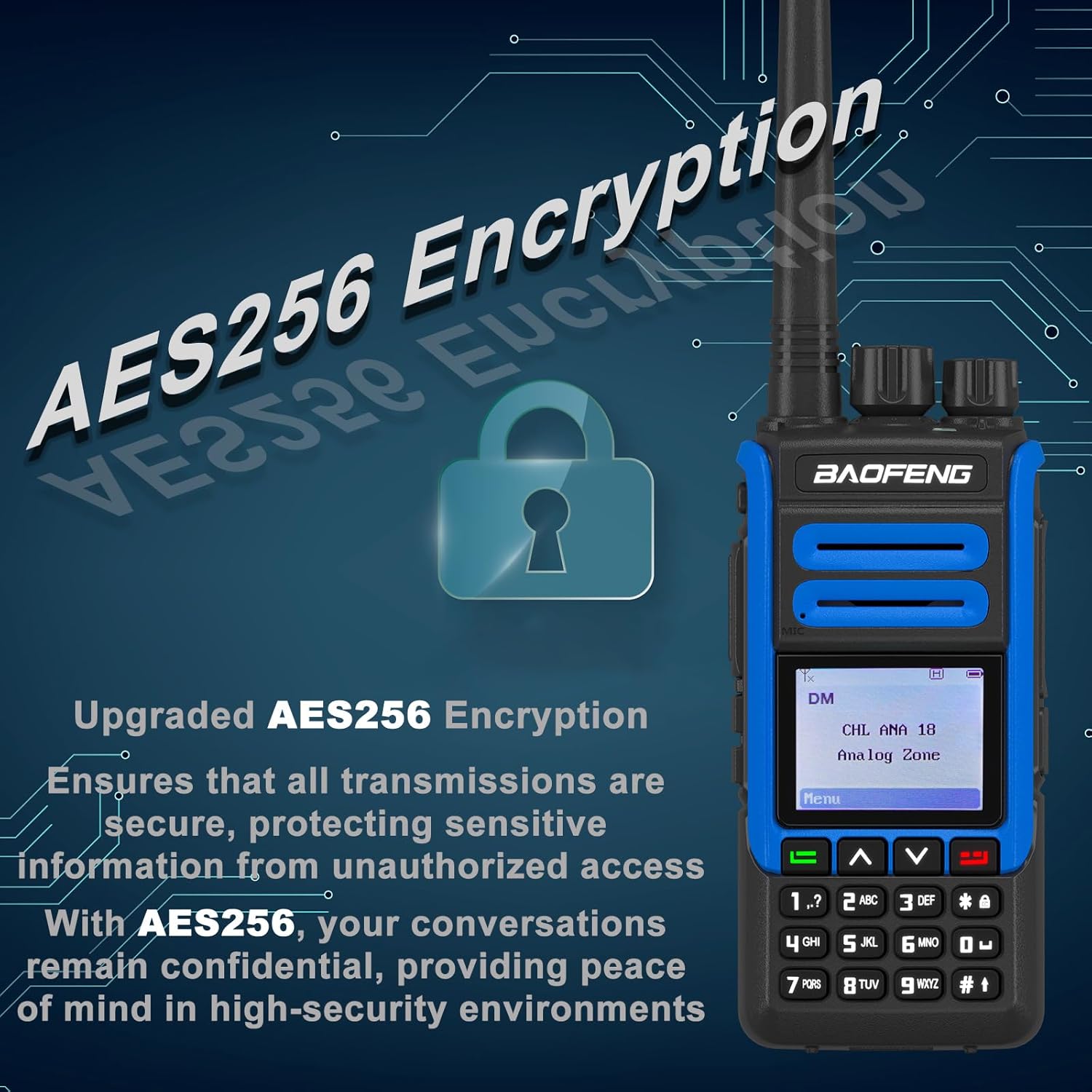
Image: The BAOFENG DR-1802U radio with a graphic overlay emphasizing 'Upgraded AES256 Encryption' and a padlock icon, indicating its secure communication capabilities.
The DR-1802U features advanced AES256 encryption for secure digital communications. When operating on channels configured for encryption, all transmissions will be automatically encrypted, protecting your conversations from unauthorized interception. Encryption settings are typically managed via PC programming.
5. Maintenance
5.1 Cleaning the Radio
Use a soft, damp cloth to clean the radio's surface. Do not use harsh chemicals, solvents, or abrasive cleaners. Ensure the radio is powered off and the battery is removed before cleaning.
5.2 Battery Care
- Charge the battery fully before first use.
- Avoid overcharging or completely draining the battery.
- Store the battery in a cool, dry place when not in use for extended periods.
- If the battery performance degrades significantly, consider replacing it.
5.3 Antenna Care
Handle the antenna carefully. Avoid bending or twisting it excessively, as this can damage the antenna or its connector. Always ensure the antenna is securely attached during operation.
5.4 General Handling Precautions
- Do not expose the radio to extreme temperatures, direct sunlight, or excessive moisture. The radio is not water resistant.
- Avoid dropping the radio or subjecting it to strong impacts.
- Keep the radio away from strong magnetic fields.
6. Troubleshooting
If you encounter issues with your BAOFENG DR-1802U, please refer to the following common problems and solutions:
| Problem | Possible Cause | Solution |
|---|---|---|
| Radio does not power on | Battery is low or not installed correctly. | Charge the battery or re-install it securely. |
| No signal or poor reception | Antenna loose or damaged; out of range; incorrect frequency/channel. | Check antenna connection; move closer to other radios; verify channel settings. |
| Distorted audio | Volume too high/low; interference; radio too close to other electronic devices. | Adjust volume; move away from interference sources. |
| Cannot transmit | PTT button not pressed fully; channel busy; incorrect channel settings. | Ensure PTT is fully pressed; wait for channel to clear; check channel programming. |
7. Specifications

Image: The BAOFENG DR-1802U radio shown with its approximate dimensions labeled: 4.72 inches in height, 2.16 inches in width, and 1.37 inches in depth.
- Model: DR-1802U
- Product Dimensions: Approximately 1.37 x 2.16 x 4.72 inches (D x W x H)
- Number of Channels: 1024
- Frequency Range: 450-470 MHz (UHF)
- Special Features: AES256 Encryption, DMR True 2-Slot, Digital & Analog Dual Mode, VOX
- Water Resistance Level: Not Water Resistant
- Compatible Devices: Two-way radios on same frequency band, Motorola devices, Computers for programming
- Battery Capacity: 2200mAh
8. Warranty and Support
8.1 Warranty Information
This product comes with a 1-year warranty provided exclusively through "Shiqun Electronics Co., Ltd." Please retain your proof of purchase for warranty claims.
8.2 Technical Support
For technical assistance, troubleshooting beyond this manual, or warranty inquiries, please contact the seller or manufacturer directly. Refer to the contact information provided with your purchase or visit the official BAOFENG website for support resources.