
radtel RT-752
Radtel RT-752 Ham Radio User Manual
Model: RT-752
Introduction
The Radtel RT-752 is a versatile 10W handheld ham radio designed for reliable two-way communication. It features a wide frequency range, 250 programmable channels, dual Push-To-Talk (PTT) buttons, and advanced functions like frequency copying, voice recording, and vibration alerts. Its robust design and long-lasting battery make it suitable for various communication needs.

Figure 1: Radtel RT-752 Ham Radio
What's in the Box
Verify that all items are present upon unboxing:
- 1 x RT-752 Radio Unit
- 1 x 2600mAh USB-C Battery
- 1 x Desktop Charger with AC Power Adapter
- 1 x USB-C Charging Cable
- 1 x Antenna
- 1 x Belt Clip
- 1 x Hand Strap
- 1 x User Manual (this document)
Product Overview
Familiarize yourself with the components and controls of your RT-752 radio.
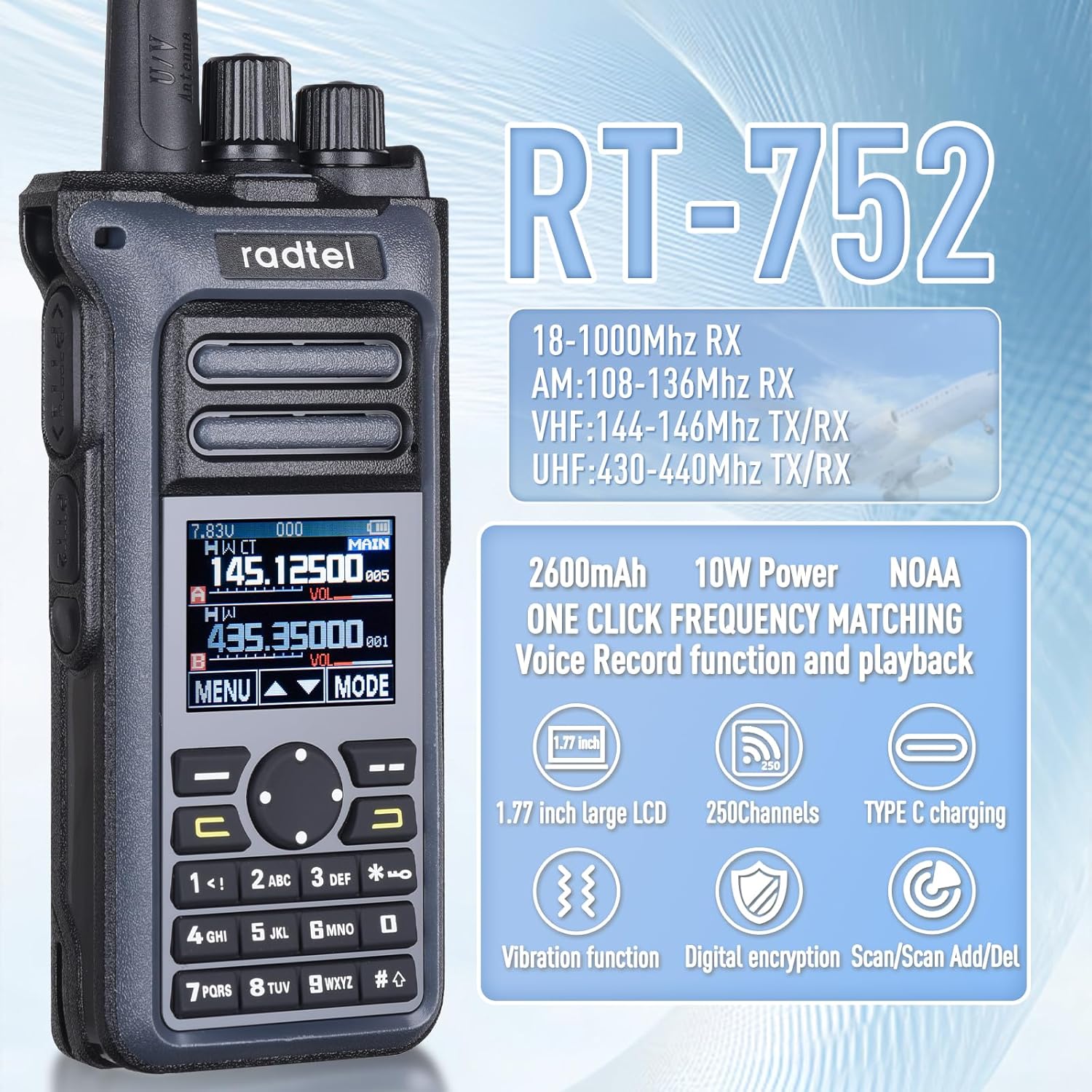
Figure 2: RT-752 Key Features - 1.77-inch large LCD, 250 channels, Type-C charging, vibration function, digital encryption, scan/scan add/delete.
Physical Features
- Antenna Port: Connects the high-gain antenna for optimal signal transmission and reception.
- Power/Volume Knob: Rotates to turn the radio on/off and adjust volume.
- Channel/Frequency Knob: Rotates to select channels or adjust frequency.
- LCD Display: 1.77-inch screen displaying frequency, channel, battery status, and other indicators.
- Keypad: Numeric and function keys for input and menu navigation.
- Dual PTT Buttons: Two Push-To-Talk buttons for independent A/B band transmission.
- Speaker/Microphone Jacks: Standard K-interface for external audio accessories.
- USB-C Charging Port: Located on the battery for direct charging.

Figure 3: Microphone K Interface

Figure 4: High-Gain Antenna

Figure 5: Type-C Charging Port

Figure 6: Dual PTT Buttons
Setup
1. Battery Installation and Charging
- Align the battery pack with the grooves on the back of the radio and slide it upwards until it clicks into place.
- To charge the battery:
- Using Desktop Charger: Connect the AC power adapter to the desktop charger, then place the radio (with battery installed) into the charging cradle. The indicator light will show charging status.
- Using USB-C Cable: Plug the USB-C charging cable directly into the USB-C port on the battery pack. Connect the other end to a compatible USB power source.
- Ensure the battery is fully charged before first use for optimal performance. A full charge typically takes 3-4 hours.
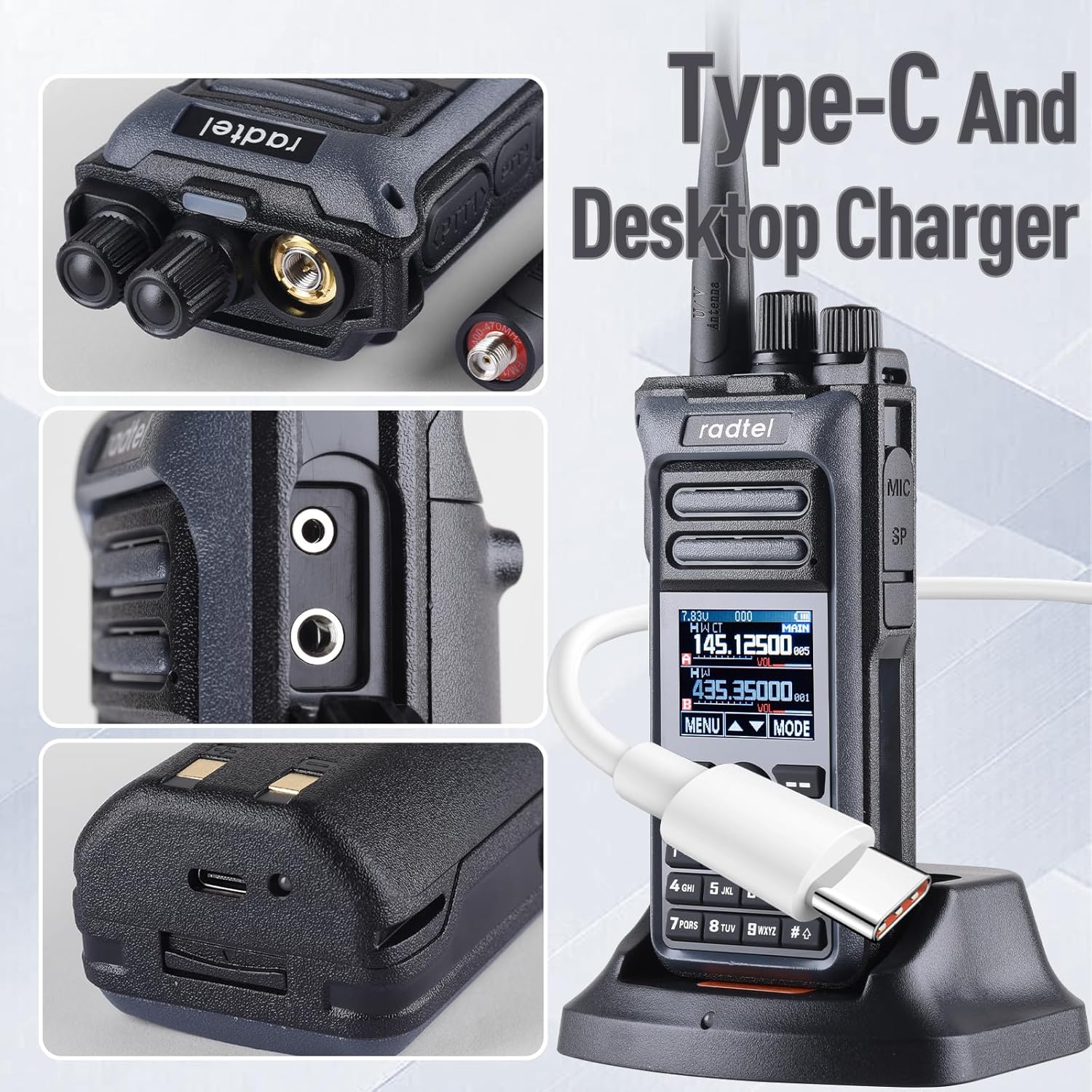
Figure 7: Charging Options (Type-C and Desktop Charger)
2. Antenna Attachment
Screw the provided antenna clockwise into the antenna connector on top of the radio until it is finger-tight. Do not overtighten.
3. Belt Clip and Hand Strap
Attach the belt clip to the back of the radio using the provided screws. Thread the hand strap through the designated loop on the radio for secure carrying.
Operating Instructions
Power On/Off and Volume
Rotate the Power/Volume knob clockwise to turn the radio on. Continue rotating to increase the volume. Rotate counter-clockwise to decrease volume and turn off the radio.
Channel/Frequency Selection
Use the Channel/Frequency knob or the keypad to select desired channels or input specific frequencies. The 1.77-inch LCD will display the current selection.
Transmitting and Receiving (PTT)
To transmit, press and hold one of the Dual PTT buttons on the side of the radio. Speak clearly into the microphone. Release the PTT button to receive. The RT-752 supports dual PTT for independent operation on two bands (A and B).
Fast Copy Frequency
The radio can quickly copy frequencies from nearby radios. Refer to the detailed menu instructions in the full manual for this feature's specific steps.
Voice Recording and Playback
The RT-752 includes a voice recording function to capture important transmissions. Access this feature through the radio's menu system. Recorded audio can be played back directly on the device.

Figure 8: Voice Recording and Playback Function
Vibration Alert
The radio can be set to vibrate when a signal is received, providing a discreet alert for incoming transmissions, especially useful in noisy environments or when visual/auditory alerts are not preferred.
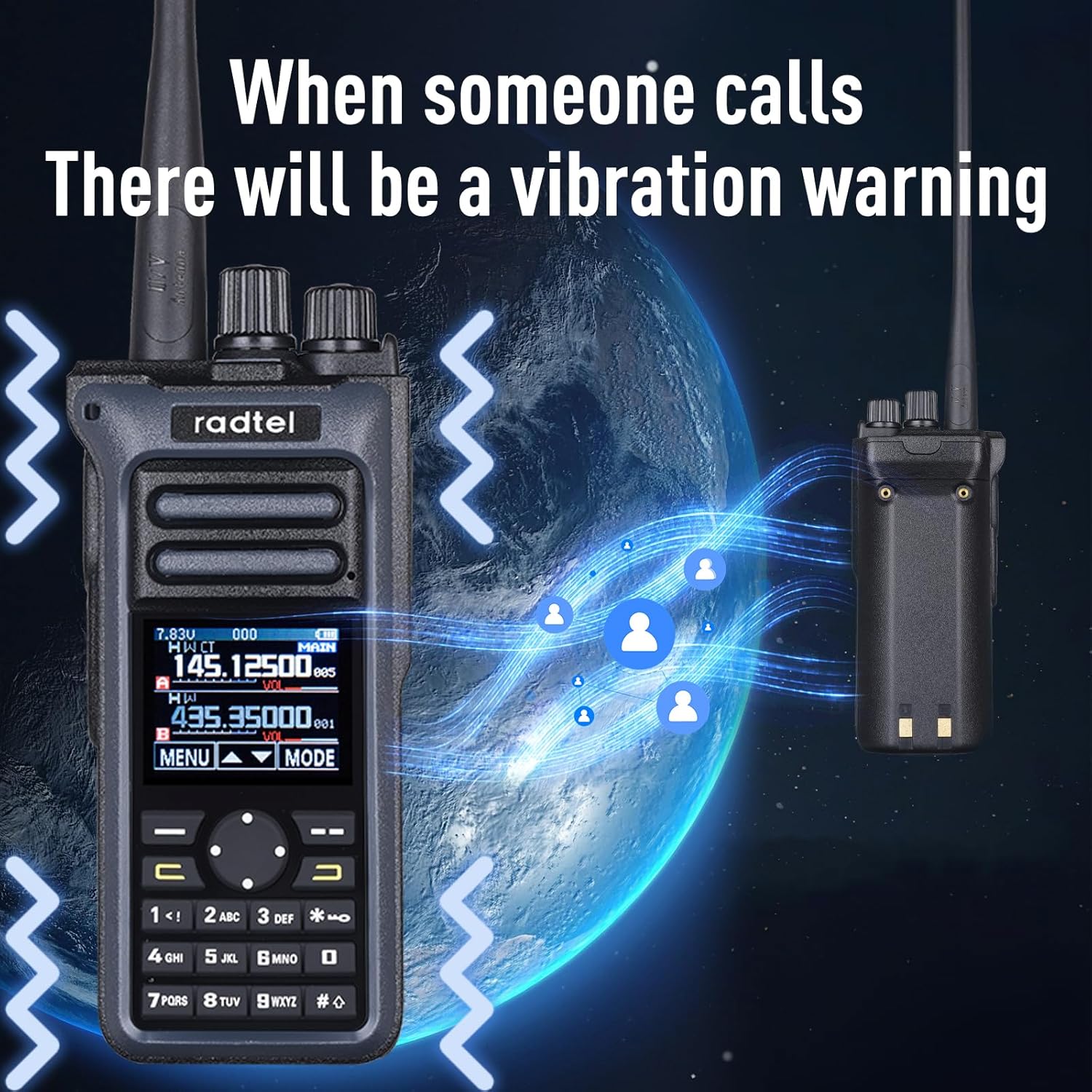
Figure 9: Vibration Warning upon Call Reception
Air Band Reception
The RT-752 supports AM: 108-136MHz RX for aviation reception, allowing users to monitor air traffic communications.
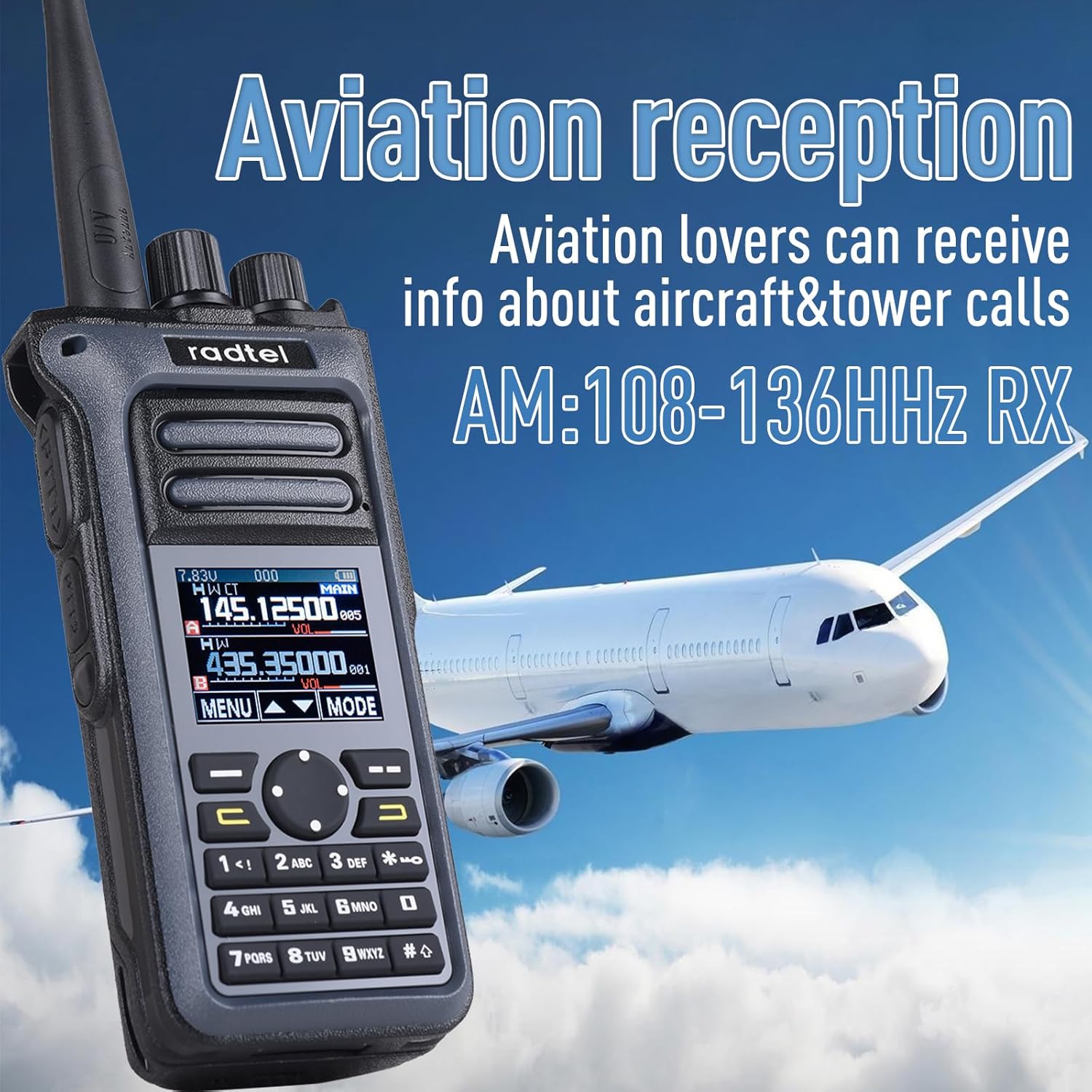
Figure 10: Aviation Reception Capability
Maintenance
Cleaning
Wipe the radio with a soft, damp cloth. Do not use harsh chemicals or abrasive cleaners. Ensure all ports are dry before charging or connecting accessories.
Battery Care
To prolong battery life, avoid fully discharging the battery frequently. Store the radio and battery in a cool, dry place when not in use for extended periods. Recharge the battery at least once every three months if stored.

Figure 11: Long Lasting Battery for Extended Standby
Troubleshooting
| Problem | Possible Cause | Solution |
|---|---|---|
| Radio does not power on. | Battery is not installed correctly or is discharged. | Ensure battery is properly seated. Charge the battery fully. |
| Cannot transmit or receive. | Incorrect frequency/channel, antenna not attached, or out of range. | Verify frequency/channel settings. Ensure antenna is securely attached. Move closer to the other radio. |
| Poor audio quality. | Low battery, weak signal, or interference. | Charge battery. Adjust antenna position. Move away from sources of interference. |
| Vibration alert not working. | Vibration function is disabled in settings. | Check radio settings to ensure vibration alert is enabled. |
Specifications
- Model: RT-752
- Output Power: 10W
- Channels: 250
- Frequency Range:
- Receiver (RX): 18-1000MHz
- Aviation Band (AM RX): 108-136MHz
- Transmit/Receive (TX/RX): 144-148MHz / 420-450MHz
- Battery: 2600mAh Lithium Ion (included)
- Charging: USB-C and Desktop Charger
- Display: 1.77-inch Large LCD
- Special Features: Dual PTT, Fast Copy Frequency, Voice Recording, Vibration Alert, Digital Encryption, Scan Function
- Dimensions: Approximately 8.19 x 5.94 x 2.8 inches (Package)
- Weight: Approximately 1.28 pounds (Item)
- Water Resistance Level: Water Resistant

Figure 12: 10W Power for Ultra Long Distance Communication
Warranty and Support
The Radtel RT-752 comes with a 1-Year Warranty from the date of purchase, covering manufacturing defects. This warranty does not cover damage caused by misuse, accidents, unauthorized modifications, or normal wear and tear.
For technical support, warranty claims, or further assistance, please contact Radtel customer service through the retailer where the product was purchased or visit the official Radtel website for contact information.
Manufacturer: Xiamen Radtel Electronics Co.,Ltd
Related documentsRT-752


Ask a question about this manual
Ask about setup, troubleshooting, compatibility, parts, safety, or missing instructions. Manuals+ will review the question and use this page’s manual context to help answer it.