Introduction
Thank you for choosing the Duobuy G96 Smart Watch. This device is designed to enhance your daily life with smart notifications, health monitoring, and fitness tracking capabilities. Please read this manual carefully to understand the features and ensure proper operation and maintenance of your new smart watch.

Image: Duobuy G96 Smart Watch, showcasing its sleek black design and large display.
What's in the Box
- Duobuy G96 Smart Watch
- Charging Cable
- User Manual (this document)
- Additional Strap

Image: The retail box for the Duobuy Smart Watch, indicating the product and brand.
Setup
1. Charging the Device
Before first use, fully charge your smart watch. Connect the magnetic charging cable to the charging points on the back of the watch and plug the USB end into a power adapter (not included) or a computer USB port. A full charge typically takes about 2 hours.
2. App Download and Installation
To unlock all features, download the companion application. Scan the QR code on the watch screen or in the quick start guide, or search for "Da Fit" in your smartphone's app store (Google Play Store for Android, Apple App Store for iOS).
Alternatively, you can download the app from the official link: http://plus.crrepa.com/app-download/dafit
3. Pairing with Your Smartphone
- Ensure Bluetooth is enabled on your smartphone.
- Open the "Da Fit" app.
- Follow the in-app instructions to search for and connect to your Duobuy G96 Smart Watch. The watch name should appear in the app's device list.
- Confirm the pairing request on both your watch and smartphone.
For Bluetooth call functionality, you may need to pair the watch separately in your phone's Bluetooth settings after initial app pairing. Look for a device named "G96_CALL" or similar.
Operating Instructions
Basic Navigation
- Swipe Up/Down: Navigate through menus and notifications.
- Swipe Left/Right: Access quick functions or different data screens.
- Tap: Select an item or confirm an action.
- Side Buttons: Typically used for power on/off, screen wake, or quick access to sport modes.
Bluetooth Call & Smart Notifications
Once connected to your phone, the smart watch allows you to answer and make calls directly from your wrist using its built-in microphone and speaker. It also vibrates to notify you of incoming calls, SMS messages, and notifications from social media apps (Facebook, Twitter, Instagram, WhatsApp, LinkedIn, etc.).
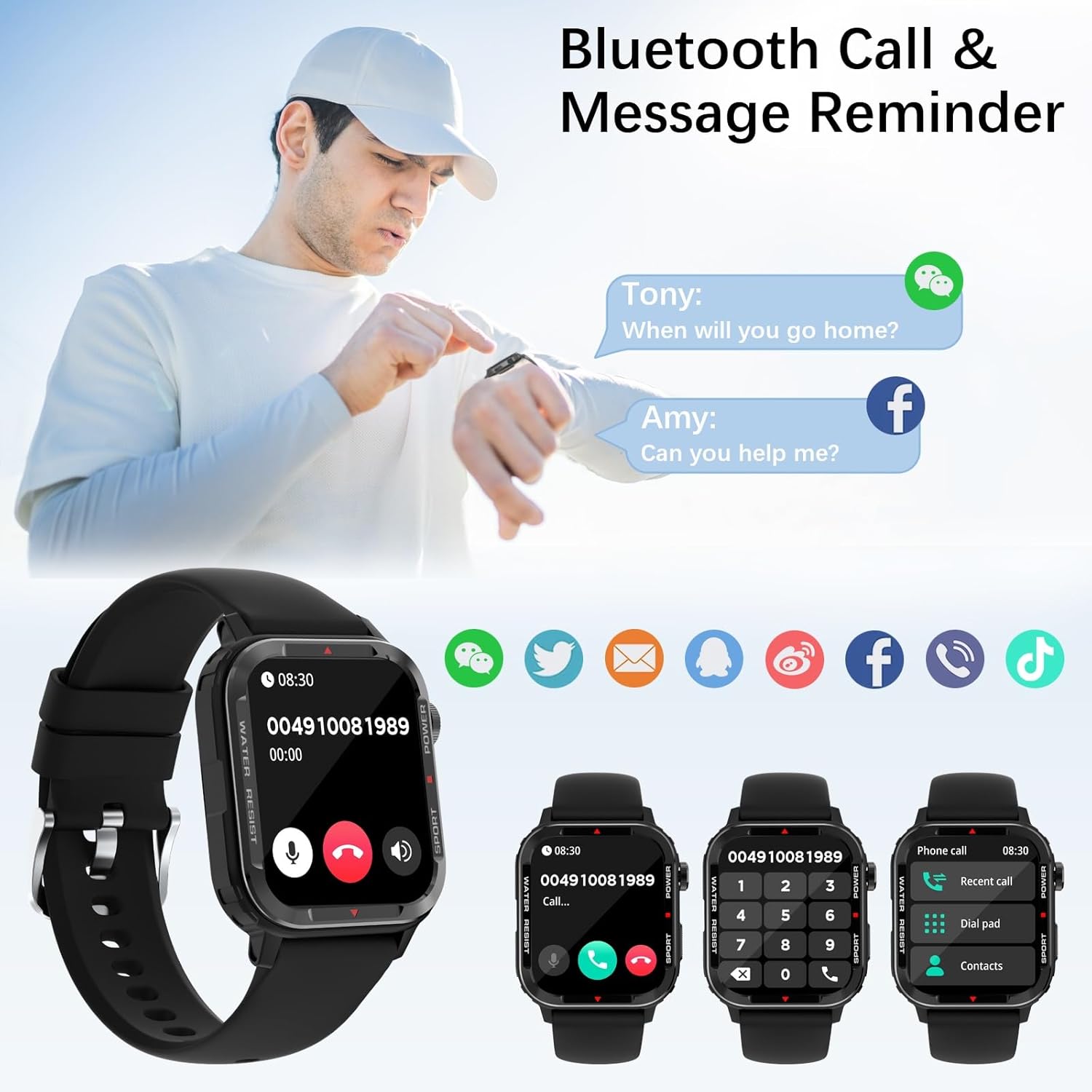
Image: The Duobuy Smart Watch showing incoming call and message reminders, demonstrating its Bluetooth call and notification capabilities.
Health Monitoring
The watch features high-precision sensors for continuous health tracking:
- Heart Rate: Monitors your heart rate 24/7.
- Blood Oxygen (SpO2): Measures your blood oxygen saturation levels.
- Sleep Tracking: Automatically monitors your sleep patterns, including wake-up times, deep sleep, and light sleep, to help you understand and improve your sleep quality.
Note: Health data provided by this device is for reference only and should not be used for medical diagnosis.

Image: A user exercising while the Duobuy Smart Watch displays health metrics like heart rate, calories burned, and blood oxygen levels.
Activity & Sport Modes
The smart watch automatically tracks your daily activities, including steps, calories burned, and distance. It offers 123 sport modes to cater to various training requirements, such as walking, running, cycling, football, tennis, basketball, and yoga. Connect to your smartphone's GPS for real-time pace, distance, and route tracking during outdoor activities.
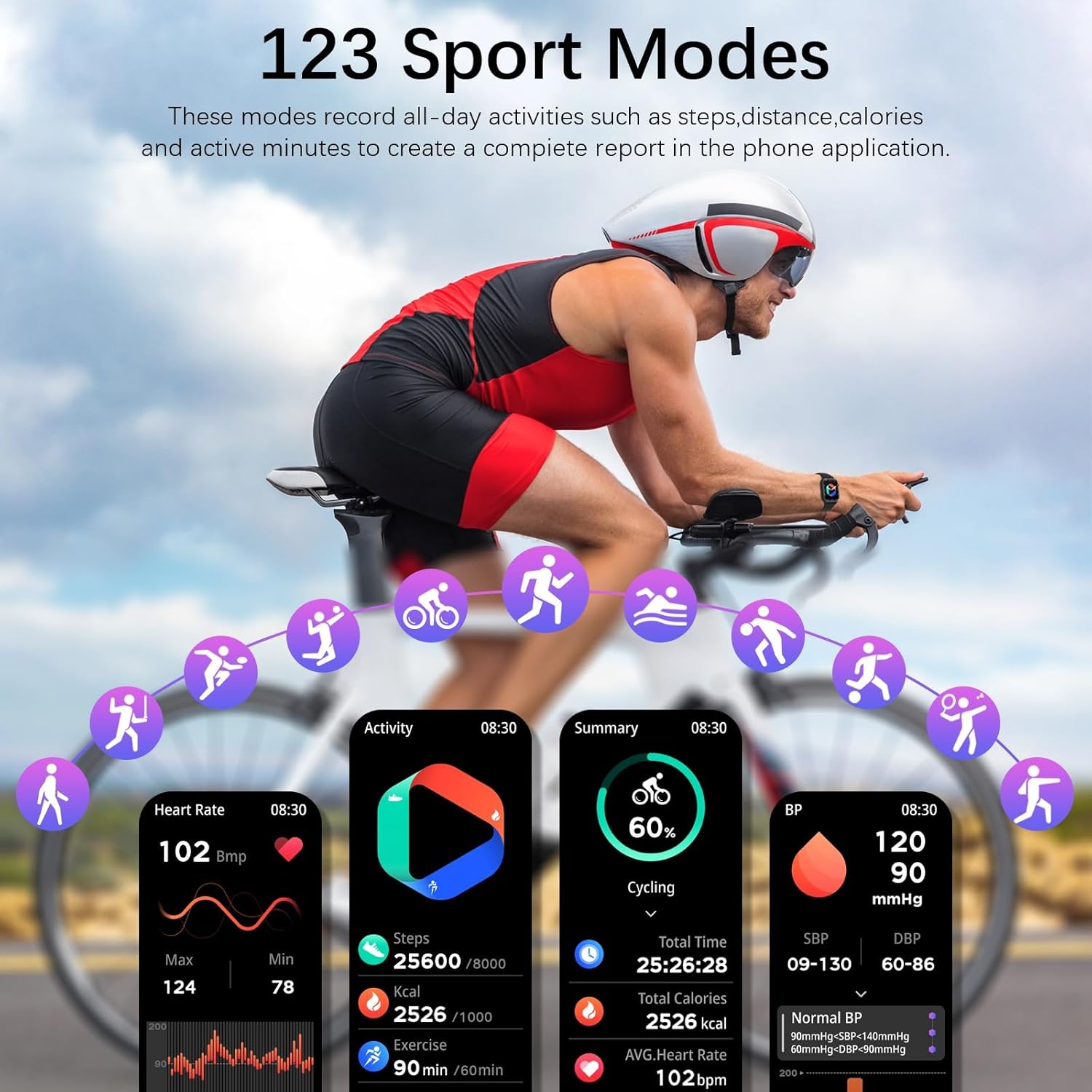
Image: A visual representation of the 123 sport modes available on the Duobuy Smart Watch, with a cyclist in the background and various activity metrics displayed.
Customizable Watch Faces
The 1.85-inch full touch screen offers excellent visibility. Choose from 7 pre-installed watch faces or explore over 100 additional options available in the "Da Fit" app. You can also personalize your watch face by uploading your favorite picture from your mobile phone.
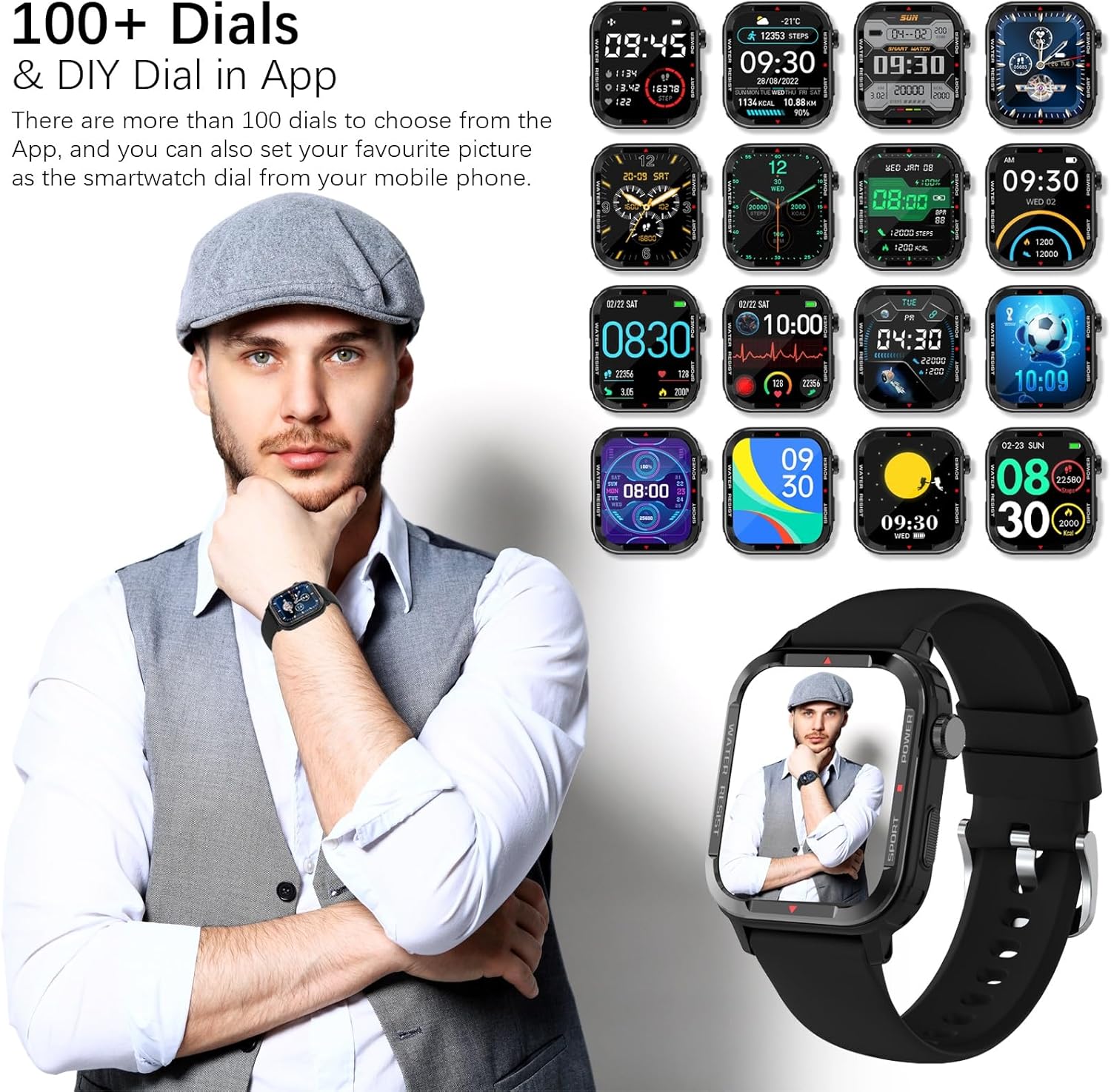
Image: A collage of various digital and analog watch faces available for the Duobuy Smart Watch, with a user wearing the watch in the foreground.
Other Functions
The Duobuy G96 Smart Watch includes a variety of additional features to enhance convenience:
- Weather Information
- Music Control
- Remote Camera Control
- Find Phone Function
- Alarm Clock
- Stopwatch & Timer
- Drinking Water Reminders
- Sedentary Reminders
- Breathing Training
- Brightness Adjustment
- Flashlight
- Game Play

Image: The Duobuy Smart Watch interface showing icons for various functions like alarm, sedentary reminder, music control, and weather, alongside a graphic illustrating sleep quality monitoring.
Maintenance
Water Resistance (IP68)
The Duobuy G96 Smart Watch is IP68 waterproof, meaning it is resistant to dust and can withstand immersion in water up to 1.5 meters for 30 minutes. You can wear it while washing hands, in the rain, or during swimming. However, it is not recommended for showering, sauna use, or diving, as steam and high water pressure can damage the device.
Cleaning and Care
- Regularly clean the watch screen and strap with a soft, dry cloth.
- If the watch comes into contact with sweat, soap, or other liquids, rinse it with clean water and dry thoroughly.
- Avoid using harsh chemicals or abrasive materials for cleaning.
- Store the watch in a cool, dry place when not in use.
Troubleshooting
| Problem | Possible Solution |
|---|---|
| Watch not turning on | Ensure the watch is fully charged. Connect to the charging cable and check if the charging indicator appears. |
| Cannot pair with smartphone |
|
| Notifications not received |
|
| Inaccurate health data | Ensure the watch is worn snugly on your wrist, about one finger's width from the wrist bone. Avoid excessive movement during measurements. Clean the sensor on the back of the watch. |
| Short battery life | Reduce screen brightness, disable continuous heart rate monitoring if not needed, and limit excessive notifications. Ensure the watch is fully charged each time. |
Specifications
| Feature | Detail |
|---|---|
| Model Number | G96 |
| Screen Size | 1.85 Inches |
| Display Type | TFT colorful screen, 240*280 Resolution |
| Connectivity | Bluetooth 5.1 |
| Waterproof Level | IP68 |
| Battery Capacity | 250mAh Lithium Ion |
| Battery Life | Up to 10 days (typical use), 30 days (standby) |
| Charging Time | Approx. 2 hours |
| Compatibility | iOS 9.0 and higher, Android 5.0 and higher |
| Product Dimensions | 4.72 x 2.36 x 0.79 inches |
| Item Weight | 3.84 ounces |
| Memory Storage Capacity | 128 MB |
| Heart Rate Sensor | HX3605 |
| CPU | 8763EWE (BT Call) |

Image: The back of the Duobuy Smart Watch packaging, detailing technical specifications such as CPU, heart rate sensor, display, waterproof level, battery, and OS support.
Warranty and Support
For warranty information and customer support, please refer to the contact details provided on the product packaging or contact the seller directly. Keep your purchase receipt as proof of purchase.
Manufacturer: Duobuy
European Representative: AKS DEVELOPMENT LIMITED
Address: 38 rue des Mathurins, Paris, 75008 France
Email: aksoonfr@163.com


