1. Introduction
The EUNICECG KID99J Kids Smart Watch is designed to provide a comprehensive and engaging experience for children, combining fitness tracking with smart communication and entertainment features. This manual provides detailed instructions for setting up, operating, and maintaining your smart watch.

Image: Overview of the EUNICECG Kids Smart Watch features, including health monitoring, sport modes, battery life, and smart functions.
2. Setup Guide
2.1 Charging the Smart Watch
Before initial use, fully charge the smart watch. Connect the magnetic charging cable to the charging points on the back of the watch and plug the USB end into a power adapter (not included) or a computer's USB port. The watch display will indicate charging status.
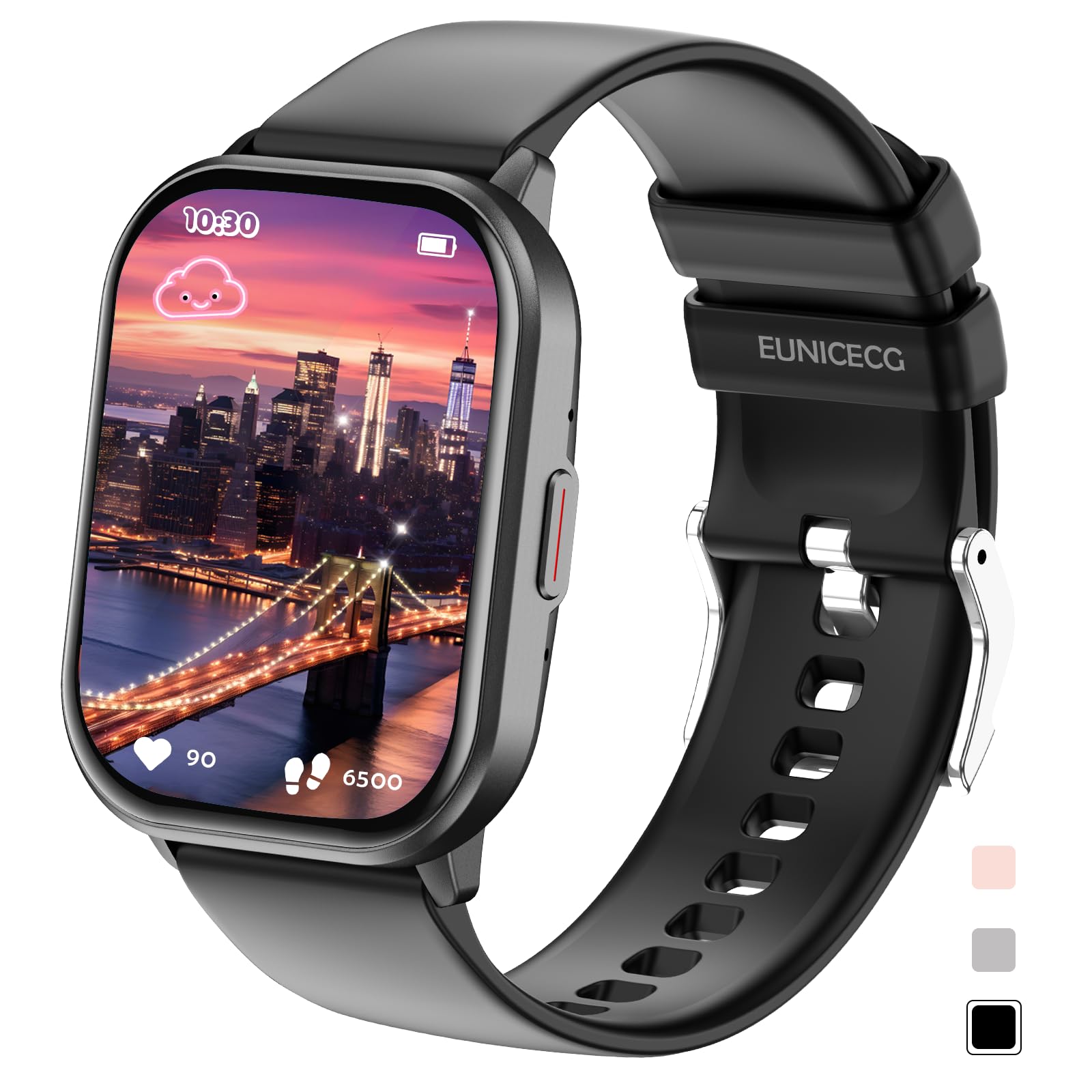
Image: The EUNICECG KID99J Smart Watch with its magnetic charging cable connected to the back, illustrating the charging process.

Image: Illustrates the watch dimensions and provides information on battery life, including 7 days of normal use and 15 days standby.
2.2 App Installation and Bluetooth Connection
To unlock the full potential of your EUNICECG KID99J Smart Watch, download and install the companion app. The watch is compatible with Android 5.0+ and iOS 9.0+ devices.
- Scan the QR code provided in the watch's packaging or on the watch itself, or search for "Da Fit" in your phone's app store to download the application. You can also visit http://plus.crrepa.com/app-download/dafit.
- Activate Bluetooth on your mobile phone.
- Open the Da Fit app and follow the on-screen instructions to add your device. Select the smart watch from the list of available devices (e.g., ZL99J).
- Confirm the Bluetooth pairing request on both your phone and the watch.
- Allow necessary permissions for notifications and health data synchronization.
3. Operating the Smart Watch
The EUNICECG KID99J Smart Watch features a responsive touch screen for easy navigation. Swipe across the screen to access different functions and menus.
3.1 Health Monitoring
The watch offers 24/7 health monitoring features to help track your child's well-being.
- Heart Rate: Monitor heart rate throughout the day.
- Blood Oxygen: Check blood oxygen levels.
- Stress Monitoring: Track stress levels.
- Sleep Tracking: Records sleep patterns, including deep sleep, light sleep, and awake times.
- Pedometer & Activity: Tracks steps, distance, and calories burned.
- Sedentary Reminder: Prompts for movement during periods of inactivity.
- Water Intake Reminder: Reminds to drink water regularly.

Image: Depicts the 24/7 health monitoring capabilities of the smart watch, focusing on sleep tracking, heart rate, and blood oxygen.

Image: Shows the daily activity tracking interface, displaying heart rate, distance, steps, and calories burned.
3.2 Sport Modes
The watch supports over 100 sport modes, allowing children to track various physical activities. Set exercise goals and monitor real-time data such as duration, distance, and calories.

Image: Highlights the extensive range of over 100 sport modes supported by the smart watch, encouraging physical activity.
3.3 Smart Features
Stay connected and entertained with the smart features of the KID99J watch.
- Bluetooth Calls & Messages: Make and receive calls directly from the watch, and get notifications for messages from apps like WhatsApp.
- AI Voice Assistant: Use voice commands for various tasks.
- Music Control: Control music playback on your connected smartphone.
- Camera Remote: Use the watch as a remote shutter for your phone's camera.
- Games & Calculator: Enjoy built-in games and a functional calculator.
- Alarm & Timer: Set alarms and use the timer function.
- Weather: Get real-time weather updates.
- Do Not Disturb Mode: Configure the watch to avoid distractions during specific times.

Image: Displays various smart features such as games, calculator, camera control, music control, Bluetooth calling, message notifications, and AI voice assistant.
4. Customization
Personalize your smart watch to match your style and preferences.
- Watch Faces: Choose from over 200 pre-installed watch faces or create custom DIY dials using your own photos via the app.
- Brightness Adjustment: Adjust screen brightness for optimal visibility.
- Vibration Settings: Customize vibration intensity for alerts.

Image: Showcases a variety of watch faces and the option to create personalized DIY dials with photos.
5. Specifications
| Feature | Detail |
|---|---|
| Brand | EUNICECG |
| Model Number | KID99J-Black |
| Color | Black |
| Operating System | Android |
| Screen Size | 2.01 Inches |
| Connectivity Technology | Bluetooth |
| Special Features | 100+ Sport Modes, Heart Rate, Stress, Sleep Monitoring, Bluetooth Call, Message Notifications, Do Not Disturb Mode, Weather, Calculator, Games, Music, Camera Remote, 200+ Watch Faces, Sedentary/Water Intake Reminders, AI Voice Assistant, IP68 Waterproof, Breathing Training |
| Compatible Devices | Smartphone (Android 5.0+, iOS 9.0+) |
| Battery Composition | Lithium-ion |
| Battery Capacity | 400 mAh |
| GPS | No GPS |
| Water Resistance | IP68 |
6. Troubleshooting
If you encounter issues with your EUNICECG KID99J Smart Watch, please refer to the following common solutions:
- Watch not turning on: Ensure the watch is fully charged. Connect it to the charger for at least 30 minutes.
- Unable to connect via Bluetooth:
- Ensure Bluetooth is enabled on your smartphone.
- Make sure the watch is within range of your phone.
- Restart both the watch and your smartphone.
- In the Da Fit app, try to re-add the device. If previously paired, forget the device in your phone's Bluetooth settings before attempting to reconnect.
- Inaccurate health data: Ensure the watch is worn snugly on the wrist, not too tight or too loose. Keep the sensor clean. Note that smart watches are not medical devices and data is for reference only.
- Notifications not appearing:
- Check app permissions in your phone settings to ensure the Da Fit app has access to notifications.
- Verify that notification alerts are enabled within the Da Fit app for specific applications (e.g., WhatsApp, SMS).
- Ensure the watch's 'Do Not Disturb' mode is not active.
- Short battery life: Reduce screen brightness, disable unnecessary features, and ensure the watch is not constantly searching for Bluetooth connections if disconnected.
7. Warranty and Support
The EUNICECG KID99J Smart Watch comes with a manufacturer's warranty. Please refer to the following details:
- Manufacturer Warranty: 30 days return without reason.
- For further assistance, troubleshooting, or warranty claims, please contact EUNICECG customer support through the retailer where the product was purchased.


