
1. Introduction
Thank you for choosing the innioasis G1 MP3 Player. This device is designed to provide a versatile portable audio and video experience, featuring Bluetooth, Wi-Fi connectivity, and a 4.0-inch touch screen. It comes pre-installed with popular streaming applications and offers robust parental control options, making it suitable for various users.
2. What's in the Box
Please check the package contents to ensure all items are present:
- 1 x innioasis G1 MP3 Player
- 1 x USB-C Charging Cable
- 1 x Wired Headphones
- 1 x 64GB SD Card (pre-installed or separate)
- 1 x User Manual
3. Product Overview
3.1 Device Layout
The innioasis G1 MP3 Player features a compact design with essential controls and ports.
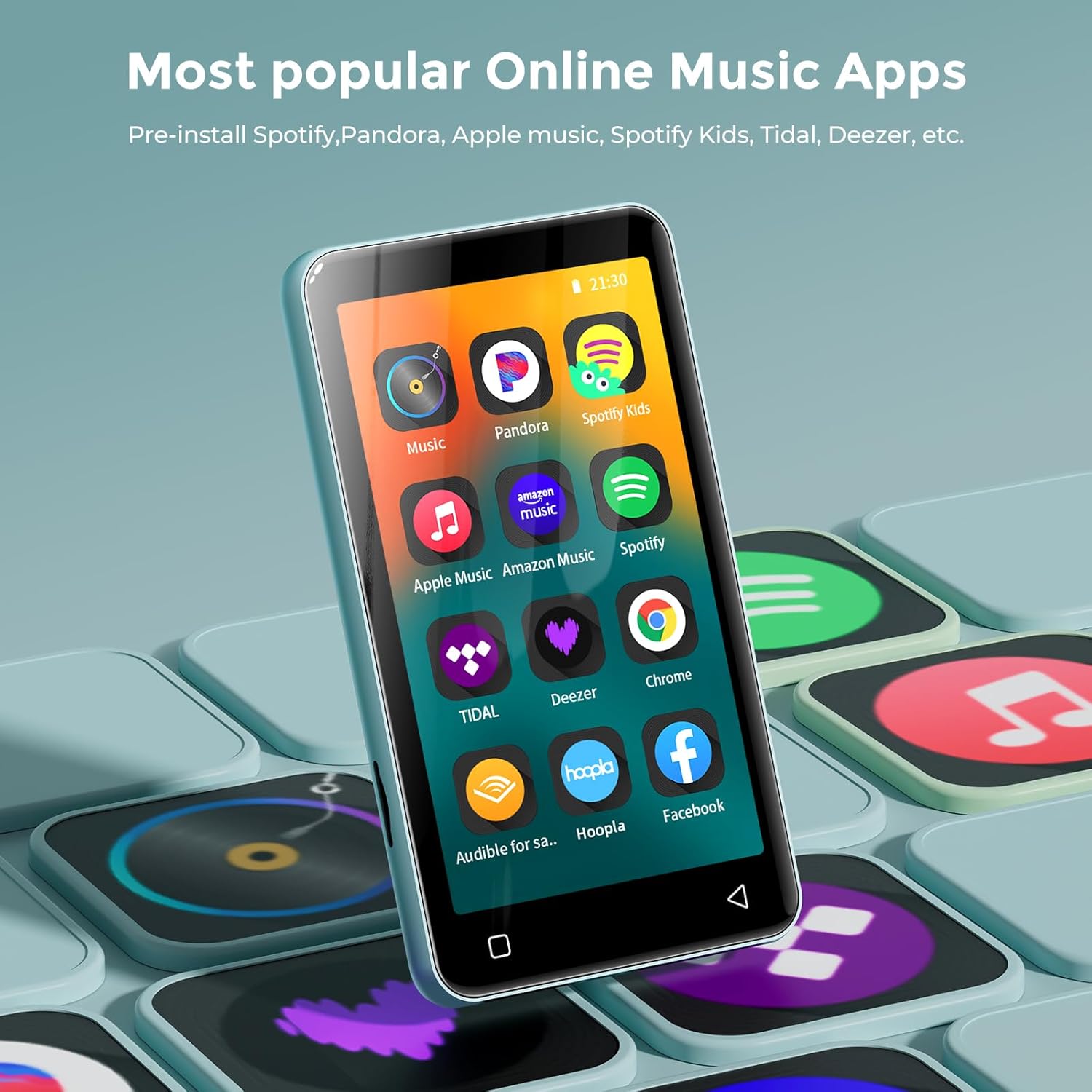
Figure 1: Front view of the innioasis G1 MP3 Player, displaying the 4.0-inch touch screen with various application icons.
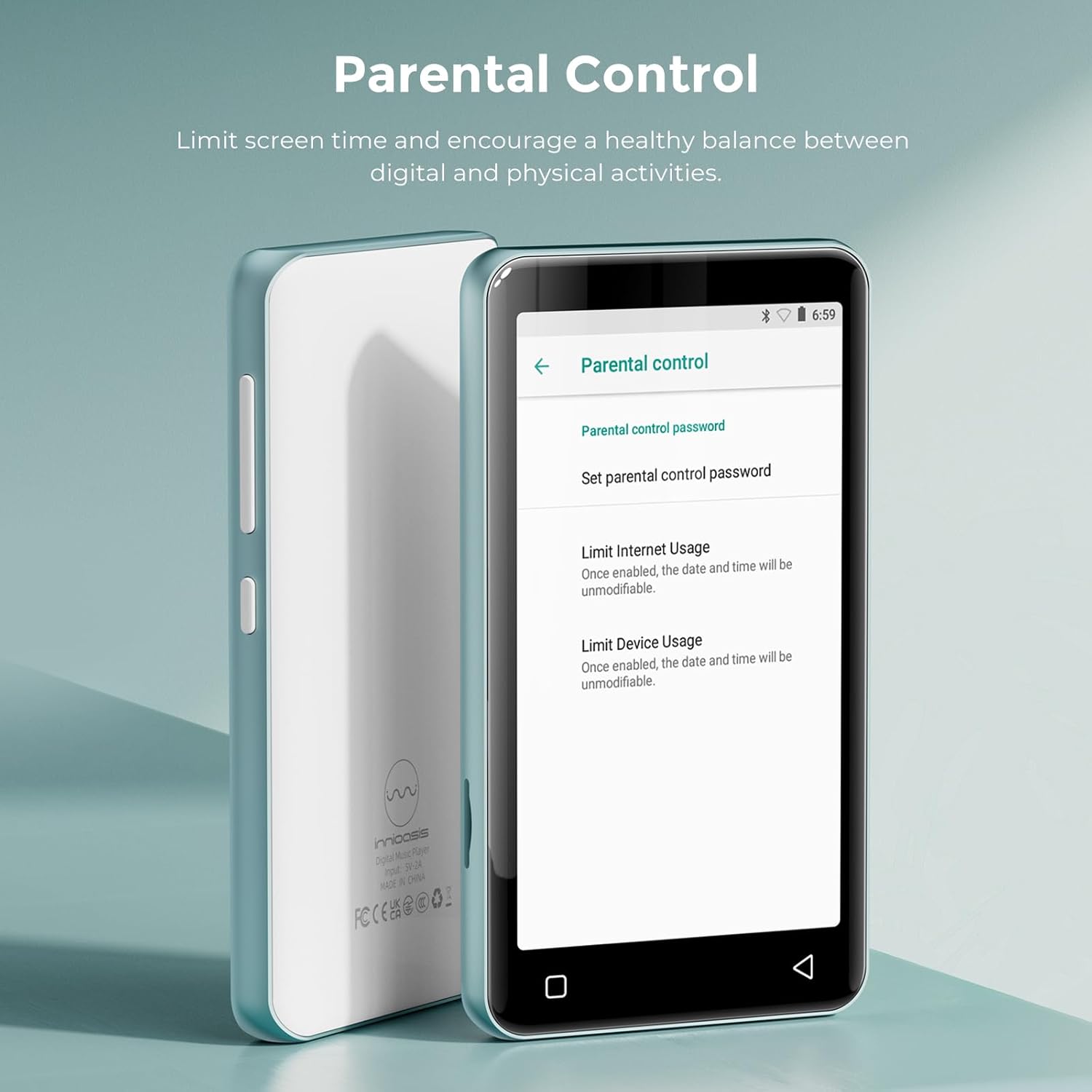
Figure 2: Back view of the innioasis G1 MP3 Player, featuring the brand logo and regulatory information.
3.2 Buttons and Ports
- Power Button: Located on the side, press and hold to power on/off or short press to lock/unlock the screen.
- Volume Buttons: Located on the side, use to adjust audio volume.
- USB-C Port: Located at the bottom, used for charging and data transfer.
- 3.5mm Headphone Jack: Located at the bottom, for wired headphone connection.
- MicroSD Card Slot: Located on the side, for expandable storage up to 1TB.
- Built-in Speaker: Located at the bottom, for audio playback without headphones.
4. Setup
4.1 Charging the Device
Before first use, fully charge the MP3 player. Connect the provided USB-C cable to the device and a compatible USB power adapter (not included). A full charge takes approximately 2 hours.
4.2 Inserting the MicroSD Card
The device supports MicroSD cards up to 1TB for expanded storage. Locate the MicroSD card slot on the side of the device. Gently insert the 64GB MicroSD card (included) or your own compatible card until it clicks into place. Ensure the device is powered off before inserting or removing the card.
4.3 Initial Power-On and Wi-Fi Connection
- Press and hold the Power button until the screen turns on.
- Follow the on-screen prompts to select your language and region.
- To connect to Wi-Fi, navigate to Settings > Network & Internet > Wi-Fi.
- Select your desired Wi-Fi network and enter the password if prompted.

Figure 3: The device's screen showing Wi-Fi and Bluetooth connection status, highlighting its strong network capabilities.
4.4 Bluetooth Pairing
- Navigate to Settings > Connected Devices > Bluetooth.
- Turn on Bluetooth. The device will scan for available Bluetooth devices.
- Select your Bluetooth headphones, speakers, or car audio system from the list to pair.
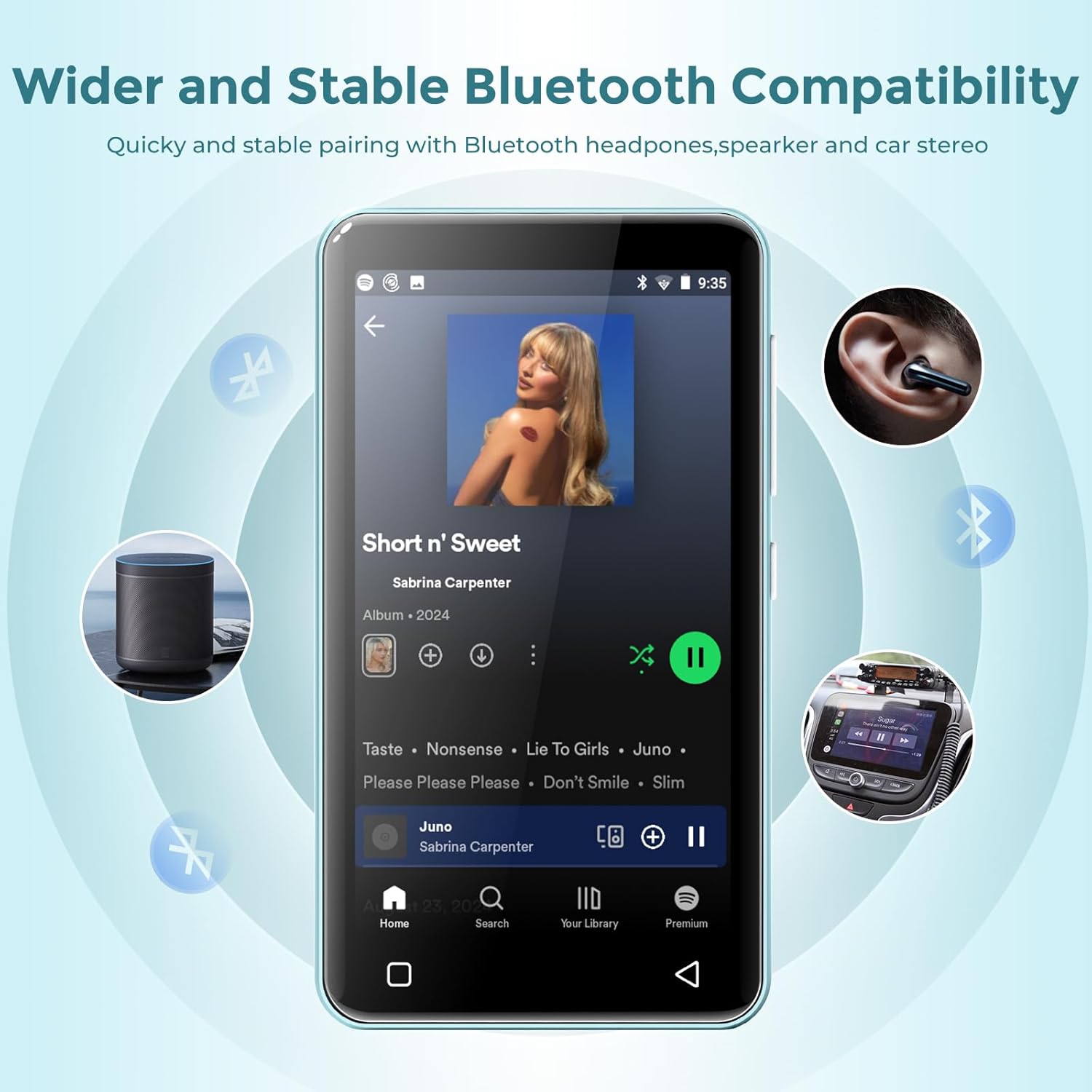
Figure 4: The MP3 player connected via Bluetooth to various audio devices, illustrating its wide compatibility.
5. Operating Instructions
5.1 Navigation
The innioasis G1 features a 4.0-inch IPS full touch LCD screen for intuitive navigation. Swipe left/right to browse app pages, tap icons to open applications, and use the physical buttons for power and volume control. Swipe down from the top of the screen to access quick settings and notifications.

Figure 5: A user interacting with the touch screen, highlighting the ease of use for navigating applications.
5.2 Music Playback
The device supports multiple audio formats including MP3, WAV, FLAC, AAC, APE, OGG, M4A, WMA, and MP2. Use the pre-installed Music app to manage and play your audio files.
- Open the Music app.
- Browse by title, folder, album, or genre.
- Use the music scan feature to load songs from folders with one click.
- Create unlimited playlists and easily find songs using the search function.
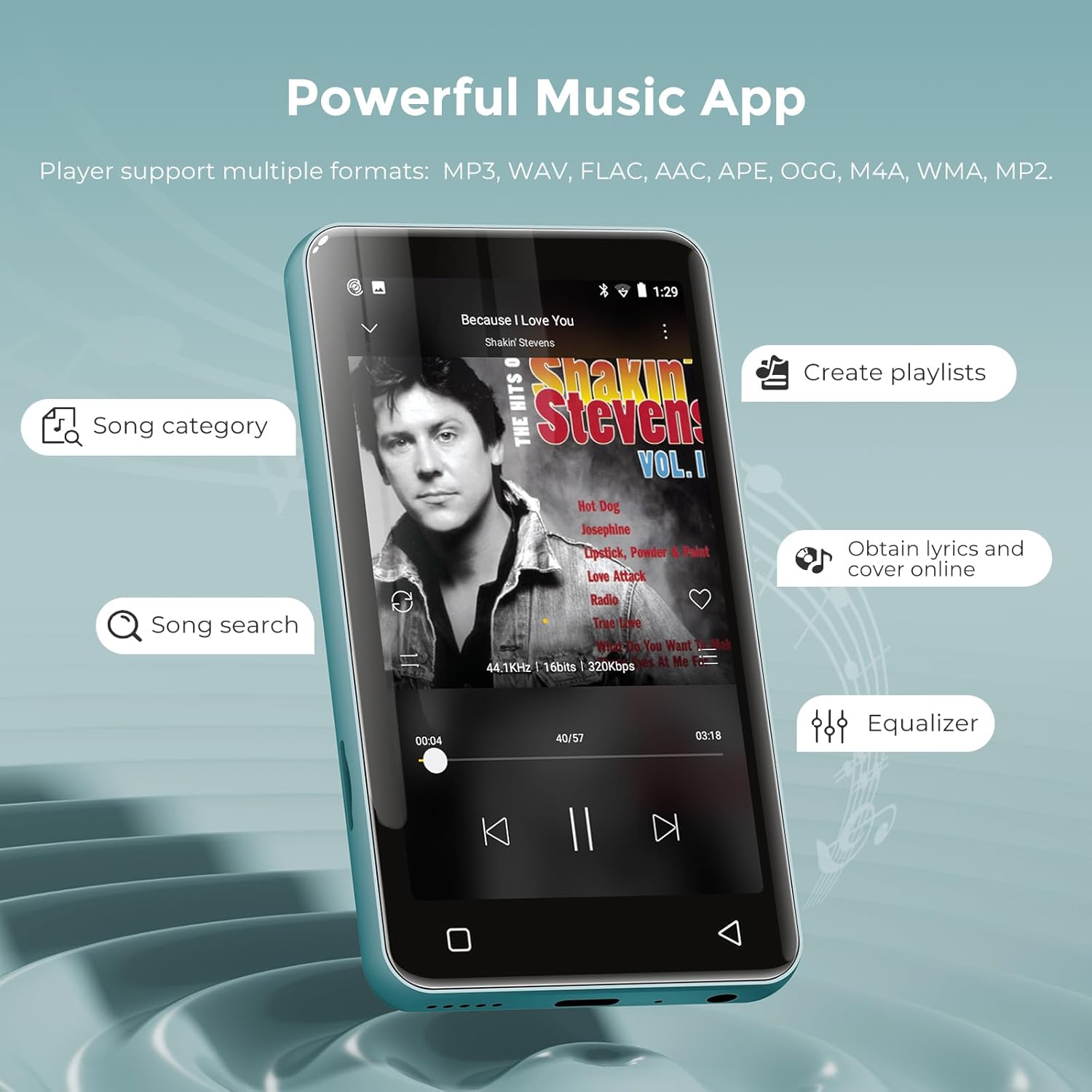
Figure 6: The music application interface, showing various features for organizing and playing music.
5.3 Video Playback
The innioasis G1 also functions as an MP4 player with a 4-inch IPS screen supporting 480x800 pixel HD video playback. Compatible video formats include RM, AVI, RMVB, FLV, MP4, DAT, MKV, MPG, MOV, TS, and 3GP.
- Open the Videos app.
- Select a video file to play.
- Enjoy features like loop/random playback, variable speed, and gesture zoom/expansion.
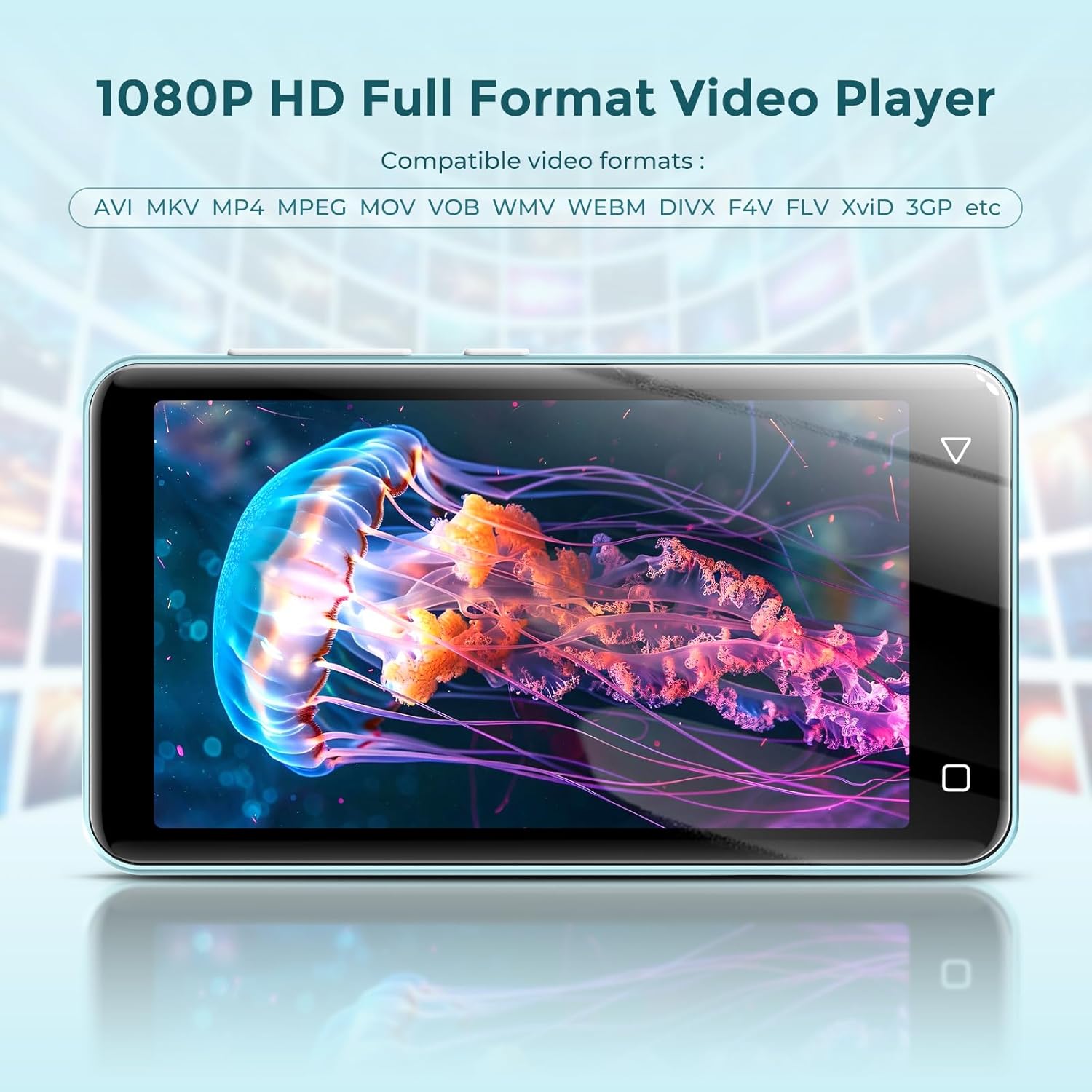
Figure 7: The MP3 player displaying a video, demonstrating its MP4 playback functionality.
5.4 Online Streaming
The device comes pre-installed with popular streaming apps like Spotify, Spotify Kids, Amazon Music, Pandora, Audible, Tidal, and Deezer. Connect to Wi-Fi to access these services.

Figure 8: The home screen of the MP3 player, highlighting the pre-installed online music streaming applications.
5.5 FM Radio
The device includes a recordable FM radio. To use this feature, connect wired headphones as they act as the antenna.
- Plug in your wired headphones into the 3.5mm jack.
- Open the FM Radio app.
- Scan for available stations or manually tune to your desired frequency.

Figure 9: The FM Radio interface, allowing users to access news, sports, and music stations.
5.6 File Transfer
You can transfer music and video files to your innioasis G1 MP3 Player using several methods:
- Via USB Cable: Connect the device to your computer using the provided USB-C cable. The device will appear as a removable storage drive, allowing you to drag and drop files.
- Via Wi-Fi (File Transfer App): Use the pre-installed File Transfer app to wirelessly transfer files from your smartphone or computer when both devices are connected to the same Wi-Fi network.
- Via MicroSD Card: Directly load files onto the MicroSD card using a card reader on your computer, then insert the card into the device.
6. Parental Controls
The innioasis G1 MP3 Player offers comprehensive parental control features to ensure a safe digital environment for children.

Figure 10: The Parental Control interface, detailing options for managing device access and content.
- App Management: The player does not allow the installation of additional apps, preventing access to unapproved content. You can also uninstall any pre-installed apps you do not wish for your child to use.
- Reset Lock: Set a reset lock to prevent the device from being restored to factory settings without permission.
- Usage Limits: Limit the duration of both internet and overall player usage to promote a healthy balance between digital and physical activities.
Video 1: An overview of the innioasis MP3 Player's features, including its Bluetooth, Wi-Fi, and touchscreen capabilities, provided by the seller.
Video 2: Demonstrates how kids can stream music and how parents can remove unwanted applications, provided by the seller.
Video 3: Instructions on setting up parental controls to manage content access for children, provided by the seller.
7. Maintenance
7.1 Battery Care
The device is equipped with a 1500mAh lithium battery. To maximize battery life:
- Avoid fully discharging the battery frequently.
- Use a standard charger (5V/1A or 5V/2A) for optimal charging. Fast chargers may cause issues if the battery is completely drained.
- Store the device in a cool, dry place when not in use for extended periods.
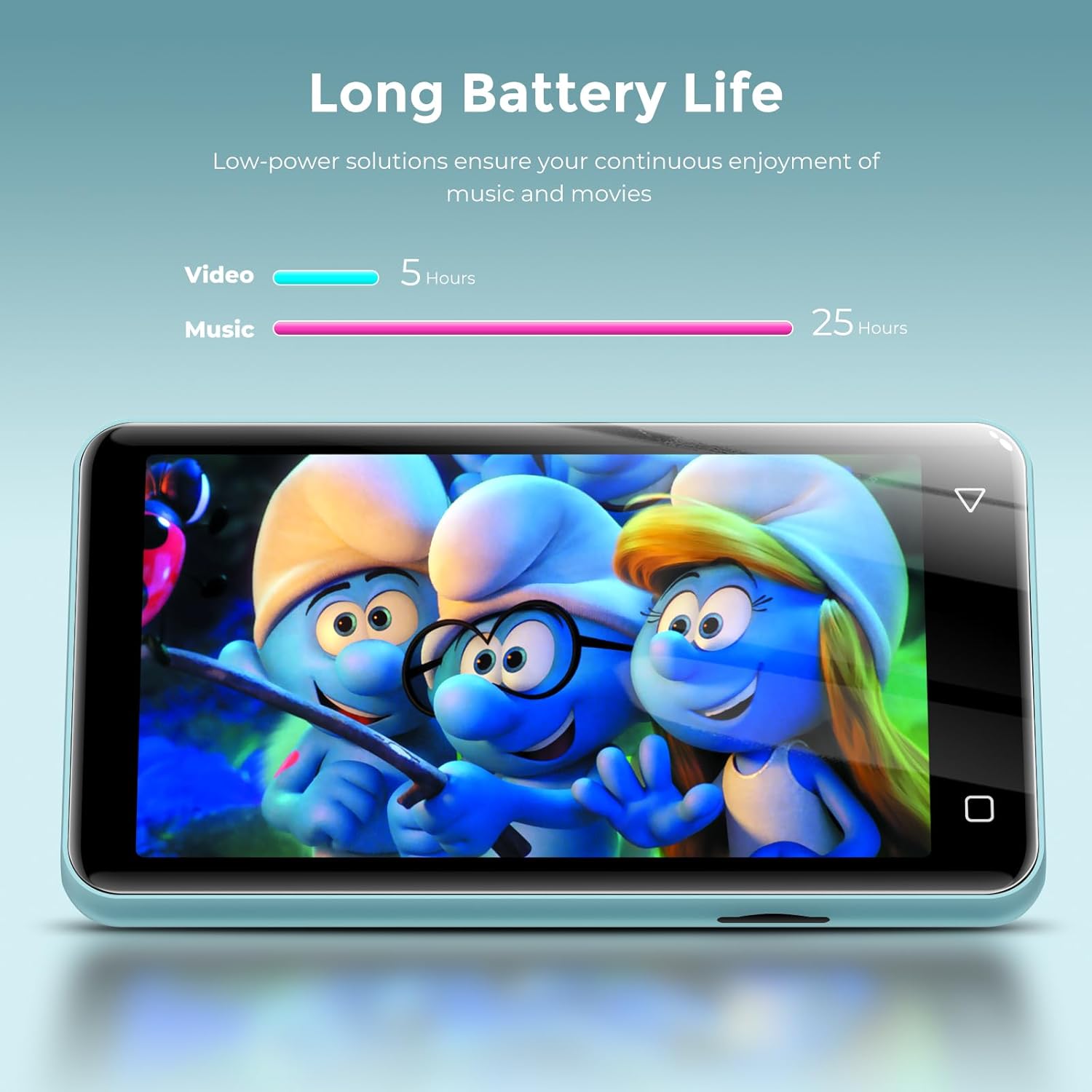
Figure 11: Battery life performance, indicating up to 25 hours for music and 5 hours for video playback.
7.2 Cleaning
Wipe the device with a soft, dry cloth. Avoid using harsh chemicals or abrasive materials that could damage the screen or casing.
8. Troubleshooting
- Device will not power on after full discharge: If the device does not turn on after being fully discharged, try using a lower amperage charger (e.g., a standard 5V/1A charger) for a few minutes before attempting to power it on again.
- Music skipping or inconsistent audio: Ensure the device's software is up to date. If playing from an SD card, try reformatting the card or using a different one.
- Cannot connect to Wi-Fi/Bluetooth: Verify that Wi-Fi/Bluetooth is enabled in settings. Ensure you are within range of the network/device and that the password is correct.
- Apps not working correctly: Try clearing the app's cache or data in Settings > Apps & Notifications > [App Name] > Storage. If issues persist, consider uninstalling and reinstalling the app (if applicable) or performing a factory reset (note: this will erase all data).
9. Specifications
| Feature | Description |
|---|---|
| Model Name | G1 |
| Product Dimensions | 0.39 x 2.36 x 4.33 inches |
| Item Weight | 5.9 ounces |
| Memory Storage Capacity | 80 GB (16GB internal + 64GB SD card) |
| Expandable Storage | Up to 1TB via MicroSD card |
| Screen Size | 4 Inches IPS Full Touch LCD |
| Screen Resolution | 480x800 pixels |
| Connectivity Technology | Bluetooth (two-way sending/receiving), USB, Wi-Fi (2.4GHz & 5GHz) |
| Special Features | Built-In Speaker, Equalizer, FM Radio, Video Playback, Voice Recorder, Parental Controls |
| Compatible Devices | Headphones, Bluetooth Speakers, Car Audio Systems |
| Supported Audio Formats | MP3, WAV, FLAC, AAC, APE, OGG, M4A, WMA, MP2 |
| Supported Video Formats | RM, AVI, RMVB, FLV, MP4, DAT, MKV, MPG, MOV, TS, 3GP |
| Battery Life | Up to 25 hours (music with wired earbuds), 5 hours (video) |
| Charging Time | Approx. 2 hours (Type-C port) |
10. Warranty and Support
For warranty information and customer support, please refer to the documentation included with your purchase or visit the official innioasis website. Keep your proof of purchase for any warranty claims.


