1. Introduction
The EZVALO Under Cabinet Lighting system provides versatile illumination for various spaces. These rechargeable puck lights feature 12 RGB colors, 3 white color temperatures (3000K, 4200K, 6500K), and 2 dynamic modes (Flash & Fade). Equipped with a motion sensor and remote control, they offer convenient and customizable lighting solutions for kitchens, closets, shelves, and more.
2. What's Included
Your EZVALO Under Cabinet Lighting package contains the following items:
- 6x Motion Sensor Lights
- 1x Charging Station
- 1x Remote Control
- 6x Iron Filings (for adhesive mounting)
- 1x Instruction Manual
3. Setup and Installation
The EZVALO puck lights offer quick, tool-free installation with three primary methods:
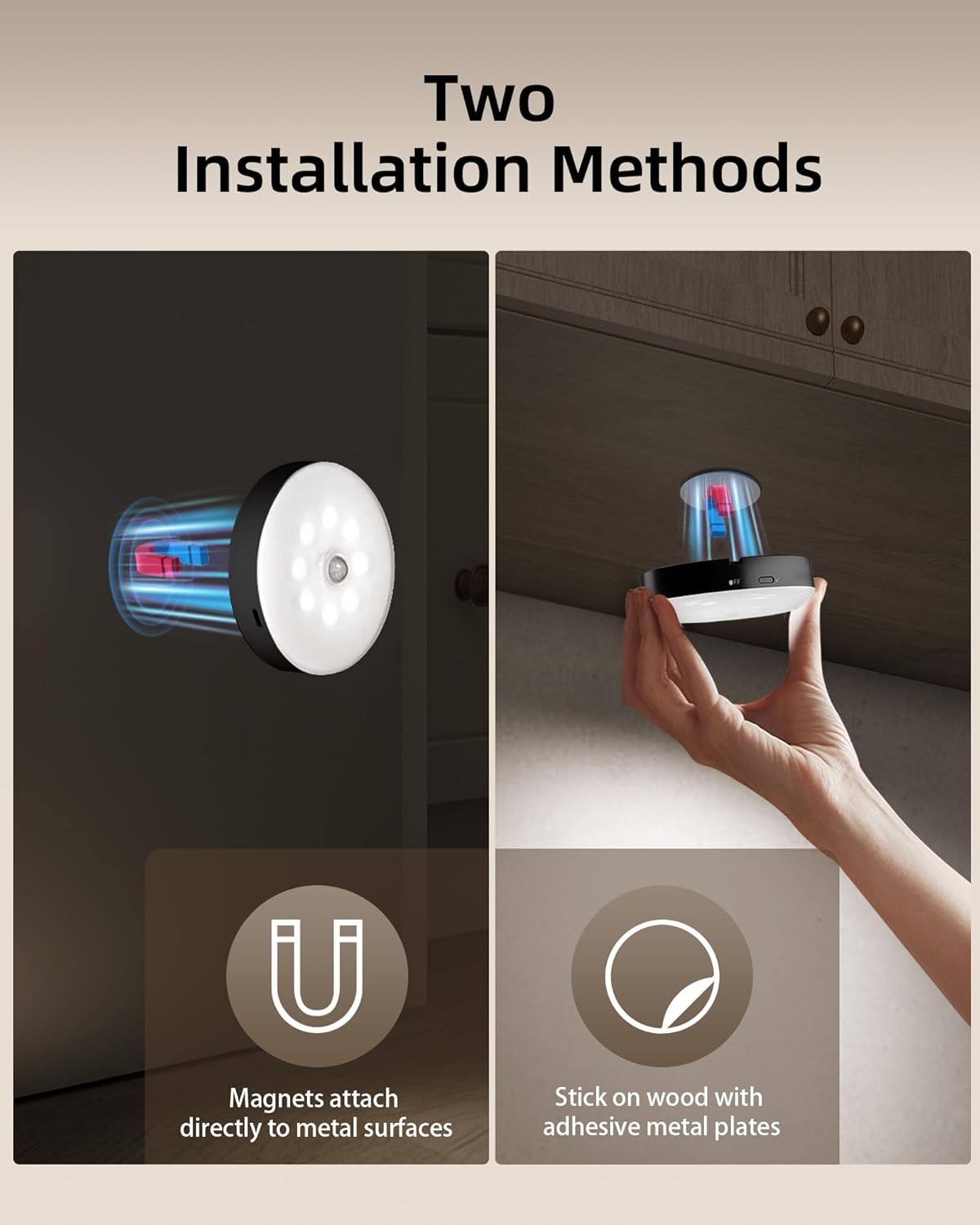
- Magnetic Attachment: Snap the lights directly to metal surfaces.
- Adhesive Mounting: Use the included metal plates with adhesive to stick the lights to non-metallic surfaces.
- Hanging: Utilize the built-in hook for hanging the lights in closets or other suitable locations.
Ensure the installation surface is clean and dry for optimal adhesive performance.

Installation Video Guide
Video: A comprehensive demonstration of the EZVALO puck lights, including unboxing, installation, remote control functions, and various lighting modes.
4. Operating Instructions
4.1. Light Modes
The puck lights feature three operational modes:
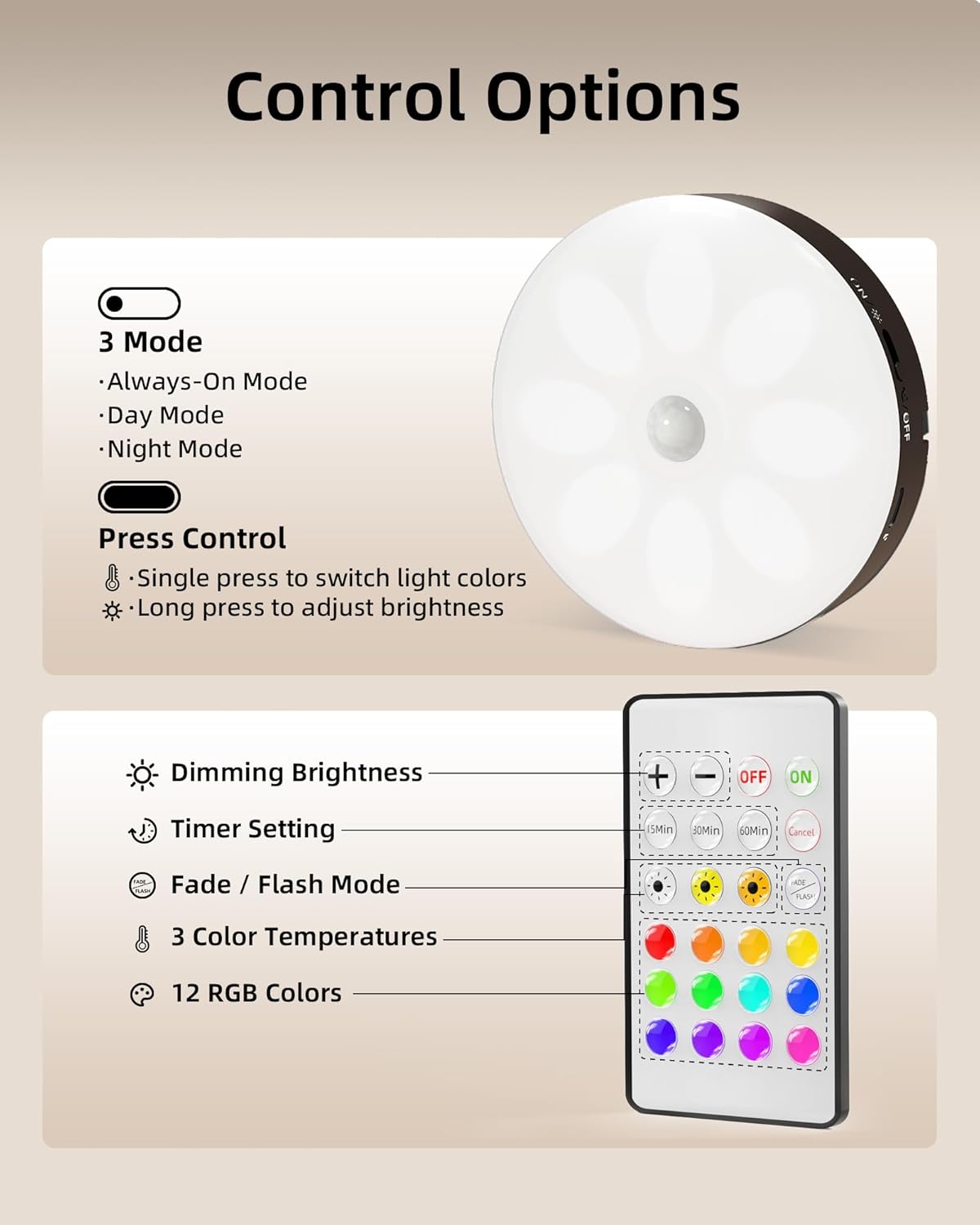
- Day Mode: Lights activate automatically when motion is detected, regardless of ambient light.
- Night Mode: Lights activate only in dark environments when motion is detected, turning off after 20 seconds of no motion.
- Always-On Mode: The motion sensor is disabled, providing continuous light. Control on/off manually with the remote.


4.2. Motion Sensor Functionality
The integrated motion sensor detects movement within a 120° range and up to 10 feet. In Night Mode, lights automatically turn off after 20 seconds of no detected motion. The Always-On Mode allows you to disable the motion sensor for continuous illumination.


4.3. Remote and Button Control
Control your lights with ease using the provided remote or the built-in button:
- Remote Control: Adjust 15 colors, 10 brightness levels, and set timers (15/30/45/60/120 minutes).
- Built-in Button: Short press to change colors, long press for smooth, stepless dimming.


Operating Video Guide
Video: An overview of the EZVALO Rechargeable Motion Sensor Puck Lights, demonstrating their features and functionality in various settings.
5. Charging Instructions
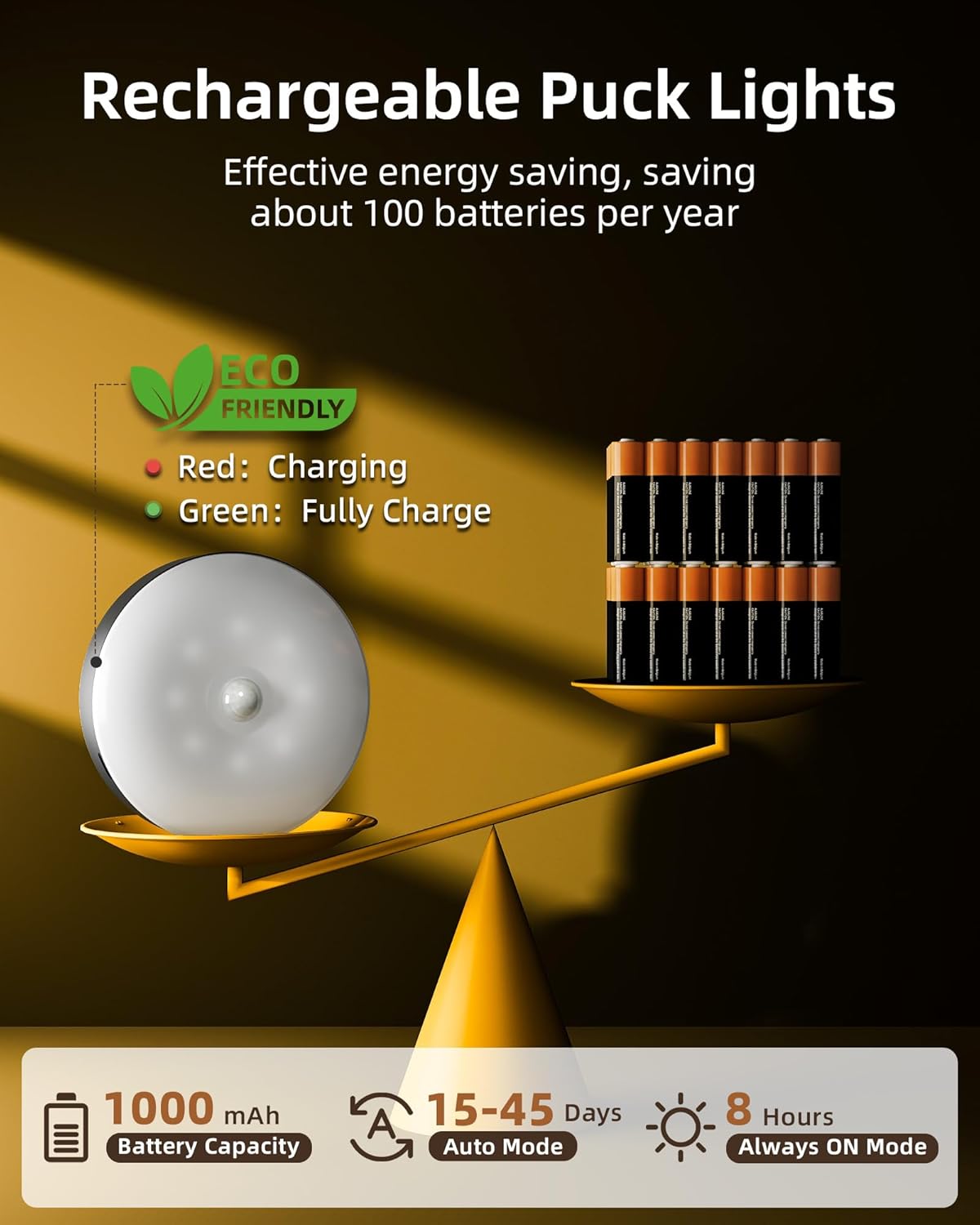
Each puck light is equipped with a 1000mAh rechargeable battery. The included 3-in-1 charging station allows you to recharge three puck lights simultaneously from a single outlet. The lights can provide up to 8 hours of continuous illumination at 100% brightness in Always-On Mode, or 15–45 days of use in Auto Mode (depending on usage frequency).

6. Maintenance
To ensure optimal performance and longevity of your EZVALO puck lights:
- Wipe the lights with a soft, dry cloth to remove dust.
- Avoid using abrasive cleaners or solvents.
- Keep the charging ports free from debris.
- Store in a cool, dry place when not in use for extended periods.
7. Troubleshooting
If you encounter issues with your EZVALO Under Cabinet Lighting, consider the following:
- Lights not turning on: Ensure the battery is charged. Check the mode switch (ON/OFF/Night Mode).
- Motion sensor not working: Verify the light is not in Always-On Mode. Ensure there are no obstructions blocking the sensor. Test in a dark environment if in Night Mode.
- Remote not responding: Check the remote's battery. Ensure there is a clear line of sight to the lights.
- Lights dimming quickly: The battery may be low. Recharge the lights fully.
8. Specifications
| Feature | Detail |
|---|---|
| Brand | EZVALO |
| Model Number | EZL2424A |
| Color | Black |
| Material | Acrylonitrile Butadiene Styrene |
| Product Dimensions | 3.3"L x 3.3"W x 1"H |
| Power Source | Battery Powered (1 Lithium Ion battery included) |
| Battery Capacity | 1000mAh |
| Light Source Type | LED |
| Brightness | 50 Lumen |
| Color Temperatures | 3000K, 4200K, 6500K |
| RGB Colors | 12 RGB colors, Flash & Fade modes |
| Motion Sensor Range | 120° wide range, up to 10 ft |
| Control Method | Remote, Touch |
| Installation Type | Surface Mount (Magnetic, Adhesive, Hook) |

9. Warranty and Support
For warranty information or technical support, please refer to the contact details provided on the product packaging or visit the official EZVALO website.


