
Memobarco P723314217703
Memobarco P723314217703 TV Stand Instruction Manual
Brand: Memobarco | Model: P723314217703
Introduction
This manual provides comprehensive instructions for the assembly, operation, and maintenance of your Memobarco P723314217703 TV Stand. Please read this manual thoroughly before assembly and use to ensure safe and correct operation. Keep this manual for future reference.
Safety Information
Included
- Always follow assembly instructions carefully.
- Ensure all fasteners are securely tightened before use.
- Do not overload shelves; adhere to weight limits.
- Place the TV stand on a flat, stable surface to prevent tipping.
- Keep small parts away from children during assembly.
- Use the anti-tip kit if provided, to secure the unit to a wall.
Package Contents
Before beginning assembly, verify that all components listed below are present and undamaged. If any parts are missing or damaged, please contact customer support.
- Wooden Panels (various sizes for top, sides, shelves, base, doors)
- Assembly Hardware (screws, dowels, cam locks, shelf pins, handles)
- LED Light Strip with Remote Control
- Built-in Power Outlet with 2 AC outlets and 2 USB ports
- Glass Doors
- Instruction Manual
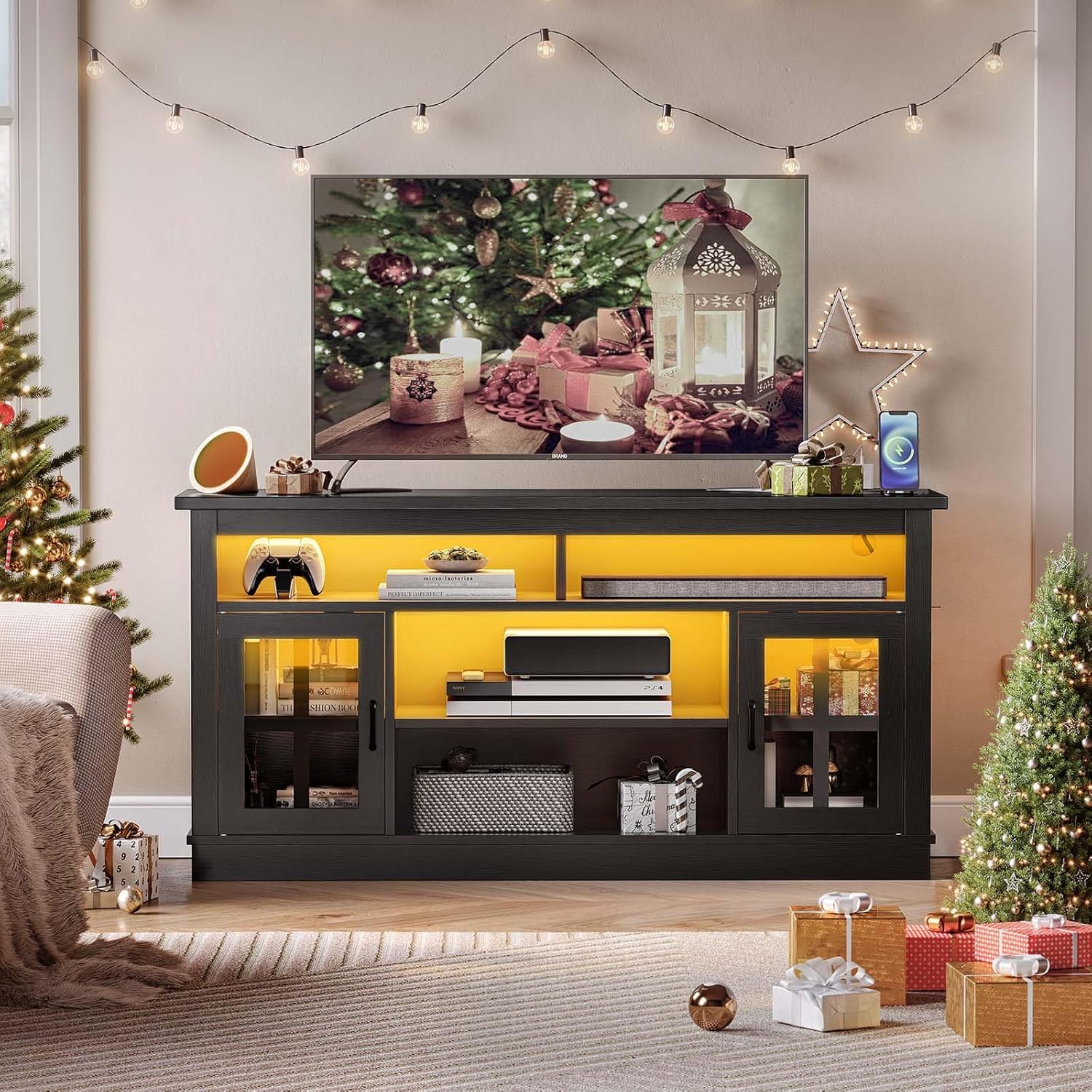
Figure 1: All components included in the package. Please check against the parts list in the manual.
Setup and Assembly
Assembly of the Memobarco TV Stand requires careful attention to the included instruction manual. All necessary hardware and tools are provided. It is recommended to assemble the unit on a soft, clean surface to prevent scratches.
- Unpack and Identify Parts: Carefully unpack all components and compare them with the parts list in your instruction manual. Ensure all pieces are present and undamaged.
- Assemble the Base: Begin by attaching the side panels to the base panel using the specified hardware (e.g., cam locks and dowels).
- Install Internal Dividers and Shelves: Secure the vertical and horizontal divider panels within the main structure.
- Attach the Top Panel: Carefully place and secure the top panel to the assembled frame.
- Install Back Panels: Slide or fasten the back panels into place, ensuring proper alignment with cable management cutouts.
- Mount Doors and Hardware: Attach the glass doors using the provided hinges and install the handles.
- Integrate LED Lighting: Adhere the LED light strip to the designated areas, typically along the inner edges of shelves or compartments. Connect the power supply.
- Install Power Outlet: Secure the built-in power outlet into its pre-cut slot on the top surface.
- Adjust Shelves: Insert shelf pins into desired height holes for adjustable shelves.
- Final Checks: Ensure all screws and fasteners are tight. Place the TV stand in its desired location and connect the power outlet to a wall socket.
Video 1: Overview of the Memobarco TV Stand with Charging Station. This video demonstrates the product's features and overall design.
Video 2: Overview of the Memobarco TV Stand for 65 Inch TVs. This video highlights the stand's capacity and aesthetic appeal.
Operating Instructions
LED Lighting System
Your TV stand is equipped with RGB LED lights, offering 20 vibrant colors, 22 dynamic modes, and 10 speed grades. Use the included remote control to customize the lighting to your preference.
- Power On/Off: Press the power button on the remote.
- Color Selection: Choose from 20 static colors using the color buttons.
- Mode Selection: Cycle through 22 dynamic modes (e.g., flash, strobe, fade) using the 'MODE' button.
- Speed Adjustment: Increase or decrease the speed of dynamic modes using the 'SPEED+' or 'SPEED-' buttons.
- Brightness Control: Adjust the brightness of static colors using the 'BRIGHT+' or 'BRIGHT-' buttons.

Figure 2: The TV stand with LED lights illuminating the compartments, controlled by the remote.
Built-in Power Outlet
The TV stand features a built-in power outlet with 2 AC outlets (125V/12A) and 2 USB ports (5V/2A). This allows for convenient charging of devices such as phones, tablets, or powering entertainment accessories directly from the stand.
- Plug the stand's main power cord into a wall outlet.
- Connect your devices to the AC outlets or USB ports on the top surface of the stand.

Figure 3: Integrated power outlet for convenient device charging and power supply.
Adjustable Shelves
The internal shelves are adjustable to three different heights, providing flexible storage space for various items, including soundbars, DVDs, or gaming devices.
- To adjust a shelf, remove any items from it.
- Remove the shelf pins from their current holes.
- Align the shelf with the desired height holes and reinsert the shelf pins to secure it.
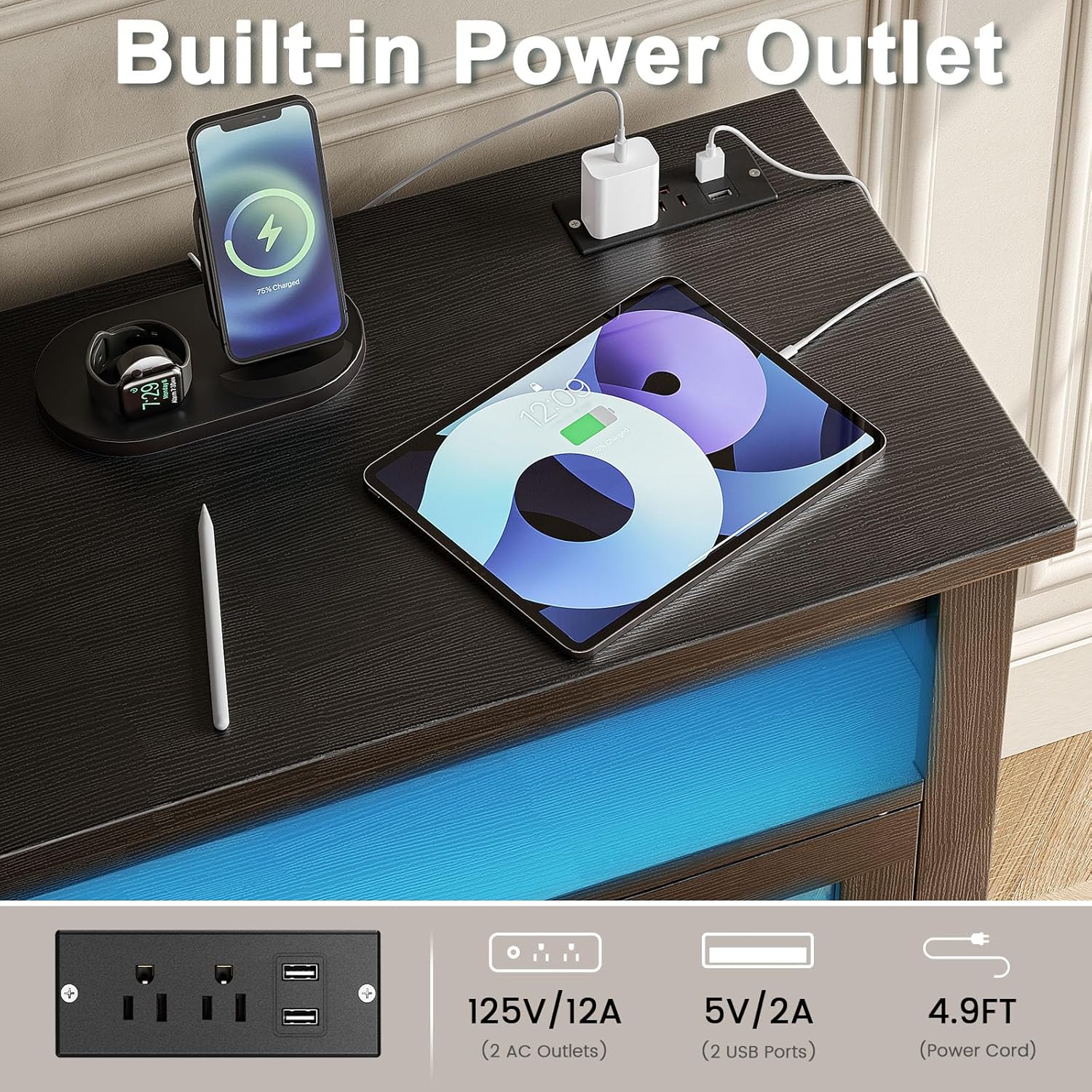
Figure 4: Adjustable shelves offer flexible storage configurations.
Maintenance
To ensure the longevity and appearance of your TV stand, follow these maintenance guidelines:
- Cleaning: Wipe surfaces with a soft, damp cloth. Avoid harsh chemicals or abrasive cleaners that may damage the finish. The P2 grade wood is designed for easy cleaning.
- Spills: Promptly wipe up any spills to prevent staining or damage to the wood.
- Hardware: Periodically check all screws and fasteners to ensure they remain tight. Tighten if necessary.
- Placement: Avoid placing the TV stand in direct sunlight or near heat sources to prevent warping or fading.

Figure 5: Features like easy-to-clean wood contribute to simple maintenance.
Troubleshooting
If you encounter any issues with your Memobarco TV Stand, refer to the following common troubleshooting tips:
- Unit is Unstable:
- Ensure the TV stand is placed on a level surface.
- Check that all assembly screws and fasteners are securely tightened.
- If an anti-tip kit was provided, ensure it is correctly installed and secured to the wall.
- LED Lights Not Working:
- Verify that the LED light strip is properly connected to its power source and the wall outlet.
- Check the remote control battery and ensure there are no obstructions between the remote and the LED receiver.
- Ensure the LED strip is not damaged.
- Power Outlets/USB Ports Not Functioning:
- Confirm that the TV stand's main power cord is securely plugged into a working wall outlet.
- Test the wall outlet with another device to ensure it is supplying power.
- Check for any tripped circuit breakers in your home.
- Doors Not Closing Properly:
- Check the alignment of the hinges and adjust if necessary.
- Ensure no items inside the cabinet are obstructing the door's path.
If the problem persists, please contact customer support for further assistance.
Specifications
| Feature | Detail |
|---|---|
| Brand | Memobarco |
| Model Name | TV Stand |
| Model Number | P723314217703 |
| Color | Black |
| Product Dimensions | 15.35"D x 57.87"W x 28.73"H |
| Recommended TV Size | Up to 65 inches |
| Material | Engineered Wood (Particle Board) |
| Special Features | Adjustable Shelf, Built-in Power Outlet (2 AC, 2 USB), RGB LED Lights |
| Number of Shelves | 3 |
| Door Style | Slab with Glass |
| Item Weight | 82.7 pounds |
| Assembly Required | Yes |
Warranty and Support
For warranty information, product support, or to report missing/damaged parts, please refer to the contact details provided with your purchase documentation or visit the Memobarco official website. Keep your purchase receipt as proof of purchase.
Ask a question about this manual
Ask about setup, troubleshooting, compatibility, parts, safety, or missing instructions. Manuals+ will review the question and use this page’s manual context to help answer it.