
OKVEQUIP Remote Controlled Lawn Mower User Manual
Model: BPGTLawMower550
1. Introduction
This manual provides essential information for the safe and efficient operation, maintenance, and troubleshooting of your OKVEQUIP Remote Controlled Lawn Mower. Please read this manual thoroughly before operating the machine to ensure proper use and to prevent injury or damage.
The OKVEQUIP Remote Controlled Lawn Mower is designed for cutting grass in various terrains, including garden lawns, green belts, and orchards. It features a 196cc engine, adjustable cutting height, and a 45-degree slope capability, offering a versatile solution for lawn care.
2. Key Features
- 45-Degree Climbing Capability: Designed to adapt to various terrains, including steep slopes up to 45 degrees.
- Adjustable Cutting Height: The cutting height can be adjusted from 10mm to 150mm, allowing for precise control over grass length.
- Powerful Engine: Equipped with a 196cc four-stroke gasoline engine for efficient performance.
- Rechargeable Battery: Features a 12V rechargeable battery to ensure seamless operation.
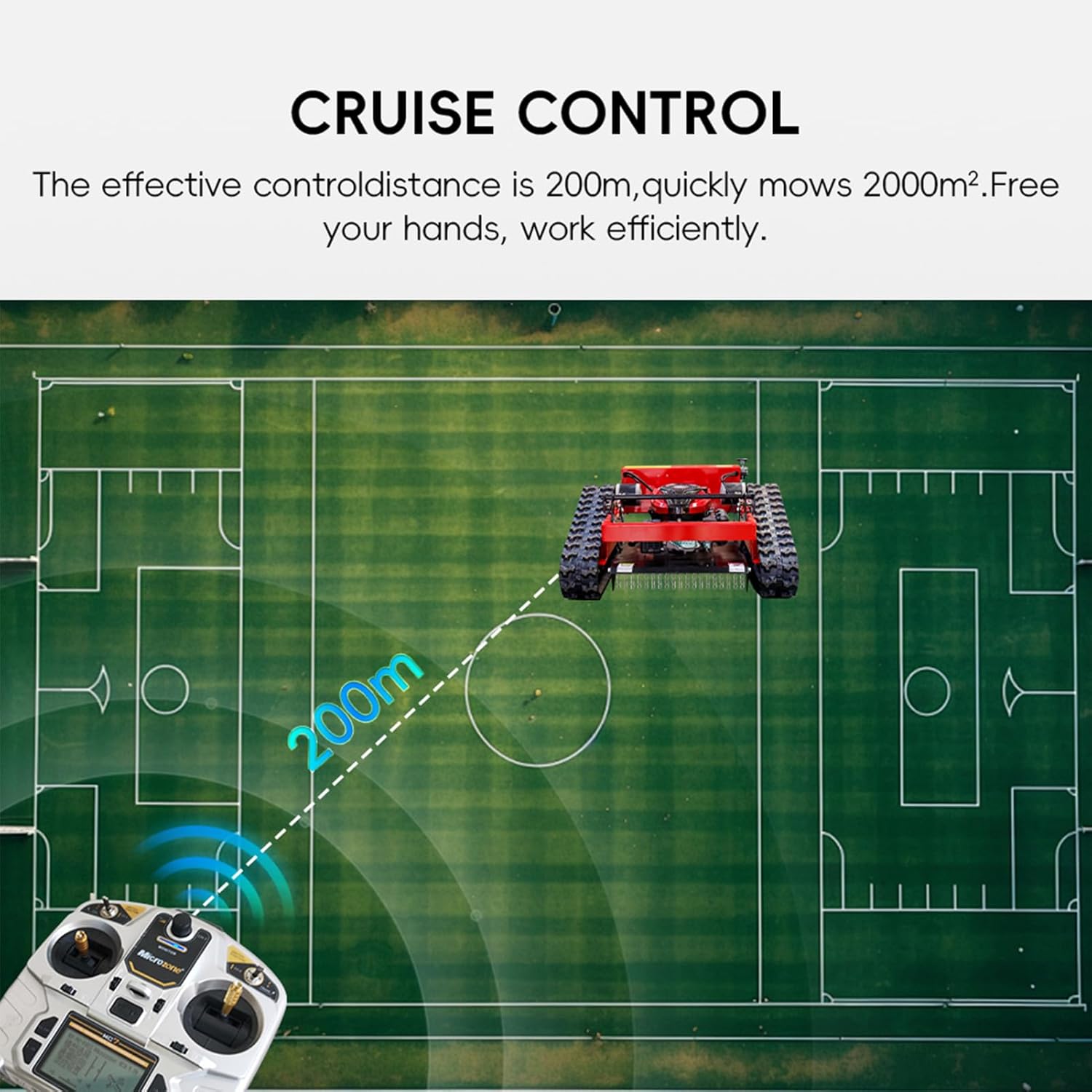
- Remote Control Operation: Offers flexible and free remote control, including 360-degree rotation on the spot and an effective control distance of 200 meters.
- Protective Undercarriage: Designed with protective hangings to safeguard the undercarriage during mowing, enhancing durability.
3. Setup
- Unboxing and Inspection: Carefully remove all components from the packaging. Inspect the lawn mower for any signs of damage during transit. Ensure all parts listed in the packing list are present.
- Fueling the Engine: Fill the fuel tank with appropriate gasoline as specified in the engine manual (refer to the separate engine manual for details on fuel type and capacity). Ensure the fuel cap is securely fastened.
- Checking Engine Oil: Verify the engine oil level. Add or top up with the recommended engine oil if necessary (refer to the separate engine manual).
- Battery Connection and Charging: Connect the 12V rechargeable battery. Ensure it is fully charged before initial use. The battery display on the mower indicates its capacity and voltage.
- Remote Control Preparation: Install batteries in the remote control unit. Familiarize yourself with the controls and their functions.

4. Operating Instructions
4.1. Pre-Operation Checklist
- Ensure the fuel tank is adequately filled.
- Check engine oil level.
- Verify the battery is charged.
- Inspect the cutting blades for sharpness and damage.
- Clear the mowing area of any debris, rocks, or obstacles.
- Ensure no persons or pets are in the immediate vicinity of the mower.
4.2. Starting the Mower
- Turn on the main power switch on the mower.
- Start the engine according to the instructions in the separate engine manual.
- Activate the remote control unit.
4.3. Remote Control Operation
The remote control allows for precise maneuvering of the lawn mower. The effective control distance is approximately 200 meters, enabling you to operate the machine from a safe distance.
- Movement: Use the joysticks to control forward, backward, and turning movements. The mower can rotate 360 degrees on the spot for high maneuverability.
- Cutting Height Adjustment: Utilize the designated controls on the remote to adjust the cutting height between 10mm and 150mm. This allows for adaptation to different grass lengths and desired finishes.
- Slope Operation: The mower is capable of operating on slopes up to 45 degrees. When operating on slopes, always maintain a safe distance and be aware of the mower's stability.

4.4. Stopping the Mower
- Disengage the cutting blades using the remote control.
- Turn off the engine.
- Turn off the main power switch on the mower.
- Turn off the remote control unit.
5. Maintenance
Regular maintenance is crucial for the longevity and optimal performance of your lawn mower.
5.1. Engine Maintenance
- Oil Change: Change the engine oil after the first 5 hours of operation, then every 25-50 hours or annually, whichever comes first. Refer to the engine manual for specific oil type and capacity.
- Air Filter: Clean or replace the air filter regularly, especially when operating in dusty conditions.
- Spark Plug: Inspect and clean the spark plug annually or every 100 hours. Replace if worn or fouled.
5.2. Blade Maintenance
- Sharpening: Sharpen the cutting blades regularly to ensure a clean cut and efficient operation. Dull blades can tear grass, leading to an unhealthy lawn.
- Inspection: Inspect blades for damage, cracks, or excessive wear before each use. Replace damaged blades immediately.
- Protective Hangings: The mower is equipped with protective hangings to shield the undercarriage. Regularly inspect these for wear and tear and replace as needed to maintain protection.

5.3. Battery Care
- Keep the 12V battery charged, especially during periods of non-use.
- Store the battery in a cool, dry place.
- Clean battery terminals to ensure good electrical contact.
5.4. General Cleaning
- Clean the mower after each use to remove grass clippings and debris.
- Avoid using high-pressure water directly on electrical components or the engine.
6. Troubleshooting
This section addresses common issues you might encounter with your remote-controlled lawn mower.
| Problem | Possible Cause | Solution |
|---|---|---|
| Engine does not start | No fuel; Spark plug fouled; Low battery; Engine switch off | Add fuel; Clean/replace spark plug; Charge battery; Turn engine switch on |
| Mower loses power during operation | Low fuel; Overloaded engine; Dull blades; Low battery | Refuel; Reduce load/mow less dense areas; Sharpen/replace blades; Charge battery |
| Uneven cutting | Dull or bent blades; Incorrect cutting height setting; Uneven terrain | Sharpen/replace blades; Adjust cutting height evenly; Adapt to terrain |
| Remote control not responding | Remote batteries low/dead; Out of range; Interference | Replace remote batteries; Move closer to mower; Reduce interference sources |
If you encounter issues not listed here or if the suggested solutions do not resolve the problem, please contact customer support.
7. Specifications
| Specification | Detail |
|---|---|
| Brand | OKVEQUIP |
| Model Number | BPGTLawMower550 |
| Power Source | Gasoline Powered |
| Engine Displacement | 196cc |
| Material | Hard-Anodized Aluminum |
| Color | Red |
| Item Weight | 250 Pounds |
| Cutting Width | 22 Inches |
| Operation Mode | Automatic (Remote Controlled) |
| Product Dimensions | 35"D x 32"W x 21"H |
| Maximum Adjustable Cutting Height | 150 Millimeters |
| Minimum Adjustable Cutting Height | 10 Millimeters |
| Slope Capability | Up to 45 degrees |
| Remote Control Range | 200 meters (approx.) |
8. Warranty and Support
OKVEQUIP is committed to providing excellent customer service. The product comes with professional sales and maintenance support, aimed at maximizing equipment performance and ensuring smooth operation.
Lifelong technical support is provided for this product. For any inquiries, technical assistance, or warranty claims, please contact OKVEQUIP customer service through the retailer where the product was purchased or visit the official OKVEQUIP website for contact information.