
1. Introduction
This manual provides essential information for the installation, operation, and maintenance of the Aninerel 6200W 48V Hybrid Solar Inverter. This device is a pure sine wave inverter with an integrated 120A MPPT solar charge controller, designed to efficiently convert DC power from solar panels and batteries into AC power for various household and industrial applications. It supports both battery-dependent and battery-less operation, offering flexibility for different energy setups.
2. Safety Instructions
Please read all instructions and warnings carefully before installation and operation. Failure to follow these instructions may result in electric shock, fire, or severe injury.
- Installation must be performed by qualified personnel in accordance with all local electrical codes.
- Do not attempt to disassemble, repair, or modify the inverter. There are no user-serviceable parts inside.
- Ensure all connections are secure and correctly polarized to prevent damage to the inverter and connected equipment.
- Keep the inverter away from flammable materials, moisture, and direct sunlight.
- Ensure adequate ventilation around the inverter to prevent overheating.
- Always disconnect all power sources (PV, battery, utility) before performing any maintenance or wiring.
3. Product Overview
3.1 Key Features
- 6200W rated power, 48V DC to 220V/230V AC pure sine wave output.
- Integrated 120A MPPT solar charge controller with a PV array MPPT voltage range of 60-500V DC.
- Capable of feeding electricity back to the grid.
- Supports operation with or without batteries, powering loads directly from PV array/AC grid.
- Built-in Battery Management System (BMS) for battery monitoring and protection.
- Comprehensive protection against short circuits, overcurrents, overvoltages, overloads, and overheating.
- LCD screen for real-time system data and operating status display, including error codes.
- 3 LED indicators for dynamic system status at a glance.
- Four charging modes: utility priority, solar priority, hybrid, and solar-only.
- Three output modes: PV output priority, utility output priority, and battery output priority.
- Intelligent heat dissipation function adjusts cooling based on device temperature.
- Built-in Wi-Fi module for real-time monitoring via mobile app ('Smart Ess').
3.2 Product View
The Aninerel Hybrid Solar Inverter is designed for robust performance and ease of use. Below is a general view of the product with its main specifications.
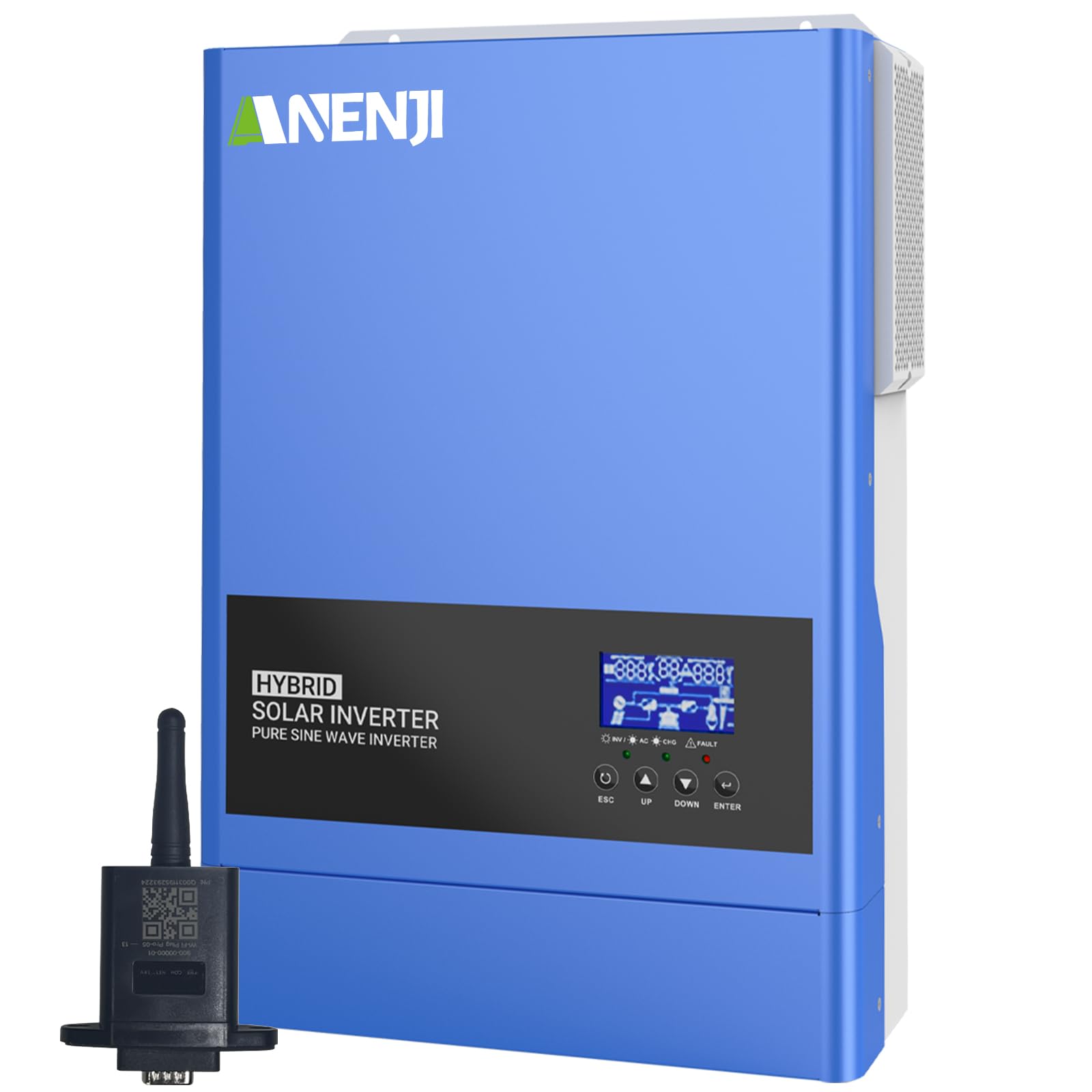
This image displays the Aninerel 6200W 48V Hybrid Solar Inverter, highlighting its key specifications such as 6200W rated power, 230Vac rated output, 50/60Hz rated frequency, 6500W max PV array power, 60-500Vdc PV array MPPT voltage range, and 120A max charge current.
4. Setup
4.1 System Connection
Proper connection of the inverter to solar panels, batteries, utility grid, and loads is crucial for safe and efficient operation. Refer to the diagram below for a typical solar system connection.

This diagram illustrates the connection of the Aninerel Hybrid Solar Inverter within a solar power system, including connections to solar panels, utility grid, generator, 48V battery, and household loads. It details maximum AC input voltage, PV array specifications, and battery type recommendations. Note: If the inverter is connected separately to solar panels to power household loads (without connection to batteries and the utility grid), the photovoltaic output power must not be less than 130Vdc.
4.2 Battery Connection and Compatibility
The inverter is compatible with various battery types. Ensure your battery type is correctly configured in the inverter settings for optimal charging and discharge management.

The inverter is compatible with various battery types including AGM, GEL, FLD (Flooded), LI (Lithium), and SLD (Sealed Lead Acid), and USER-defined settings. It supports a maximum battery charging current of 120A (AC+DC). For lithium batteries, if solar power is available and the battery type is set to LIB, the lithium battery will be activated after 3 seconds by solar current.
5. Operating
5.1 Control Panel and Display
The inverter features an LCD screen and LED indicators to display real-time system data and operating status. Error codes will be shown on the LCD if a problem occurs.
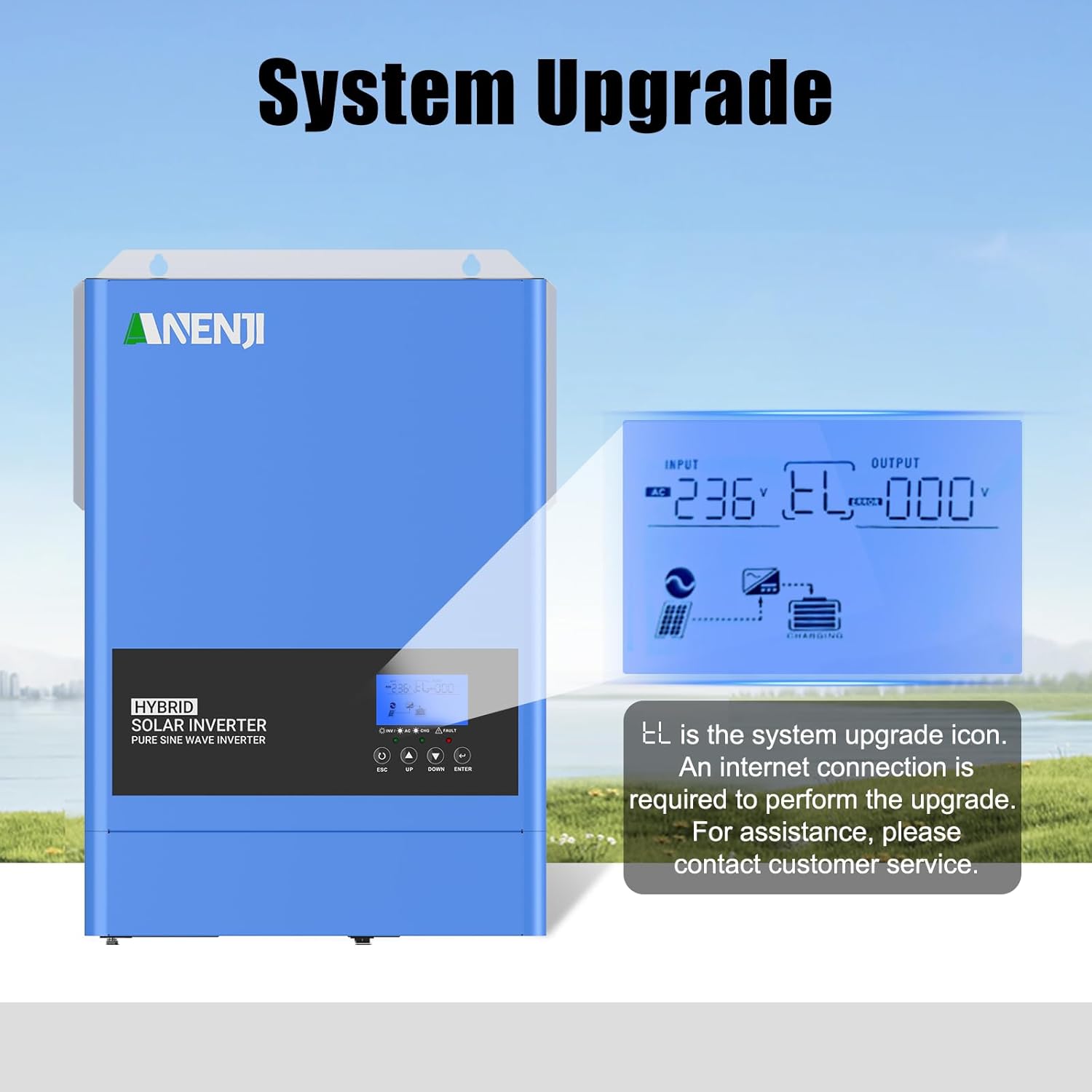
The inverter's LCD screen displays the system upgrade icon (EL). An internet connection is required for upgrades. Contact customer service for assistance.
5.2 Operating Modes
The inverter offers flexible operating modes to suit various energy needs:
- Charging Modes: Utility Priority, Solar Priority, Hybrid, Solar-Only.
- Output Modes: PV Output Priority, Utility Output Priority, Battery Output Priority.
5.3 Wi-Fi Monitoring
The built-in Wi-Fi module allows for convenient real-time monitoring of the inverter's operating status via a mobile application.

The inverter features a built-in Wi-Fi module for real-time monitoring via a mobile app. Search for 'Smart Ess' on Google Play Store or App Store to download.
6. Maintenance
Regular maintenance ensures the longevity and optimal performance of your Aninerel Hybrid Solar Inverter.
- Cleaning: Periodically clean the exterior of the inverter with a dry, soft cloth. Ensure ventilation openings are free from dust and debris.
- Connections: Annually check all electrical connections for tightness and signs of corrosion.
- Environment: Ensure the installation environment remains within specified temperature and humidity ranges.
- Firmware: Check for available firmware updates via the 'Smart Ess' app or Aninerel support channels to ensure your inverter has the latest features and improvements.
7. Troubleshooting
The inverter's LCD display will show error codes if a problem is detected. Refer to the following general troubleshooting steps. For specific error codes, consult the full technical manual or contact customer support.
- No Power: Check all input power connections (PV, battery, utility). Ensure circuit breakers are not tripped.
- Low Output Power: Verify PV array voltage and current. Check battery charge level. Ensure loads do not exceed the inverter's rated capacity.
- Overload Error: Reduce the connected load. The inverter will typically attempt to restart after an overload condition.
- Overheating Error: Ensure adequate ventilation. Clear any obstructions from cooling vents. Allow the inverter to cool down.
- Battery Issues: Check battery voltage and connections. Ensure battery type settings are correct. The BMS will protect against overcharge/deep discharge.
- Wi-Fi Connection Issues: Ensure the inverter is within range of your Wi-Fi router. Restart the inverter and your router. Reconfigure Wi-Fi settings via the app if necessary.
8. Specifications
| Specification | Value |
|---|---|
| Brand | Aninerel |
| Item Model Number | ANJ-6200W-48V-WIFI |
| Rated Power | 6200 Watts |
| Output Power | 6500 Watts (Max PV Array Power) |
| Input Voltage | 48 Volts (DC) |
| Output Voltage | 220V/230V AC |
| Frequency | 50/60 Hz (Auto sensing) |
| Max. PV Array MPPT Voltage Range | 60-500 VDC |
| Max. PV Array Open Circuit Voltage | 500 VDC |
| Max. PV Charge Current | 120 A |
| Max. Solar Input Current | 27 A |
| Recommended Uses for Product | Home |
| Power Source | Solar Powered and Battery Powered |
| Product Dimensions | 42L x 12.2W x 52H centimeters |
| Item Weight | 10.04 Kilograms |
| Manufacturer | Shenzhen Anenji Energy Technology Co.,Ltd |
9. Warranty and Support
For warranty information, technical support, or service inquiries, please contact Aninerel customer service. Details regarding spare parts availability and guaranteed software updates are not explicitly provided in the product specifications. Please retain your purchase receipt for warranty claims.


