
1. Introduction
Thank you for choosing the TiSSCARE Vibration Plate Exercise Machine, Model SZJ-BK01. This manual provides essential information for the safe and effective operation, maintenance, and troubleshooting of your new fitness equipment. Please read this manual thoroughly before initial use and retain it for future reference.
The TiSSCARE Vibration Plate is designed to provide a full-body workout experience, promoting muscle activation, improved circulation, and lymphatic drainage through high-frequency vibrations. It offers various speed levels and pre-set programs to cater to different fitness needs and intensity preferences.

Figure 1: TiSSCARE Vibration Plate Exercise Machine with included accessories.
2. Important Safety Information
WARNING: To reduce the risk of serious injury, read all instructions and warnings in this manual before using the TiSSCARE Vibration Plate.
- Consult your physician before starting any new exercise program, especially if you have pre-existing medical conditions, are pregnant, or have recently undergone surgery.
- Keep children and pets away from the machine during operation.
- Ensure the machine is placed on a stable, level surface. Do not use on uneven floors or carpets that may obstruct ventilation.
- Do not exceed the maximum weight capacity of 180 kg (400 lbs).
- Always wear appropriate athletic footwear when using the machine.
- Do not insert any objects into the machine's openings.
- Unplug the machine from the power outlet when not in use or before cleaning.
- If you experience dizziness, nausea, chest pain, or any other abnormal symptoms, stop your workout immediately and consult a physician.
- Use only the power cord and accessories provided by TiSSCARE.
3. Package Contents
Carefully unpack your TiSSCARE Vibration Plate Exercise Machine and verify that all items listed below are included. If any items are missing or damaged, please contact customer support.
- Vibration Plate Exercise Machine (x1)
- Remote Control (x1)
- Training Rope (Resistance Bands) (x2)
- Instruction Manual (x1)
- Power Cord (x1)
4. Setup
- Placement: Place the vibration plate on a firm, level surface. Ensure there is enough clear space around the machine for safe operation and movement. The four non-slip suction cups on the base will help secure the machine during use.
- Power Connection: Insert the power cord into the power inlet on the side of the machine, then plug the other end into a standard electrical outlet.
- Resistance Bands (Optional): If you plan to use the resistance bands, attach them to the designated anchor points on the sides of the vibration plate. Ensure they are securely fastened before use.
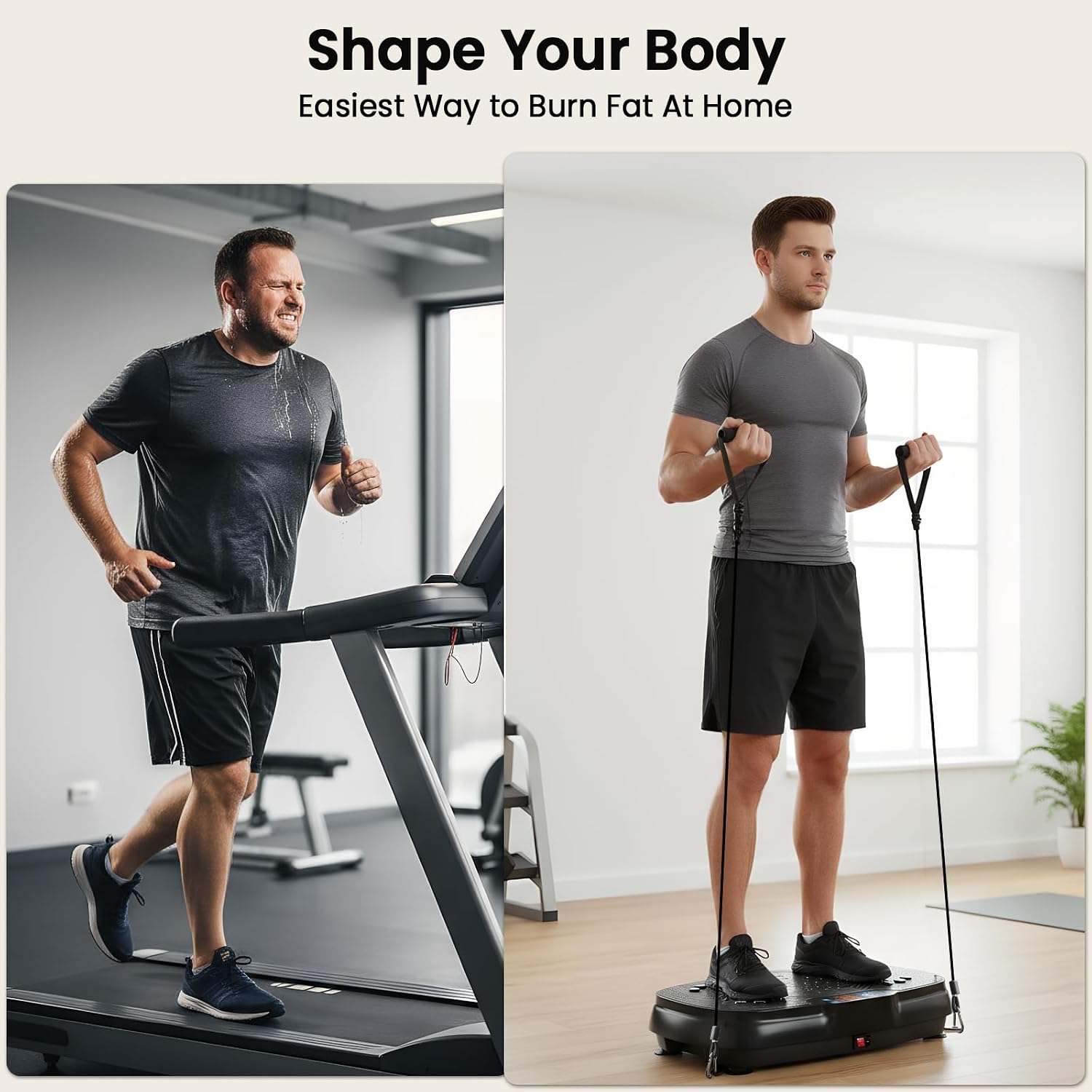
Figure 2: Proper setup with resistance bands for a full-body workout.
5. Operating Instructions
5.1 Powering On/Off
- To power on the machine, press the main power switch located on the side of the unit. The digital display will illuminate.
- To power off, press the main power switch again.
5.2 Control Options
The TiSSCARE Vibration Plate can be controlled via the integrated touch screen panel or the included remote control.

Figure 3: Control options: On-screen touch panel and remote control.
5.3 Adjusting Speed Levels
The machine offers 120 vibration speed settings, allowing for a customized workout intensity. These are typically grouped into modes:
- Slow (P1-P2 / 1-40): Beginner-friendly, suitable for gentle lymphatic drainage and warm-up.
- Medium (P3-P4 / 41-80): Whole-body fat burning, moderate intensity.
- High (P5-P6 / 81-120): Rhythmic sweating, high-energy fat burning and muscle activation.
Use the speed adjustment buttons on the control panel or remote to increase or decrease the vibration intensity.

Figure 4: Speed level guidance for various workout intensities.
5.4 Pre-set Programs
The TiSSCARE Vibration Plate features 10 pre-set programs designed for different intensity training and fitness goals. Select a program using the mode button on the control panel or remote.
- Program 1: Decrease Stress
- Program 2: Increase Core Strength
- Program 3: Relieve Joint and Back Pain
- Program 4: Improve Circulation
- Program 5: Boost Metabolism
- Program 6: Develop Stronger Bones
- Program 7: Gain Mobility and Flexibility
- (Additional programs 8-10 will vary in focus, consult the on-screen display for details.)

Figure 5: Overview of 10 preset programs for varied fitness goals.
5.5 Recommended Usage and Exercises
Regular use of the vibration plate for 10-15 minutes daily can contribute to various fitness benefits. Experiment with different postures and exercises to target specific muscle groups.
- Standing: Stand with feet shoulder-width apart, knees slightly bent. This engages core and leg muscles.
- Squats: Perform squats while standing on the plate to intensify leg and glute workouts.
- Calf Raises: Stand on the balls of your feet to target calf muscles.
- Resistance Band Exercises: Use the included resistance bands for upper body and arm workouts while standing or sitting on the plate.
- Sitting: Sit on a chair with your feet on the plate for foot massage, circulation boost, and lymphatic drainage.
- Plank/Push-ups: Place hands or feet on the plate for advanced core and upper body exercises.

Figure 6: Examples of daily fitness routines using the vibration plate.

Figure 7: Using the vibration plate for relaxation and circulation while seated.
6. Maintenance
- Cleaning: Always unplug the machine before cleaning. Wipe the surface with a soft, damp cloth. Do not use abrasive cleaners or solvents.
- Storage: Store the machine in a cool, dry place away from direct sunlight and moisture.
- Inspection: Periodically check the power cord and all components for any signs of wear or damage. If any damage is found, discontinue use and contact customer support.
7. Troubleshooting
If you encounter any issues with your TiSSCARE Vibration Plate, please refer to the following common troubleshooting steps.
| Problem | Possible Cause | Solution |
|---|---|---|
| Machine does not power on. | Power cord not securely plugged in; Main power switch off; Power outlet malfunction. | Ensure power cord is firmly connected. Turn on the main power switch. Test the outlet with another device. |
| No vibration. | Machine is on but not started; Speed level set to zero. | Press the start button. Increase the speed level using the control panel or remote. |
| Remote control not working. | Batteries are dead or incorrectly inserted; Obstruction between remote and machine. | Replace remote control batteries. Ensure line of sight to the machine's receiver. |
| Unusual noise during operation. | Machine not on a level surface; Internal component issue. | Ensure the machine is on a flat, stable surface. If noise persists, discontinue use and contact customer support. |
If the problem persists after attempting these solutions, please contact TiSSCARE customer support for further assistance.
8. Specifications
| Feature | Detail |
|---|---|
| Model Number | SZJ-BK01 |
| Maximum Weight Recommendation | 180 kg (400 lbs) |
| Vibration Speed Levels | 120 |
| Control Type | Remote, Digital Touch Screen |
| Display Type | Digital |
| Power Source | Corded Electric |
| Material | Acrylonitrile Butadiene Styrene (ABS) |
| Product Dimensions (LxWxH) | 55.9 x 17.8 x 36 cm (22.4 x 14.3 x 6.5 inches approx.) |
| Item Weight | 7.19 kg (15.85 lbs) |
| UPC | 755752019137 |

Figure 8: Product dimensions for the TiSSCARE Vibration Plate.
9. Warranty and Support
TiSSCARE is committed to providing high-quality products. This product comes with a standard manufacturer's warranty against defects in materials and workmanship. For specific warranty terms and conditions, please refer to the warranty card included with your purchase or contact TiSSCARE customer support.
For any questions, technical assistance, or warranty claims, please contact our customer support team. Contact information can typically be found on the product packaging or the official TiSSCARE website. Please have your model number (SZJ-BK01) and purchase details ready when contacting support.
