1. Introduction
This manual provides detailed instructions for the proper use, setup, operation, and maintenance of your Zuomeng ZM-096 Throttle Position Sensor (TPS) Adjustment and Testing Tool. This device is designed to accurately measure and assist in the adjustment of 5V TPS units found in various performance vehicles, including motorcycles, snowmobiles, side-by-sides, outboard motors, and cars. By ensuring precise TPS voltage, the tool helps optimize engine performance and resolve common issues related to incorrect throttle position readings.

Image 1.1: The Zuomeng ZM-096 TPS Adjustment and Testing Tool, showcasing the main unit and the included adapter cables.
2. Safety Information
Please read and understand all safety warnings and instructions before using the Zuomeng ZM-096 tool. Failure to do so may result in injury or damage to the tool or vehicle.
- Always wear appropriate personal protective equipment, such as safety glasses, when working on vehicles.
- Ensure the vehicle's ignition is off and the battery is disconnected if instructed by the vehicle's service manual before connecting or disconnecting the tool.
- Do not expose the tool to moisture, extreme temperatures, or corrosive substances.
- Do not attempt to open or modify the tool's casing. Refer all servicing to qualified personnel.
- Verify that the correct adapter is used for your specific TPS connector to prevent damage.
3. Package Contents
Verify that all items are present in your package:
- 1 x Zuomeng ZM-096 TPS Adjustment and Testing Tool Unit
- 6 x Various TPS Adapter Cables
4. Setup
Follow these steps to prepare the ZM-096 tool for use:
- Identify the Correct Adapter: Examine your vehicle's Throttle Position Sensor (TPS) connector. Select one of the six included adapter cables that matches your TPS connector type.
- Connect Adapter to Tool: Plug the adapter cable into the corresponding ports on the ZM-096 tool. The tool has clearly labeled ports for GND (Ground), FB (Feedback), and 5V (5 Volt Reference). Ensure a secure connection.
- Connect to Vehicle TPS: Disconnect your vehicle's existing TPS connector. Connect the chosen adapter cable from the ZM-096 tool to the vehicle's TPS. Refer to your vehicle's service manual for specific TPS location and wiring diagrams if needed.

Image 4.1: Illustration of the six different adapter types included with the ZM-096 tool, designed for broad compatibility with various TPS connectors.
5. Operating Instructions
The ZM-096 tool provides precise voltage readings for TPS adjustment.
- Power On: Locate the 'On/Off' switch on the ZM-096 unit and slide it to the 'On' position. The digital display will illuminate.
- Read Voltage: With the tool connected to the TPS and the vehicle's ignition turned to the 'ON' position (engine off), the digital display will show the current voltage output from the TPS. The tool measures voltage with up to 1/10,000 precision.
- Adjust TPS: Refer to your vehicle's service manual for the specified TPS voltage range (typically 0.5V to 4.5V). If the reading is outside this range, carefully adjust the TPS on your vehicle according to the manufacturer's instructions until the desired voltage is displayed on the ZM-096 tool.
- Verify Adjustment: After adjustment, re-check the voltage reading to ensure it remains stable and within the specified range.
- Power Off: Once adjustments are complete, slide the 'On/Off' switch to the 'Off' position. Disconnect the tool and reconnect the vehicle's original TPS connector.

Image 5.1: The ZM-096 tool in operation, connected to a vehicle's engine and displaying a precise voltage reading.

Image 5.2: The ZM-096 tool highlighting its ultra-high precision voltage measurement capability, showing a reading of 0.0005.
6. Maintenance
Proper maintenance ensures the longevity and accuracy of your ZM-096 tool.
- Cleaning: Wipe the tool with a soft, dry cloth. Do not use abrasive cleaners or solvents.
- Battery Replacement: The tool is powered by an internal battery. If the 'Replace Battery' indicator light illuminates, or the display becomes dim, the battery needs replacement. Refer to the markings on the device for battery type and replacement procedure.
- Storage: Store the tool and its adapters in a clean, dry environment, away from direct sunlight and extreme temperatures.
7. Troubleshooting
This section addresses common issues that may arise during the use of the ZM-096 tool or related to TPS performance.
- No Display/Tool Not Powering On:
- Ensure the 'On/Off' switch is in the 'On' position.
- Check the battery status. If the 'Replace Battery' indicator is on, replace the battery.
- Inaccurate or Unstable Readings:
- Verify all connections are secure between the tool, adapter, and vehicle TPS.
- Ensure the correct adapter is being used for your TPS type.
- Check the vehicle's wiring for any damage or corrosion that might affect the TPS signal.
- Consult your vehicle's service manual for expected voltage ranges and troubleshooting steps for the TPS itself.
- Engine Performance Issues (Stalling, Throttle Lag, Sluggish Acceleration, Increased Fuel Consumption):
- These symptoms often indicate an incorrectly adjusted or faulty TPS. Use the ZM-096 tool to measure and adjust the TPS voltage to the manufacturer's specifications.
- If adjustment does not resolve the issue, the TPS itself may be faulty and require replacement.

Image 7.1: Visual representation of various engine performance issues that can be resolved by proper TPS adjustment.
8. Specifications
| Feature | Specification |
|---|---|
| Model Number | ZM-096 |
| Brand | Zuomeng |
| Measurement Accuracy | Up to 1/10,000 (0.0001%) |
| Maximum Supply Voltage | 5 Volts |
| Material | Acrylonitrile Butadiene Styrene (ABS) |
| Package Dimensions | 6.85 x 3.58 x 2.4 inches |
| Item Weight | 11.29 ounces |

Image 8.1: Detailed dimensions of the ZM-096 tool and its various adapter cables.
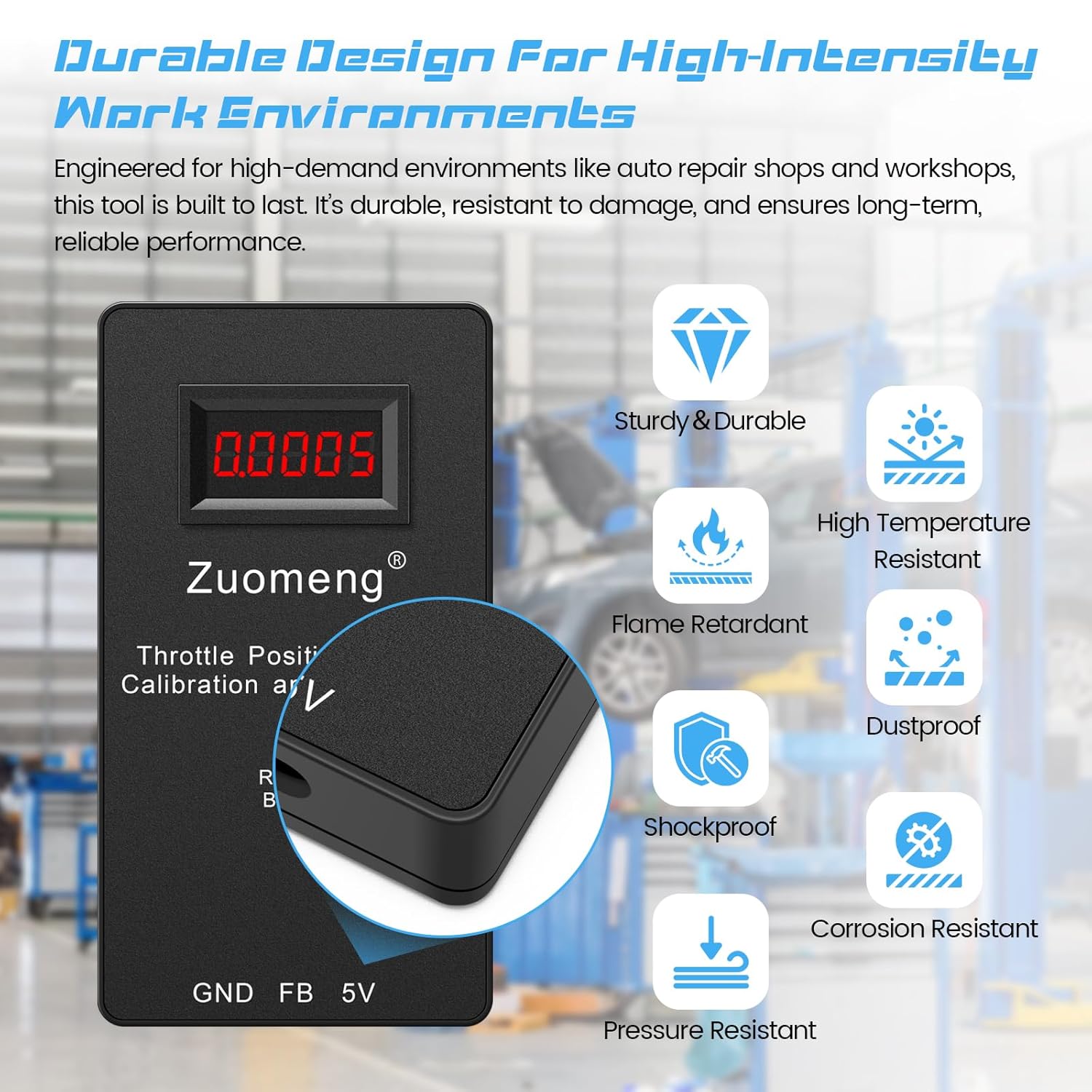
Image 8.2: Overview of the ZM-096 tool's durable design features, including its flame-retardant ABS shell.
9. Warranty and Support
For warranty information or technical support, please contact Zuomeng customer service through the retailer where the product was purchased. Please have your model number (ZM-096) and purchase date available when contacting support.


