1. Introduction
This user manual provides essential information for the installation, operation, maintenance, and troubleshooting of your Bosch SMH4EVX09E Series 4 fully integrated dishwasher. Please read these instructions carefully before using the appliance for the first time to ensure safe and efficient operation. Keep this manual for future reference.
2. Safety Information
Always follow basic safety precautions when using electrical appliances to reduce the risk of fire, electric shock, and injury to persons. This appliance is intended for domestic use only.
- Ensure the appliance is properly installed and grounded by a qualified technician before use.
- Do not allow children to play with, on, or inside the appliance.
- Never use harsh chemicals or abrasive cleaners on the dishwasher.
- Only use detergents and rinse aids specifically designed for dishwashers.
- Do not open the door during operation, especially during the hot wash or drying cycle, to avoid scalding.
- In case of malfunction, switch off the appliance and disconnect it from the power supply. Contact authorized service personnel.
3. Setup and Installation
Proper installation is crucial for the performance and longevity of your dishwasher. Refer to the diagrams below for guidance on connections and dimensions.
3.1. Installation Requirements
- Electrical Connection: The dishwasher requires a 240 Volt electrical supply. Ensure the power outlet is easily accessible after installation.
- Water Connection: Connect the water inlet hose to a cold water supply with a minimum pressure of 0.05 MPa and a maximum of 1 MPa.
- Drain Connection: The drain hose should be connected to a suitable drain pipe, ensuring it is not kinked or obstructed.
- VarioHinge Sliding Hinges: The VarioHinge system allows for flexible installation with a plinth height up to 5 cm, integrating seamlessly into your kitchen design.
3.2. Connection Diagram

3.3. Installation Dimensions

3.4. First Use
Before the first wash cycle, ensure the salt and rinse aid dispensers are filled. Run an empty wash cycle with detergent to clean the interior of the appliance.
4. Operating Instructions
4.1. Control Panel

4.2. Loading the Dishwasher
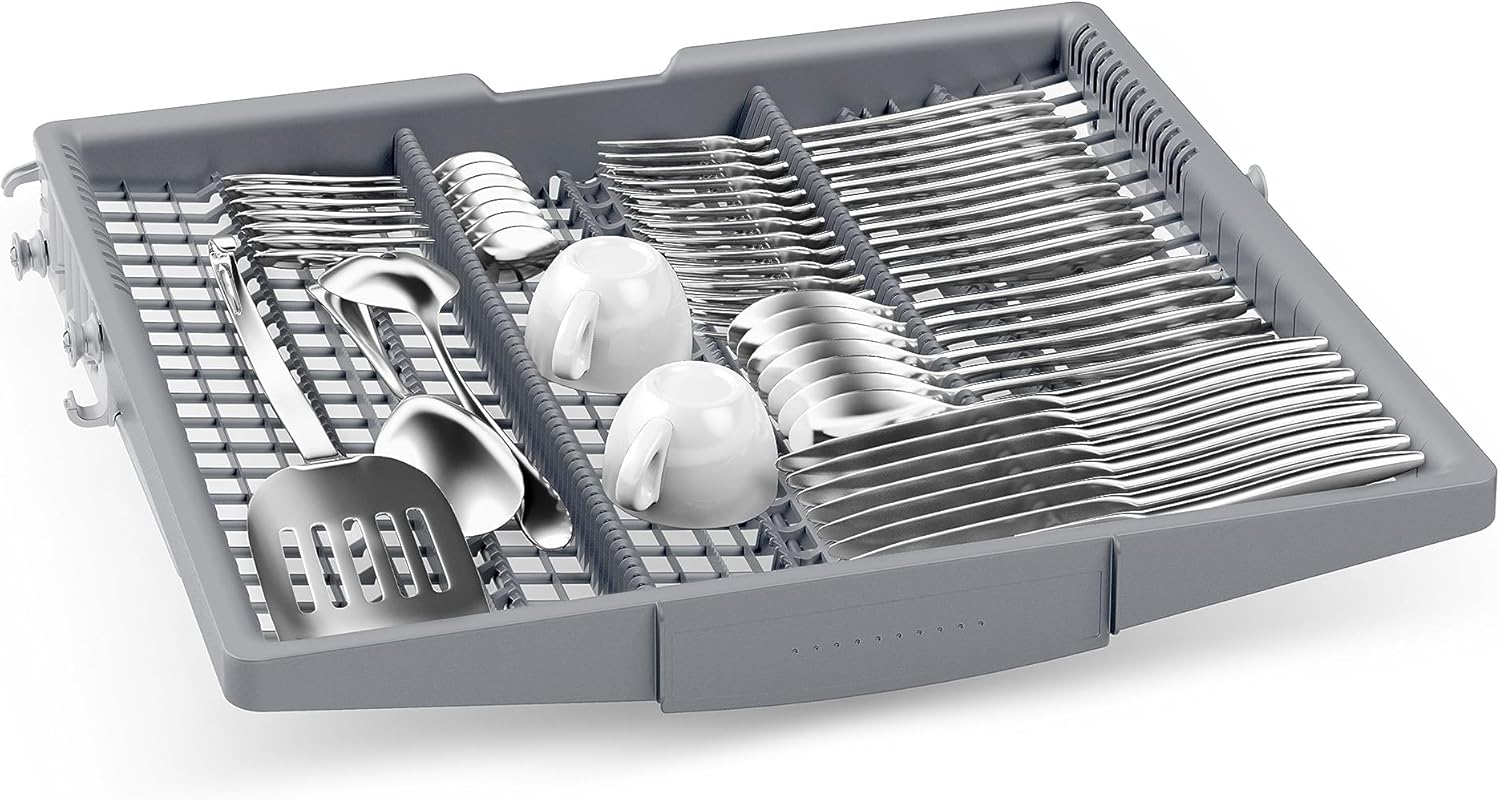
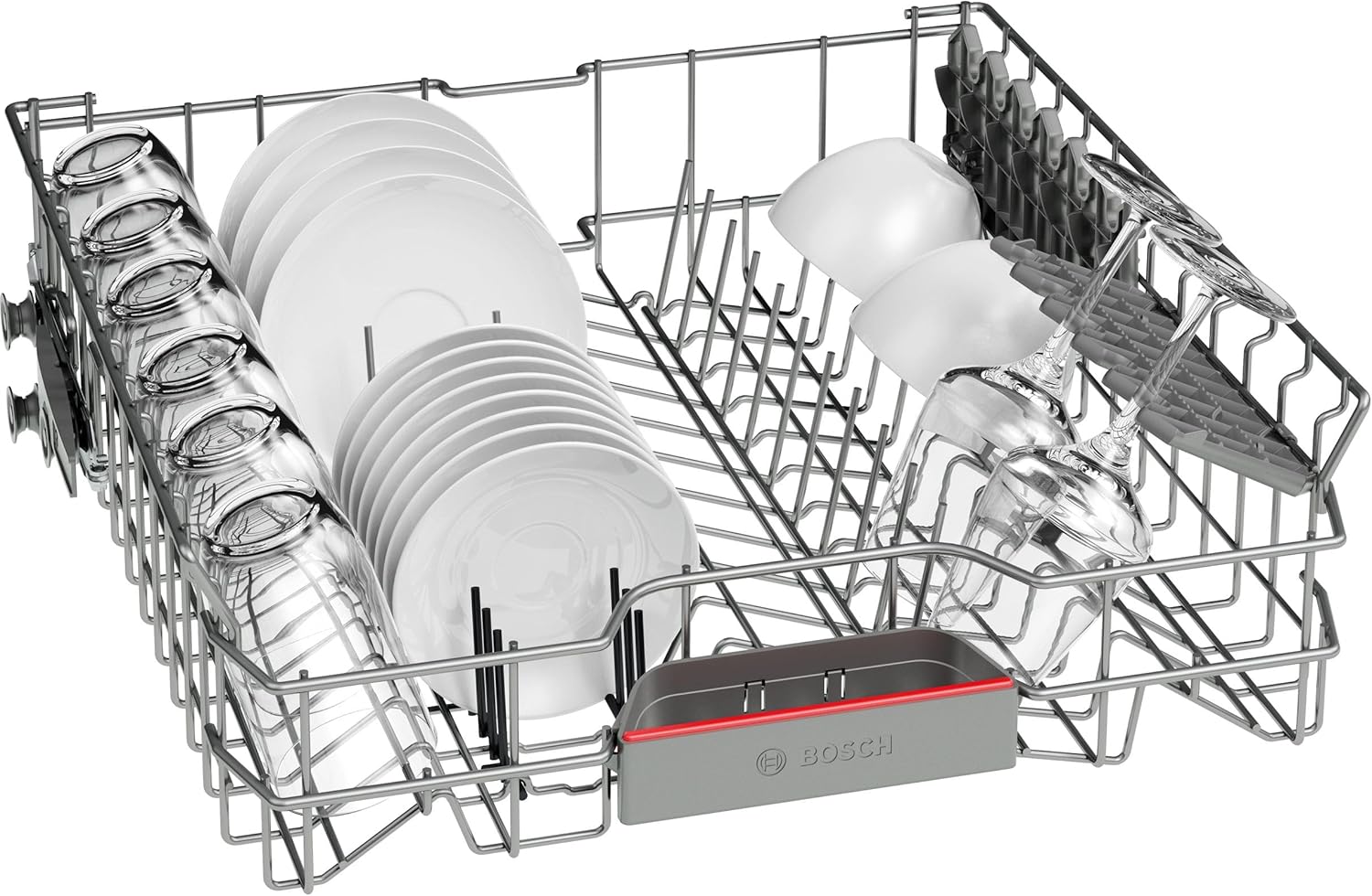
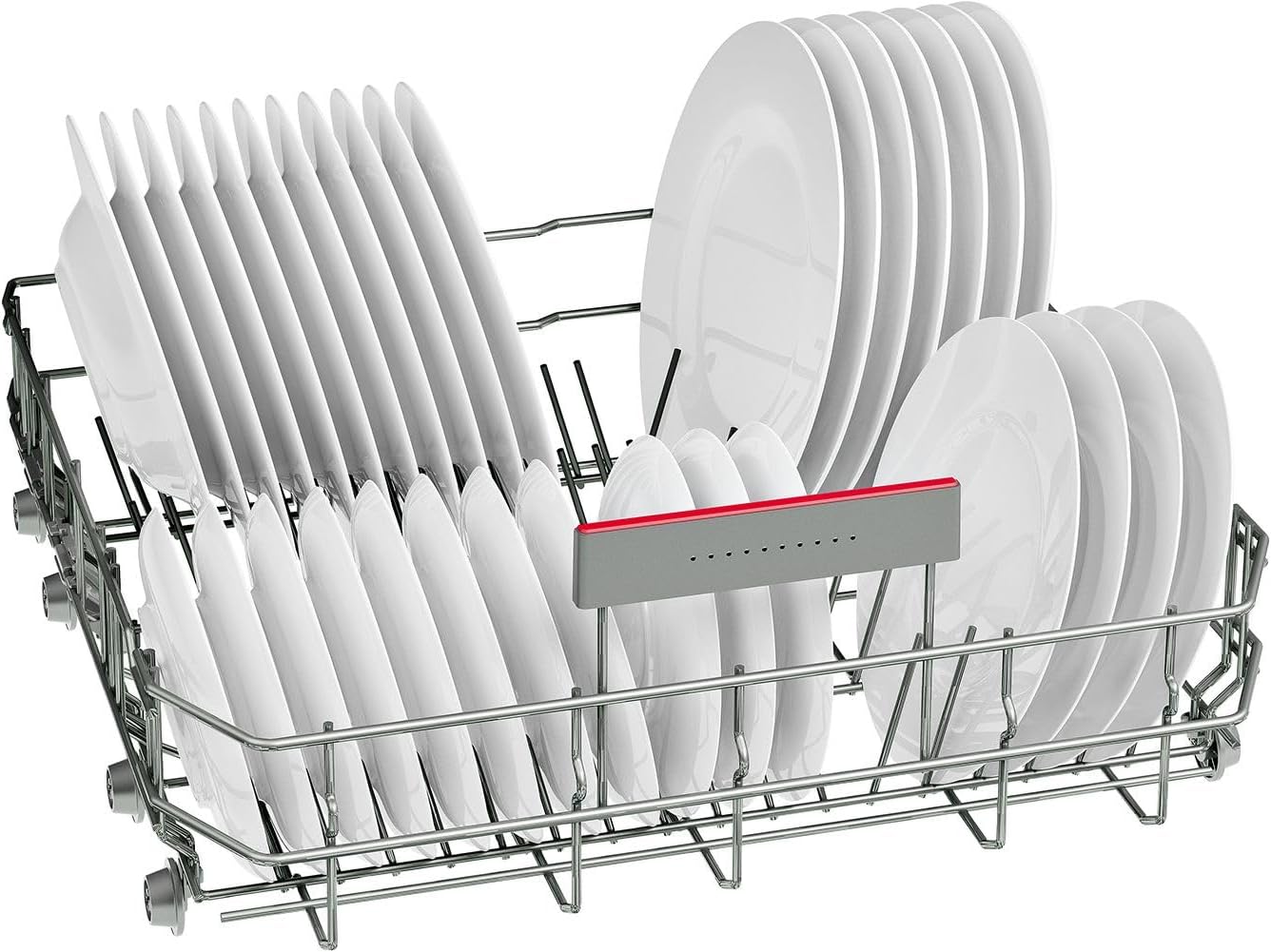
Proper loading ensures optimal cleaning results and efficient use of water and energy. The dishwasher has a capacity of 14 place settings.
- Cutlery Drawer: Use the dedicated cutlery drawer for forks, knives, and spoons.
- Upper Rack: Ideal for glasses, cups, and smaller plates.
- Lower Rack: Suitable for larger plates, bowls, pots, and pans.

4.3. Selecting a Program
Your dishwasher offers 6 different wash programs. Choose the program best suited for your load and soil level. Refer to the control panel for program options.
4.4. Home Connect Features
The Home Connect app allows you to control your dishwasher remotely, access digital manuals, and receive useful tips. You can also download additional wash programs via the app.
With your consent, Bosch technical assistance can remotely access your dishwasher to diagnose issues and provide support, potentially scheduling an on-site visit if needed.
4.5. EfficientDry and Info Light
- EfficientDry: This feature automatically opens the dishwasher door at the end of the cycle to enhance the drying process, ensuring dishes are thoroughly dry.
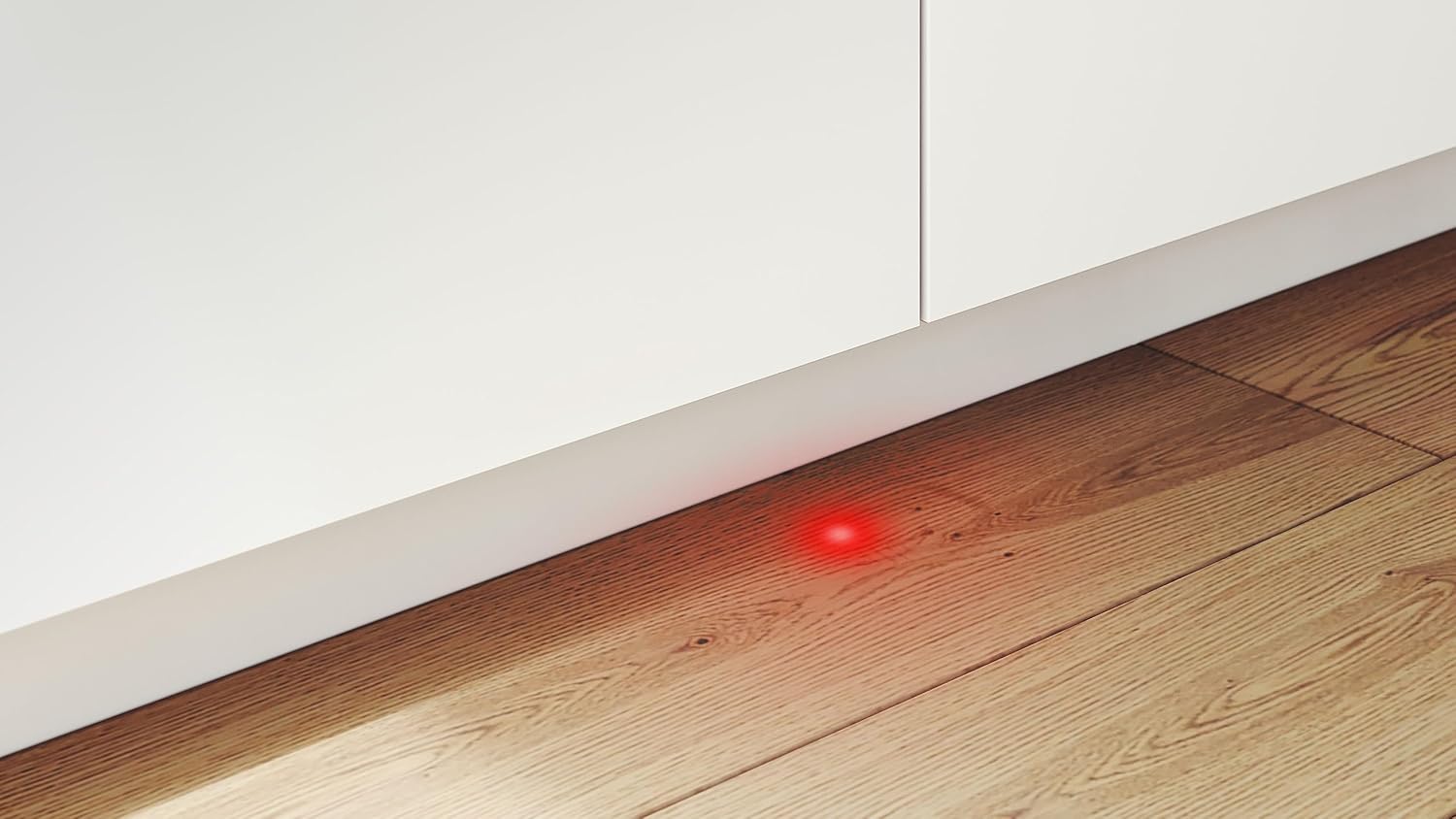
- Info Light: A red light projected onto the floor indicates that the dishwasher is currently operating. The light turns off when the cycle is complete.
5. Maintenance and Care
Regular maintenance ensures optimal performance and extends the lifespan of your dishwasher.
- Cleaning the Filters: Regularly check and clean the filter system to prevent blockages and ensure effective cleaning.
- Cleaning the Spray Arms: Ensure the spray arm nozzles are not blocked by food particles.
- Exterior Cleaning: Wipe the exterior surfaces with a soft, damp cloth. Do not use abrasive cleaners.
- Salt and Rinse Aid: Monitor the indicator lights and refill dishwasher salt and rinse aid as needed.
6. Troubleshooting
Before contacting customer service, refer to the following common issues and their solutions:
| Problem | Possible Cause | Solution |
|---|---|---|
| Dishwasher does not start | Power supply issue, door not closed properly, program not selected. | Check power connection, ensure door is latched, select a program and press start. |
| Dishes are not clean | Improper loading, clogged spray arms, insufficient detergent, dirty filters. | Reload dishes correctly, clean spray arms, add more detergent, clean filters. |
| Water remains in the dishwasher | Clogged drain hose or filter, drain pump malfunction. | Clean filters, check drain hose for kinks, contact service if pump is faulty. |
| White streaks on dishes | Low rinse aid level, hard water, incorrect detergent dosage. | Refill rinse aid, adjust water hardness setting, use appropriate detergent. |
7. Specifications
| Feature | Detail |
|---|---|
| Brand | Bosch |
| Model Name | SMH4EVX09E |
| Installation Type | Fully Integrated (Built-in) |
| Product Dimensions (D x W x H) | 55 cm x 59.8 cm x 81.5 cm |
| Capacity | 14 Place Settings |
| Special Features | Automatic door opening (EfficientDry), Sliding hinges (VarioHinge), Smart connection (Home Connect), Program download |
| Control Type | Button |
| Material | Stainless Steel |
| Noise Level | 44 Decibels |
| Voltage | 240 Volts |
| Number of Programs | 6 |
| Item Weight | 35.7 Kilograms |
| Recommended Uses | Daily dishes and tableware, pots and pans |
7.1. Energy Label Information


8. Warranty and Support
Your Bosch SMH4EVX09E dishwasher comes with a 3-year product warranty. For warranty claims or technical assistance, please contact Bosch customer service.
For further information or support, you can visit the official Bosch website: www.bsh-group.com.
You can also utilize the Home Connect app for remote diagnostics and support from Bosch technical assistance.