
3i S10 Ultra
Contents
3i S10 Ultra Robot Vacuum and Mop Instruction Manual
Model: S10 Ultra | Brand: 3i
Introduction
Welcome to the future of home cleaning with the 3i S10 Ultra Robot Vacuum and Mop. This advanced device features the world's first WaterRecycle System, powerful 13000Pa suction, and an UltraReach Extendable Roller Mop for comprehensive cleaning. Designed for hands-free operation, the S10 Ultra intelligently navigates and maintains your floors, providing a spotless living environment.
Key Features
- World's 1st WaterRecycle System: Eliminates manual water replacement and drainage, distilling wastewater and capturing air moisture for an endless purified water supply.
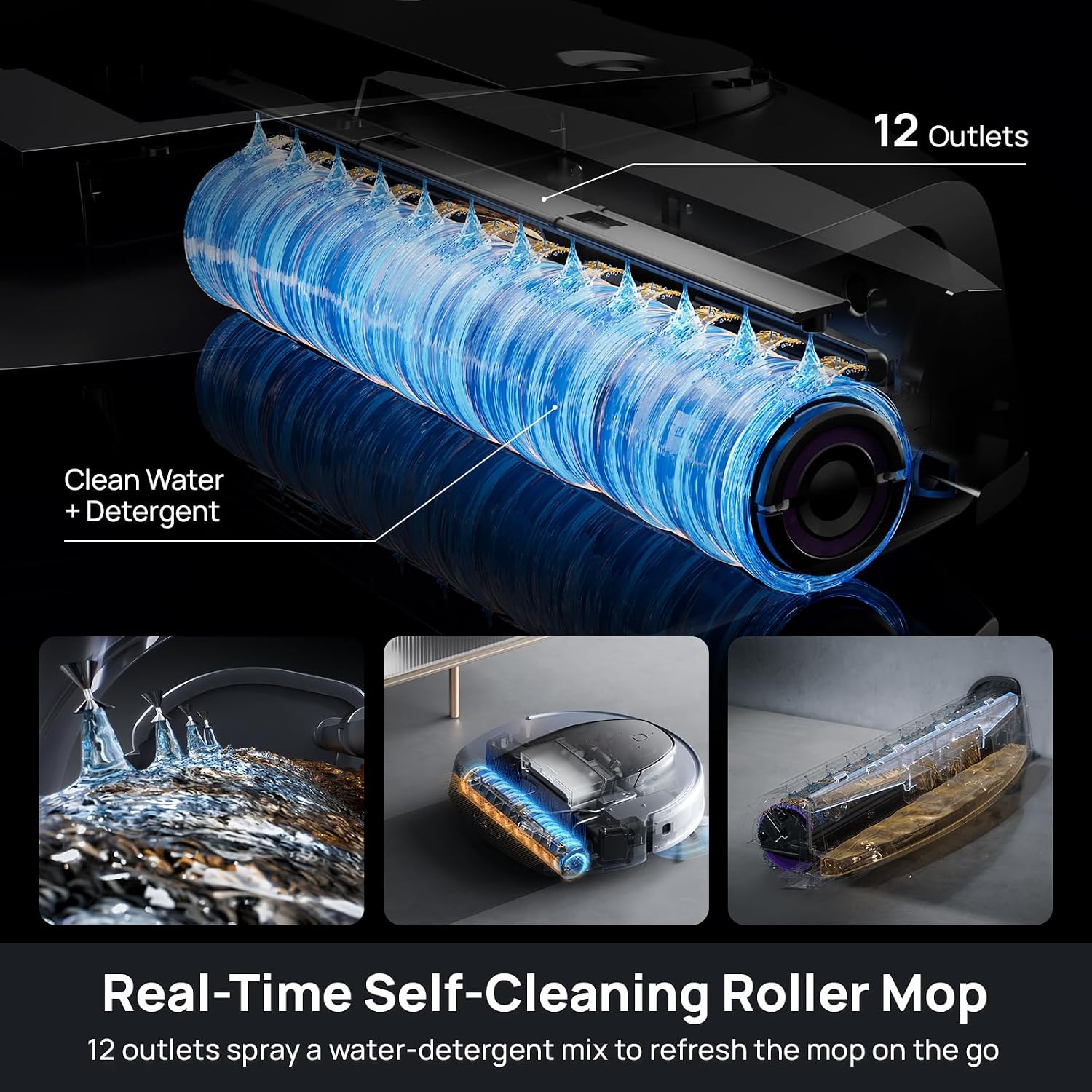
- UltraReach Extendable Roller Mop: Operates at 330 rpm with 12 spray holes and over 7N mopping pressure. Features a built-in scraper and automatic extension for edge cleaning.
- 13000Pa Super Powerful Suction: Industry-leading suction for effective removal of dust, hair, and deep-seated dirt. Automatically adjusts for carpets.
- DirtScan Cleaning Strategy: Utilizes green lights and advanced AI for optimal cleaning and perfect obstacle avoidance. Combined with ApexVision dToF LIDAR and Dual 3D Structured Light for accurate navigation.
- Dual Anti-Tangle Design: Double-comb main brush prevents hair tangling. Robot reverses brush and activates detangling comb upon returning to base.
- Truly Hands-Free Operation: Automatic herbal cleaning solution addition, self-cleaning and self-drying roller mop, wastewater distillation, purified water refilling, and 60-day self-emptying.
- Intelligent and Humanized Control: 3i APP for 3D real-time maps, AI automatic cleaning, custom strategies. Compatible with Alexa and Google Assistant. Supports 2.4G and 5G Wi-Fi.
Setup Guide
- Unpack the Device: Carefully remove the robot vacuum, base station, and all accessories from the packaging.
- Position the Base Station: Place the base station against a wall in an open area with good Wi-Fi signal, ensuring at least 0.5 meters (1.6 feet) of clear space on both sides and 1.5 meters (5 feet) in front.
- Connect Power: Plug the base station into a power outlet.
- Install Components: Insert the rolling mop, side brushes, and cleaning solution as per the included quick start guide.
- Initial Charge: Place the robot onto the base station to charge fully before first use.
- Download the 3i App: Scan the QR code in the quick start guide or search for "3i App" in your app store to download and install the application.
- Connect to Wi-Fi: Follow the in-app instructions to connect your 3i S10 Ultra to your home Wi-Fi network (supports 2.4G and 5G).
- Initial Mapping: Allow the robot to complete an initial mapping run of your home to create a detailed 3D map.
Operating Instructions
Cleaning Modes
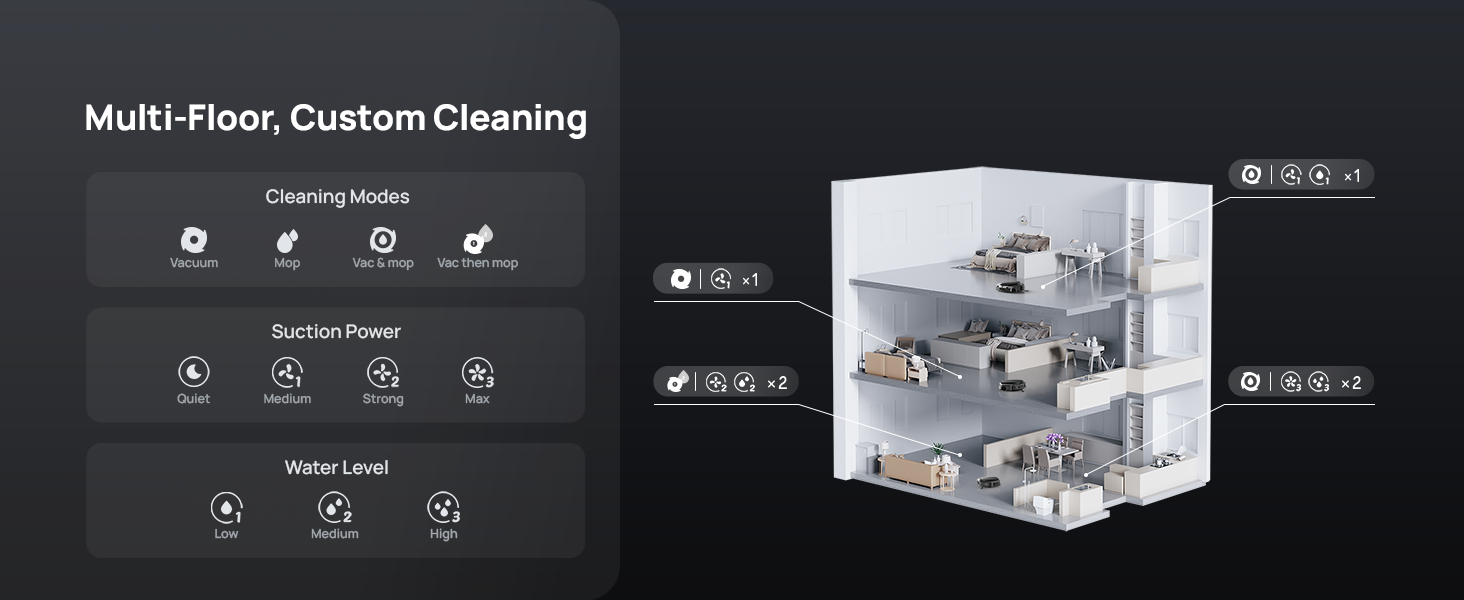
The 3i S10 Ultra offers various cleaning modes to suit your needs:
- Vacuum: For dry debris collection.
- Mop: For wet cleaning with the roller mop.
- Vac & Mop: Simultaneous vacuuming and mopping.
- Vac then Mop: Completes vacuuming first, then proceeds with mopping.
App Control
The 3i App provides comprehensive control over your robot vacuum:
- Cleaning Schedules: Set custom cleaning times and frequencies.
- Room Selection: Choose specific rooms or areas to clean.
- No-Go Zones: Define areas the robot should avoid.
- Suction Power & Water Level: Adjust cleaning intensity and water usage.
- 3D Mapping: View and manage detailed maps of your home.
- Real-time Monitoring: Monitor cleaning progress and robot location.
- Pet Recognition: Utilize AI to recognize and protect pets, even snapping photos.
Voice Control
Integrate your 3i S10 Ultra with smart home assistants for convenient voice commands:
- Alexa: "Alexa, tell 3i to start cleaning."
- Google Assistant: "Hey Google, start vacuuming."
WaterRecycle System
The 3i S10 Ultra features a revolutionary WaterRecycle System, designed to provide a truly hands-free mopping experience without the need for manual water changes or plumbing installations.
How it Works:
- Wastewater Extraction: Dirty water from mopping is extracted from the robot into the base station.
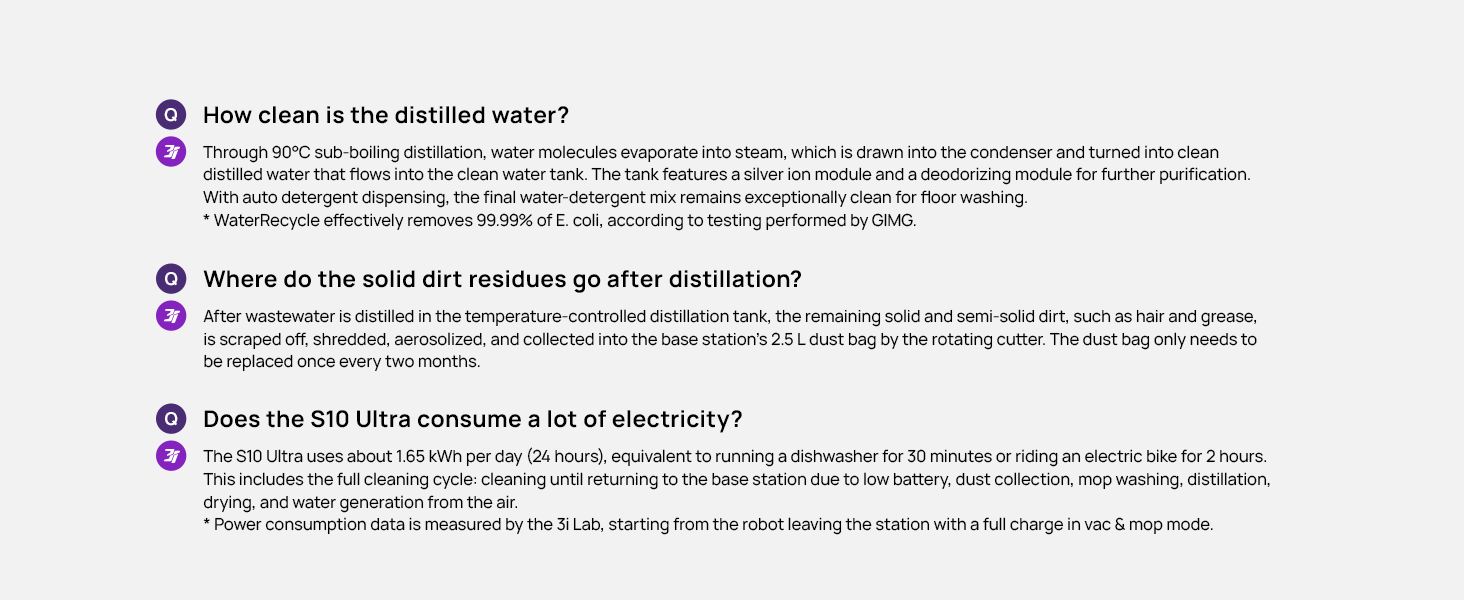
- Distillation: The wastewater undergoes 90°C sub-boiling distillation, purifying it into sterile distilled water. This process effectively removes 99.99% of E. coli.
- Air Moisture Capture: The system also captures water vapor from the air, acting as a dehumidifier and contributing to the clean water supply. Water generation from air works when humidity is above 30% and temperature is >17°C.
- Condensation & Refill: The distilled water and captured moisture condense and are used to refill the robot's clean water tank, ensuring a continuous supply for mopping.
- Solid Waste Collection: Remaining solid and semi-solid dirt from the distillation process is scraped, shredded, aerosolized, and collected into the base station's 2.5 L dust bag.
This innovative system eliminates the need for manual dirty water disposal or refilling, offering unparalleled convenience and hygiene.

UltraReach Extendable Roller Mop
The S10 Ultra's mopping system is designed for superior cleaning performance, especially along edges and in hard-to-reach areas.
- Extendable Design: The mop extends automatically to clean precisely along walls and into corners, reaching areas typically missed by standard robot mops.
- High-Speed Rotation: The roller mop spins at 330 rpm, enhancing cleaning effectiveness.
- Consistent Pressure: Delivers over 7N of consistent downward pressure for thorough scrubbing.
- Self-Cleaning: Features 12 spray holes that apply a water-detergent mix to keep the roller mop spotless during operation. A built-in scraper further ensures cleanliness.

Powerful Suction and Intelligent Navigation
13000Pa Suction
The 3i S10 Ultra boasts an industry-leading 13000Pa suction power, capable of effortlessly removing dust, pet hair, cat litter, and deep-seated dirt from various floor types. It automatically detects carpets and adjusts suction based on preset modes for optimal cleaning.
DirtScan Cleaning Strategy
Equipped with DirtScan technology, the S10 Ultra uses green lights and advanced AI algorithms to identify different dirt types, even in low light conditions, and adapts its cleaning power accordingly. This ensures efficient and targeted cleaning.

ApexVision Navigation
ApexVision dToF LIDAR and Dual 3D Structured Light enable the S10 Ultra to create accurate 3D maps of your home and navigate smoothly, avoiding over 100 types of obstacles. This ensures efficient and uninterrupted cleaning, even in the dark.

Maintenance
Regular maintenance ensures optimal performance and longevity of your 3i S10 Ultra.
Self-Cleaning and Drying
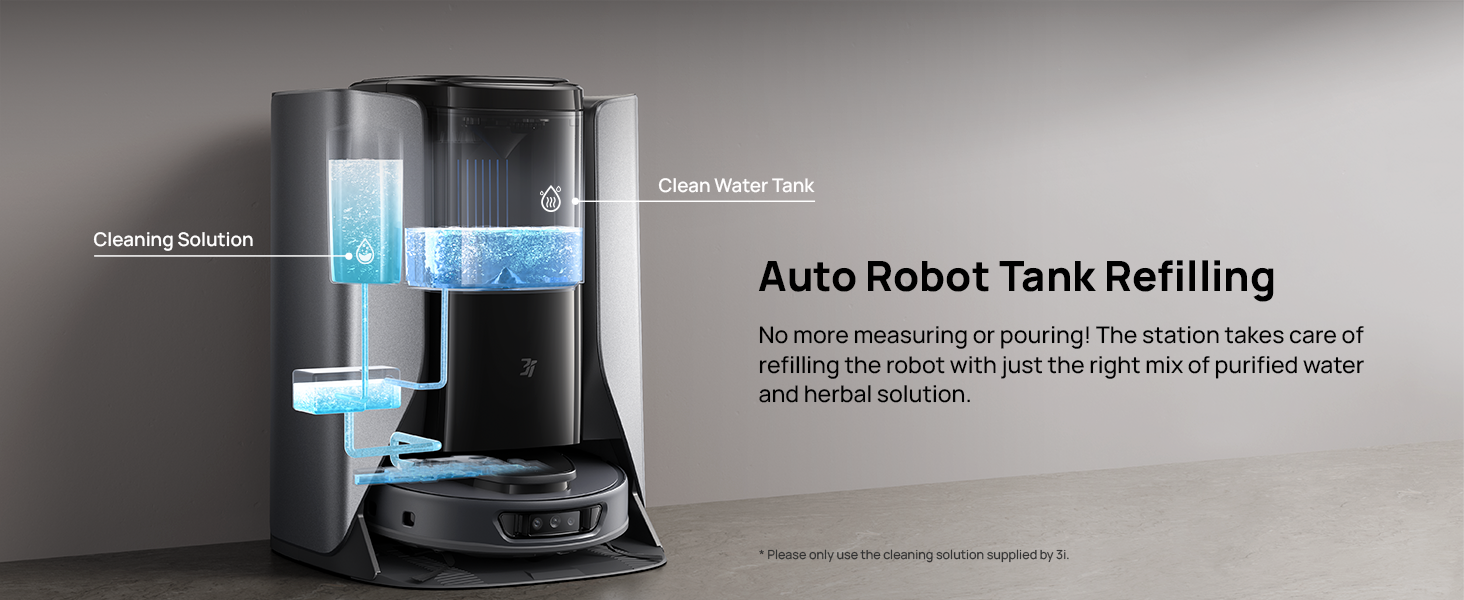
- The base station automatically washes the roller mop using a water-detergent mix for optimal hygiene.
- After washing, the mop is dried with 131°F / 55°C hot air, preventing odors and keeping it fresh for the next use.
Self-Emptying Dust Collection
- The 2.5 L dust bag in the base station can hold debris for up to 60 days, significantly reducing the frequency of manual emptying.
- The robot automatically empties its internal dustbin into the base station's dust bag.

Filter and Brush Maintenance
- The filter is washable; clean it regularly to maintain suction performance.
- Periodically check and clean the main brush and side brushes for tangled hair or debris. The dual anti-tangle design minimizes tangles, but occasional checks are recommended.
Troubleshooting
If you encounter issues with your 3i S10 Ultra, please refer to the following common solutions:
| Problem | Possible Cause | Solution |
|---|---|---|
| Robot not charging | Not properly docked; power cable disconnected; charging contacts dirty. | Ensure robot is correctly aligned with charging pins; check power cable connection; clean charging contacts on both robot and base station. |
| Poor suction performance | Full dust bag; clogged filter; main brush tangled. | Check and replace dust bag; clean or replace filter; remove tangled hair from main brush. |
| Mop not dispensing water | Clean water tank empty; WaterRecycle system issue; nozzle clogged. | Check clean water tank level; ensure WaterRecycle system is functioning (check humidity/temperature); clean mop nozzles. |
| Robot getting stuck frequently | Obstacles in path; sensor obstruction; mapping issue. | Clear obstacles; clean sensors; reset map in the 3i App and allow re-mapping. |
| App connectivity issues | Incorrect Wi-Fi password; weak Wi-Fi signal; router issues. | Verify Wi-Fi password; move base station closer to router; restart router and robot. |
For more detailed troubleshooting or persistent issues, please consult the full user manual or contact 3i customer support.
Specifications
| Brand | 3i |
| Model Name | 3i S10 Ultra Robot Vacuum |
| Special Features | Smart Mapping, WaterRecycle System, UltraReach and Self-Cleaning Roller Mop, 13000-Pa Powerful Suction, Minimal Hair Tangling Design, All-in-One Station, Self-Emptying, Self-Drying Roller Mop, Green-Eye DirtScan Cleaning Strategy, ApexVision dToF LIDAR, Intelligent Control, AI Voice, Video Monitoring, Wet/Dry, Intelligent Mop Lifting, Ultrasonic Carpet Detection |
| Color | Grey/Black |
| Product Dimensions (L x W x H) | 18.54"L x 18.11"W x 23.86"H |
| Included Components | 1 x Robot Vacuum, 1 x Base Station, 1 x Rolling Mop, 2 x Side Brushes, 1 x 800ml Cleaning Solution, 1 x User Manual |
| Filter Type | Washable |
| Battery Life | 180 minutes |
| Power Source | Battery Powered |
| Control Method | App, Voice |
| Form Factor | Round |
| Item Weight | 79.8 pounds |
| Manufacturer | Shenzhen PICEA Intelligent Technology Co., Ltd. |
| Batteries | 1 Lithium Ion batteries required (included) |
| Date First Available | November 1, 2024 |
What's in the Box
- 1 x 3i S10 Ultra Robot Vacuum
- 1 x Base Station
- 1 x Rolling Mop
- 2 x Side Brushes
- 1 x 800ml Cleaning Solution
- 1 x Silver Ion Module
- 1 x Carbon Rod
- 1 x User Manual
Safety and Privacy
The 3i S10 Ultra is designed with your safety and privacy in mind.
- AI Obstacle Avoidance: The robot's AI obstacle avoidance system works without storing images, ensuring your home's privacy remains secure.
- Certifications: The product is TÜV Rheinland certified for cybersecurity, adhering to ETSi EN 303 645 regulations.
Warranty and Support
Your 3i S10 Ultra comes with a manufacturer's warranty. Please refer to the warranty card included in your package for specific terms and conditions. For technical support, service, or inquiries, please visit the official 3i website or contact their customer service team.
Online Support: Visit the 3i Store on Amazon
Documents and downloads
Ask a question about this manual
Ask about setup, troubleshooting, compatibility, parts, safety, or missing instructions. Manuals+ will review the question and use this page’s manual context to help answer it.