1. Important Safety Instructions
Please read and understand all safety instructions before operating this product. Retain this manual for future reference.
- Power Source: Connect the unit only to a power supply of 100-240V AC, 50/60Hz. Ensure the power cord is not damaged or pinched.
- Ventilation: Do not block any ventilation openings. Install in accordance with the manufacturer's instructions.
- Water and Moisture: Do not expose this apparatus to rain or moisture. Do not place objects filled with liquids, such as vases, on the apparatus.
- Heat: Do not install near any heat sources such as radiators, heat registers, stoves, or other apparatus (including amplifiers) that produce heat.
- Cleaning: Clean only with a dry cloth.
- Servicing: Do not attempt to service this product yourself. Refer all servicing to qualified service personnel.
- Speaker Stands: Ensure speaker stands are securely assembled and placed on a stable, level surface to prevent tipping. Do not exceed the maximum load capacity of 144.2 lbs per stand.
2. Package Contents
Verify that all items listed below are included in your package:
- 1 x Active Speaker
- 1 x Passive Speaker
- 1 x Wired Microphone
- 2 x Speaker Stands
- 1 x Wireless Remote Control
- Necessary connecting cables (power cable, speaker cable)

Image: All components included in the CAICOUSTIC 12-inch PA Speaker System package.
3. Setup Instructions
3.1 Assembling Speaker Stands
- Unfold the tripod base of each speaker stand.
- Extend the legs to a stable width, ensuring the stand is balanced.
- Adjust the height of the stand using the locking pin and knob. Ensure the pin is fully engaged and the knob is tightened.
- Place one speaker on each stand's top pole. Ensure the speaker is seated firmly.

Image: Speaker stand dimensions and features, including adjustable height and loading capacity.
3.2 Speaker Placement
Position the speakers to achieve optimal sound coverage for your audience. For stereo sound, place the active and passive speakers equidistant from the center of the listening area. Ensure speakers are on stable surfaces or securely mounted on the provided stands.
3.3 Connecting Speakers
- Connect the provided speaker cable from the 'Speaker Out' port on the active speaker to the 'Speaker In' port on the passive speaker.
- Ensure connections are secure.
3.4 Power Connection
- Connect the power cable to the active speaker's power input.
- Plug the other end of the power cable into a suitable 100-240V AC power outlet.
4. Operating Instructions
4.1 Powering On/Off
Locate the power switch on the rear panel of the active speaker. Flip the switch to the 'ON' position to power on the system. Flip to 'OFF' to power down.
4.2 Input Modes and Connectivity
The CAICOUSTIC PA Speaker System supports multiple audio input methods:
- Bluetooth 5.3:
- Press the 'Mode' button on the control panel or remote until 'Bluetooth' is selected.
- On your device (smartphone, tablet, etc.), enable Bluetooth and search for 'CAICOUSTIC' or similar.
- Select the speaker to pair. A confirmation tone will sound upon successful connection.
- USB Playback:
- Insert a USB flash drive containing audio files into the USB port.
- The system will automatically switch to USB mode and begin playback, or you may need to select 'USB' mode.
- FM Radio:
- Press the 'Mode' button until 'FM' is selected.
- Use the tuning controls on the panel or remote to scan for available radio stations.
- AUX/Line In (RCA):
- Connect an external audio device (e.g., DVD player, mixer) using an RCA cable to the 'RCA IN' ports.
- Select 'LINE IN' or 'AUX' mode.
- Microphone (XLR/1/4" Jack):
- Connect the wired microphone to the 'MIC IN' (XLR or 1/4" jack) port.
- Adjust the 'MIC VOL' knob to control the microphone's volume.

Image: Overview of the numerous ways to use the speaker system, highlighting various input options.
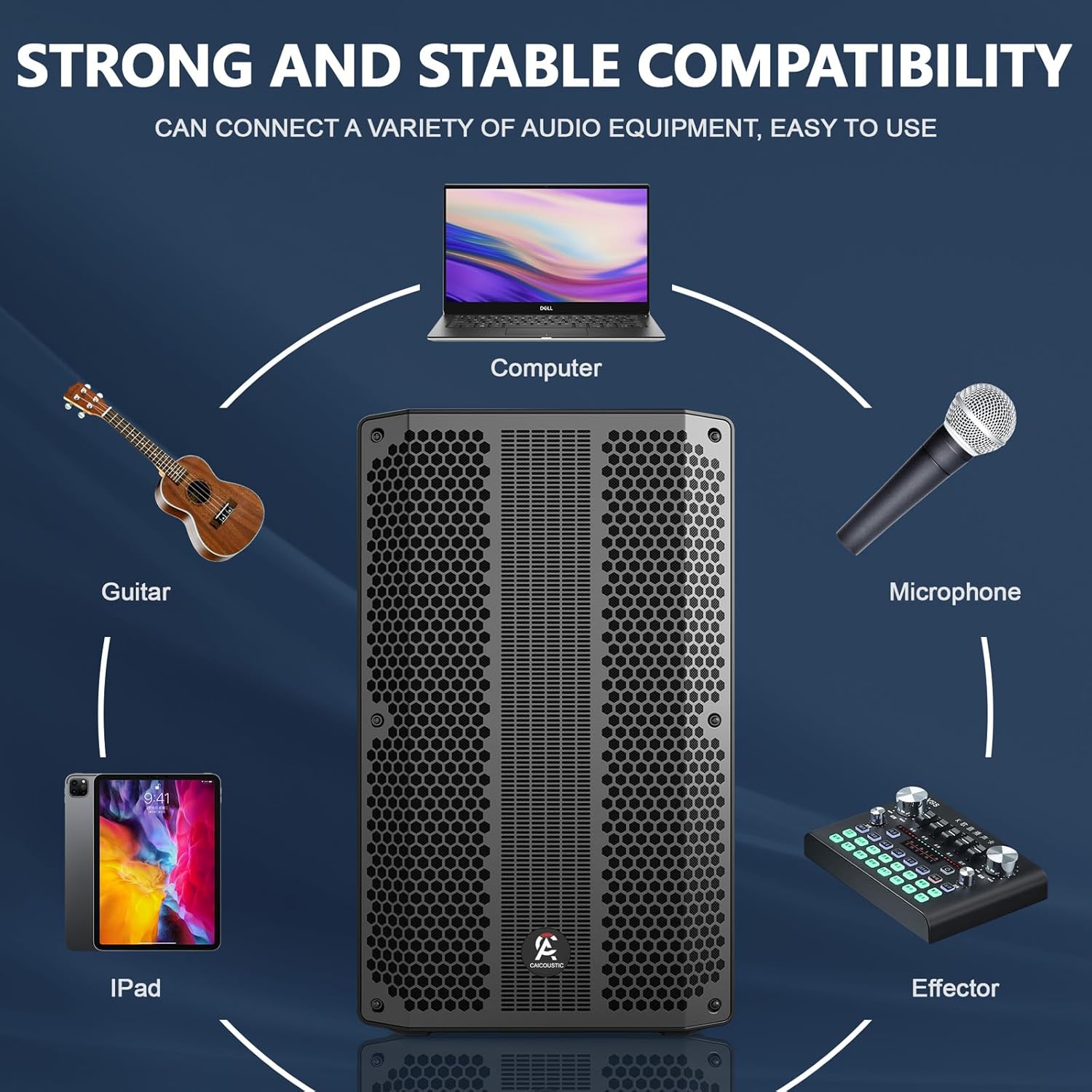
Image: Compatibility diagram showing the speaker connected to various audio equipment.
4.3 Audio Controls
The rear panel features a digital LCD display and rotary dial/button controls for audio adjustments:
- Master Volume: Adjusts the overall output volume of the system.
- Mic Volume: Controls the volume level of the connected microphone.
- Treble: Adjusts the high-frequency response.
- Bass: Adjusts the low-frequency response.
Use these controls to achieve your desired audio balance.
5. Maintenance
Proper maintenance ensures the longevity and optimal performance of your PA speaker system.
- Cleaning: Wipe the speaker cabinets with a soft, dry cloth. Do not use abrasive cleaners, waxes, or solvents.
- Storage: When not in use, store the speakers in a cool, dry place away from direct sunlight and extreme temperatures.
- Handling: Always use the integrated handles and rolling pulleys for transport. Avoid dropping or subjecting the speakers to strong impacts.
- Cable Care: Regularly inspect all cables for damage. Replace frayed or damaged cables immediately.

Image: Portable design features, including the rolling pulley and integrated handle for easy movement.
6. Troubleshooting
If you encounter issues with your CAICOUSTIC PA Speaker System, refer to the following common problems and solutions:
- No Power:
- Ensure the power cable is securely connected to both the speaker and a working power outlet.
- Check the power switch on the active speaker is in the 'ON' position.
- No Sound:
- Verify the master volume is turned up.
- Check that the correct input mode (Bluetooth, USB, AUX, etc.) is selected.
- Ensure all audio cables are properly connected and not damaged.
- If using Bluetooth, confirm the device is paired and volume is up on both the speaker and the source device.
- Ensure the passive speaker is correctly connected to the active speaker.
- Distorted Audio:
- Reduce the master volume or the volume from the source device.
- Check if the audio source itself is distorted.
- Adjust the bass and treble controls to see if it improves sound quality.
- Bluetooth Disconnection:
- Ensure your Bluetooth device is within the operating range (typically up to 33 feet or 10 meters).
- Avoid obstacles between the speaker and the Bluetooth device.
- Try unpairing and re-pairing the device.
If the problem persists after trying these solutions, please contact customer support.
7. Specifications
Detailed technical specifications for the CAICOUSTIC 12-inch PA Speaker System (Model CAIPPS212A):
| Model Number | CAIPPS212A |
| Mounting Type | Floor Standing |
| Power Source | Corded Electric (100-240V AC) |
| Connector Types | RCA, XLR, 1/4" SpeakOn (for passive speaker) |
| Material | Acrylonitrile Butadiene Styrene (ABS), Copper, Stainless steel |
| Number of Channels | 2 |
| Audio Input Options | Bluetooth, FM Radio, USB, RCA IN, LINE IN |
| Frequency Response | Up to 20 KHz |
| Noise Level | 79 Sones |
| Impedance | 8 Ohm |
| Product Dimensions (each speaker) | 65 x 10 x 24.99 inches (L x W x H) |
| Item Weight | 79.8 pounds (total system) |
| Connectivity Technology | AUX, Bluetooth, USB |
| Color | Black |
| Compatible Devices | DVD Player, Drum, Guitar, Smartphone, Television |

Image: Detailed dimensions of a single CAICOUSTIC PA speaker unit.
8. Warranty and Support
The CAICOUSTIC 12-inch PA Speaker System is backed by a one-year warranty from the date of purchase. This warranty covers manufacturing defects and ensures worry-free shopping.
For technical support, warranty claims, or any questions regarding your product, please contact CAICOUSTIC customer service. Refer to your purchase documentation for specific contact details or visit the official CAICOUSTIC website.
Online Support: Visit the CAICOUSTIC Store on Amazon