
1. Introduction
The XDUOO XA-02 is a high-performance MQA Balanced DAC and Headphone Amplifier designed to deliver exceptional audio fidelity. Featuring the ES9039Q2M DAC chip, balanced output, and support for various high-resolution audio formats, the XA-02 provides a superior listening experience for discerning audiophiles. This manual provides detailed instructions for setup, operation, maintenance, and troubleshooting to ensure optimal performance of your device.
2. Safety Instructions
- Ensure the power supply voltage matches the requirements specified on the device (AC 100-240V).
- Do not expose the device to rain, moisture, or extreme temperatures.
- Avoid placing the device near heat sources or in direct sunlight.
- Do not open the casing or attempt to repair the device yourself. Refer all servicing to qualified personnel.
- Disconnect the power cord during lightning storms or when unused for long periods.
- Keep the device away from strong magnetic fields.
3. Package Contents
Please check the package for the following items:
- XA-02 mainframe
- Power cord
If any items are missing or damaged, please contact your retailer.
4. Product Overview
4.1 Front Panel
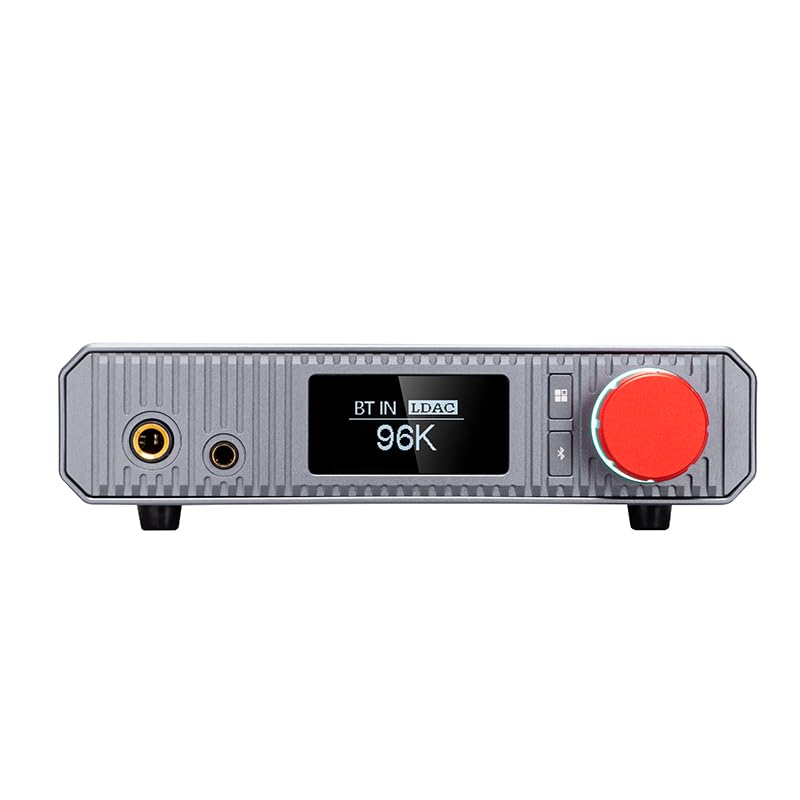
Image: Front view of the XDUOO XA-02 showing the OLED display indicating 'BT IN LDAC 96K', headphone outputs, and the red volume knob.

Image: Front view of the XDUOO XA-02 with the OLED display showing 'USB IN UNLINK', indicating a USB input connection status.
- 6.35mm Headphone Output: Standard single-ended headphone jack.
- 4.4mm Balanced Headphone Output: Balanced headphone jack for enhanced audio performance.
- OLED Screen: 1.3-inch display showing input source, sampling rate, and other status information.
- Volume Knob: Controls the output volume and can be pressed for menu navigation or input selection.
4.2 Rear Panel

Image: Rear view of the XDUOO XA-02, displaying various input and output ports including AUX OUT, COAXIAL, OPTICAL, USB IN, UPDATE, and the power switch.
- AUX OUT (RCA): Analog line output for connecting to external amplifiers or active speakers.
- COAXIAL IN: Digital coaxial input.
- OPTICAL IN: Digital optical input.
- USB IN: USB audio input for connecting to computers or mobile devices.
- UPDATE Port: For firmware updates.
- Power Inlet & Switch: AC power connection and main power switch.
4.3 Key Features
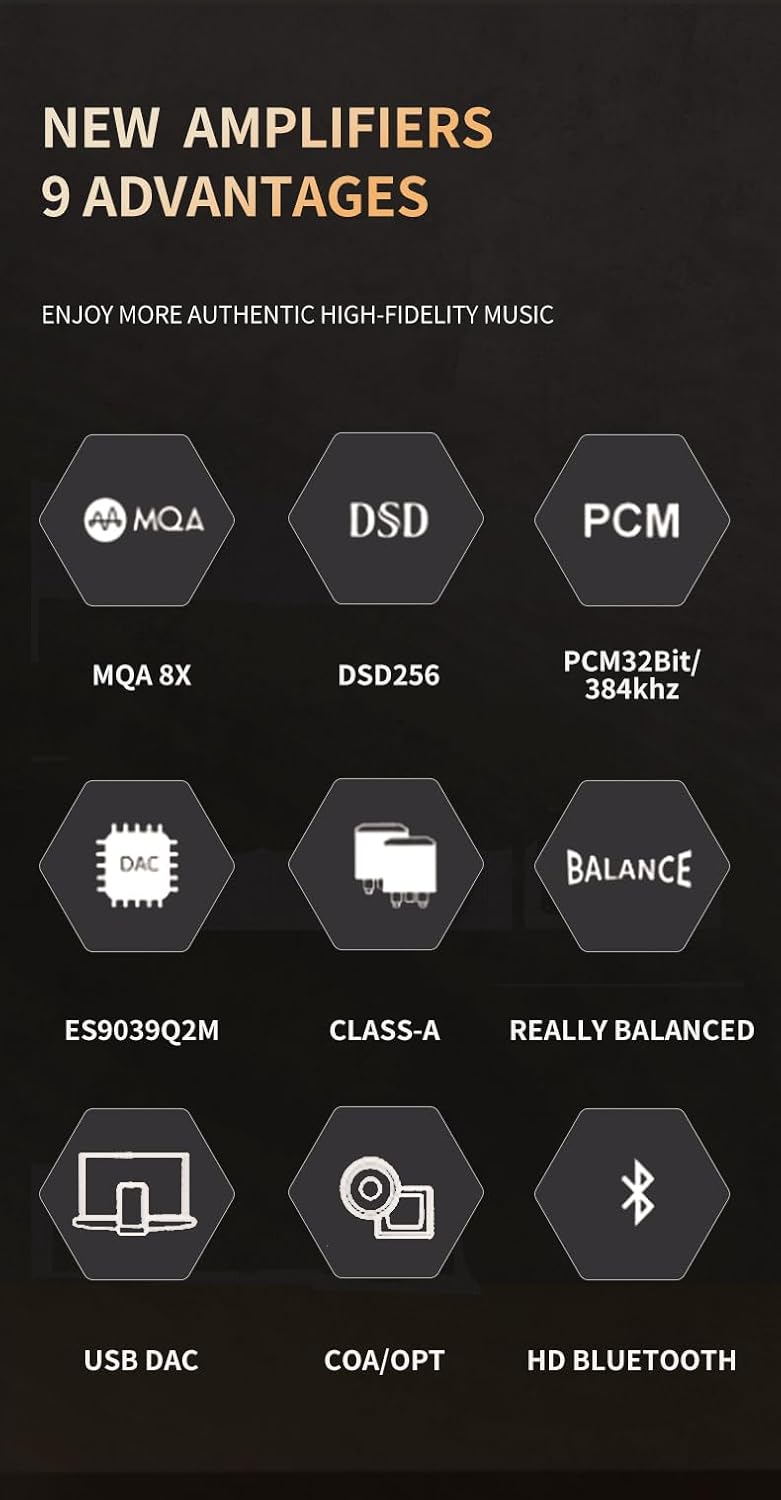
Image: Graphic illustrating nine key advantages of the XDUOO XA-02, including MQA 8X, DSD256, PCM32Bit/384kHz, ES9039Q2M DAC, Class-A amplification, Really Balanced output, USB DAC, Coaxial/Optical input, and HD Bluetooth.
- Truly Balanced Output: The XA-02 features a fully balanced output design from decoding to the amplifier circuit, minimizing noise from ground wires and channel crosstalk, resulting in improved channel separation and a lower noise floor.
- High Output Power: Delivers up to 910mW into 32Ω via the 6.35mm output and an impressive 2000mW into 32Ω via the 4.4mm balanced output, capable of driving a wide range of headphones.
- Extensive Audio Format Support: Supports full MQA format (up to 8x expansion, 32bit/384kHz), DSD (up to DSD256), PCM (up to 32bit/384kHz), and DXD (up to 32bit/384kHz).
- Balanced Class A Buffer: Utilizes transistors in a Class A buffer configuration to maintain optimal circuit operation, providing powerful output and strong load capacity, specifically designed for various headphones.
- Advanced DAC Chip: Incorporates the ES9039Q2M decoding chip, ensuring high-fidelity sound quality.
- Refined Material Selection: Features imported chips and high-end capacitor designs, including ELNA capacitance, to ensure smooth, warm sound and splendid high-frequency reproduction.
5. Setup
5.1 Power Connection
- Connect the provided power cord to the AC power inlet on the rear panel of the XA-02.
- Plug the other end of the power cord into a suitable AC power outlet (100-240V).
- Ensure the power switch on the rear panel is in the 'OFF' position before connecting to power.
5.2 Input Connections
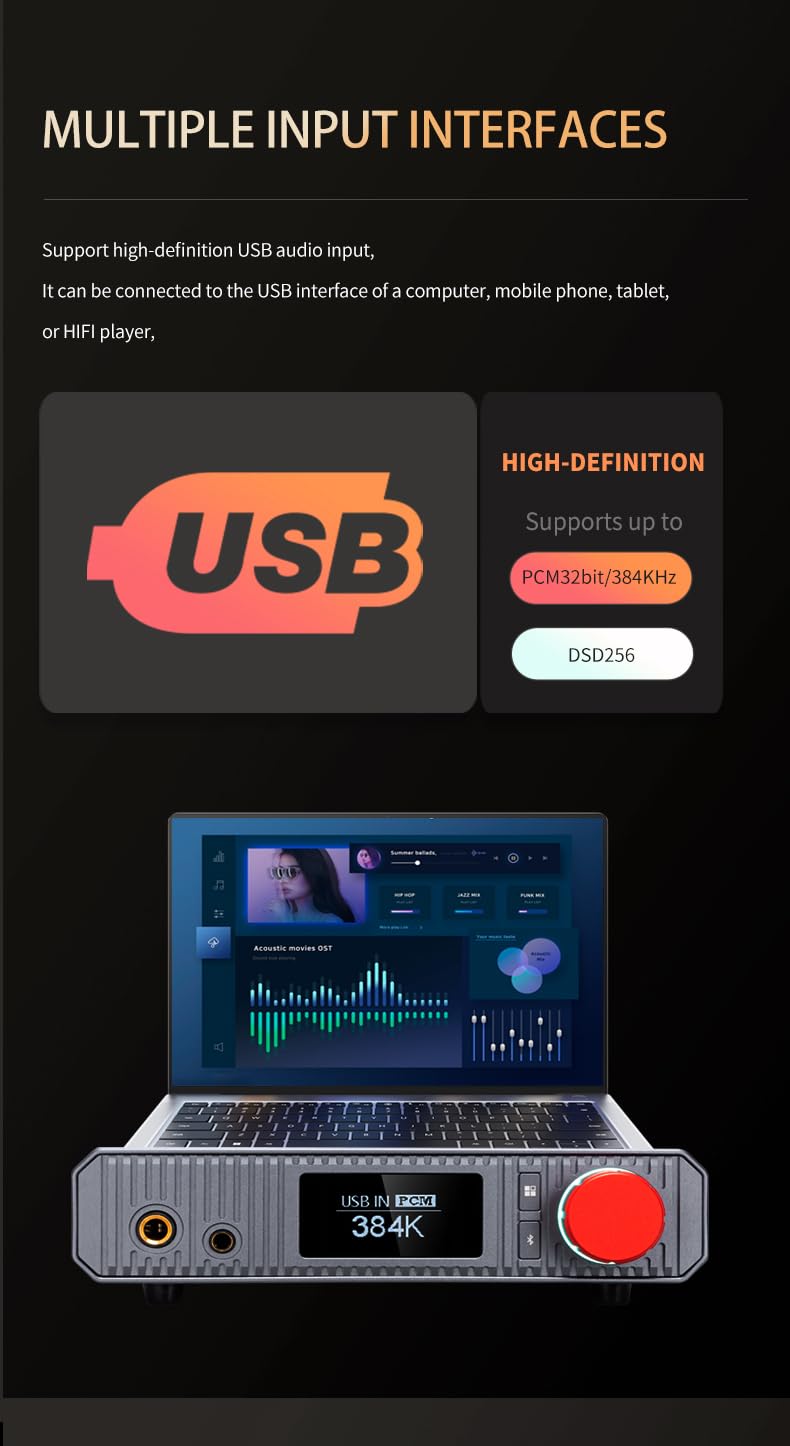
Image: Graphic demonstrating the XDUOO XA-02 connected to a laptop via USB, highlighting high-definition USB audio input support for PCM32bit/384kHz and DSD256.

Image: Graphic illustrating the XDUOO XA-02's support for Coaxial and Optical inputs (up to PCM 24bit/192kHz, DSD64) and HD Bluetooth input, showing supported codecs like SBC, AAC, aptX, aptX_LL, aptX_HD, and LDAC.
- USB Input: Connect a USB cable from your computer, mobile phone, tablet, or HiFi player to the USB IN port on the XA-02.
- Coaxial Input: Connect a coaxial cable from your digital audio source (e.g., CD player, digital turntable) to the COAXIAL IN port.
- Optical Input: Connect an optical cable from your digital audio source to the OPTICAL IN port.
- Bluetooth Input: Ensure the XA-02 is powered on. Activate Bluetooth on your source device and pair with the XA-02. The OLED screen will indicate 'BT IN' when connected.
5.3 Output Connections
- Headphone Output: Plug your headphones into either the 6.35mm or 4.4mm balanced headphone jack on the front panel.
- AUX OUT: Connect RCA cables from the AUX OUT ports on the rear panel to the analog input of an external amplifier or active speakers.
6. Operating Instructions
6.1 Power On/Off
Flip the power switch on the rear panel to the 'ON' position to power on the device. The OLED screen will illuminate. To power off, flip the switch to 'OFF'.
6.2 Input Selection
Press the volume knob to cycle through the available input sources (USB, Coaxial, Optical, Bluetooth). The selected input will be displayed on the OLED screen.
6.3 Volume Control
Rotate the volume knob clockwise to increase the volume and counter-clockwise to decrease it. Adjust the volume to a comfortable listening level before playing audio.
6.4 Supported Audio Formats and Sampling Rates
- USB Input:
- PCM: 16-32bit / 44.1K-384kHz
- DSD: DSD64-256
- MQA: 44.1K-384kHz
- Coaxial/Optical Input:
- PCM: 16-24bit / 44.1-192kHz
- DSD: DSD64 (DOP)
- Bluetooth Input:
- Supported Formats: SBC, AAC, aptX, aptXLL, aptXHD, LDAC
7. Maintenance
- Clean the device with a soft, dry cloth. Do not use liquid cleaners or abrasive materials.
- Keep ventilation openings clear to prevent overheating.
- Store the device in a cool, dry place when not in use.
8. Troubleshooting
- No Power: Check if the power cord is securely connected and the power switch is in the 'ON' position. Verify the power outlet is functional.
- No Sound:
- Ensure the correct input source is selected on the XA-02.
- Check headphone connections and volume level.
- Verify the source device is playing audio and its volume is not muted or too low.
- For USB input, ensure the correct audio output device (XA-02) is selected in your computer's sound settings.
- Distorted Sound:
- Reduce the volume on both the XA-02 and the source device.
- Check for damaged cables or loose connections.
- Ensure the audio file is not corrupted.
- Bluetooth Connection Issues:
- Ensure the XA-02 is in Bluetooth input mode.
- Delete the XA-02 from your source device's Bluetooth list and attempt to re-pair.
- Move the source device closer to the XA-02 to avoid interference.
9. Specifications
| Parameter | Value |
|---|---|
| Power Supply | AC 100-240V |
| Screen | 1.3 inch OLED |
| Compliant OS | Windows, Linux, Mac OS X, iOS, Android System |
| USB Sampling Rate Support (PCM) | 16-32bit / 44.1K-384kHz |
| USB Sampling Rate Support (DSD) | DSD64-256 |
| USB Sampling Rate Support (MQA) | 44.1K-384kHz |
| Coaxial/Optical Sampling Rate Support (PCM) | 16-24bit / 44.1-192kHz |
| Coaxial/Optical Sampling Rate Support (DSD) | DSD64 (DOP) |
| Bluetooth Support Formats | SBC, AAC, aptX, aptXLL, aptXHD, LDAC |
| 6.35mm Headphone Output Power (32Ω) | 910mW |
| 6.35mm Headphone Frequency Response | 20Hz-60kHz (±0.5dB) |
| 6.35mm Headphone Crosstalk | >71dB |
| 6.35mm Headphone SNR | 119dB (A weighting) |
| 6.35mm Headphone THD+N | 0.002% |
| 4.4mm Balanced Headphone Output Power (32Ω) | 2000mW |
| 4.4mm Balanced Headphone Frequency Response | 20Hz-60kHz (±0.5dB) |
| 4.4mm Balanced Headphone Crosstalk | >118dB |
| 4.4mm Balanced Headphone SNR | 121dB (A weighting) |
| 4.4mm Balanced Headphone THD+N | 0.0004% |
| AUX Out Output Level | 2.6VRMS |
| AUX Out Frequency Response | 20Hz-60kHz (±0.2dB) |
| AUX Out Crosstalk | >118dB |
| AUX Out SNR | 121dB (A weighting) |
| AUX Out THD+N | <0.0004% |
| Suitable Headphone Impedance | 16Ω-600Ω |
| Size | 20 x 17.5 x 4.7 cm |
| Weight | 0.9 kg |
| Manufacturer | XDUOO |
| Interface Type | USB |
| Number of Channels | 2 |
10. Warranty and Support
The XDUOO XA-02 comes with a standard manufacturer's warranty. Please refer to the warranty card included in your package or contact your retailer for specific warranty terms and conditions.
For technical support, troubleshooting assistance, or service inquiries, please contact your authorized XDUOO dealer or visit the official XDUOO website for contact information.