Introduction
Thank you for choosing the Claiks Electric Height Adjustable Desk. This manual provides essential information for the safe and efficient assembly, operation, and maintenance of your new desk. Please read these instructions carefully before use and retain them for future reference.
Safety Information
Warning:
Please use the desk with caution, especially during height adjustment and assembly. Ensure the desk is properly anchored before use. Observe weight restrictions and use the desk only for its intended purpose. Keep children and pets away from the desk during operation to prevent injury. Do not place hands or objects near moving parts during height adjustment.
Package Contents
Before assembly, verify that all components are present and undamaged. If any parts are missing or damaged, please contact customer support.
- Desk Frame (Legs and Crossbar)
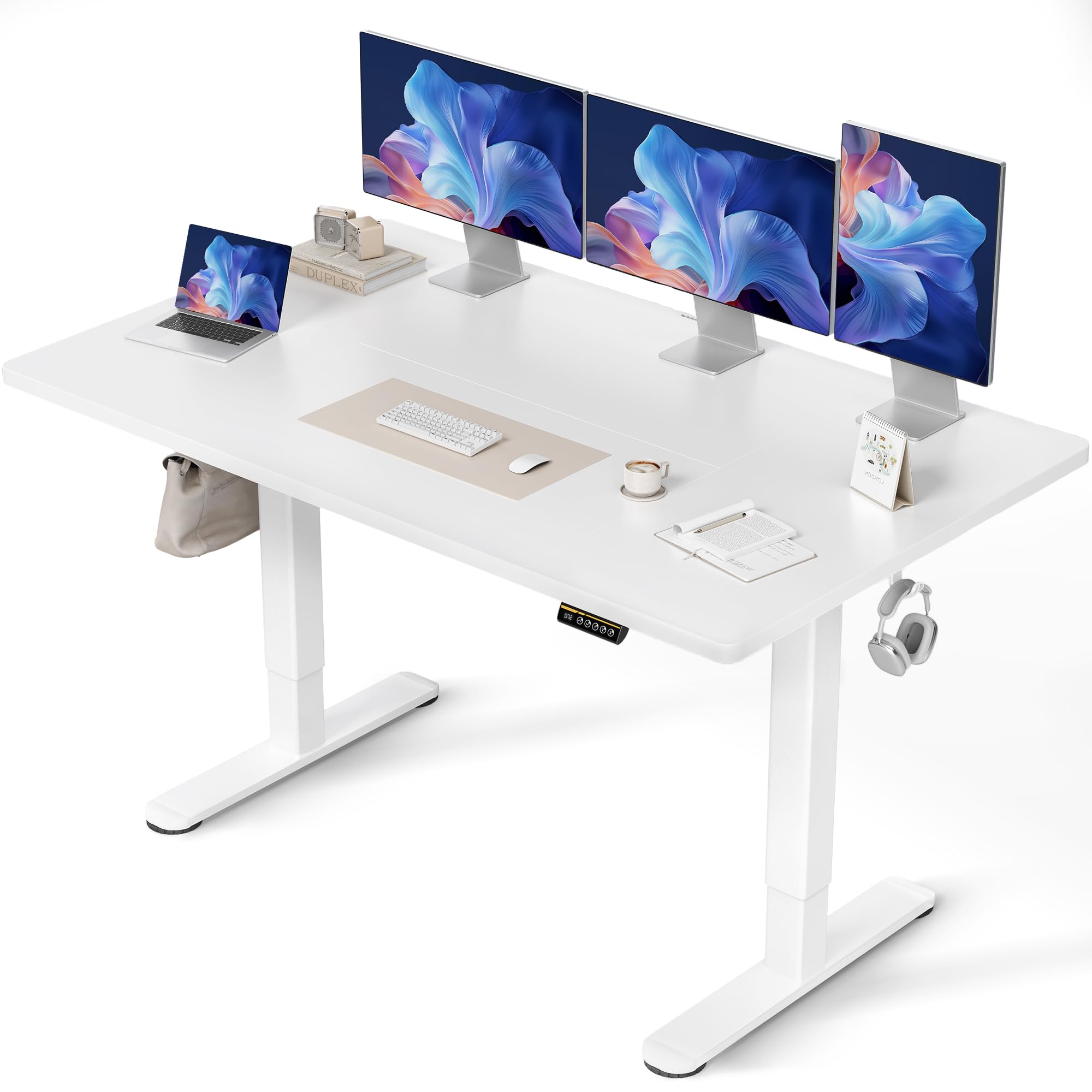
- Tabletop (Multi-part)
- Control Panel with Memory Presets
- Power Adapter and Cable
- Assembly Hardware (Screws, Allen Keys)
- Cable Management Tray and Hooks
- User Manual
Assembly Instructions
Assembly typically takes approximately 15 minutes. A screwdriver is required (not included). Follow these steps carefully:
- Unpack Components: Carefully remove all parts from the packaging and lay them out on a clean, soft surface to prevent scratches.
- Assemble the Desk Frame: Attach the desk legs to the crossbar using the provided screws. Ensure all connections are secure.
- Attach the Tabletop: Place the tabletop sections onto the assembled frame. Align the pre-drilled holes and secure the tabletop to the frame using the designated screws. Note that the tabletop may consist of multiple sections.
- Install Control Panel: Mount the control panel to the underside of the tabletop in the desired position.
- Connect Wiring: Connect the motor cables from the legs to the control box, and then connect the control panel cable to the control box. Finally, connect the power adapter to the control box and plug it into a power outlet.
- Install Accessories: Attach the cable management tray and hooks to the underside of the desk as desired.

Operating Instructions
Height Adjustment
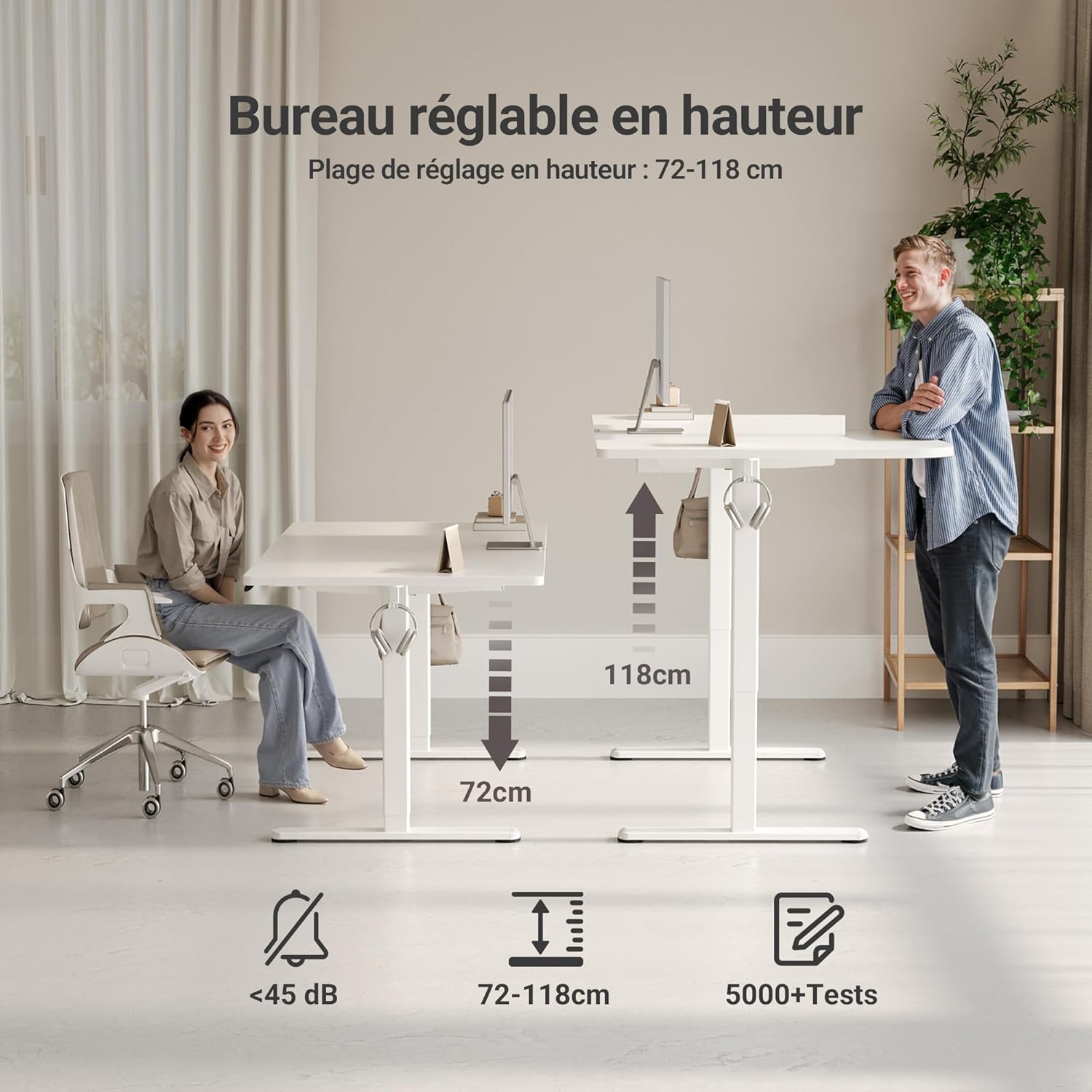
The desk features an electric motor for smooth height adjustment between 72 cm and 118 cm. Use the up and down arrow buttons on the control panel to adjust the desk to your desired height.
Memory Presets
The control panel includes three memory preset buttons (1, 2, 3) to save your preferred sitting and standing heights.
- To Set a Memory Preset: Adjust the desk to your desired height using the up/down arrows. Press the 'M' or 'Set' button (if available, otherwise hold the number button) followed by the desired number button (1, 2, or 3). The display will show 'S-' or a beep will confirm the setting.
- To Use a Memory Preset: Simply press the corresponding number button (1, 2, or 3) to automatically move the desk to the saved height.


Key Features
- FSC Certified Tabletop: The desk features an FSC-certified engineered wood tabletop, promoting responsible forest management.
- Spacious Work Surface: Provides ample space for multiple monitors and office supplies.
- Silent Motor: Operates quietly (under 45 dB) for minimal disruption in any environment.
- Robust Construction: Stable steel frame supports up to 120 kg, ensuring stability even at maximum height.
- Integrated Cable Management: Includes cable pass-throughs and hooks to keep your workspace organized.
- Durable Surface: The tabletop is resistant to dirt and water, and features rounded, scratch-resistant edges.

Maintenance
To ensure the longevity and optimal performance of your Claiks desk, follow these maintenance guidelines:
- Cleaning: Wipe the desk surface with a soft, damp cloth. Avoid abrasive cleaners or harsh chemicals that could damage the finish.
- Cable Management: Periodically check and organize cables to prevent tangles and ensure smooth operation during height adjustments.
- Motor Care: The motor is designed for durability. Avoid overloading the desk beyond its maximum weight capacity (120 kg) to prevent strain on the motor.
- Regular Checks: Periodically inspect all screws and connections to ensure they remain tight and secure.
Troubleshooting
If you encounter any issues with your desk, refer to the following common problems and solutions:
| Problem | Possible Cause | Solution |
|---|---|---|
| Desk does not move | Power cable disconnected, motor error, overload | Check power connections. Unplug and replug the power cable. Reduce weight on the desk. Perform a reset (refer to control panel instructions). |
| Uneven height adjustment | Obstruction, uneven load | Ensure no objects are obstructing the desk legs. Distribute weight evenly on the tabletop. |
| Control panel not responding | Loose connection, power issue | Check the control panel cable connection to the control box. Verify power supply. |
| Desk stops mid-adjustment | Overheat protection, obstruction | Allow the motor to cool down for 20 minutes. Remove any obstructions. |
If the problem persists after attempting these solutions, please contact Claiks customer support.
Specifications
| Attribute | Detail |
|---|---|
| Brand | Claiks |
| Model Number | P1.01.016 |
| Color | White |
| Product Dimensions (L x W x H) | 70 x 140 x 75 cm |
| Item Weight | 25 Kilograms |
| Material | Engineered Wood (Tabletop), Metal (Base) |
| Height Adjustment Range | 72 cm - 118 cm |
| Max Load Capacity | 120 kg |
| Features | Ergonomic, Adjustable, Scratch-resistant, Silent Motor, Memory Presets, Cable Management |
| Finish Type | Lacquered |
Warranty and Support
The Claiks Electric Height Adjustable Desk comes with a 5-year warranty on the motor and frame, covering manufacturing defects and malfunctions under normal use. Please retain your proof of purchase for warranty claims.
For technical assistance, troubleshooting not covered in this manual, or warranty inquiries, please contact Claiks customer support through the retailer where you purchased the product or visit the official Claiks website for contact information.


