
1. Introduction
Thank you for choosing the NPET CR87 Mechanical Gaming Keyboard. This compact 87-key keyboard is designed for both gaming and typing, offering a responsive experience with hot-swappable red switches and customizable RGB lighting. This manual provides detailed instructions for setup, operation, maintenance, and troubleshooting to ensure optimal performance and longevity of your device.
2. Package Contents
Please verify that all items are present in your package:
- NPET CR87 Mechanical Gaming Keyboard
- USB-C to USB-A Cable
- Keycap Puller
- Extra 3 Red Switches
3. Setup
3.1 Connecting the Keyboard
The NPET CR87 keyboard uses a detachable USB-C cable for connectivity. Simply plug the USB-C end into the port on the keyboard and the USB-A end into an available USB port on your computer (Windows/macOS). No additional drivers are required for basic functionality.

Video: Demonstrates connecting the USB-C cable to the NPET CR87 keyboard and adjusting the foot supports.
3.2 Adjusting Keyboard Height
The keyboard features two-stage adjustable feet on the underside to customize the typing angle for ergonomic comfort. Flip out the desired level of feet to raise the keyboard.

Image: The underside of the NPET CR87 keyboard, highlighting the double kickstand feet for height adjustment.
3.3 Hot-Swapping Switches
The CR87 keyboard is equipped with 3-pin hot-swappable sockets, allowing you to easily change switches without soldering. Use the provided keycap puller and switch puller for this process.
- Gently pull off the keycap using the keycap puller.
- Use the switch puller to carefully grip the switch and pull it straight up.
- Align the pins of the new switch with the holes on the PCB and press down firmly until it clicks into place.
- Replace the keycap.

Image: A close-up view of the NPET CR87 keyboard with several keycaps removed, revealing the hot-swappable red switches underneath. Note: Only supports 3-pin switches.

Image: A visual guide demonstrating the process of removing and replacing mechanical switches on the keyboard, emphasizing the hot-swappable feature.
4. Operating Instructions
4.1 RGB Lighting Control
The NPET CR87 features immersive RGB lighting with 19+ dynamic effects and 3 brightness levels. Use the Function (Fn) key combinations to customize your lighting experience:
- Fn + PrtSc: Cycle through 20 preset RGB lighting modes.
- Fn + Up Arrow: Increase brightness (3 levels).
- Fn + Down Arrow: Decrease brightness (3 levels).
- Fn + Left Arrow: Decrease lighting speed.
- Fn + Right Arrow: Increase lighting speed.
- Fn + Esc: Turn off/on RGB lighting.
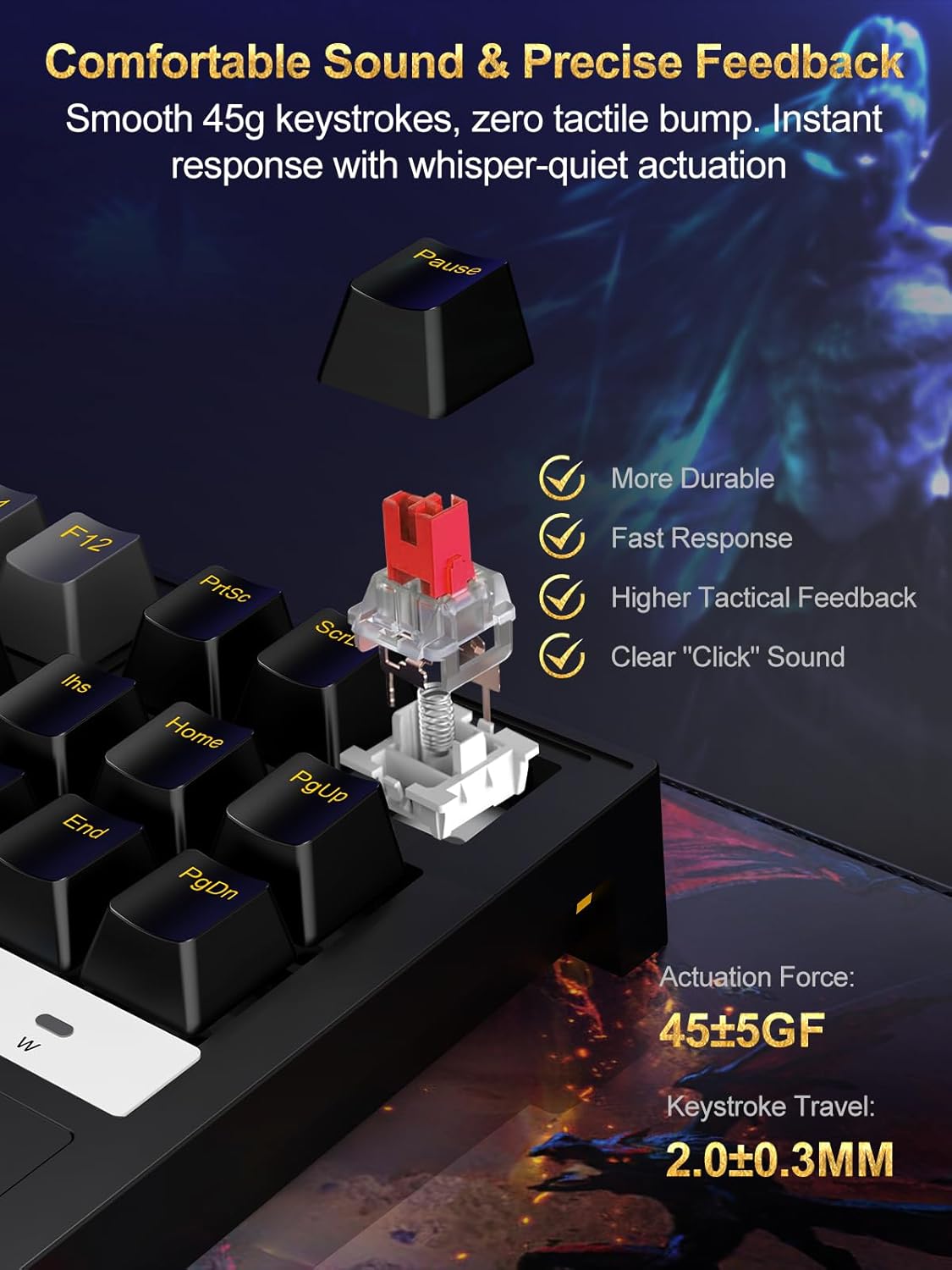
Image: The 87-key RGB gaming keyboard showcasing its customizable backlight with various colors and effects.

Image: A diagram illustrating the Function (Fn) key combinations for adjusting RGB modes, brightness, and speed on the keyboard.
5. Key Features
5.1 Compact 87-Key Layout
The tenkeyless (TKL) 87-key design saves approximately 20% of desk space compared to full-sized keyboards, providing more room for mouse movement, which is beneficial for gaming.

Image: The compact 75% mechanical gaming keyboard held in a hand, illustrating its portability and space-saving design.
5.2 Anti-Ghosting with N-Key Rollover
Full N-key rollover ensures that every keystroke is registered accurately, even when multiple keys are pressed simultaneously. This prevents input lag and ghosting, crucial for fast-paced gaming and efficient typing.
5.3 Durable and Ergonomic Design
The keyboard features a reinforced polymer frame with IP56 dust and water resistance, offering enhanced durability. Doubleshot ABS keycaps provide long-lasting legends, and the 6° incline promotes natural wrist alignment for extended use.
5.4 Linear Red Switches
The pre-lubed 45g red switches offer a smooth, linear keystroke with minimal resistance and quiet actuation. This provides precise feedback and a comfortable typing experience, ideal for both gaming and office work.

Image: A detailed view of a red mechanical switch, highlighting its smooth 45g keystrokes and precise feedback. Specifications for actuation force and keystroke travel are visible.
6. Maintenance
To ensure the longevity and optimal performance of your NPET CR87 keyboard, follow these maintenance tips:
- Regular Cleaning: Use a soft brush or compressed air to remove dust and debris from between the keycaps.
- Keycap Cleaning: For deeper cleaning, remove keycaps using the provided puller and wash them with mild soap and water. Ensure they are completely dry before reattaching.
- Spill Management: Due to its IP56 rating, the keyboard offers some resistance to dust and water. In case of a spill, immediately unplug the keyboard, wipe off any liquid, and allow it to air dry completely before reconnecting.
- Cable Care: Avoid sharp bends or excessive pulling on the USB-C cable to prevent damage.
7. Troubleshooting
If you encounter any issues with your NPET CR87 keyboard, please refer to the following common solutions:
- Keyboard Not Responding:
- Ensure the USB-C cable is securely connected to both the keyboard and your computer.
- Try plugging the keyboard into a different USB port on your computer.
- Test the keyboard on another computer to rule out a system-specific issue.
- RGB Lighting Not Working/Incorrect:
- Press Fn + Esc to ensure the lighting is not turned off.
- Cycle through lighting modes using Fn + PrtSc.
- Adjust brightness using Fn + Up/Down Arrow.
- Specific Keys Not Working:
- Carefully remove the keycap and switch using the provided tools.
- Inspect the switch for any visible damage or debris. Clean if necessary.
- Try replacing the faulty switch with one of the spare switches provided.
- Input Lag or Ghosting:
- Ensure the keyboard is directly connected to a USB port on your computer, avoiding USB hubs if possible.
- Verify that your computer's operating system and drivers are up to date.
8. Specifications
| Feature | Detail |
|---|---|
| Product Dimensions | 16.81 x 6.5 x 1.97 inches |
| Item Weight | 1.96 pounds |
| Item Model Number | ECCACR87-US |
| Brand | NPET |
| Color | Black |
| Connectivity Technology | USB (Type-C detachable) |
| Special Features | RGB, Hot-swappable Switch, Detachable Type-C cable |
| Compatible Devices | Laptop, Gaming Console, PC |
| Dust/Water Resistance | IP56 |
| Switch Type | Linear Red Switches (45g actuation) |
9. Warranty & Support
9.1 Warranty Information
NPET products are designed and manufactured to the highest quality standards. This product is covered by a limited warranty from the date of purchase against defects in materials and workmanship. Please retain your proof of purchase for warranty claims.
The warranty does not cover damage caused by accident, abuse, misuse, natural disaster, or unauthorized modification or repair. For detailed warranty terms and conditions, please refer to the official NPET website or contact customer support.
9.2 Customer Support
If you have any questions, require technical assistance, or need to make a warranty claim, please contact NPET Customer Support through the following channels:
- Email: support@npet.com (example email, please refer to actual product documentation for correct contact)
- Website: Visit the NPET Store on Amazon
- Phone: (Please refer to actual product documentation for correct contact number)
Our support team is available to assist you with any product-related inquiries.