
AOSU H1L0.WAUS01PJ1
AOSU SolarCam System Homebase User Manual
Model: H1L0.WAUS01PJ1
Introduction
This manual provides detailed instructions for the setup, operation, and maintenance of your AOSU Replacement Homebase for the SolarCam System. This Homebase is designed exclusively to work with the AOSU SolarCam System and is not compatible with other camera systems.
What's Included
Please verify that all the following components are present in your package:
- Aosu Homebase Unit
- Power Adapter
- Ethernet Cable
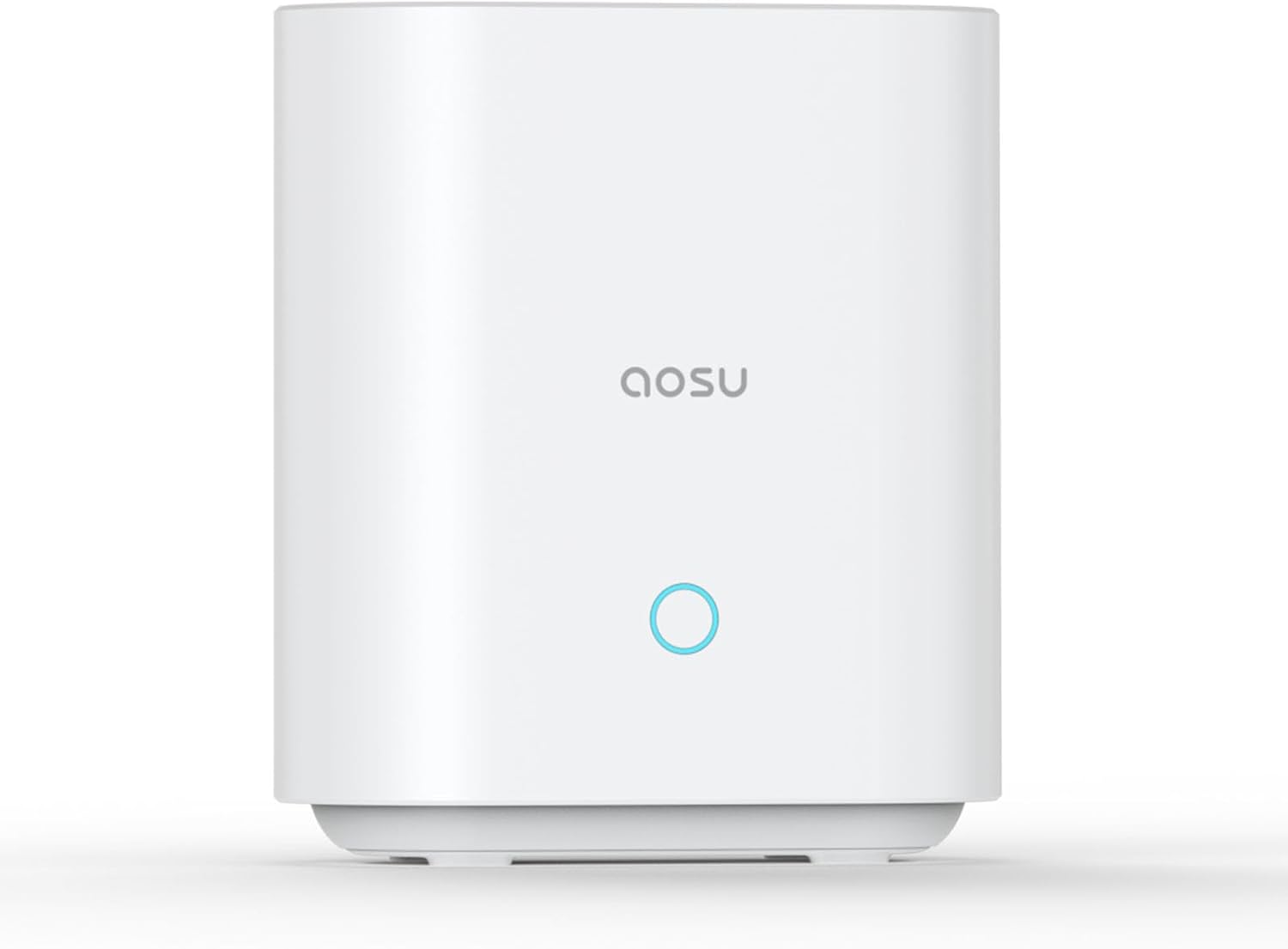
The image displays the white, rectangular Aosu Homebase unit with the 'aosu' logo and a circular indicator light on the front. This is the main unit of the SolarCam system's homebase.
Setup Guide
1. Unpacking
Carefully remove all components from the packaging. Ensure all items listed in the 'What's Included' section are present and undamaged.
2. Connecting the Homebase
Power Connection
Connect the provided power adapter to the power input port on the back of the Homebase. Plug the other end of the power adapter into a standard electrical outlet. The Homebase will power on automatically.
Network Connection
Connect one end of the provided Ethernet cable to the Ethernet port on the back of the Homebase. Connect the other end of the Ethernet cable to an available LAN port on your internet router.
3. Pairing with SolarCam System
Once the Homebase is powered on and connected to the internet (indicated by a solid blue light on the front), refer to your Aosu SolarCam camera manual for specific instructions on how to pair your cameras with this Homebase. Ensure your cameras are in pairing mode as per their respective manuals.
Operating Instructions
Status Indicator Light
The circular light on the front of the Homebase provides visual feedback on its operational status:
- Solid Blue: The Homebase is powered on, connected to the network, and operating normally.
- Flashing Blue: The Homebase is in pairing mode, attempting to connect to the network, or performing a firmware update.
- Solid Red: Indicates an error, such as no network connection or a system malfunction.
Accessing the System
To view live feeds, recordings, and manage your Aosu SolarCam system, download and install the official Aosu mobile application on your smartphone or tablet. Follow the in-app instructions to add your Homebase and connected cameras. Ensure your mobile device is connected to the same network as the Homebase during initial setup and configuration.
Maintenance
Cleaning
To clean the Homebase, gently wipe its exterior with a soft, dry cloth. Do not use liquid cleaners, abrasive materials, or aerosol sprays, as these can damage the device.
Firmware Updates
Periodically check for firmware updates through the Aosu mobile application. Keeping your Homebase's firmware up-to-date ensures optimal performance, security, and access to new features. Follow the in-app prompts for any available updates.
Troubleshooting
No Power (No Indicator Light)
- Ensure the power adapter is securely connected to both the Homebase and a working electrical outlet.
- Try plugging the power adapter into a different outlet to rule out a faulty power source.
No Network Connection (Solid Red Light)
- Verify that the Ethernet cable is securely connected to both the Homebase and your internet router.
- Restart your internet router and then restart the Homebase by unplugging and re-plugging its power adapter.
- Confirm that your internet connection is active and working for other devices.
Cameras Not Pairing
- Ensure the Homebase is powered on and has a stable internet connection (solid blue light).
- Follow the specific pairing instructions provided in your Aosu SolarCam camera's manual carefully.
- During the pairing process, ensure the cameras are within close proximity to the Homebase.
- Reset the cameras if they have been previously paired with another Homebase or are unresponsive.
Specifications
| Feature | Detail |
|---|---|
| Model Number | H1L0.WAUS01PJ1 |
| Manufacturer | AOSU |
| Item Weight | 13.6 ounces |
| Package Dimensions | 8.5 x 5.75 x 2.75 inches |
| Compatibility | Aosu SolarCam System only |
Warranty and Support
Warranty Information
Please refer to the warranty card included with your original Aosu SolarCam System or visit the official AOSU website for detailed warranty terms and conditions applicable to your Homebase.
Customer Support
For technical assistance, troubleshooting, or any further inquiries regarding your AOSU SolarCam Homebase, please contact AOSU customer support. You can typically find contact information on the official AOSU website or within the product packaging of your original SolarCam System.
Related Documents - H1L0.WAUS01PJ1
 |
Aosu SolarCam Max/Pro System Quick Start Guide A quick start guide for the Aosu SolarCam Max/Pro System, a solar-powered security camera system. This guide covers product overview, setup, mounting instructions for the camera and solar panel, charging, and customer service information. |
 |
Aosu Solar-Powered Wireless Security Camera Kit - SolarCam D1 Classic Kit Quick Start Guide Quick start guide for the Aosu Solar-Powered Wireless Security Camera Kit, model SolarCam D1 Classic. Learn how to set up, connect, and mount your security camera system. |
 |
Aosu SolarCam SE/Por/Max Quick Start Guide - Solar-Powered Wireless Security Camera Get started quickly with your Aosu SolarCam SE/Por/Max solar-powered wireless security camera. This guide covers setup, mounting, charging, and important notices. |
 |
Aosu SolarCam D1 Classic Kit Quick Start Guide A comprehensive guide to setting up and installing the Aosu SolarCam D1 Classic Kit, a solar-powered wireless security camera system. This document covers product components, connection, system setup, mounting instructions, important notices, and customer support. |
 |
Aosu Solar-Powered Security Camera System Quick Start Guide A quick start guide for the Aosu Solar-Powered Security Camera System, covering setup, product overview, mounting instructions, and customer service information. |
 |
Aosu SolarCam D1 Classic Kit Quick Start Guide - Solar-Powered Wireless Security Camera Get started with your Aosu SolarCam D1 Classic Kit. This comprehensive Quick Start Guide provides essential information for setting up, installing, and using your solar-powered wireless security camera system, including product overviews, technical specifications, and customer support details. |