
BAOFENG UV-K61
BAOFENG UV-K61 Two Way Radio User Manual
Model: UV-K61 | Brand: BAOFENG
1. Introduction
The BAOFENG UV-K61 is a versatile two-way radio designed for reliable communication across various environments. Featuring an impressive 999 channels, dual display, and multi-band capabilities, it is suitable for professional, emergency, and outdoor use. This manual provides comprehensive instructions for setting up, operating, maintaining, and troubleshooting your UV-K61 radio to ensure optimal performance and longevity.
Key features include:
- Up to 999 Channels for versatile communication.
- Multiple charging options including USB-C and a 2600mAh high-capacity battery.
- Wireless frequency copying for quick setup.
- Built-in NOAA receiver with 10 channels for real-time weather alerts.
- VOX hands-free operation.
- Integrated flashlight and FM/AM radio functions.
2. Product Overview and Components
The BAOFENG UV-K61 comes with a complete kit to get you started. Familiarize yourself with the radio and its accessories.

Figure 2.1: BAOFENG UV-K61 radio with all included accessories. This image displays the radio unit, 2600mAh high-capacity battery, high gain antenna, USB-C charger cable, charger dock, belt clip, hand strap, user manual, 771 antenna, programming cable, shoulder speaker microphone, and USB-C car charger cable.
2.1. What's in the Box
- 1x BAOFENG UV-K61 Radio Unit
- 1x 2600mAh High Capacity Battery
- 1x High Gain Antenna
- 1x USB-C Charger Cable
- 1x Charger Dock
- 1x Belt Clip
- 1x Hand Strap
- 1x User Manual
- 1x 771 Antenna
- 1x Programming Cable
- 1x Shoulder Speaker Microphone
- 1x USB-C Car Charger Cable
2.2. Radio Components and Dimensions
Familiarize yourself with the physical layout and key components of the UV-K61 radio.
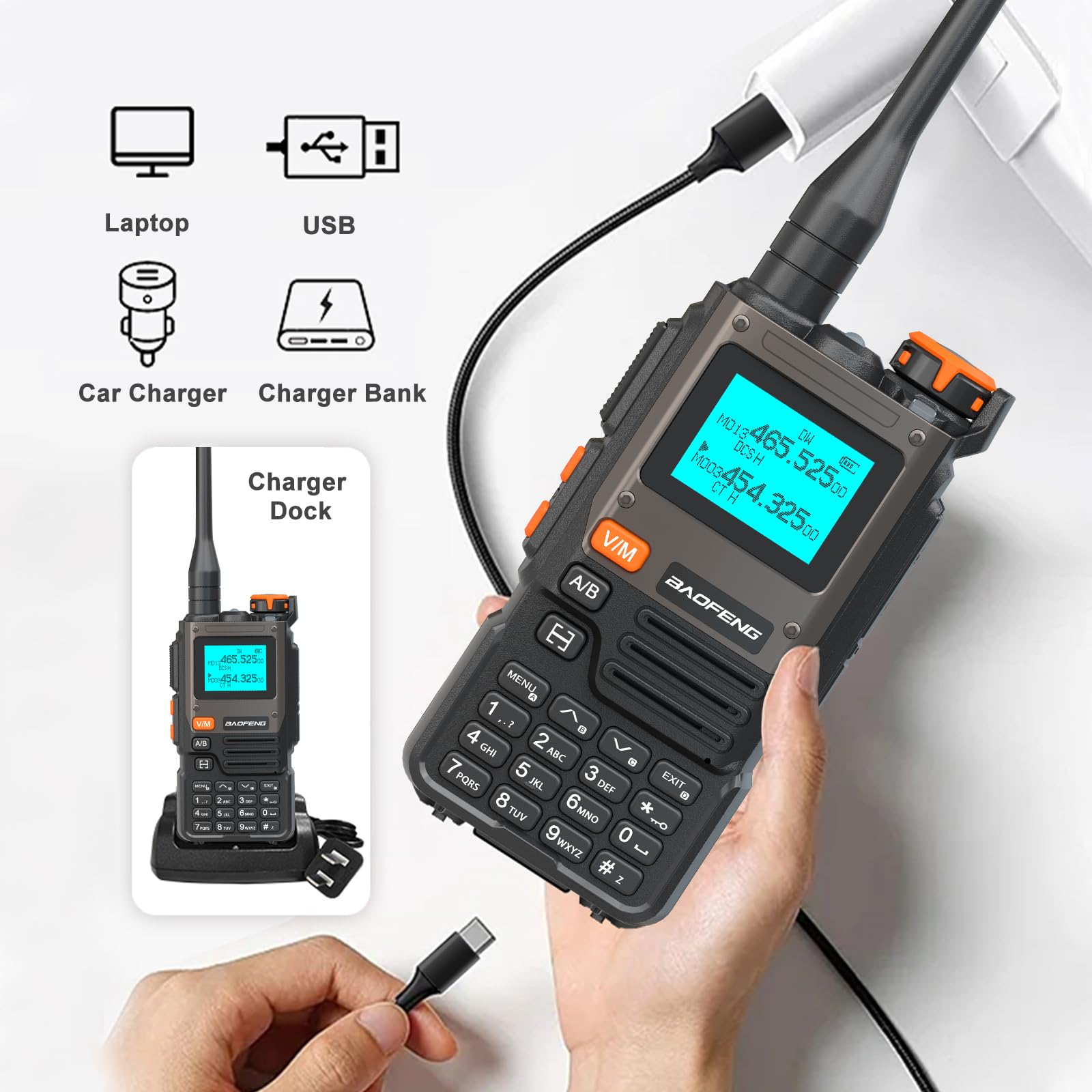
Figure 2.2: Detailed view of the BAOFENG UV-K61 radio, highlighting its dimensions (1.37"D x 2.16"W x 4.72"H) and key external components such as the antenna, volume/power knob, PTT key, flashlight, alarm switch, radio/monitor button, sweep key, menu key, 1.44" LCD screen, 2-pin K port, V/M-VFO/MR button, A/B select key, speaker, exit key, and keypad.
3. Setup
3.1. Battery Installation and Charging
The UV-K61 is powered by a 2600mAh Lithium Ion battery. Ensure the battery is fully charged before first use.
- Align the battery with the grooves on the back of the radio and slide it upwards until it clicks into place.
- To charge, connect the USB-C cable directly to the radio or place the radio in the provided charger dock.
- The radio can be charged via a power bank, car charger, laptop, or any standard USB power adapter.
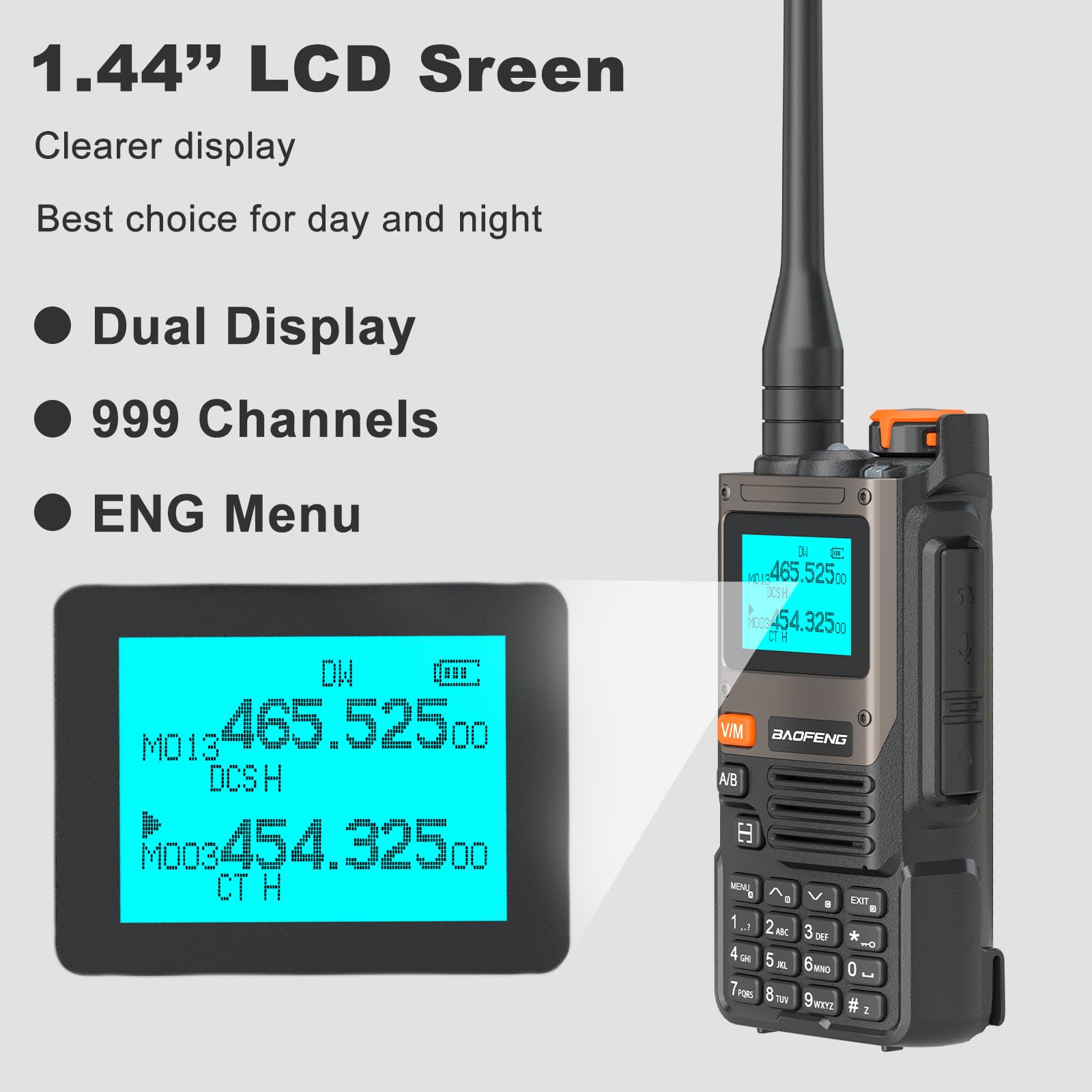
Figure 3.1: Various charging methods for the BAOFENG UV-K61, including direct USB-C connection to the radio, charging via the dock, and compatibility with laptop, USB power adapters, car chargers, and power banks.
An LED indicator on the radio or charger dock will show the charging status:
- Red LED: Charging in progress.
- Green LED: Battery fully charged.
3.2. Antenna Attachment
Screw the antenna clockwise into the antenna connector on the top of the radio until it is finger-tight. Do not overtighten.
3.3. Initial Power On and Display
To power on the radio, rotate the Volume/Power knob clockwise until you hear a click. The 1.44-inch LCD screen will illuminate.

Figure 3.2: The 1.44-inch LCD screen of the BAOFENG UV-K61, providing a clear display with dual frequency lines, channel numbers, and menu options. The screen supports 999 channels and an English menu for ease of use.
The display shows dual frequencies, channel numbers, and various status indicators. The UV-K61 supports 999 channels and an English menu for easy navigation.
4. Operating Instructions
4.1. Channel Selection
The UV-K61 supports up to 999 channels. Use the keypad to directly input channel numbers or the up/down arrow keys to scroll through available channels. Press the V/M button to switch between Frequency (VFO) mode and Channel (MR) mode.
4.2. Wireless Frequency Copying (One Key Match Frequency)
This feature allows for quick and easy frequency matching with another radio without manual programming.
- Step 1: Turn on the UV-K61 radio. Press and hold the EXIT button until the screen displays "SEARCH".
- Step 2: Press and hold the transmit button on the other radio you wish to copy the frequency from. The UV-K61 will search and display the frequency and decode information. Press MENU for confirmation.
- Step 3: Switch the UV-K61 to channel mode to select the desired channel. The screen will then show the frequency of the counterpart radio, allowing for immediate communication.

Figure 4.1: Visual guide for the One Key Match Frequency feature on the BAOFENG UV-K61, illustrating the three steps to wirelessly copy frequencies from another radio for quick setup.
4.3. VOX Hands-Free Operation
The Voice Operated Exchange (VOX) function allows for hands-free transmission. When VOX is enabled, the radio will automatically transmit when it detects your voice, eliminating the need to press the PTT (Push-To-Talk) button. Refer to the full user manual for detailed VOX sensitivity settings.
4.4. NOAA Weather Channels
The UV-K61 includes a built-in NOAA receiver with 10 channels to provide real-time weather alerts. This feature is crucial for safety during outdoor activities or in emergency situations.
- Access the NOAA weather channels through the radio's menu.
- The radio can scan and deliver weather reports, keeping you informed of changing conditions.
4.5. Other Functions
The BAOFENG UV-K61 offers several additional useful functions:
- Flashlight: Activate the integrated LED flashlight for illumination in low-light conditions.
- FM Radio: Tune into FM radio broadcasts for entertainment or news.
- AM Radio: Access AM radio frequencies.

Figure 4.2: Overview of the main functions of the BAOFENG UV-K61, including 999 Channels, Frequency Copy, VOX Function, 2600mAh battery, Flashlight, 10 NOAA Channels, FM Radio, and AM Radio capabilities.
5. Maintenance
5.1. Cleaning
Regularly clean the radio with a soft, damp cloth. Do not use harsh chemicals or abrasive cleaners. Ensure the radio is dry before use or charging.
5.2. Battery Care
- Avoid fully discharging the battery frequently to prolong its lifespan.
- Store the radio and battery in a cool, dry place when not in use for extended periods.
- Do not expose the battery to extreme temperatures or direct sunlight.
5.3. Storage
When storing the radio for a long time, remove the battery. Store the radio and accessories in a clean, dry environment away from dust and moisture.
6. Troubleshooting
If you encounter issues with your BAOFENG UV-K61, refer to the following common problems and solutions:
| Problem | Possible Cause | Solution |
|---|---|---|
| Radio does not power on. | Battery is low or not installed correctly. | Charge the battery or ensure it is properly seated. |
| Cannot transmit or receive. | Incorrect frequency/channel, antenna loose, or out of range. | Verify frequency/channel settings. Check antenna connection. Move closer to the other radio. |
| Poor audio quality. | Low battery, antenna issue, or interference. | Charge battery. Check antenna. Move away from sources of interference. |
| Display is blank or flickering. | Low battery or internal issue. | Charge battery. If problem persists, contact support. |
If the problem persists after attempting these solutions, please contact customer support for further assistance.
7. Specifications
Detailed technical specifications for the BAOFENG UV-K61 Two Way Radio:
| Feature | Detail |
|---|---|
| Model Number | UV-K61 |
| Item Weight | 1.7 pounds |
| Product Dimensions | 1.37 x 2.16 x 4.72 inches |
| Batteries | 1 Lithium Ion battery required (included) |
| Number of Channels | 999 |
| Frequency Range | 136-174 MHz, 450-470 MHz |
| Talking Range Maximum | 5 Kilometer |
| Tuner Technology | AM/FM |
| Voltage | 7.4 Volts (DC) |
| Water Resistance Level | Not Water Resistant |
| Manufacturer | BAOFENG Electronics Co., Ltd |
| Country of Origin | China |
8. Warranty and Support
8.1. Warranty Information
The BAOFENG UV-K61 Two Way Radio comes with a 1-year warranty provided only through "Shiqun Electronics Co., Ltd". Please retain your proof of purchase for warranty claims.
8.2. Customer Support
For technical assistance, troubleshooting beyond this manual, or warranty inquiries, please contact the seller or manufacturer directly. Refer to your purchase documentation for specific contact details.
Related documentsUV-K61


Ask a question about this manual
Ask about setup, troubleshooting, compatibility, parts, safety, or missing instructions. Manuals+ will review the question and use this page’s manual context to help answer it.