
1. Introduction
This manual provides comprehensive instructions for the ANNKE 5MP PT Wireless Outdoor Security Camera, Model AE-I51CP0103-OP. Please read this manual carefully before installation and operation to ensure proper use and optimal performance of your device. This camera is designed for outdoor surveillance, offering high-resolution video, intelligent detection features, and robust weather resistance.
2. Product Overview
2.1 Key Features
- 5MP High-Resolution Video: Captures clear and detailed images with a 1/2.8-inch progressive scan sensor.
- Pan & Tilt Functionality: Offers 350° horizontal pan and 90° vertical tilt for wide area coverage and flexible monitoring.
- Intelligent Person Detection: Advanced AI motion detection identifies human movement, reducing false alarms.
- Two-Way Audio: Built-in microphone and speaker allow for real-time communication and deterrence.
- Dual Night Vision Modes: Provides up to 20 meters of infrared night vision and 10 meters of color night vision.
- IP67 Weatherproof Design: Ensures reliable operation in various outdoor weather conditions.
- Flexible Storage Options: Supports up to 128GB TF card for local storage and cloud storage services.
- Wireless Connectivity: Supports WiFi and AP connection for easy setup and monitoring.
- Customizable Motion Areas: Define specific zones for motion detection.
- Preset Points: Configure up to 6 preset monitoring positions.
2.2 Package Contents
The package includes the following items:
- 1 x ANNKE 5MP PT Surveillance Camera
- 1 x Power Adapter
- 1 x Screw Bag for Mounting
- 1 x User Manual
3. Installation and Setup
3.1 Mounting the Camera
The camera is designed for wall mounting. Select a suitable outdoor location that provides the desired viewing angle and is within range of your Wi-Fi network. Use the provided screw bag to securely attach the camera bracket to the wall.
Note: Ensure the mounting surface is strong enough to support the camera's weight and that the camera is positioned to avoid direct sunlight or strong light sources that could affect image quality.

Image: The ANNKE PT Wireless Outdoor Security Camera mounted on an exterior wall, showing its dual antennas and weatherproof design.
3.2 Powering On and Network Connection
- Connect the provided power adapter to the camera and plug it into a power outlet.
- The camera will power on and initiate its startup sequence.
- Download the "Annke Sight" application from your smartphone's app store (available for iOS and Android).
- Open the app and follow the on-screen instructions to add your new camera. The camera supports both AP connection and Wi-Fi for monitoring.
- Ensure your Wi-Fi network is stable and has a strong signal at the camera's location for optimal performance.

Image: A diagram illustrating the ANNKE camera's connectivity options, showing it wirelessly connected to a Wi-Fi router and compatible with an ANNKE NVR system.
4. Operating Instructions
4.1 Live View and Pan/Tilt Control
Once connected, access the live view through the Annke Sight app. Use the on-screen controls to remotely adjust the camera's viewing angle. The camera supports 350° horizontal pan and 90° vertical tilt, allowing you to monitor a wide area.
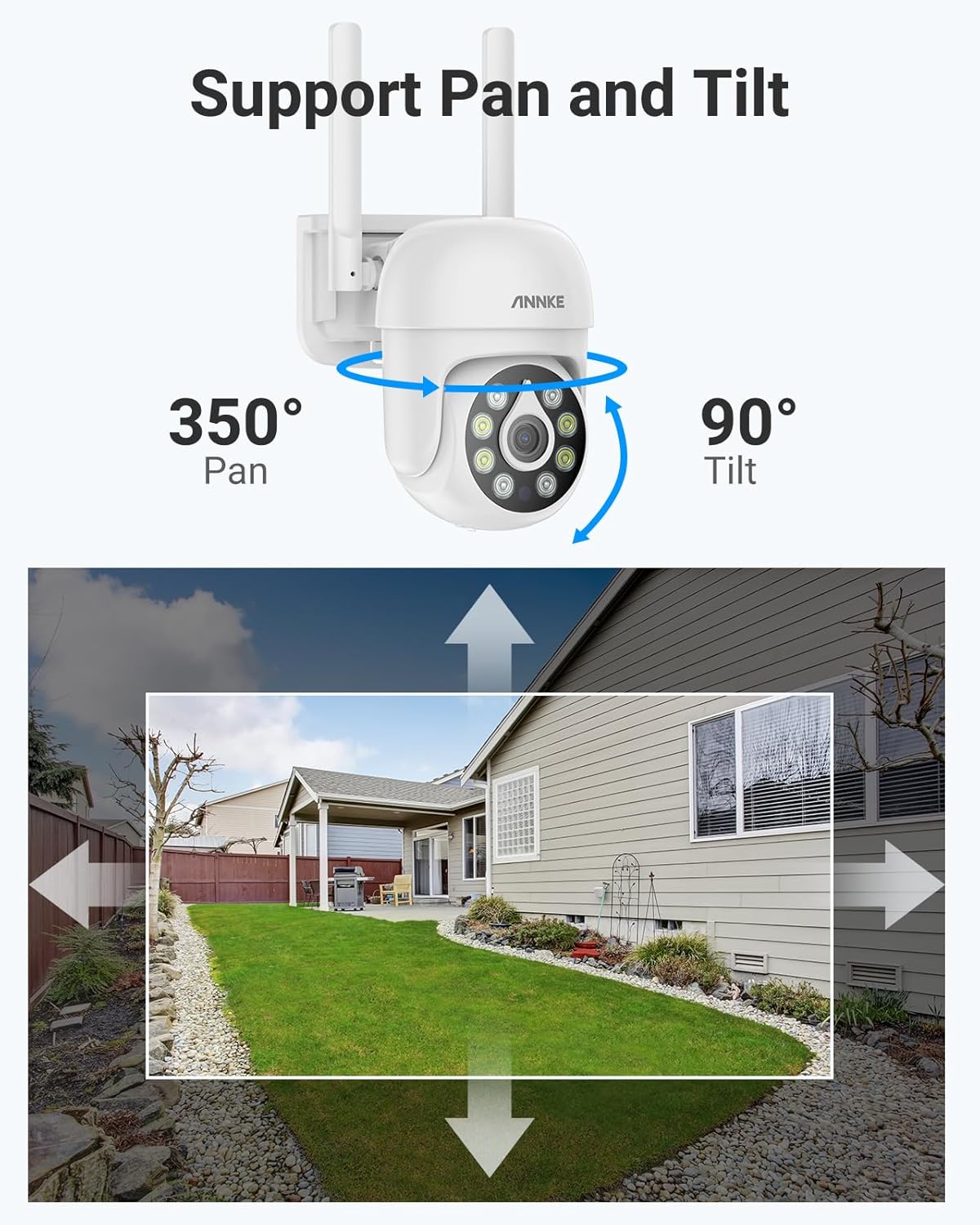
Image: An illustration demonstrating the camera's pan (350°) and tilt (90°) capabilities, showing how it can cover a broad surveillance area.
4.2 Intelligent Person Detection and Alerts
The camera features advanced AI-powered person detection. When human motion is detected, the camera will send instant notifications to your Annke Sight app and email alerts with screenshots. You can customize motion detection areas within the app to focus on specific zones and minimize unnecessary alerts.

Image: A visual representation of the camera's AI motion detection, highlighting a person detected in the surveillance area and showing app and email notification icons.
4.3 Two-Way Audio Communication
Utilize the built-in microphone and speaker for two-way audio communication. This allows you to listen to the environment around the camera and speak through the camera, which can be useful for interacting with visitors or deterring intruders.

Image: A scenario depicting the two-way audio intercom feature, where a user communicates with a delivery person via the camera and smartphone app.
4.4 Night Vision Modes
The camera offers two night vision modes to ensure clear surveillance in low-light conditions:
- Infrared Night Vision: Provides clear black and white video up to 20 meters in complete darkness.
- Color Night Vision: Activates in low-light conditions to provide full-color video up to 10 meters, enhancing detail and identification.

Image: A split image comparing the clarity and color rendition of the camera's color night vision versus traditional infrared night vision.
4.5 Video Storage
Recordings can be stored locally on a MicroSD card (up to 128GB, not included) or via cloud storage services (subscription may be required). Local storage ensures data security and accessibility even without an internet connection.

Image: A conceptual image illustrating the dual options of local and cloud storage for security camera data, emphasizing data security.
5. Maintenance
To ensure the longevity and optimal performance of your ANNKE security camera, follow these maintenance guidelines:
- Regular Cleaning: Periodically clean the camera lens with a soft, dry cloth to remove dust, dirt, or water spots that may affect image clarity. Avoid abrasive cleaners.
- Check Connections: Ensure all power and network connections are secure and free from damage.
- Firmware Updates: Check the Annke Sight app regularly for available firmware updates. Keeping the firmware updated ensures the camera has the latest features and security patches.
- Weather Protection: Although the camera is IP67 weatherproof, extreme weather conditions (e.g., heavy snow accumulation, prolonged direct sunlight in extreme heat) can still impact performance. Ensure the camera is mounted in a location that minimizes exposure to the harshest elements where possible.

Image: The ANNKE camera shown installed outdoors during snowy weather, illustrating its IP67 weatherproof construction and durability in challenging environments.
6. Troubleshooting
If you encounter issues with your camera, refer to the following common troubleshooting steps:
- No Power: Ensure the power adapter is securely connected to both the camera and a working power outlet. Check if the outlet is functional.
- No Network Connection:
- Verify your Wi-Fi router is powered on and functioning correctly.
- Ensure the camera is within range of your Wi-Fi signal.
- Restart the camera and your Wi-Fi router.
- If using the Annke Sight app, try re-adding the device.
- Poor Image Quality:
- Clean the camera lens as described in the Maintenance section.
- Ensure there are no obstructions in the camera's field of view.
- Check your network bandwidth; insufficient bandwidth can affect streaming quality.
- Motion Detection Issues:
- Verify that motion detection is enabled in the Annke Sight app.
- Adjust the sensitivity settings and customize motion detection areas to prevent false alarms.
- Ensure the camera's view is not obstructed.
- Two-Way Audio Not Working:
- Check the volume settings on your smartphone and within the Annke Sight app.
- Ensure the microphone and speaker on the camera are not obstructed.
For further assistance, please contact ANNKE customer support.
7. Specifications
| Feature | Detail |
|---|---|
| Model Name | AE-I51CP0103-OP |
| Effective Image Resolution | 5 MP |
| Pan/Tilt Range | Pan: 350°, Tilt: 90° |
| Connectivity Technology | Wireless (Wi-Fi, Bluetooth) |
| Night Vision Range | 20 Meters (Infrared), 10 Meters (Color) |
| Weatherproof Rating | IP67 |
| Storage Support | Up to 128GB TF card, Cloud Storage |
| Two-Way Audio | Yes |
| Motion Detection | Intelligent Person Detection, Customizable Areas |
| Control Method | App (Annke Sight) |
| Power Source | Wired Electric |
| Material | Acrylonitrile Butadiene Styrene (ABS) |
| Dimensions | 15.4 x 13.9 x 18.5 cm |
8. Warranty and Support
8.1 Return Policy
This product is subject to a 14-day return policy for refund or replacement, as per standard terms.
8.2 Customer Support
ANNKE is committed to providing excellent customer service. For any inquiries, technical assistance, or support, please contact ANNKE customer service. They offer:
- After-Sales Support
- Prompt Response
- Needs-Based Approach
- Lifetime Technical Assistance
For more information, visit the official ANNKE website or refer to the contact details provided in your product packaging.


