
1. Product Overview
The LEDVANCE Flash Car Emergency Light is a versatile mobile lighting device designed for outdoor use, particularly in emergency situations. It features a robust aluminum housing and integrates essential tools for roadside safety.
Key features include a glass hammer for breaking windows and a seat belt knife for cutting seat belts, enhancing its utility in critical moments. The light offers multiple operating modes for various lighting needs.
This product is classified as a surrounding product, meaning its included light source(s) can be disassembled for separate verification. The light source within this device is of energy efficiency class G.
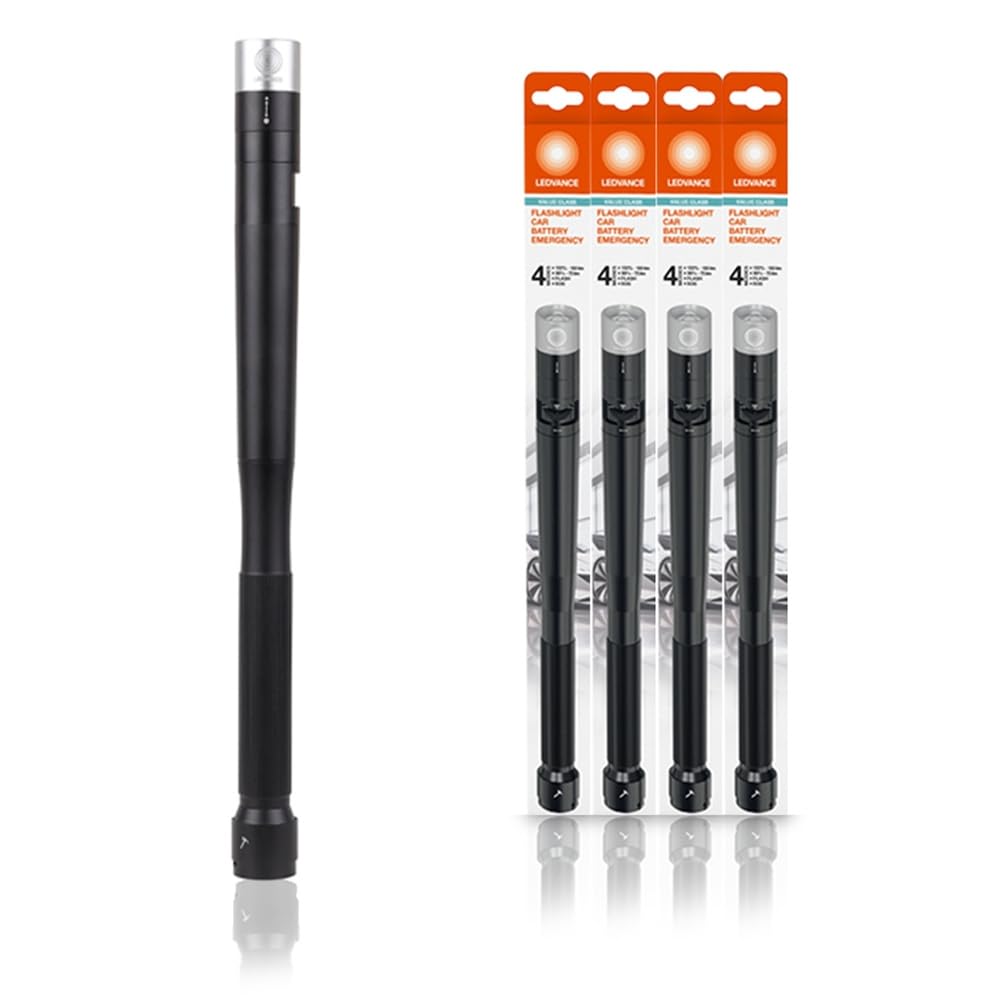
Image: The LEDVANCE Flash Car Emergency Light, a compact, black, cylindrical device with a light at one end and a textured grip, designed for emergency use.
2. Safety Information
- Battery Safety: Use only the specified battery type (4 AAA batteries). Do not mix old and new batteries, or different types of batteries. Ensure correct polarity when inserting batteries. Remove batteries if the device will not be used for an extended period.
- Emergency Tools: The glass hammer and seat belt knife are sharp and designed for emergency use only. Handle with extreme care to prevent injury. Keep out of reach of children.
- Light Source: Do not look directly into the light beam, as it may cause temporary vision impairment.
- Environmental Conditions: This device is designed for outdoor use but should not be submerged in water. Avoid extreme temperatures.
3. Package Contents
Please check the package for the following items:
- 1 x LEDVANCE Flash Car Emergency Light (Model: FLASHL CAR BTRY EM FS1 LEDV)
4. Setup
4.1 Battery Installation
- Locate the battery compartment. This is typically found by twisting or unscrewing a section of the light's body.
- Insert 4 AAA batteries (not included) into the compartment, ensuring correct polarity (+/-) as indicated inside the compartment.
- Securely close the battery compartment.
5. Operating Instructions
5.1 Switching Modes
The LEDVANCE Flash Car Emergency Light features a convenient button for switching between its four operating modes:
- 1st Press: Activates bright light mode (100 lumens).
- 2nd Press: Switches to soft light mode (70 lumens).
- 3rd Press: Activates SOS mode (Morse code for SOS).
- 4th Press: Activates flashing mode.
- Subsequent presses will cycle through the modes or turn the light off, depending on the model's specific sequence.
5.2 Adjusting Light Beam Angle
The angle of the light beam can be adjusted by turning the lens of the device. Rotate the lens clockwise or counter-clockwise to achieve the desired focus or spread of light.
5.3 Battery Life
The light provides approximately 1.5 hours of operation at full brightness (100 lumens) with fresh batteries.
6. Maintenance
- Cleaning: Wipe the device with a soft, damp cloth. Do not use abrasive cleaners or solvents.
- Battery Replacement: Replace all 4 AAA batteries when the light output diminishes or the device stops functioning. Refer to Section 4.1 for battery installation.
- Storage: Store the light in a cool, dry place when not in use. Remove batteries if storing for extended periods to prevent leakage.
7. Troubleshooting
- Light does not turn on:
- Check if batteries are inserted correctly with the correct polarity.
- Replace old or depleted batteries with new ones.
- Ensure the battery compartment is securely closed.
- Light is dim or flickers:
- Batteries may be low. Replace with new batteries.
8. Specifications
| Specification | Value |
|---|---|
| Brand | LEDVANCE |
| Model | Flash Car Emergency (FLASHL CAR BTRY EM FS1 LEDV) |
| Light Output Maximum | 100 Lumens |
| Power Source | Battery Powered (4 x AAA, not included) |
| Voltage | 6 Volts (DC) |
| Material | Aluminium |
| Colour | Black |
| Item Weight | 320 Grams |
| Special Features | Energy Efficient, Glass Hammer, Seat Belt Knife |
| Applications | Multifunctional, Pathway |
9. Warranty and Support
For warranty information or technical support, please refer to the documentation provided with your purchase or contact LEDVANCE customer service directly. Keep your proof of purchase for warranty claims.