
1. Introduction
The Srliya WT3121 is a versatile electromagnetic radiation tester designed to detect both electric and magnetic field radiation simultaneously. This instrument is suitable for monitoring radiation levels in various environments, including homes, offices, and industrial sites, and for testing radiation from common household appliances. It features a color screen display, sound and light alarms for safety value exceedance, and a data lock function to capture radiation values. Its compact size and stylish design allow for convenient one-handed operation and on-site measurements.
2. Product Features
- Dual Detection Capability: Simultaneously detects electric and magnetic field radiation.
- Color Screen Display: Provides clear visual feedback of radiation values.
- Sound and Light Alarm: Automatically alerts when radiation levels exceed safety thresholds.
- Data Lock Function: Allows for one-key locking of current radiation values.
- Radiation Value Trend Display: LCD graphic shows the progression of radiation values.
- Electromagnetic Radiation Assessment: Indicates the current radiation position value level.
- Portable Design: Stylish, small, and suitable for one-handed operation and on-site measurements.
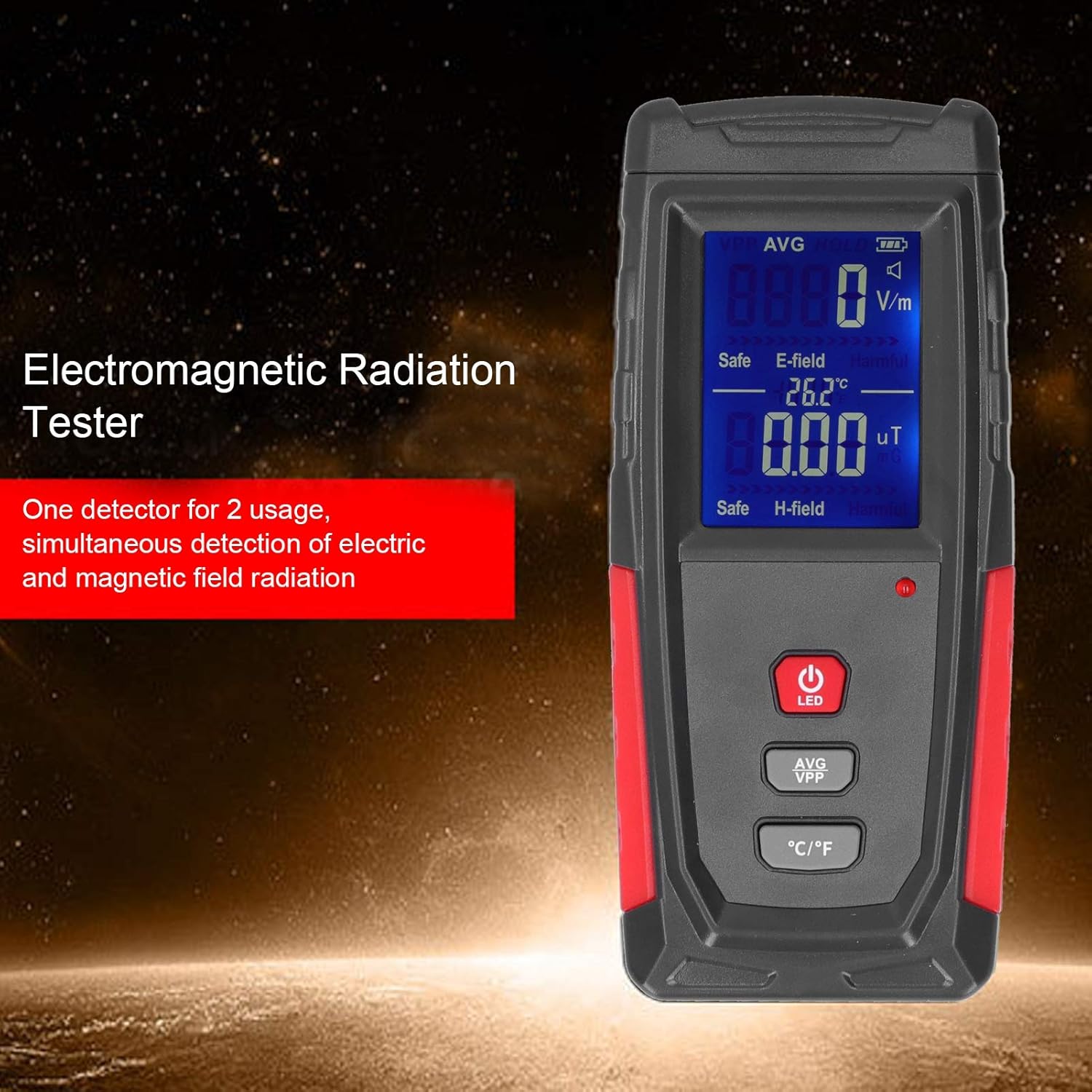
Image: The WT3121 tester highlighting its dual detection feature for electric and magnetic fields.
3. Product Overview

Image: Front view of the WT3121 tester with key components labeled.
- Front Sensing Area: The area where electromagnetic fields are detected.
- LCD: Color liquid crystal display for showing readings and status.
- Startup/LED Button: Powers the device on/off and controls the LED light.
- Average/Peak Value Mode Switch Button: Toggles between average and peak measurement modes.
- Unit Switch Button: Changes the measurement units (e.g., V/m, µT, °C/°F).
- Charging Port: USB port for charging the internal battery.
- Indicator Light: Provides visual feedback, such as charging status or alarm.
4. Specifications
| Parameter | Electric Field | Magnetic Field |
|---|---|---|
| Unit | V/M | µT |
| Accuracy | 1V/M | 0.01µT |
| Range | 1V/M - 1999V/M | 0.01µT - 19.99µT |
| Alarm Threshold | 40V/M | 0.4µT |
- Display: 3-1/2 digit LCD
- Test Bandwidth: 5Hz - 3500MHz
- Sampling Time: Approximately 0.4 seconds
- Measuring Mode: Simultaneous dual mode
- Overload Display: Maximum measuring range on the LCD
- Operating Temperature: 0°C - 50°C (32°F - 122°F)
- Working Humidity: Relative humidity (unspecified range, typically non-condensing)
- Operating Voltage: 3.7V lithium battery, 600 mAh
- Dimensions: Approx. 133.47 x 59.98 x 25mm (5.3 x 2.4 x 1.0 inches)
- Item Weight: Approx. 8.5 ounces
5. Setup
5.1 Charging the Device
Before first use, or when the battery indicator on the LCD shows low power, charge the device using the provided USB cable. Connect the small end of the USB cable to the charging port (F) on the device and the other end to a standard USB power adapter (not included) or a computer's USB port. The indicator light (G) will show charging status.

Image: The WT3121 tester shown alongside its USB charging cable.
5.2 Powering On/Off
To power on the device, press and hold the Startup/LED button (C) until the LCD screen illuminates. To power off, press and hold the same button until the screen turns off.
6. Operating Instructions
6.1 Basic Measurement
Once powered on, the device will automatically begin measuring electric (E-field) and magnetic (H-field) radiation. Hold the device with the front sensing area (A) pointed towards the object or area you wish to measure. The real-time readings will be displayed on the LCD (B).

Image: A hand holding the WT3121 tester, demonstrating its ergonomic design for measurements.
6.2 Interpreting Readings
The LCD displays separate values for electric field (V/m) and magnetic field (µT). The screen also includes an electromagnetic radiation assessment, indicating whether the current radiation level is considered 'Safe' or 'Harmful' based on predefined thresholds. An audible and visual alarm will activate if the measured values exceed the alarm thresholds (40V/M for electric field, 0.4µT for magnetic field).
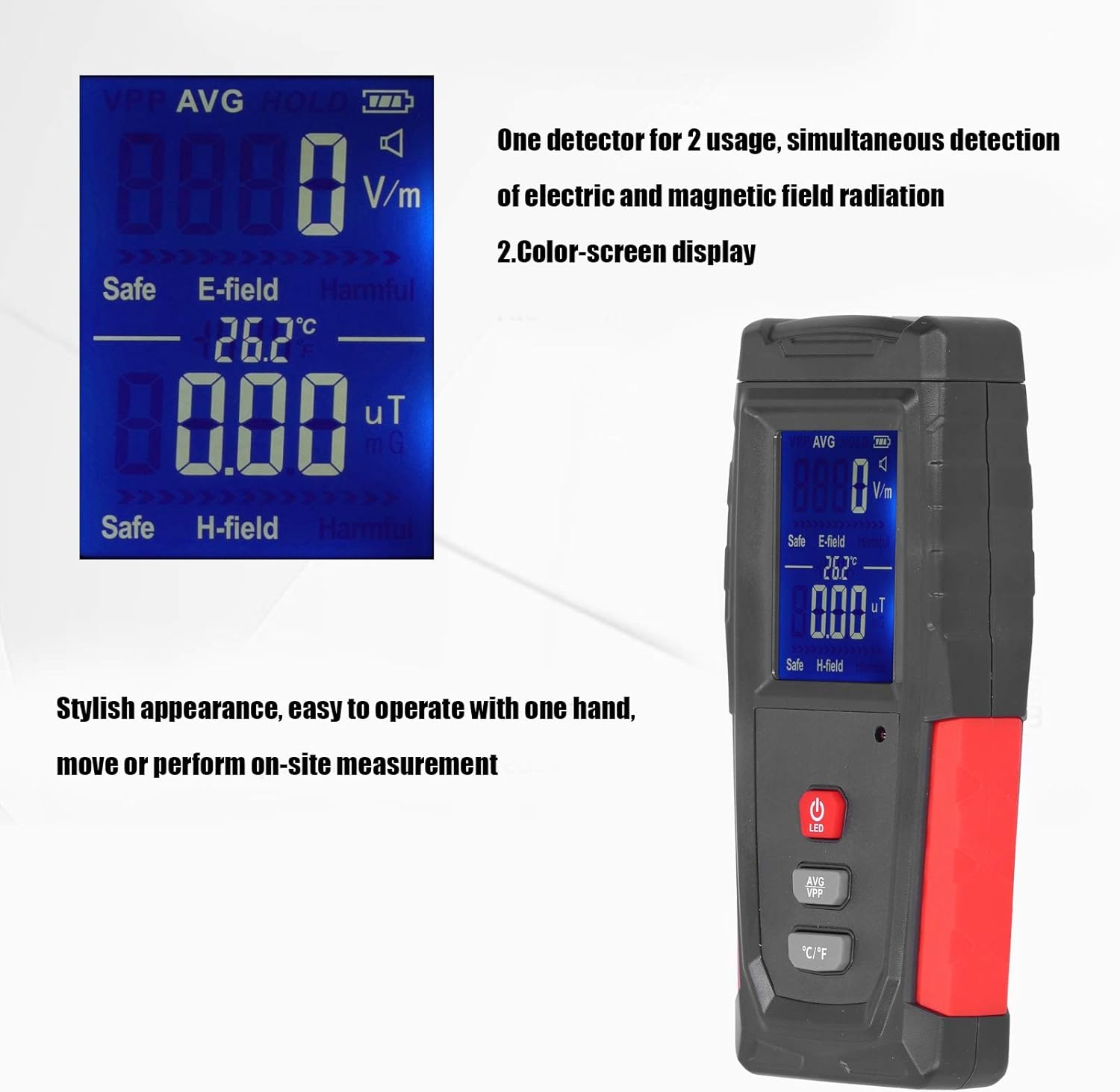
Image: Close-up of the WT3121 display, showing numerical readings and the 'Safe'/'Harmful' assessment.
6.3 Data Lock Function
To lock the current radiation values on the display, briefly press the Average/Peak value mode switch button (D). The display will hold the current readings. Press the button again to release the data lock and resume real-time measurement.
6.4 Unit Switching
To switch between different units (e.g., Celsius/Fahrenheit for temperature, if applicable, or other measurement modes), briefly press the Unit switch button (E).
7. Application Areas
The WT3121 Electromagnetic Radiation Tester can be used in various scenarios:
- Electromagnetic Radiation Monitoring: Ideal for assessing radiation levels in residential areas (houses, apartments), offices, outdoor spaces, and industrial sites.
- Electromagnetic Radiation Testing: Suitable for testing radiation emitted by common electronic devices such as mobile phones, computers, televisions, refrigerators, and high-voltage cables.
- Radiation Product Testing: Can be used to evaluate the effectiveness of radiation-protective products like radiation-shielding clothing or films.

Image: The WT3121 tester being used in a typical home setting, demonstrating its utility for household monitoring.
8. Maintenance
- Cleaning: Use a soft, dry cloth to clean the exterior of the device. Do not use abrasive cleaners or solvents.
- Storage: Store the device in a cool, dry place away from direct sunlight and extreme temperatures.
- Battery Care: If the device will not be used for an extended period, charge it periodically to maintain battery health.
- Avoid Impact: Protect the device from drops and strong impacts, which can damage internal components.
9. Troubleshooting
| Problem | Possible Cause | Solution |
|---|---|---|
| Device does not power on | Low battery or no charge | Charge the device using the USB cable. Ensure the charging port and cable are properly connected. |
| Readings are erratic or zero | No significant electromagnetic field present; device malfunction | Test in an area known to have EMF (e.g., near a running microwave). If still erratic, contact support. |
| Alarm sounds frequently | High radiation levels detected | Move away from the source of radiation or investigate the source. The alarm indicates levels above safety thresholds. |
| Display is dim or unreadable | Low battery; extreme temperature | Charge the device. Ensure the device is used within its specified operating temperature range. |
10. Warranty and Support
This product is covered by a standard manufacturer's warranty. For specific warranty details, technical support, or service inquiries, please refer to the documentation included with your purchase or contact the retailer/manufacturer directly. Please retain your proof of purchase for warranty claims.