Introduction
The Ksix Urban 5 Smartwatch is designed to enhance your daily life with its comprehensive features and intuitive interface. This smartwatch offers a 1.96-inch AMOLED display, over 100 sport modes, hands-free calling, virtual assistant integration, and robust health monitoring capabilities including heart rate, blood oxygen, sleep, stress, and menstrual cycle tracking. This manual provides essential information for setting up, operating, and maintaining your Ksix Urban 5 Smartwatch.
What's in the Box
- Ksix Urban 5 Smartwatch (Watch body)
- Watch Strap
- Screen Protector
- Charger

This image displays the Ksix Urban 5 Smartwatch in red, showcasing its main body, the attached strap, and the charging cable. A smaller inset image shows the watch displaying an incoming call, highlighting its communication features.
Setup
1. Charging the Smartwatch
Before first use, fully charge your Ksix Urban 5 Smartwatch. Connect the provided charger to the charging port on the back of the watch and plug the USB end into a compatible power adapter (not included). The watch features a 260mAh battery and takes approximately 3 hours to fully charge, providing up to 5 days of battery life depending on usage.
2. Powering On/Off
To power on the smartwatch, press and hold the side button until the screen lights up. To power off, press and hold the side button, then select the power off option on the screen.
3. Pairing with Your Smartphone
- Download the official Ksix companion application from your smartphone's app store (e.g., Google Play Store or Apple App Store).
- Ensure Bluetooth is enabled on your smartphone.
- Open the Ksix app and follow the on-screen instructions to search for and connect to your Urban 5 Smartwatch. The watch uses Bluetooth connectivity for pairing.
- Confirm the pairing request on both your smartphone and the smartwatch.

This image illustrates how the Ksix Urban 5 Smartwatch integrates with your smartphone, showing hands-free calling capabilities and notifications from various applications like Instagram, Facebook, TikTok, and WhatsApp. It also shows how to access your phone contacts directly from the watch.
Operating Instructions
1. Display Navigation
The Ksix Urban 5 features a vibrant 1.96-inch AMOLED display. Navigate through menus and functions by swiping left, right, up, or down. Tap to select an option. The side button typically serves as a home button or to access the app menu.

This image highlights the vivid colors and deep blacks of the 1.96-inch AMOLED display, emphasizing the visual quality of the screen.
2. Core Functions
- Time and Date: Automatically synchronized with your paired smartphone.
- Notifications: Receive alerts for calls, messages, emails, and app notifications directly on your wrist.
- Hands-Free Calling: Make and receive calls directly from the smartwatch when connected to your phone.
- Virtual Assistant: Activate your smartphone's virtual assistant (e.g., Siri, Google Assistant) through the watch.
- Music Control: Control music playback on your smartphone (play, pause, skip tracks).
3. Health Monitoring
The Ksix Urban 5 Smartwatch is equipped with intelligent health and movement sensors to monitor your vital signs and daily activity.
- Heart Rate Monitor: Continuously tracks your heart rate throughout the day.
- Blood Oxygen Saturation (SpO2): Measures the oxygen level in your blood.
- Sleep Monitor: Analyzes your sleep patterns, including deep sleep, light sleep, and awake times.
- Stress Monitor: Helps you understand and manage your stress levels.
- Menstrual Cycle Tracking: Provides insights and predictions for female users.
- Activity Tracker: Monitors daily activity including steps, distance, and calories burned.
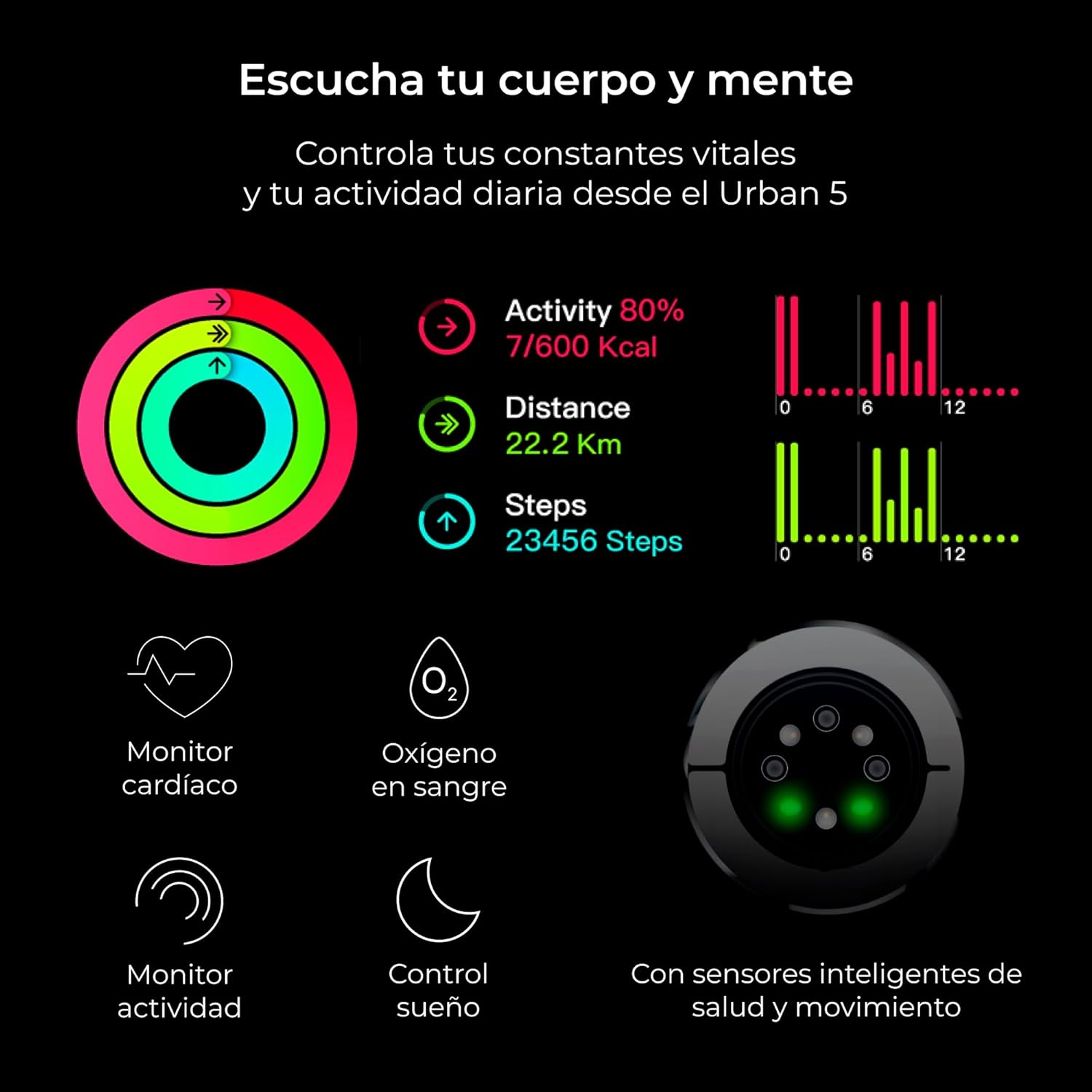
This image details the health monitoring capabilities of the Ksix Urban 5, including activity tracking (showing progress towards goals for calories, distance, and steps), heart rate monitoring, blood oxygen measurement, sleep tracking, and stress control. It also shows the intelligent sensors on the back of the watch.
4. Sport Modes
The smartwatch offers over 100 sport modes to track your workouts accurately. Select your preferred sport mode before starting an activity to record specific metrics relevant to that exercise.
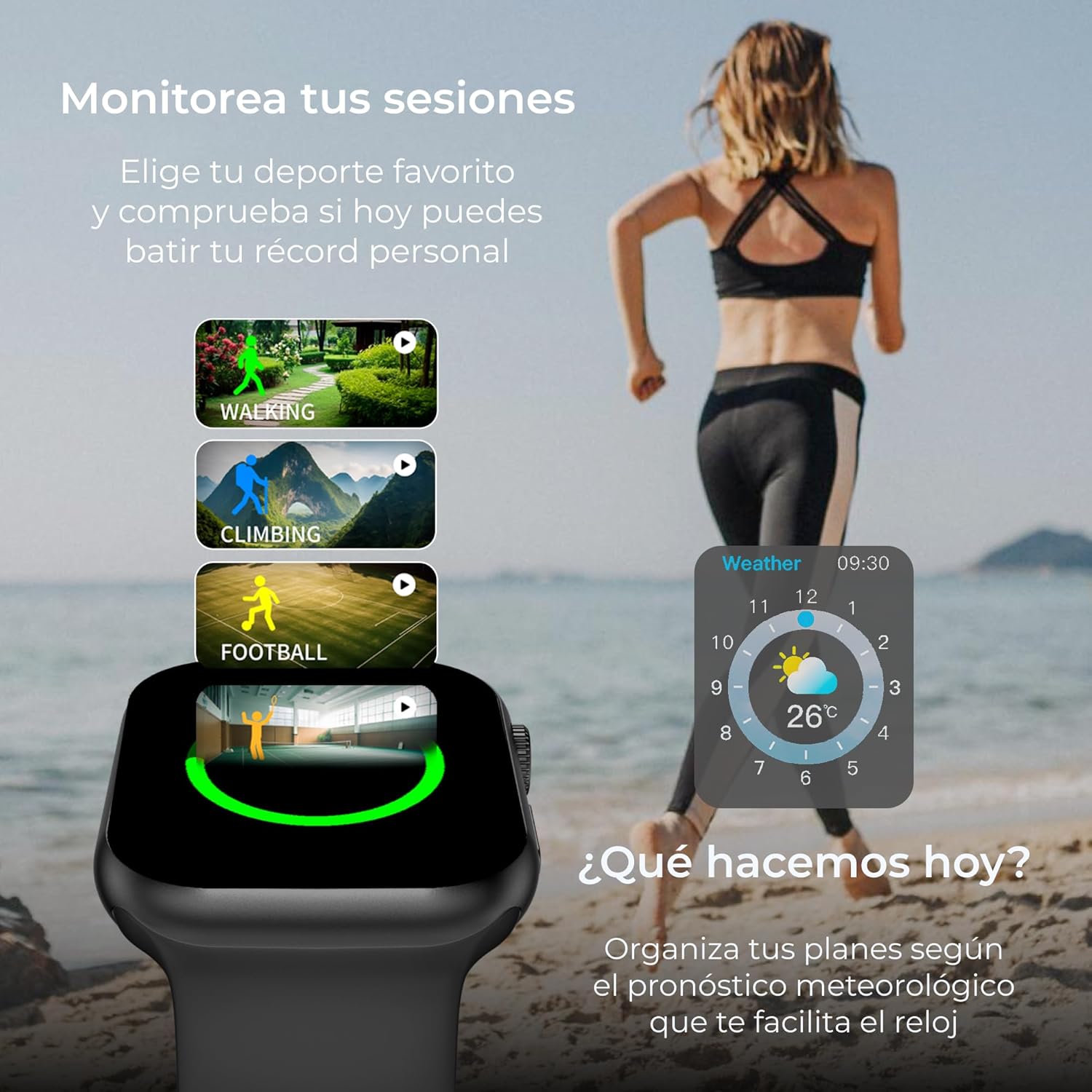
This image illustrates the smartwatch displaying options for various sport modes such as running, cycling, and walking. It also shows the weather forecast feature, helping users plan their activities based on current conditions.
5. Reminders and Alarms
Set alarms and reminders directly on the watch or through the companion app to help manage your schedule and daily tasks.
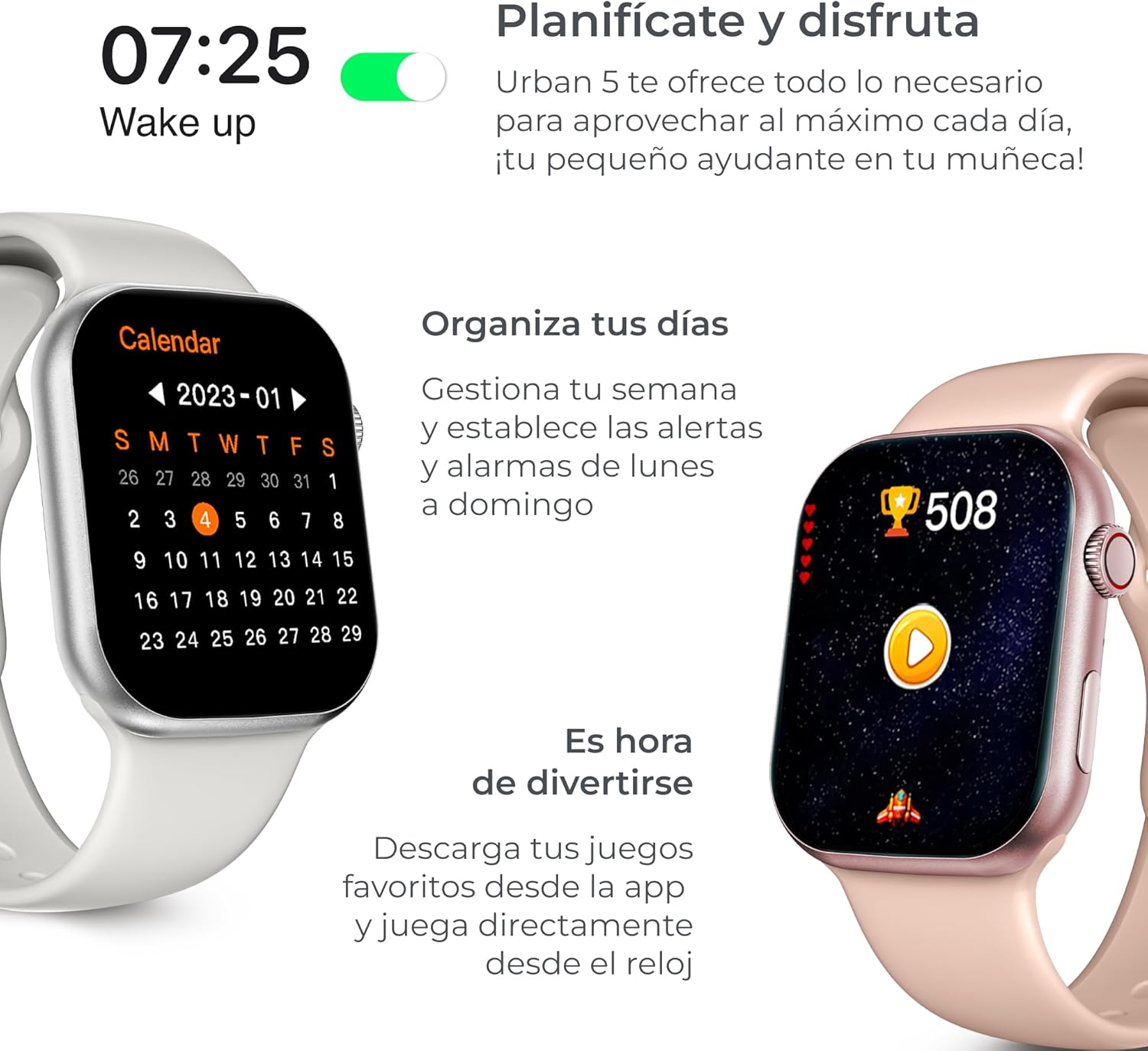
This image demonstrates the smartwatch's utility for daily planning, showing a wake-up reminder and a calendar view. It also suggests the ability to download and play games directly from the watch, adding an entertainment aspect.
6. Customization
Personalize your Ksix Urban 5 Smartwatch with interchangeable straps and a variety of watch faces to match your style and preferences.

This image showcases the customization options for the Ksix Urban 5 Smartwatch, including different interchangeable strap designs and a selection of diverse watch faces, allowing users to personalize their device.
Maintenance
- Cleaning: Regularly wipe the watch screen and body with a soft, lint-free cloth. For stubborn smudges, slightly dampen the cloth with water. Avoid using harsh chemicals or abrasive materials.
- Battery Care: To prolong battery life, avoid extreme temperatures. Charge the device regularly and avoid letting the battery completely drain for extended periods.
- Software Updates: Periodically check the Ksix companion app for available software updates. Keeping your smartwatch's software up-to-date ensures optimal performance and access to new features.
Troubleshooting
| Problem | Possible Solution |
|---|---|
| Watch does not turn on. | Ensure the watch is fully charged. Connect it to the charger for at least 30 minutes. |
| Cannot pair with smartphone. |
|
| Inaccurate health data. | Ensure the watch is worn snugly on your wrist, not too loose or too tight. Clean the sensors on the back of the watch. |
| Short battery life. | Reduce screen brightness, disable unnecessary notifications, limit continuous heart rate monitoring, and close background apps on the watch. |
Specifications
| Feature | Detail |
|---|---|
| Model Name | Urban 5 |
| Model Number | BXSW22RJ |
| Display | 1.96-inch AMOLED |
| Battery Capacity | 260 mAh |
| Battery Life | Up to 5 days |
| Charging Time | Approx. 3 hours |
| Connectivity | Bluetooth |
| Special Features | Health Monitoring, Music Control, Voice Commands, Long Battery Life |
| Dimensions | 10 x 150 x 15 cm |
| Weight | 300 Grams |
| GPS | GPS via Smartphone |

This image provides a comparison between the Ksix Urban 5 and Urban 5 mini models, detailing differences in model size (42mm vs 41mm), wrist diameter compatibility, strap compatibility, battery autonomy (260mAh vs 180mAh), and AMOLED screen size (1.96" vs 1.75").
Warranty and Support
The Ksix Urban 5 Smartwatch comes with a three-year warranty against manufacturing defects. For warranty claims or technical support, please contact KSIX smart your tech customer service through their official website or the contact information provided with your purchase.
For further assistance, frequently asked questions, and updated information, please visit the official KSIX smart your tech support page.