
SWAREY S160
SWAREY Portable Power Station User Manual
Model: S160
Brand: SWAREY
1. Safety Instructions
Please read all safety instructions carefully before using the SWAREY Portable Power Station. Failure to follow these instructions may result in electric shock, fire, or serious injury.
- Do not disassemble, repair, or modify the unit. Incorrect reassembly may cause fire or electric shock.
- Do not place the unit near fire or expose it to heat. Keep out of direct sunlight.
- Do not charge, use, or store the unit in a bathroom or in an area exposed to water or moisture.
- Use only the original charger or approved charging cables.
- Do not use the unit if it is damaged or has been dropped.
- Keep out of reach of children and pets.
- Ensure proper ventilation during use and charging. Do not cover the unit.
- Avoid extreme temperatures. Operate and store the unit within the recommended temperature range.
- In case of fire, use a dry powder fire extinguisher. Water may cause electric shock.
2. Product Overview
2.1 Package Contents
- 1 x SWAREY 222Wh Power Station
- 1 x AC Charger
- 1 x Car Charging Cable
- 1 x DC-to-MC4 Cable
2.2 Key Features
- 222Wh Capacity & 300W AC Output: Provides reliable power for various devices with a pure sine wave output (peak 600W).
- Versatile Output Ports: Equipped with 1 AC output (230V/300W), 1 USB-C 65W port, 1 USB QC 3.0 port, 2 USB-A ports, 1 car cigarette lighter, and 2 DC outputs, allowing simultaneous charging of up to 8 devices.
- Fast Solar Charging: Features a built-in MPPT charge controller, enabling full charge in 2 hours with a 126W solar panel. Also supports charging via wall outlet and car charger.
- Portable & Compact: Weighing only 3.2kg (7lb) with dimensions of 19x16x17cm (7.5x6.3x6.7in) and a stable, hidden handle for easy transport.
- Safe & Reliable: The display shows real-time power, output, and input. The Battery Management System (BMS) provides protection against overheating, short circuits, overcurrent, overload, and overcharge. Includes an LED light with SOS mode for emergencies.
2.3 Component Identification

Image Description: This image displays the SWAREY Portable Power Station S160 from a front-angle view. The device is black and grey with a green-lit LCD display. Visible features include a foldable handle on top, an AC outlet (European type), USB-A ports, a USB-C port, a car cigarette lighter port, and DC output ports. An LED flashlight is visible on the right side. The display shows battery level and power indicators.

Image Description: This graphic illustrates the SWAREY power station's ability to power 8 devices simultaneously. It highlights the different types of output ports: 1 USB-C port, 1 QC 3.0 port, 2 USB-A ports, 1 car charger outlet, 2 DC outputs, and 1 AC output. The power station is shown connected to a laptop, tablet, and smartphone, demonstrating its multi-device charging capability.
3. Setup
3.1 Initial Charge
Before first use, fully charge the SWAREY Portable Power Station. This ensures optimal battery performance and extends its lifespan.
3.2 Charging Methods
The SWAREY S160 offers three convenient ways to recharge:

Image Description: This image displays three different methods to charge the SWAREY power station. The top panel shows charging via a solar panel outdoors. The middle panel shows charging via a car cigarette lighter socket inside a vehicle. The bottom panel shows charging via a standard wall socket indoors.
- AC Wall Outlet: Connect the provided AC charger to the input port of the power station and plug it into a standard wall outlet.
- Car Charger: Use the included car charging cable to connect the power station to your vehicle's 12V cigarette lighter port.
- Solar Panel: Connect a compatible solar panel (not included) to the DC input port using the provided DC-to-MC4 cable. The built-in MPPT controller optimizes solar charging efficiency.
4. Operating Instructions
4.1 Turning On/Off
To turn on the power station, press and hold the main power button until the display illuminates. To turn off, press and hold the main power button again until the display turns off.
4.2 Using AC Output
Press the AC power button to activate the AC outlet. The AC indicator on the display will light up. Plug your device into the AC outlet. Ensure the device's power consumption does not exceed 300W (600W peak).
4.3 Using DC Output
Press the DC power button to activate the DC 12V output and the car cigarette lighter port. The DC indicator on the display will light up. Connect your 12V compatible devices.
4.4 Using USB Outputs
The USB ports (USB-A, USB QC 3.0, USB-C) are typically active when the unit is on. Simply plug your USB-powered devices into the appropriate port. The USB-C port supports 65W Power Delivery for faster charging of compatible laptops and smartphones.
4.5 LED Flashlight Function
The SWAREY S160 includes a multi-mode LED flashlight.
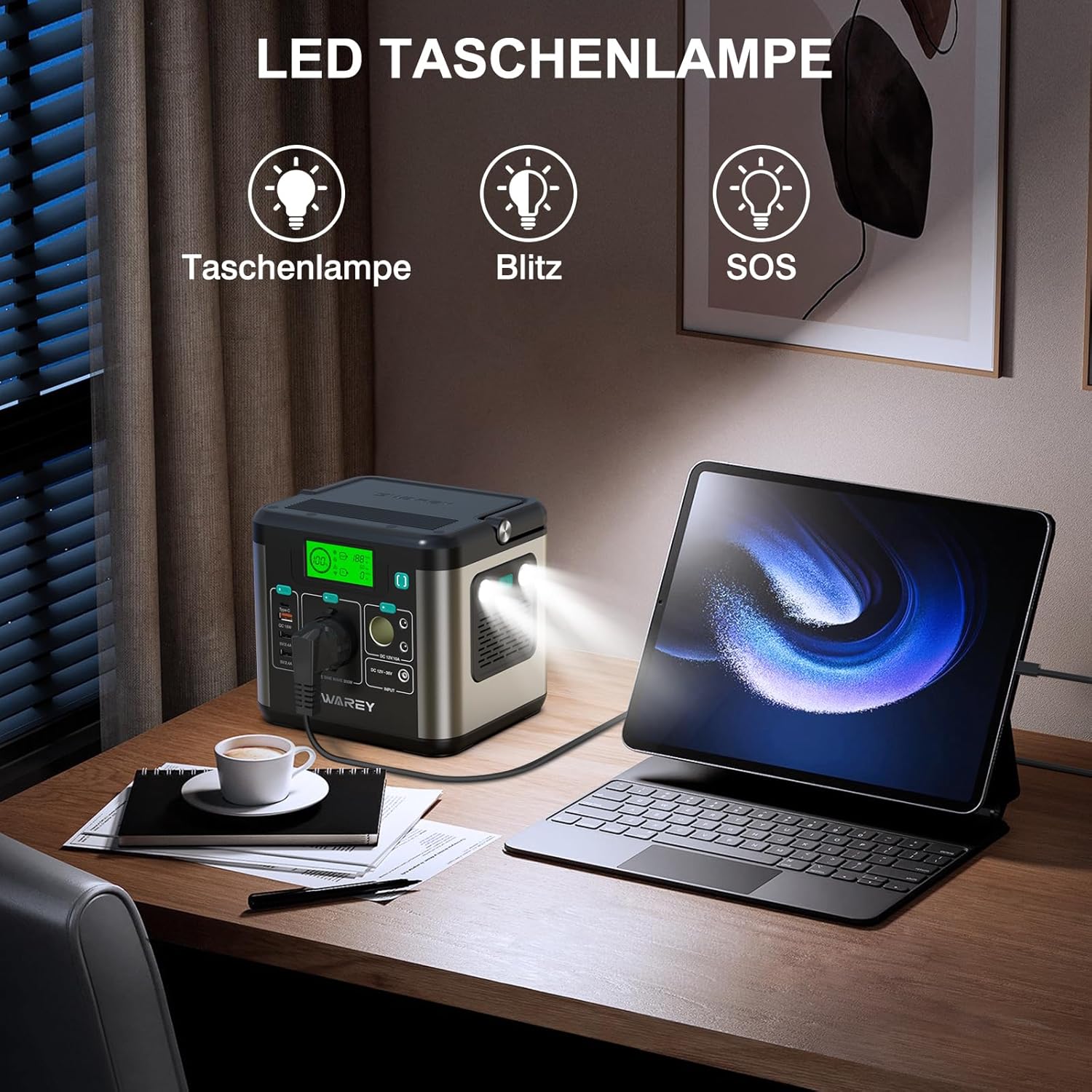
Image Description: This image shows the SWAREY power station on a desk with its LED flashlight active, illuminating the area. A graphic overlay indicates three modes for the flashlight: standard flashlight, strobe (flash), and SOS signal, highlighting its utility in various situations.
- Press the flashlight button once for constant illumination.
- Press again for strobe mode.
- Press a third time for SOS signal mode.
- Press a fourth time to turn off the flashlight.
4.6 Display Information
The LCD display provides real-time information:
- Battery Level Indicator: Shows the remaining battery capacity.
- Input Power: Displays the current charging wattage.
- Output Power: Shows the current wattage being drawn by connected devices.
- Status Icons: Indicators for AC, DC, and USB output activation.
5. Maintenance
Proper maintenance ensures the longevity and optimal performance of your SWAREY Portable Power Station.
- Cleaning: Use a dry, soft cloth to wipe the surface of the unit. Do not use abrasive cleaners or solvents.
- Storage: Store the unit in a cool, dry place away from direct sunlight and extreme temperatures. If storing for extended periods, charge the unit to 50-80% every 3-6 months to maintain battery health.
- Battery Care: Avoid fully discharging the battery frequently. It is recommended to recharge the unit before it drops below 20% capacity.
- Ventilation: Ensure the ventilation vents are clear of dust and debris to prevent overheating.
6. Troubleshooting
If you encounter issues with your SWAREY Portable Power Station, refer to the table below for common problems and solutions.
| Problem | Possible Cause | Solution |
|---|---|---|
| Unit does not turn on | Battery is completely discharged. | Connect the unit to an AC wall outlet and charge it for at least 30 minutes. |
| AC output not working | AC output not activated; Overload protection triggered; Device power consumption too high. | Press the AC power button; Reduce the load; Ensure device power is below 300W. |
| Unit stops charging | Over-temperature protection; Input voltage too high/low. | Allow the unit to cool down; Check the input power source. |
| USB ports not charging devices | Device not compatible; Cable issue. | Try a different USB cable; Ensure device is compatible with USB charging. |
| Solar charging is slow or not working | Insufficient sunlight; Panel not properly connected; Panel not powerful enough. | Ensure direct sunlight; Check cable connections; Use a higher wattage solar panel. |
7. Technical Specifications
| Specification | Value |
|---|---|
| Model Number | S160 |
| Capacity | 222Wh (3.7V/60Ah, 22.2V/10Ah) |
| AC Output | 230V, 300W (Pure Sine Wave, Peak 600W) |
| USB-C Output | 65W Power Delivery |
| USB QC 3.0 Output | 18W |
| USB-A Output | 2 x 5V/2.4A |
| DC Output | 2 x 12V/10A |
| Car Cigarette Lighter Output | 12V/10A |
| DC Input (Charging) | 12V-36V, up to 126W (Solar) |
| Dimensions (L x W x H) | 19 x 16 x 17 cm (7.5 x 6.3 x 6.7 in) |
| Weight | 3.2 kg (7 lbs) |
| Operating Temperature | 0°C to 40°C (32°F to 104°F) |
| Charging Temperature | 0°C to 40°C (32°F to 104°F) |
8. Warranty and Support
SWAREY products come with a standard warranty. Please refer to the warranty card included in your package or visit the official SWAREY website for detailed warranty terms and conditions.
For technical support, troubleshooting assistance, or warranty claims, please contact SWAREY customer service through the contact information provided on the official website or your purchase platform.
When contacting support, please have your product model number (S160) and purchase details ready.
Related documentsS160


Ask a question about this manual
Ask about setup, troubleshooting, compatibility, parts, safety, or missing instructions. Manuals+ will review the question and use this page’s manual context to help answer it.