1. Introduction
Thank you for choosing the VEVOR Electric Meat Slicer. This manual provides essential information for the safe and efficient operation, maintenance, and care of your appliance. Please read all instructions carefully before use and retain this manual for future reference.

Image 1: VEVOR Electric Meat Slicer 180W-190mm, Model 1A-FS201.
2. Safety Instructions
WARNING: Improper use can lead to serious injury. Always follow these safety guidelines.
- Always unplug the slicer from the power outlet before assembling, disassembling, cleaning, or when not in use.
- Keep hands and fingers away from the blade during operation. The blade is extremely sharp.
- Use the food pusher to guide food. Never use your hands directly to push food towards the blade.
- Ensure the slicer is placed on a stable, flat, and dry surface before operation. Non-skid feet are provided for stability.
- Do not operate the slicer if any parts are damaged or missing.
- Keep children and pets away from the appliance during operation.
- Do not immerse the motor unit in water or other liquids. Clean with a damp cloth.
- Wear protective gloves when handling the blade during cleaning or maintenance.

Image 2: Key safety features including the blade guard, food pusher, non-skid feet, and power switch.
3. Product Components
Familiarize yourself with the main parts of your VEVOR Electric Meat Slicer:
- Blade: 190mm (7.5 inch) SUS420 stainless steel serrated blade for efficient slicing.
- Thickness Adjustment Knob: Allows precise control over slice thickness (0-15mm).
- Food Carriage/Tray: Holds food securely during slicing.
- Food Pusher: Keeps hands away from the blade and applies pressure to food.
- Blade Guard: Provides protection around the blade.
- Power Switch: On/Off control for the motor.
- Non-Skid Feet: Ensures stability during operation.

Image 3: The 190mm SUS420 stainless steel serrated blade.
4. Setup
- Unpack all components and remove any packaging materials.
- Place the slicer on a clean, dry, and stable countertop. Ensure the non-skid feet are firmly gripping the surface.
- Ensure the blade is securely installed. If removed for cleaning, reattach it according to the cleaning instructions.
- Verify that the food carriage and food pusher are correctly positioned.
- Before first use, clean all parts that will come into contact with food as described in the "Cleaning and Maintenance" section.
5. Operating Instructions
This slicer is designed for slicing various foods such as meat, cheese, bread, and vegetables. For best results with frozen meat, it is recommended to thaw for approximately 15 minutes before slicing.
- Prepare Food: Ensure food items are appropriately sized to fit on the food carriage. For frozen items, partial thawing is recommended.
- Adjust Slice Thickness: Use the thickness adjustment knob to select your desired slice thickness, ranging from 0 to 15mm (0 to 0.6 inches). Turn the knob clockwise for thicker slices and counter-clockwise for thinner slices.
- Place Food: Position the food item firmly on the food carriage against the food guide plate. Secure it with the food pusher.
- Power On: Plug the slicer into a suitable power outlet. Press the power switch to turn on the appliance. The blade will begin rotating at 80-120 RPM.
- Slice Food: Gently push the food carriage back and forth, guiding the food towards the rotating blade using the food pusher. Maintain steady pressure for uniform slices.
- Collect Slices: Sliced food will fall onto the collection tray (not included) or directly onto your work surface.
- Power Off: Once slicing is complete, turn off the power switch and unplug the appliance.

Image 4: Slicing various food types with the appliance.
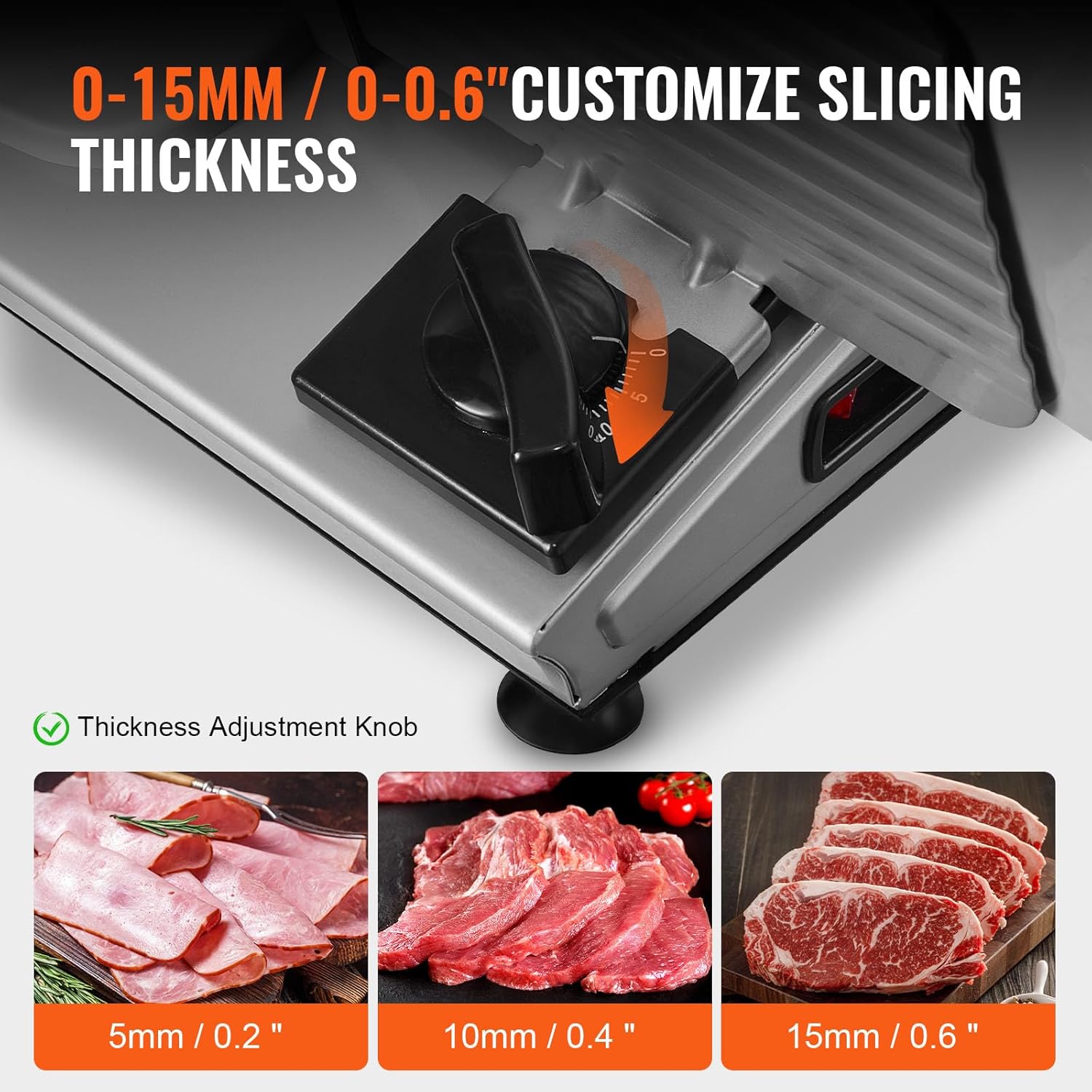
Image 5: Adjusting the slicing thickness from 0 to 15mm.
6. Cleaning and Maintenance
WARNING: Always unplug the slicer before cleaning. The blade is extremely sharp; handle with care and wear protective gloves.
- Disassembly: The blade, food support, and food pusher are removable for thorough cleaning. Carefully remove these components.
- Blade Cleaning: Use the provided cleaning brush and warm soapy water to clean the blade. Rinse thoroughly.
- Component Cleaning: Wash the food carriage, food pusher, and food guide plate with warm soapy water. Rinse and dry completely.
- Main Unit Cleaning: Wipe the motor housing and exterior surfaces with a damp cloth. Do not immerse the main unit in water.
- Reassembly: Ensure all parts are completely dry before reassembling. Carefully reattach the blade, food support, and food pusher.
- Storage: Store the slicer in a clean, dry place when not in use.
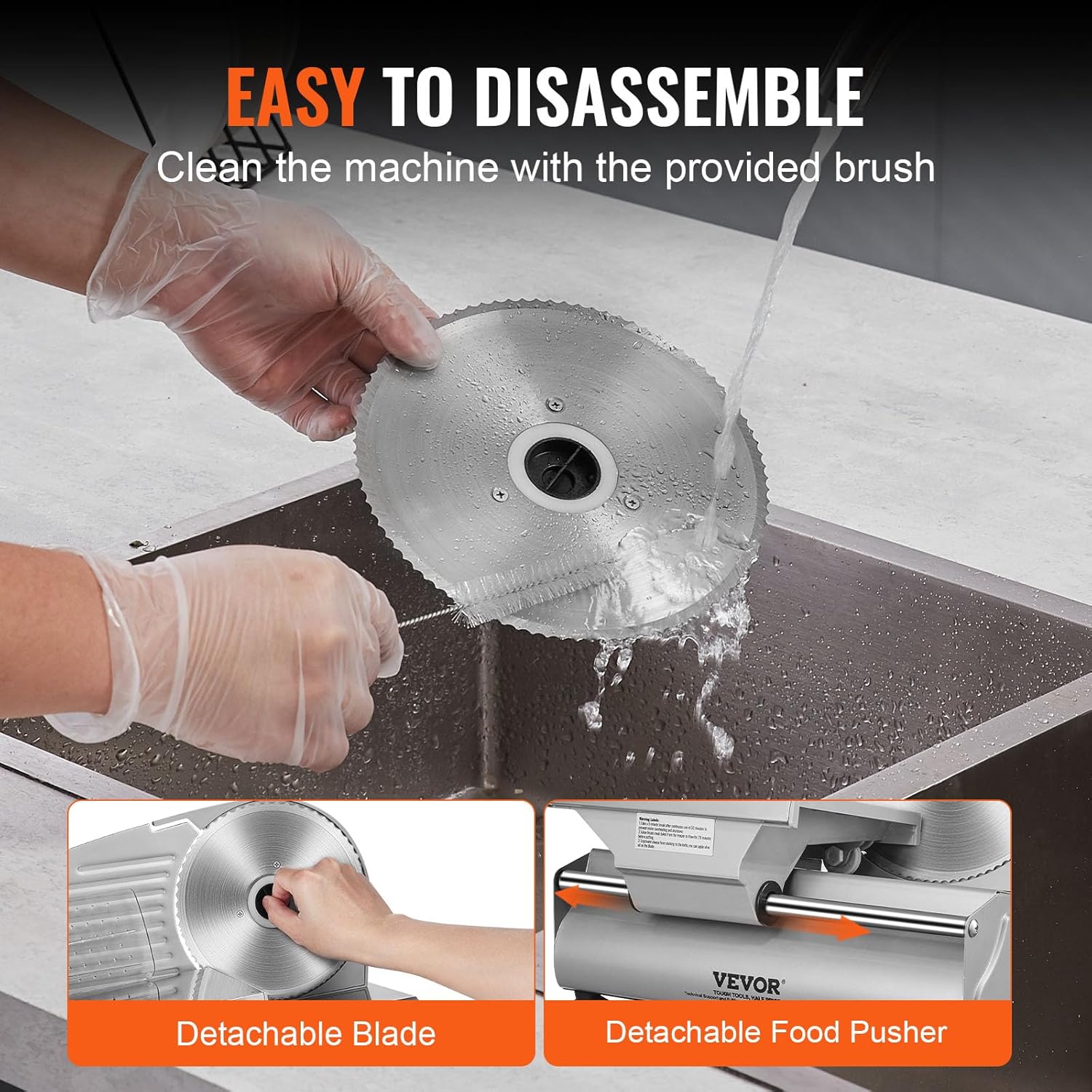
Image 6: Detachable blade being cleaned with a brush.

Image 7: The slicer shown with its cleaning brush accessory.
7. Troubleshooting
If you encounter issues with your slicer, refer to the following common problems and solutions:
- Slicer does not turn on:
- Check if the power cord is securely plugged into a working outlet.
- Ensure the power switch is in the "ON" position.
- Verify that the circuit breaker has not tripped.
- Slices are uneven or difficult to cut:
- Ensure the food item is properly positioned and secured with the food pusher.
- Check if the thickness adjustment knob is set correctly.
- For frozen meats, ensure they are partially thawed as recommended.
- The blade may require cleaning if food residue is affecting its performance.
- Excessive noise during operation:
- Ensure the slicer is on a stable, flat surface.
- Check for any loose components or foreign objects near the blade.
If problems persist, contact VEVOR customer support for assistance.
8. Specifications
| Item Model Number | 1A-FS201 |
| Power | 180W |
| Slicing Speed | 80-120 RPM |
| Blade Material | SUS420 Stainless Steel |
| Blade Size | 190mm / 7.5 inches |
| Thickness Adjustment Range | 0-15mm / 0-0.6 inches |
| Product Weight | 3.85kg / 8.49 lbs |
| Product Dimensions (L x W x H) | 386 x 264 x 275 mm (15.2 x 10.4 x 10.8 inches) |
| Noise Level | < 80dB |
| Base Material | Q235 |
| Accessories | Pressure Plate, Cleaning Brush, User Manual |

Image 8: Product specifications and dimensions diagram.
9. Warranty and Support
VEVOR products are designed for durability and performance. For warranty information or technical support, please refer to the warranty card included with your product or visit the official VEVOR website. Please have your model number (1A-FS201) and purchase details ready when contacting support.


