
Solareye X7-US
Solareye Electric Air Duster User Manual
Brand: Solareye
Model: X7-US
Introduction
Thank you for choosing the Solareye Electric Air Duster. This powerful and versatile device is designed for efficient cleaning of various items, from delicate electronics to outdoor spaces. Featuring a high-speed brushless motor and adjustable gears, it provides a convenient and eco-friendly alternative to traditional compressed air cans. Please read this manual thoroughly to ensure safe and optimal use of your new air duster.
Package Contents
Upon unboxing, please verify that all items listed below are included:
- Solareye X7 Air Duster x 1
- Replacement Nozzles x 4
- Cleaning Brushes x 10
- USB Charging Cable x 1
- Storage Bag x 1
- User Manual x 1

Image: Solareye Electric Air Duster with all included accessories.
Key Features
- Powerful Airflow: Equipped with a high-speed brushless motor, delivering up to 300,000 RPM and a maximum wind speed of 120 m/s for effective cleaning.

Image: High-efficiency brushless motor detail.
- 3 Adjustable Gears: Offers three distinct speed settings (Soft Wind, Violent Wind, Super Violent Wind) to suit various cleaning needs.
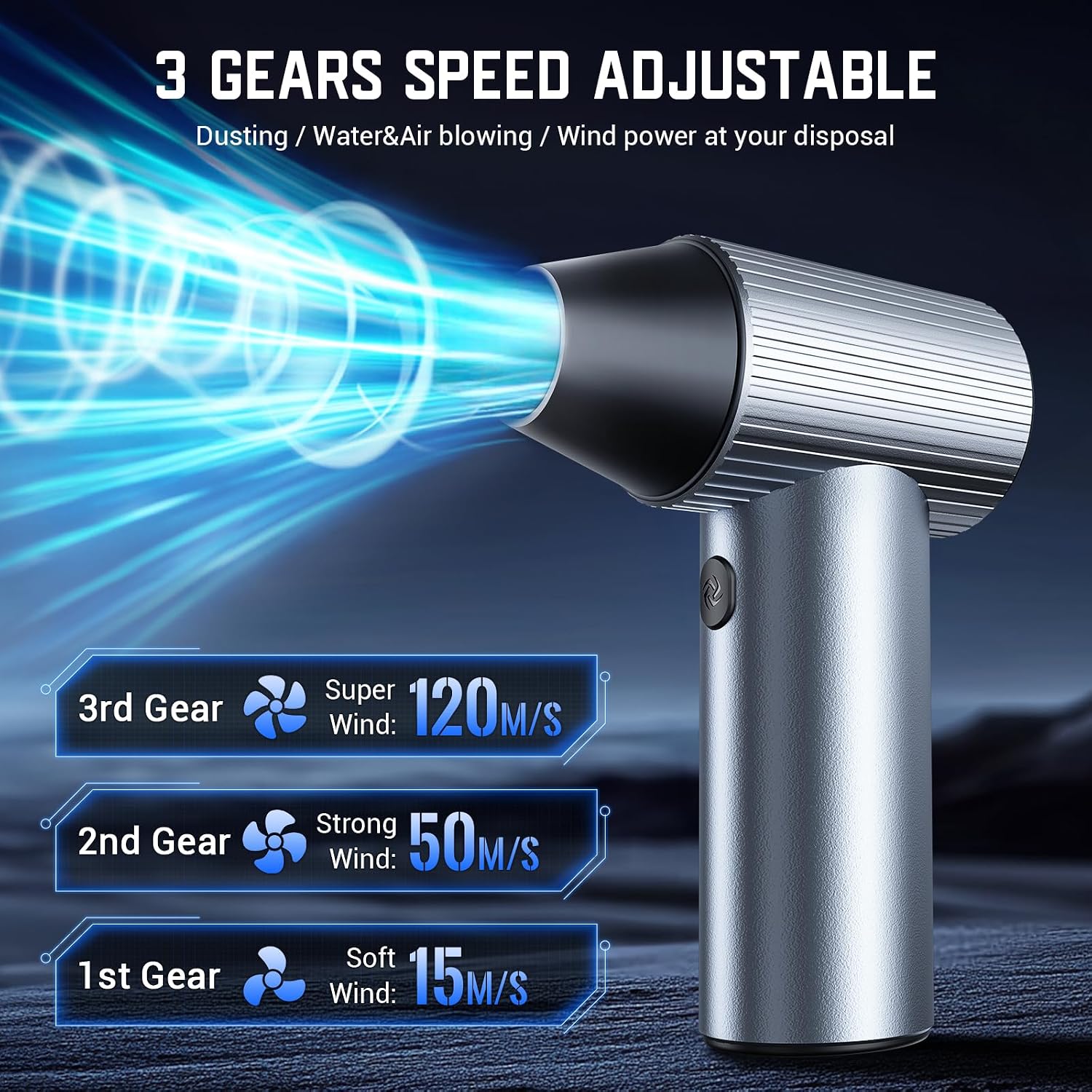
Image: Three adjustable speed gears.
- Fast Charging & Long Battery Life: Supports 15W fast charging, fully charging in 2.5 hours. Provides up to 100 minutes of continuous use at the 1st speed. Features steady wind technology and an indicator light for power and speed monitoring.

Image: Battery capacity and charging details.
- Versatile Nozzles & Brushes: Includes four replacement nozzles and multiple brushes for diverse applications, such as cleaning keyboards, PC mainframes, air conditioners, sofas, and for tasks like inflating or blowing snow.
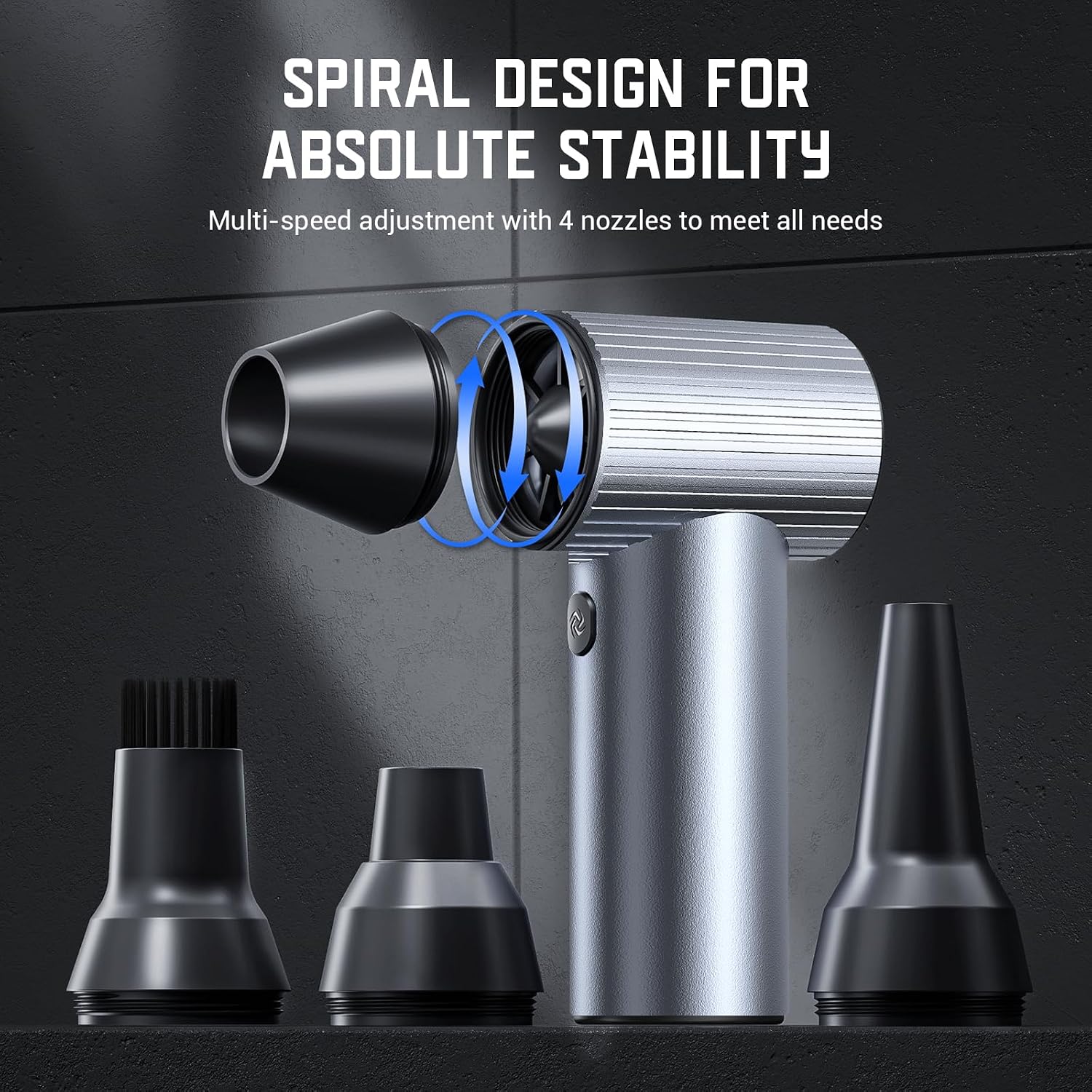
Image: Interchangeable nozzles for various uses.
- Economical & Reusable: Made from durable CNC materials, offering a long lifespan. An odorless, liquid-free, cost-effective, and energy-efficient alternative to single-use air cans.
- Intelligent Protection: Features a heat sink and 150° overheat protection for safe operation. Automatically shuts off after 3 minutes of standby to conserve battery power.
Setup
1. Charging the Device
Before first use, fully charge the Solareye Electric Air Duster. Connect the provided USB charging cable to the Type-C charging port on the device and to a compatible USB power adapter (not included). The battery indicator lights will show charging progress. All four lights will be solid when fully charged.
2. Attaching Nozzles
Select the appropriate nozzle for your cleaning task. Align the nozzle with the air outlet of the duster and twist it clockwise until it is securely in place. To remove, twist counter-clockwise.

Image: Air outlet and nozzle attachment points.
Operating Instructions
1. Power On/Off
Long press the power button to turn the device on or off. The device will enter standby mode after turning it on.
2. Adjusting Speed Gears
After turning on, click the power button to switch between the three speed gears:
- 1st Gear: Soft Wind (default when turning on)
- 2nd Gear: Violent Wind
- 3rd Gear: Super Violent Wind
To start blowing in manual mode, press and hold the start button to activate the selected gear. Release the button to stop. For auto mode, click the start button to begin blowing and click again to stop. Auto mode is available for 1st and 2nd gears only; 3rd gear requires continuous press-and-hold.
3. Usage Examples
The Solareye Electric Air Duster is highly versatile. Use the appropriate nozzle and speed for your task:
- Keyboard Cleaning: Use a lower speed and a brush nozzle to gently remove dust and debris from between keys.
- PC Mainframe/Air Conditioner: Use a higher speed and a narrow nozzle to dislodge stubborn dust from vents and internal components.
- Inflating: Attach a suitable nozzle for inflating air mattresses, swimming rings, or other inflatables.
- Outdoor Cleaning: Use higher speeds for blowing leaves, clearing snow from car surfaces, or assisting with barbecue fueling.

Image: Multi-purpose applications of the air duster.
Demonstration Videos
Video: A comprehensive review of the Solareye Electric Air Duster, demonstrating its features and performance.
Video: Demonstration of the Solareye Electric Air Duster in action, showcasing its powerful airflow for various cleaning tasks.
Maintenance
1. Cleaning the Device
Regularly clean the air inlet and outlet to prevent dust accumulation, which can affect performance. Use the provided brushes or a soft, dry cloth. Do not use alcohol, nail polish remover, or corrosive detergents as this may cause malfunction or fading.
2. Storage
Store the product in a dry environment, out of reach of children. Avoid storing in high temperatures or in a car where exposure to direct sunlight can damage the battery. Do not overcharge or discharge the battery excessively, as this can reduce battery cell life.
Troubleshooting
| Problem | Possible Cause | Solution |
|---|---|---|
| Device does not power on. | Low battery; power button not pressed correctly. | Ensure device is fully charged. Long press the power button to turn on. |
| Weak airflow. | Obstruction in air inlet/outlet; incorrect nozzle; low battery. | Clear any obstructions. Ensure nozzle is correctly attached. Charge the device. |
| Device overheats and shuts off. | Prolonged use; blocked air vents. | Allow device to cool down. Ensure air vents are clear. |
Specifications
| Feature | Detail |
|---|---|
| Product Name | Super Power Turbo Fan |
| Product Model | X7 |
| Motor Speed | 300,000 RPM |
| Battery Capacity | 7500 mAh |
| Working Voltage | 11.1 V |
| Theoretical Endurance (1st gear) | 2.5 hours |
| Product Size | 154 x 110 x 52 mm |
| Product Weight | 468 g (1.03 pounds) |
| Material | CNC Metal Case |
Warranty & Support
Solareye is committed to providing high-quality products and excellent customer service.
- Warranty: The product comes with a 365-day replacement and warranty service. Activate your warranty within 7 days of purchase for potential extended benefits.
- Returns: Enjoy a 30-day no-reason return or exchange policy.
- Customer Support: Our team is available 24 hours a day to respond quickly and provide professional assistance. We offer lifetime after-sales service for every customer.
- Transparency: Each item has a unique code verified before shipping to ensure authenticity.

Image: Solareye Customer Service and Warranty Information.
Ask a question about this manual
Ask about setup, troubleshooting, compatibility, parts, safety, or missing instructions. Manuals+ will review the question and use this page’s manual context to help answer it.