
Atogou LC-200
ATOGOU LC-200 Commercial Digital Kitchen Scale User Manual
Model: LC-200 | Brand: Atogou
1. Introduction
Thank you for choosing the ATOGOU LC-200 Commercial Digital Kitchen Scale. This manual provides essential information for the proper setup, operation, and maintenance of your new scale. Designed for precision and durability, this scale is ideal for a wide range of applications, from culinary tasks like baking and cooking to commercial uses such as weighing produce or industrial components. Please read this manual thoroughly before use to ensure optimal performance and longevity of your device.
2. Key Features
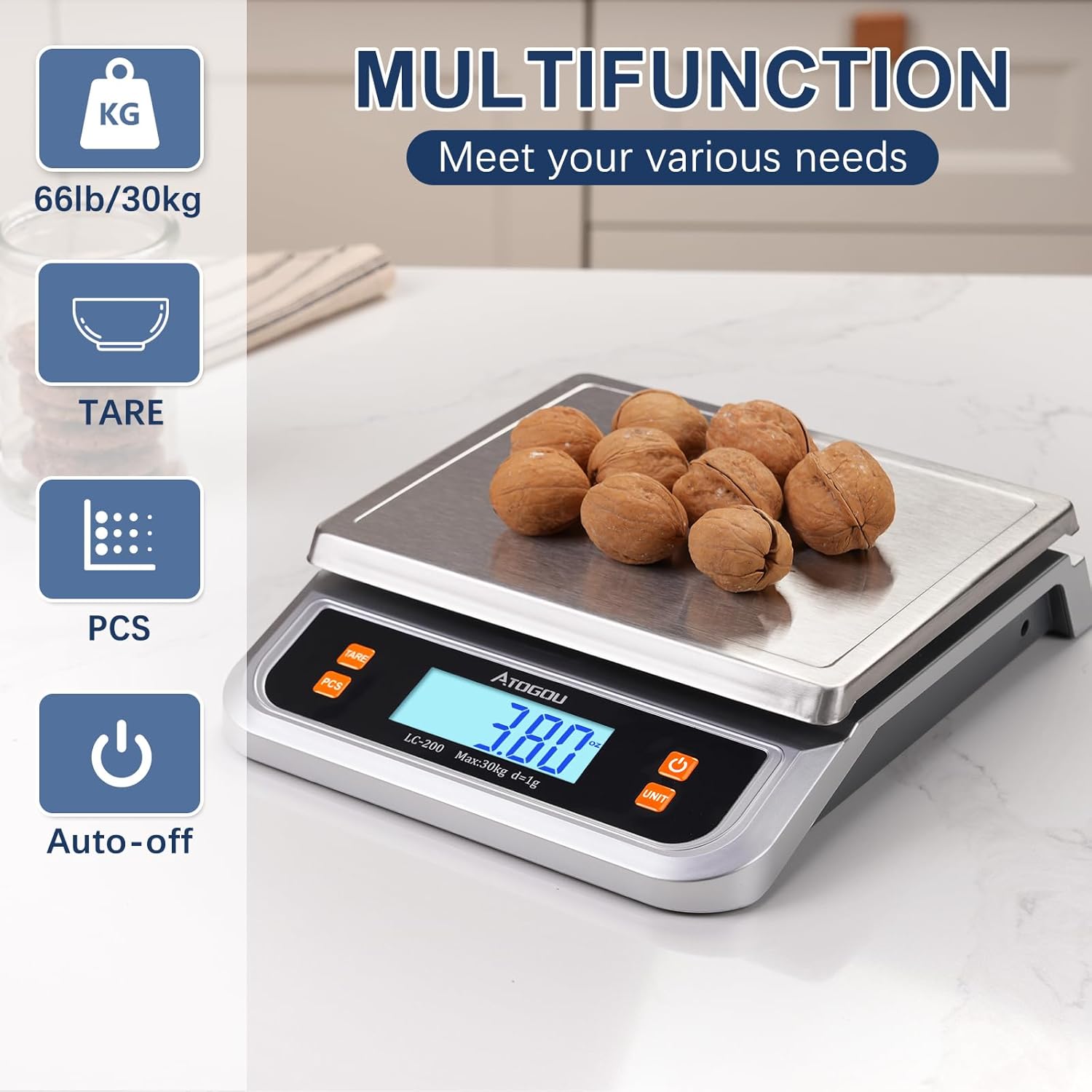
- Large Capacity: Weighs items up to 66lb (30kg).
- High Precision: Measures in 1g (0.05oz) increments for accurate results.
- Multi-Unit Conversion: Easily switch between kilograms (kg), grams (g), ounces (oz), pounds (lb), taels (tl), and carats (ct).
- Full View LCD Display: Backlit display ensures clear readability from any angle.
- Durable Stainless Steel Platform: Easy to clean and resistant to stains and scratches.
- Tare Function: Subtracts the weight of containers for net weight measurement.
- Counting Function (PCS): Counts identical small items quickly and accurately.
- Dual Power Supply: Operates on 2 AA batteries or via USB power cord.
- Auto-Off Function: Conserves battery life by automatically shutting off after a period of inactivity.


3. Setup
- Unpack the Scale: Carefully remove the scale and all accessories from the packaging.
- Remove Protective Film: Peel off any protective film from the stainless steel weighing platform and the display screen. The stainless steel pan is removable for cleaning.
- Power Supply: Your scale can be powered in two ways:
- AA Batteries: Insert the two included AA batteries into the battery compartment located on the underside of the scale.
- USB Power: Connect the provided USB power cord to the scale's USB port and plug the other end into a compatible USB power adapter (not included) or a USB port on a device.
- Placement: Place the scale on a hard, flat, and stable surface to ensure accurate readings. Avoid placing it on soft or uneven surfaces, or near strong electromagnetic fields.
4. Operating Instructions
4.1 Power On/Off
- Press the ON/OFF button to turn the scale on.
- Press and hold the ON/OFF button for a few seconds to turn the scale off.
4.2 Unit Conversion
- With the scale on, press the UNIT button repeatedly to cycle through the available weighing units: grams (g), ounces (oz), pounds (lb), kilograms (kg), taels (tl), and carats (ct). The selected unit will be displayed on the screen.
4.3 Tare Function
The Tare function allows you to subtract the weight of a container, so you can measure only the contents.
- Place an empty container on the weighing platform. The display will show the container's weight.
- Press the TARE button. The display will reset to "0.00", indicating the container's weight has been subtracted.
- Add the items you wish to weigh into the container. The display will now show only the net weight of the items.
- To clear the tare, remove all items from the platform and press TARE again, or simply turn the scale off and on.

4.4 Counting Function (PCS)
The PCS function allows you to count a quantity of identical small items.
- With the scale on and showing "0.00", place a sample quantity of items (e.g., 25, 50, 75, or 100 pieces) on the platform.
- Press and hold the PCS button for 5 seconds until "PCS" appears on the display.
- Use the UNIT button to select the sample quantity you placed (e.g., 25, 50, 75, 100).
- Press the PCS button again to confirm. The scale is now calibrated for counting.
- Add more of the same items to the platform, and the display will show the total count.
- To exit the counting mode, press the PCS button.

4.5 Video Overview
5. Maintenance
- Cleaning: Wipe the scale's stainless steel platform and body with a soft, damp cloth. Do not use abrasive cleaners or immerse the scale in water. The stainless steel pan is removable for easier cleaning.
- Storage: Store the scale in a cool, dry place. Avoid extreme temperatures and humidity.
- Battery Replacement: If the display shows "Lo", replace the AA batteries. Ensure correct polarity when inserting new batteries.
- Handle with Care: Avoid dropping the scale or subjecting it to heavy impacts, as this can damage the internal sensors.
6. Troubleshooting
| Problem | Possible Cause | Solution |
|---|---|---|
| Display shows "Lo" | Low battery power. | Replace the AA batteries or connect the USB power cord. |
| Display shows "O-Ld" | Overload. The weight on the platform exceeds the maximum capacity. | Remove the item immediately to prevent damage to the scale. |
| Inaccurate readings | Scale is on an uneven surface, or there is interference. | Place the scale on a hard, flat, and stable surface. Ensure no objects are touching the scale or platform. Avoid strong electromagnetic fields. |
| Scale does not turn on | No power or faulty batteries. | Check battery installation and replace if necessary. Ensure USB power cord is securely connected if using external power. |
7. Specifications
- Model: LC-200
- Capacity: 66 lb (30 kg)
- Readout Accuracy: 1g (0.05 oz)
- Units: kg, g, oz, lb, tl, ct
- Display Type: Full View Backlit LCD
- Platform Material: Stainless Steel
- Power Source: 2 x AA Batteries (included), USB Power Cord (adapter not included)
- Dimensions: 10.6 x 8.6 x 2.2 inches (27 x 22 x 5.5 cm)
- Auto-Off: Yes
- Included Components: Scale x 1, AA battery x 2, USB cable x 1, Manual x 1
8. Warranty and Support
Your ATOGOU LC-200 Commercial Digital Kitchen Scale comes with a one-year warranty. If you encounter any problems with the product during this period, we will replace or refund it.
For any questions, technical support, or warranty claims, please contact our customer service team:
- Email: Atogou-mail@hotmail.com
Ask a question about this manual
Ask about setup, troubleshooting, compatibility, parts, safety, or missing instructions. Manuals+ will review the question and use this page’s manual context to help answer it.