
1. Introduction
The Autel Maxicharger Home is a state-of-the-art Level 2 Electric Vehicle (EV) charging station, engineered by Autel, a leader in automotive diagnostic tools. Designed for both indoor and outdoor environments, this 240-Volt charger provides significantly faster charging for any EV or plug-in hybrid, up to 9 times quicker than a standard Level 1 outlet charger. Its robust construction ensures durability and reliable performance in various climates.

Image: The Autel Maxicharger Home EV Charger, showcasing its sleek design and accompanying mobile application interface.
2. Safety Information
Before installation or operation, please read and understand all safety instructions. Failure to follow these instructions may result in electric shock, fire, or serious injury. This device is designed for use with electric vehicles only. Ensure the charging station is installed by a qualified electrician in accordance with all local and national electrical codes.
- Do not attempt to open, disassemble, or modify the charging station.
- Keep the charging cable and connector away from water or other liquids when not in use.
- Ensure the charging cable is not damaged before each use. Do not use if damaged.
- Avoid touching the charging connector with sharp objects.
- Always disconnect the charger from the vehicle before attempting any maintenance or cleaning.
3. What's in the Box
Upon unpacking your Autel Maxicharger Home, verify that all components are present:
- Installation Guide
- Packing List
- Amperage Labels
- Wall Dock
- Wall Anchor
- Screw
- Screwdriver
- In-Body Hoster
- Bottom Entry Power Conduit Plug
- Charging Station Unit
4. Setup and Installation
The Autel Maxicharger Home is designed for straightforward installation, but it is crucial that the setup is performed by a licensed electrician. This ensures compliance with all electrical codes and safe operation.

Image: A licensed electrician performing the installation of the Autel Maxicharger on a wall, demonstrating the ease of setup with clear instructions.
Refer to the included Installation Guide for detailed, step-by-step instructions. The unit's NEMA 4X protection rating ensures it is suitable for both indoor and outdoor usage, providing reliable performance in any climate.
The adjustable power output up to 50 Amps allows for customization based on your home's electrical capacity, potentially avoiding costly electrical upgrades.
5. Operating Instructions
Operating your Autel Maxicharger Home is intuitive, primarily managed through the advanced Autel Charge mobile app.
5.1. Initial Connection and App Usage
- Download the Autel Charge mobile app from your device's app store.
- Connect the charger to your home network via Wi-Fi, Bluetooth, or Ethernet for seamless communication and automatic Over-The-Air (OTA) firmware updates.
- Use the app to track charging status in real-time, manage charging sessions, and schedule charging times to take advantage of off-peak electricity rates.

Image: The user-friendly mobile application interface for the Autel Maxicharger, enabling simple configuration and smooth operation of charging sessions.
5.2. Charging Your Vehicle
- Ensure your vehicle is parked within reach of the 25-foot charging cable.
- Plug the charging connector into your EV's charging port. The Maxicharger is compatible with all electric and plug-in hybrid vehicles.
- Initiate charging via the mobile app or, if enabled, by using an RFID card.
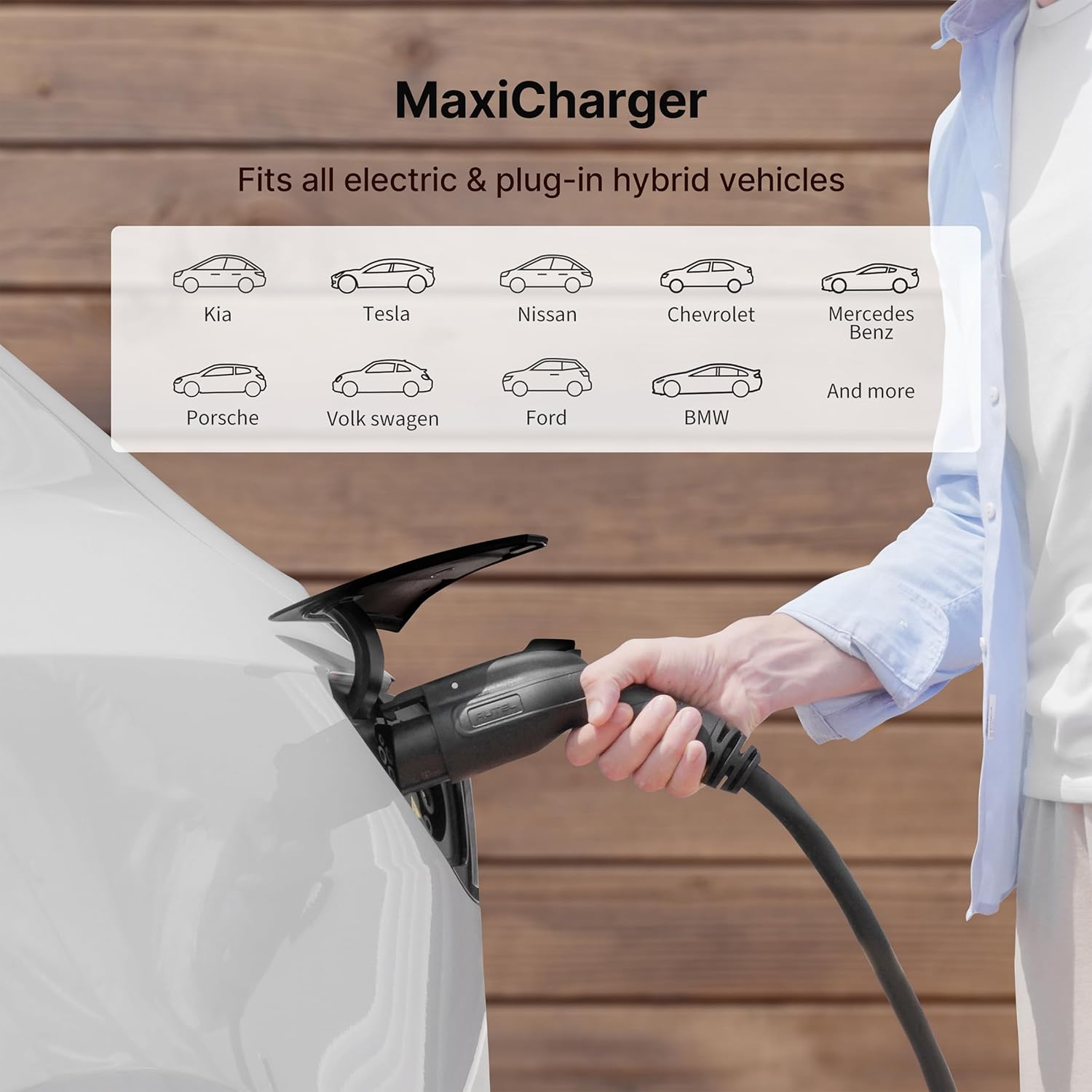
Image: The Autel Maxicharger demonstrating its compatibility with a wide range of electric and plug-in hybrid vehicles, including popular brands like Kia, Tesla, Nissan, Chevrolet, Mercedes Benz, Porsche, Volkswagen, Ford, and BMW.

Image: The Autel Maxicharger installed on a wall, highlighting its generous 25-foot cable length, providing ample reach for various parking situations.
5.3. RFID Card Functionality
For enhanced security and control, the Maxicharger offers optional start and stop RFID card functionality. This feature can prevent unauthorized use of your charging station.

Image: A user activating the Autel Maxicharger using an RFID card, illustrating the optional security feature to prevent unauthorized charging.
6. Maintenance
To ensure the longevity and optimal performance of your Autel Maxicharger Home, follow these simple maintenance guidelines:
- Regular Cleaning: Periodically wipe down the exterior of the charging station with a soft, damp cloth. Avoid using harsh chemicals or abrasive cleaners.
- Cable Inspection: Regularly inspect the charging cable and connector for any signs of wear, cuts, or damage. If any damage is observed, discontinue use immediately and contact customer support.
- Ventilation: Ensure that the area around the charging station is clear of obstructions to allow for proper ventilation.
- Environmental Protection: While the unit is NEMA 4X rated for outdoor use, protecting it from extreme weather conditions when possible (e.g., heavy snow, direct prolonged sunlight) can extend its lifespan.
7. Troubleshooting
If you encounter issues with your Autel Maxicharger Home, consider the following troubleshooting steps:
- No Power: Check the circuit breaker connected to the charging station. Ensure it is in the 'ON' position. Verify that the power supply to the unit is active.
- Charging Not Initiating: Ensure the charging connector is fully and securely plugged into the vehicle's charging port. Check the mobile app for any error messages or status indicators. If using an RFID card, ensure it is correctly scanned.
- Slow Charging: Verify the power output setting in the Autel Charge app. Ensure it is set to the desired amperage (up to 50 Amps). Check for any background processes on your mobile device that might affect app performance.
- App Connectivity Issues: Ensure your Wi-Fi, Bluetooth, or Ethernet connection is stable. Restart the Autel Charge app or your mobile device. If issues persist, try reconnecting the charger to your network through the app settings.
- Firmware Update Failure: Ensure a stable internet connection during firmware updates. Do not disconnect power during an update. If an update fails, try again when connectivity is strong.
For persistent issues not resolved by these steps, please contact Autel customer support.
8. Specifications
| Feature | Detail |
|---|---|
| Model Number | AC LW12 |
| Input Voltage | 240 Volts (AC) |
| Amperage | Up to 50 Amps |
| Connectivity Technology | Wi-Fi, Bluetooth, Ethernet |
| Connector Type | 2-Pin (J1772 compatible) |
| Cable Length | 25 feet |
| Protection Rating | NEMA 4X (Indoor/Outdoor) |
| Item Weight | 18.06 pounds |
| Package Dimensions | 18.27 x 14.57 x 9.49 inches |
| Color | Wood Grain |
9. Warranty and Support
The Autel Maxicharger Home comes with a 3-year warranty, ensuring peace of mind and protection for your investment.
For any inquiries, technical assistance, or warranty claims, Autel provides 24/7 support from their best-in-class charging stations customer service team. Please refer to the contact information provided in your Installation Guide or visit the official Autel website for support details.