1. Introduction
This manual provides detailed instructions for the proper setup, operation, and maintenance of your Radiolink T16D 16-Channel RC Radio Transmitter and R16F Receiver. Please read this manual thoroughly before using the product to ensure safe and efficient operation. Retain this manual for future reference.
2. Product Overview
The Radiolink T16D is a versatile 16-channel radio transmitter designed for a wide range of RC models, including helicopters, fixed-wing aircraft, gliders, multi-rotors, drones, cars, boats, and robots. It features advanced capabilities such as user-defined voice broadcast, model memory, and telemetry support. The included R16F receiver complements the transmitter's capabilities, offering reliable signal reception.
Key Features
- 16 Fully Proportional Channels: 5-16 channels are programmable for diverse control needs.
- 2.4 GHz FHSS Technology: Utilizes 67-channel pseudo-random frequency hopping for superior anti-interference performance.
- Advanced Operating System: Powered by freeRTOS+LVGL GUI for a responsive and colorful user interface on a 2.8-inch 320x240 pixel LCD screen.
- Long-Range Module Support: Compatible with ELRS, TBS Crossfire, and other mainstream long-range modules for comprehensive FPV aircraft parameter adjustments.
- Customizable Voice Broadcast: Unique user-defined voice broadcast language, form, and content.
- Low Latency: Selectable response latency of 3ms, 4ms, or 14ms.
- Extensive Model Memory: Stores up to 100 models and 16 subsidiary ID models.
- Telemetry Support: Real-time information display on the radio screen, including RSSI, model battery voltage, GPS data (latitude, longitude, distance, heading, satellite count).
- Simulator Mode: Built-in simulator mode for practice.
- Wide Receiver Compatibility: Works with Radiolink R16F, R12F, R8FG, R8FGH, R8EF, R8SM, R8XM, R8FM, R7FG, R6FG, R6F, R4FGM receivers.
Package Contents
Verify that all items listed below are included in your package:
- 1 x T16D RC Transmitter
- 1 x Radiolink R16F Receiver
- 1 x Hook and Spring
- 1 x TF Card (4G)
- 1 x Lanyard
- 1 x Type-C Cable
- 1 x User Manual
- 1 x Carry Box
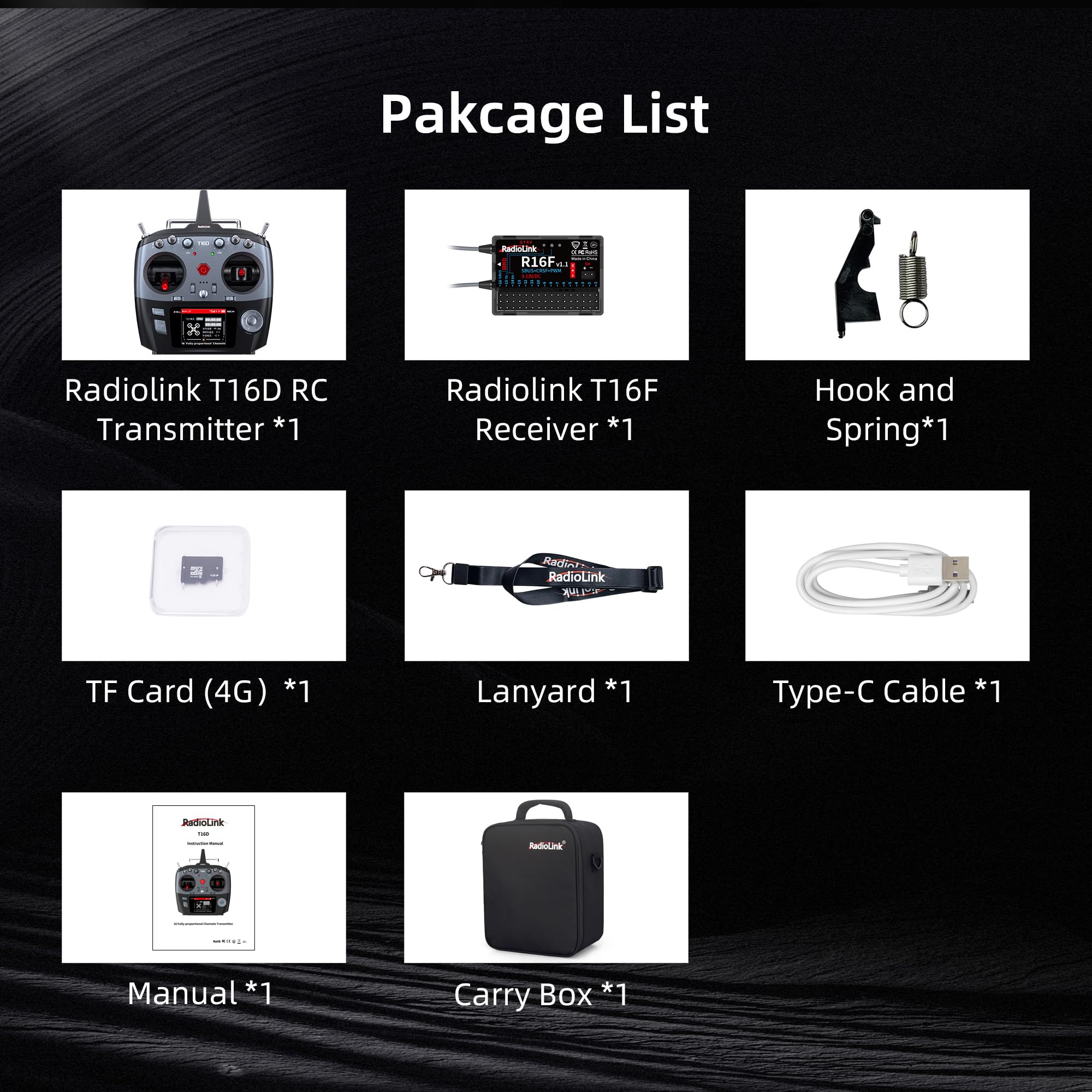
Figure 2.1: Contents of the Radiolink T16D package.
Compatibility and Configuration
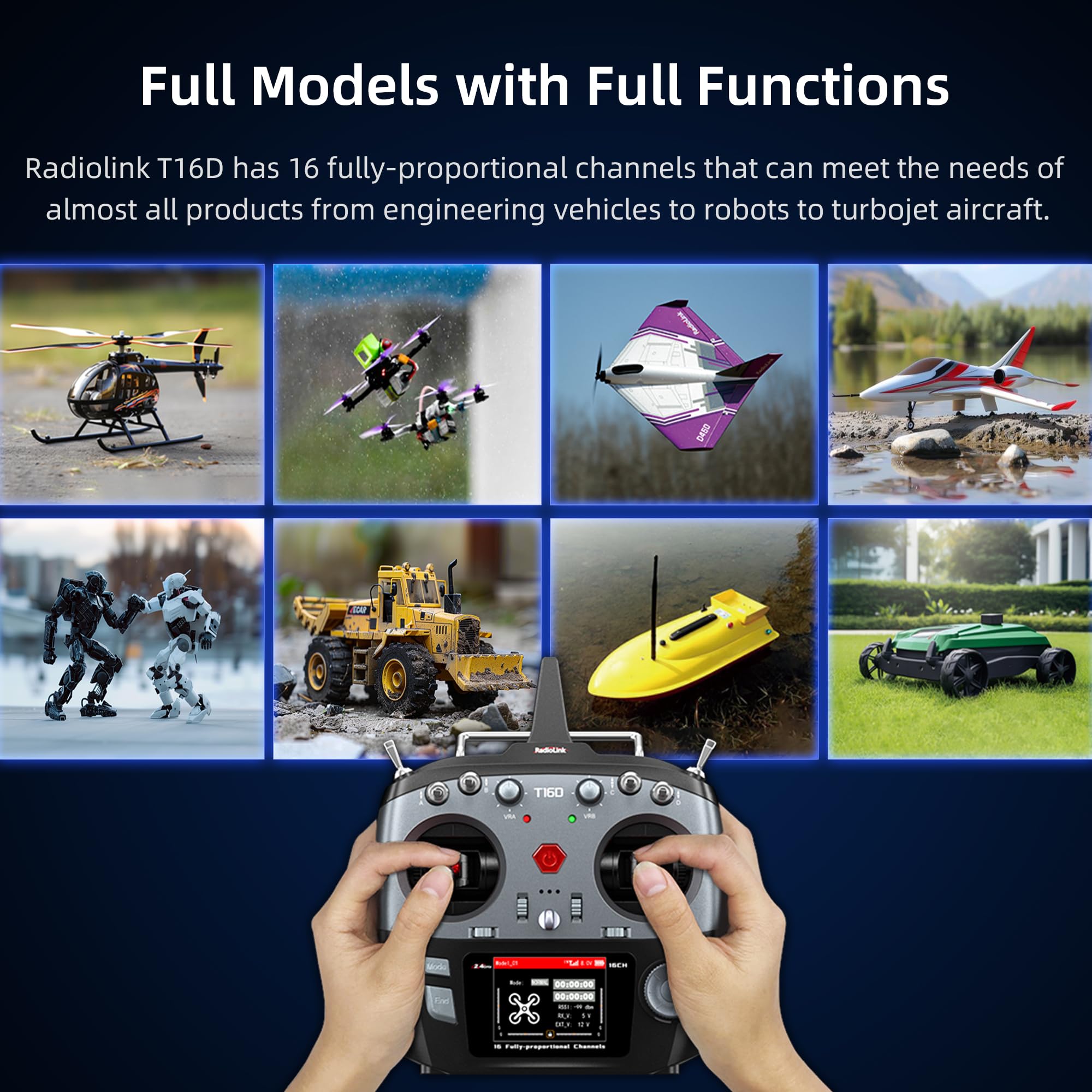
Figure 2.2: The Radiolink T16D supports a wide range of RC models.
The T16D is designed to be widely compatible with various RC models, offering 16 fully proportional channels to meet diverse control requirements. Its robust design ensures reliable performance across different applications.
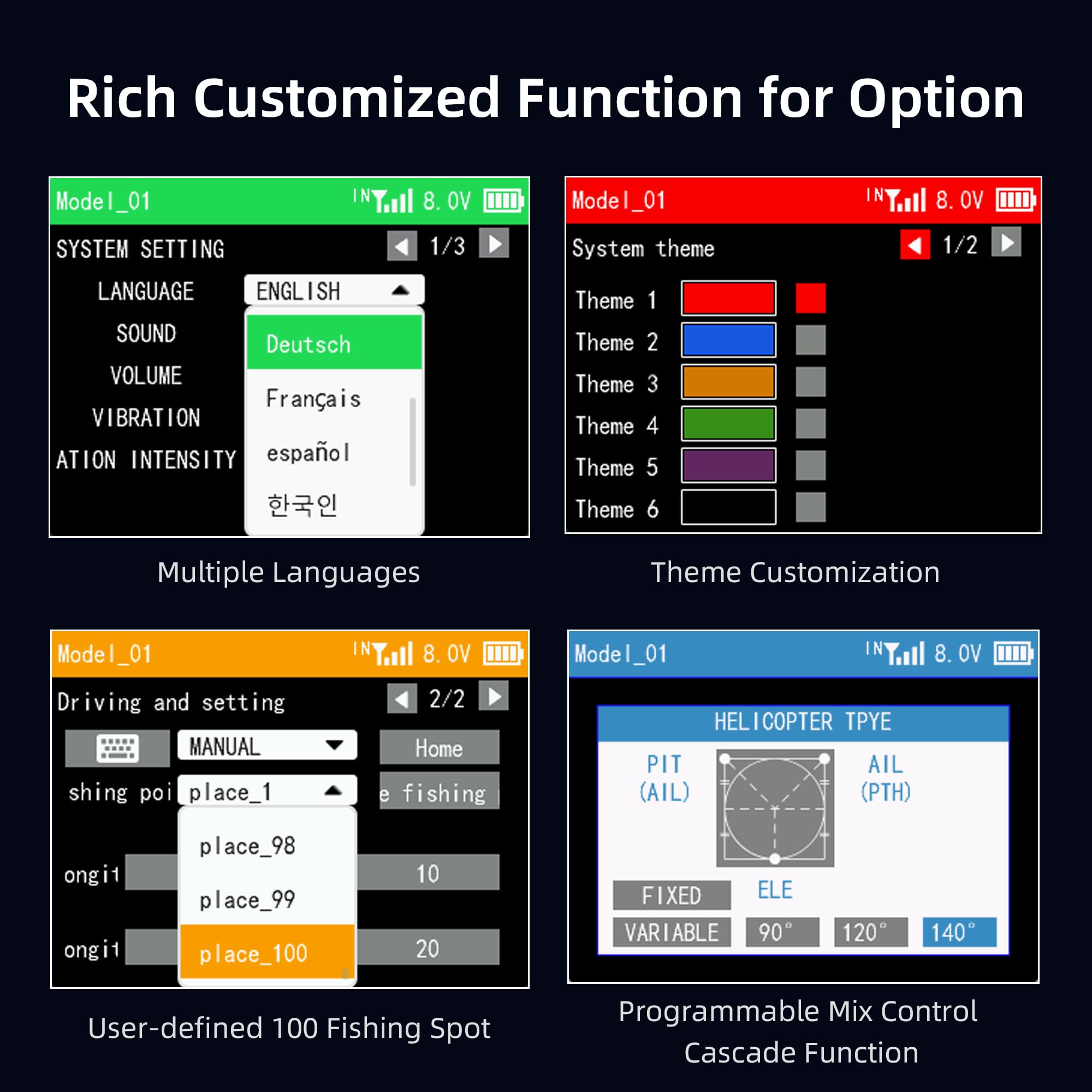
Figure 2.3: Internal configuration highlights of the T16D transmitter.
The T16D features a built-in freeRTOS operating system and LVGL GUI, providing a responsive and user-friendly interface. It includes 512KB of RAM and a 288MHz basic frequency for efficient processing.
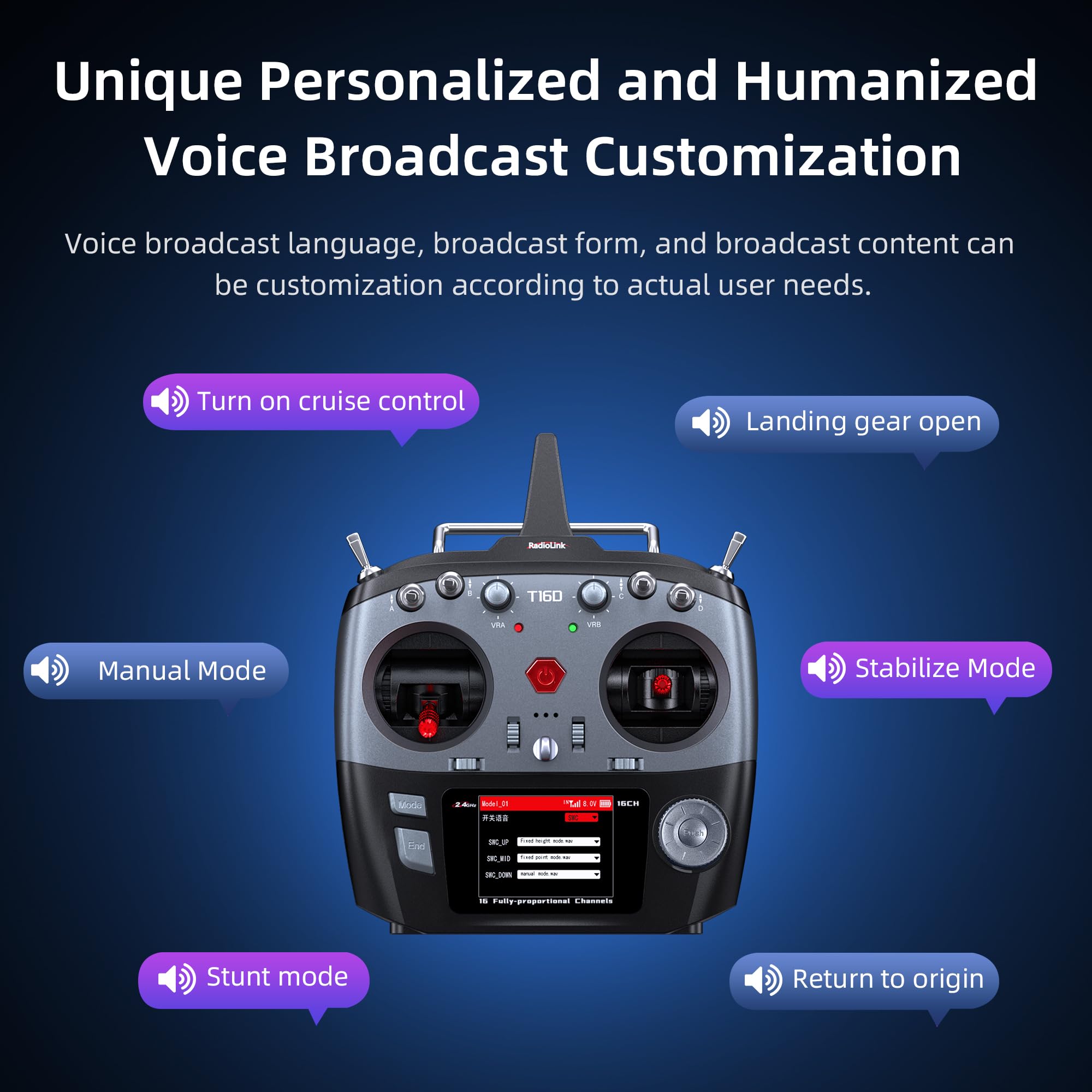
Figure 2.4: The T16D supports external long-range modules.
The transmitter is designed to support ELRS, TBS Crossfire, and other mainstream long-range modules, allowing for comprehensive parameter adjustments of FPV aircraft directly from the T16D.

Figure 2.5: Compatible Radiolink receivers.
The T16D is compatible with a wide range of Radiolink receivers, including the R16F, R12F, R8FG, R8FGH, R8EF, R8SM, R8XM, R8FM, R7FG, R6FG, R6F, and R4FGM. The R16F receiver can be updated online via a Type-C cable.
3. Setup
3.1 Battery Installation
The T16D transmitter requires a power source of 7.4-18.0 V. This can be supplied by:
- Eight (8) AA batteries.
- A 2S-4S LiPo battery.
- An 18650 lithium battery pack.
Ensure correct polarity when installing batteries. The transmitter can also be powered via its Type-C port (5V input) from a computer or power bank.
3.2 Receiver Binding
To establish communication between the T16D transmitter and a compatible receiver (e.g., R16F), follow the binding procedure outlined in the receiver's specific manual. Generally, this involves:
- Power on the transmitter.
- Place the receiver in binding mode (refer to receiver manual for specific steps, often involves pressing a bind button while powering on).
- Initiate the binding process on the transmitter (refer to T16D menu for 'Bind' option).
- Confirm successful binding indicated by a solid LED on the receiver.
3.3 Initial Power-On and Menu Navigation
After battery installation, power on the T16D. The 2.8-inch color LCD screen will display the main interface. Use the navigation buttons and scroll wheel to access and adjust settings. The freeRTOS+LVGL GUI provides an intuitive experience.
4. Operating Instructions
4.1 Channel Programming
The T16D offers 16 fully proportional channels, with channels 5-16 being programmable. Access the 'System Setting' menu to configure channel assignments, mixes, and endpoints according to your model's requirements. The system supports up to 32 freely programmable mixes.
4.2 Model Memory and Customization
The transmitter can store settings for up to 100 different models, making it convenient to switch between various RC vehicles. Additionally, it supports 16 subsidiary ID models. Navigate to the 'Model' menu to select, create, or modify model profiles.

Figure 4.1: Customization options on the T16D display.
The T16D allows for extensive customization, including multiple language options, theme customization for the display, and user-defined functions. This includes setting up specific fishing spots for RC fishing boats or complex mix controls for helicopters.
4.3 Voice Broadcast Customization
The T16D features a unique user-defined voice broadcast system. You can customize the broadcast language, form, and content to suit your operational preferences. This allows for audible alerts and confirmations for various functions.
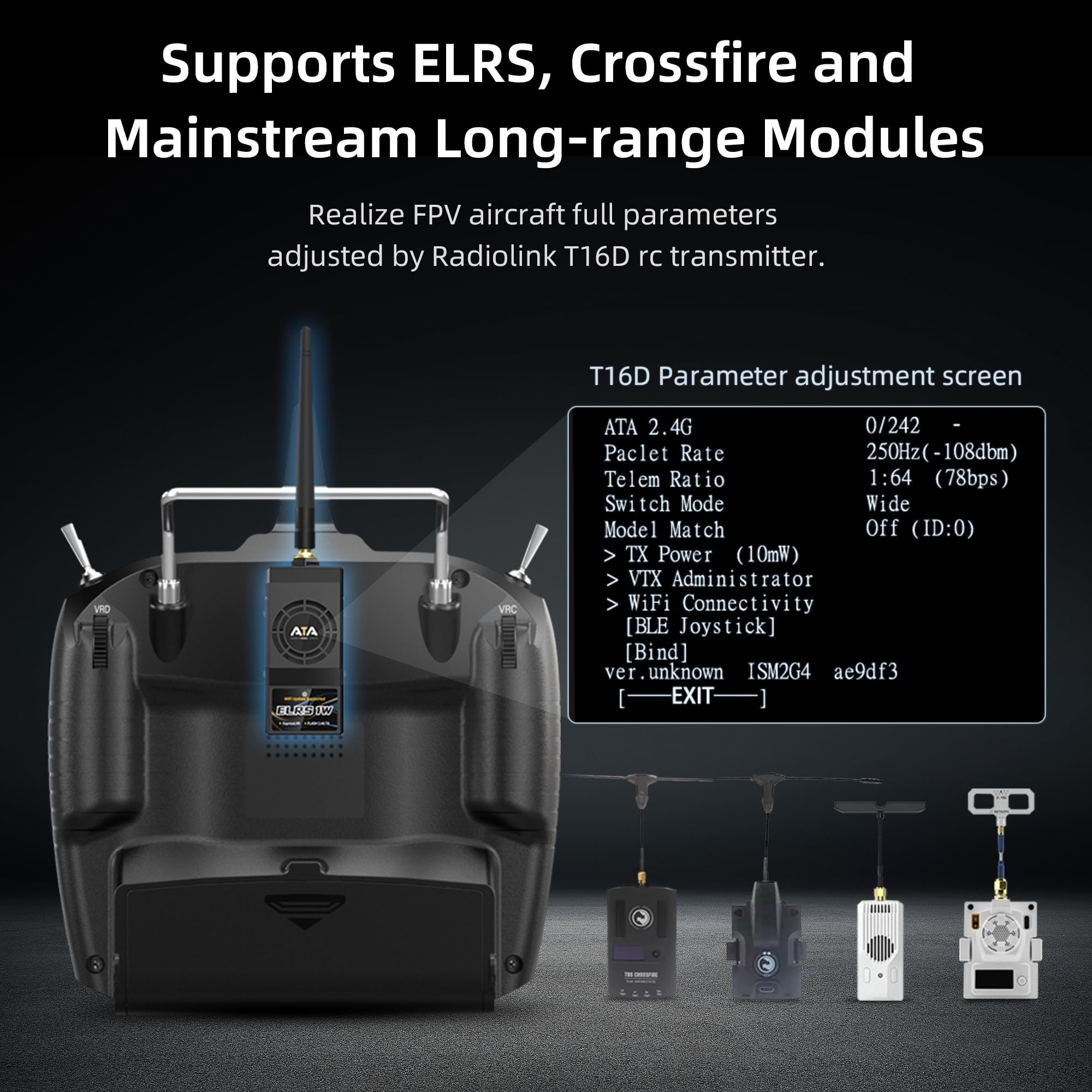
Figure 4.2: Examples of customizable voice broadcast prompts.
4.4 Simulator Mode
The T16D supports open-source simulators without requiring an additional dongle. This feature allows users to practice flying or driving RC models in a virtual environment, improving skills without risking physical damage to models.
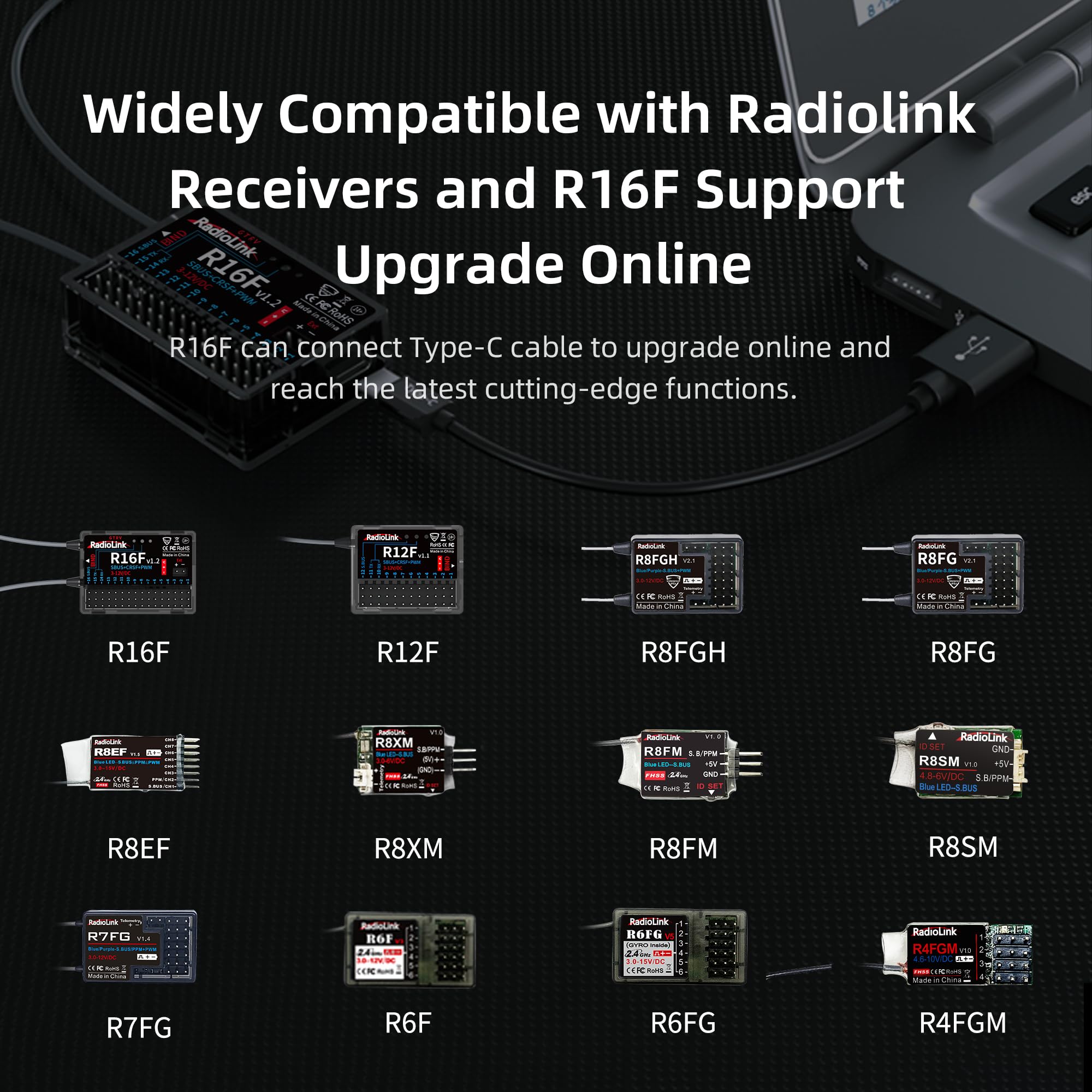
Figure 4.3: T16D compatibility with open-source simulators.
4.5 Telemetry Functions
When paired with compatible telemetry-enabled receivers, the T16D can display real-time information on its screen. This includes:
- Received Signal Strength Indicator (RSSI)
- Model battery voltage
- GPS information (latitude, longitude, distance, heading, number of satellites)
Customizable low voltage alarms for the transmitter, receiver, or model battery, as well as low RSSI alarms, can be set to alert the user to critical conditions.
5. Maintenance
5.1 Cleaning
Regularly clean the transmitter and receiver with a soft, dry cloth. Avoid using solvents or abrasive cleaners, as these can damage the plastic and electronic components. Keep the screen free of dust and fingerprints for optimal visibility.
5.2 Software Updates
The R16F receiver can be updated online by connecting it to a computer via a Type-C cable. Check the official Radiolink website for the latest firmware updates and instructions to ensure optimal performance and access to new features.
5.3 Battery Care
If using rechargeable batteries (LiPo or 18650), follow the manufacturer's guidelines for charging and storage. Remove batteries from the transmitter if it will not be used for an extended period to prevent leakage and damage. The T16D features an efficient switching power supply for low power consumption, allowing a 1800mAh 3S LiPo battery (not included) to provide up to 12 hours of operation.
6. Troubleshooting
Common Issues and Solutions
- No Power: Ensure batteries are correctly installed and charged. Check the Type-C cable connection if powering externally.
- No Signal/Loss of Control: Verify that the transmitter and receiver are properly bound. Check for potential interference sources. Ensure the model is within the control range (up to 4000 meters in clear air for FHSS).
- Low Voltage Alarm: Recharge or replace the transmitter's batteries. Check the model's battery voltage and the receiver's power supply.
- Incorrect Control Response: Review channel assignments and mix settings in the transmitter's menu. Perform a calibration if available.
- Screen Issues: If the screen is unresponsive or displays errors, try restarting the transmitter. Ensure firmware is up to date.
For persistent issues not covered here, please refer to the official Radiolink support resources or contact ATA HOBBY customer service.
7. Specifications
| Channels | 16 fully proportional (5-16 programmable) |
| Frequency | 2.4 GHz ISM band (2400 MHz ~ 2483.5 MHz) |
| Spread Spectrum | FHSS 67-channel pseudo-random frequency hopping |
| Operating System | freeRTOS+LVGL GUI |
| Long-Range Module Support | ELRS, TBS Crossfire |
| Response Latency | 3ms, 4ms, 14ms (selectable) |
| Operating Voltage | 7.4-18.0 V (8 AA batteries, 2S-4S LiPo, or 18650 lithium battery) |
| Type-C Input Voltage | 5 V |
| Type-C Input Current | 500 mA |
| Type-C Output Voltage | 4.6 V-5.0 V |
| Type-C Output Current | Max 1 A |
| Operating Current | 100 mA (± 10 mA) @ 8.4 V DC |
| Control Distance (FHSS) | 4000 meters in air (clear area, no interference) |
| Signal Output | PWM, SBUS, PPM, CRSF |
| Model Storage | 100 models, 16 subsidiary ID models |
| Screen | 2.8" 16-color, 320 x 240 pixels |
| Dimensions (L x W x H) | 20.7 x 10.7 x 17.4 cm |
| Weight | 557.92 grams |
| Recommended Age | 14 years and up |
| Main Material | Plastic |
| Color | Black |
8. Warranty and Support
For warranty information, technical support, or service inquiries, please contact ATA HOBBY customer service. Keep your purchase receipt as proof of purchase. Information regarding spare parts availability is currently unavailable.


