Introduction
Thank you for choosing the House of Marley Roots Bluetooth Speaker. This portable wireless speaker is designed for durability and exceptional sound, featuring IP67 water protection, a 10-hour playtime, and eco-friendly materials. This manual provides essential information for setting up, operating, and maintaining your speaker to ensure optimal performance and longevity.
What's in the Box
- House of Marley Roots Bluetooth Speaker
- USB-to-USB C charging cable
- Quick Start Guide

Image: The House of Marley Roots speaker packaging, showing the speaker, charging cable, and quick start guide.
Product Overview
Familiarize yourself with the key components and features of your Roots Bluetooth Speaker.
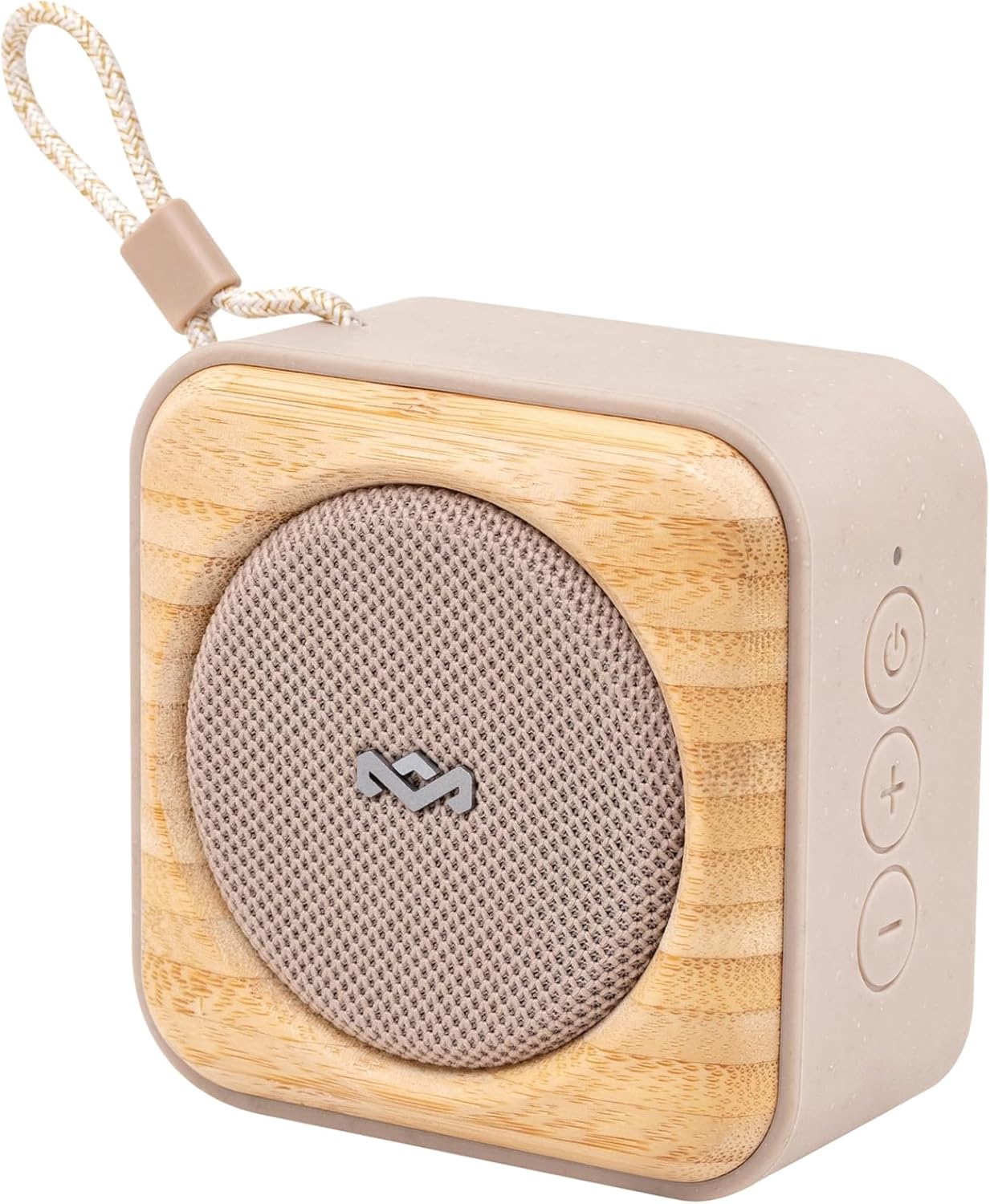
Image: An angled view of the Roots speaker, highlighting its compact size, cream color, and bamboo front panel with a fabric grille.
Key Features:
- IP67 Water Protection: Designed to be fully waterproof and dustproof, suitable for outdoor use.
- 10 Hours Playtime: Provides extended audio playback on a single charge.
- Built-in Bottle Opener: A convenient feature located on the back of the speaker.
- Party Pair Modes: Allows connection of multiple Roots speakers for stereo or party sound.
- Quick Charge: Rapid charging capability for minimal downtime.
- Sustainable Materials: Crafted from recycled fabrics, plastics, and renewable bamboo.

Image: The rear view of the Roots speaker, clearly showing the integrated bottle opener and the "MARLEY" branding.
Setup
Charging the Speaker:
- Locate the USB-C charging port on your Roots speaker.
- Connect the provided USB-to-USB C charging cable to the speaker.
- Plug the other end of the USB cable into a compatible USB power adapter (not included) or a computer's USB port.
- The LED indicator will show charging status. A full charge provides up to 10 hours of playtime. Quick Charge allows 1 hour of playtime from 15 minutes of charging.
Bluetooth Pairing:
- Ensure the Roots speaker is charged.
- Press and hold the Power button (⏻) on the speaker until you hear an audible prompt and the Bluetooth indicator light begins to flash, indicating pairing mode.
- On your device (smartphone, tablet, laptop), go to Bluetooth settings and enable Bluetooth.
- Search for "Roots Speaker" or a similar name in the list of available devices.
- Select the speaker to connect. Once connected, the Bluetooth indicator light will become solid, and you will hear a confirmation sound.
Operation
Basic Controls:
- Power On/Off: Press and hold the Power button (⏻).
- Volume Up: Press the '+' button.
- Volume Down: Press the '-' button.
- Play/Pause: Press the Play/Pause button (often integrated with Power or a separate button, refer to Quick Start Guide for specific button layout).
- Skip Track: Double-press the Play/Pause button.
- Previous Track: Triple-press the Play/Pause button.

Image: A direct front view of the Roots speaker, showing the power, volume up, and volume down buttons on the right side panel.
Party Pair Modes (Stereo & Party):
The Roots speaker supports connecting to other Roots speakers for an enhanced audio experience.
- Ensure both Roots speakers are powered on and not connected to any device.
- On the first speaker (primary), press and hold the Bluetooth pairing button (or a dedicated Party Pair button if available, otherwise refer to Quick Start Guide for specific instructions).
- Repeat the action on the second speaker (secondary).
- The speakers will automatically connect to each other. Once paired, connect your device to the primary speaker via Bluetooth.
- Refer to the Quick Start Guide for detailed instructions on switching between Stereo and Party modes.
Using the Bottle Opener:
The integrated bottle opener is located on the back of the speaker.
- Hold the speaker firmly.
- Position the bottle cap under the metal lip of the opener.
- Leverage the speaker to pop off the bottle cap.

Image: A person demonstrating the use of the Roots speaker's integrated bottle opener to open a beverage bottle.
Maintenance
Cleaning:
- Before cleaning, ensure the speaker is powered off and disconnected from any power source.
- Wipe the exterior surfaces with a soft, damp cloth. Do not use harsh chemicals, cleaning solvents, or strong detergents.
- Allow the speaker to dry completely before use or storage.
Water Protection Guidelines (IP67):
- The Roots speaker is IP67 rated, meaning it is protected from dust ingress and can withstand immersion in water up to 1 meter for 30 minutes.
- Ensure the charging port cover is securely closed before exposing the speaker to water.
- Do not intentionally submerge the speaker for extended periods or beyond the specified depth.
- After exposure to water, especially saltwater or chlorinated water, rinse the speaker with fresh water and allow it to air dry completely before charging or using.

Image: The Roots speaker resting on wet sand near the ocean, illustrating its IP67 water protection.
Troubleshooting
| Problem | Possible Cause / Solution |
|---|---|
| Speaker does not power on. | Battery is depleted. Charge the speaker using the provided USB-C cable. |
| Cannot pair with Bluetooth device. |
|
| No sound or low volume. |
|
| Party Pair mode not working. |
|
Specifications
| Feature | Detail |
|---|---|
| Model Name | Roots |
| Model Number | EM-JA022 |
| Speaker Type | Portable Speaker |
| Connectivity Technology | Bluetooth |
| Wireless Communication Technology | Bluetooth |
| Color | Cream |
| Product Dimensions | 5"D x 5"W x 2"H |
| Item Weight | 15.8 ounces |
| Water Resistance Level | IP67 (Waterproof) |
| Power Source | Battery Powered (1 Lithium Ion battery included) |
| Speaker Maximum Output Power | 7 Watts |
| Charging Time | 15 minutes (for 1 hour playtime) |
| Audio Output Mode | Stereo |
| Control Method | Touch |
| UPC | 846885011416 |
| Manufacturer | House of Marley |
Warranty and Support
The House of Marley Roots Bluetooth Speaker comes with a Limited Warranty. For specific warranty terms and conditions, please refer to the warranty information included with your product or visit the official House of Marley website.
For technical support, troubleshooting assistance, or warranty claims, please contact House of Marley customer service directly. Contact information can typically be found on their official website or in the Quick Start Guide.
Note: Keep your proof of purchase for warranty purposes.


