
Blink Blink Video Doorbell (2nd Generation)
Contents
Blink Video Doorbell (2nd Generation) User Manual
Model: Blink Video Doorbell (2nd Generation)
Brand: Blink
1. Introduction and Overview
The All-new Blink Video Doorbell (2nd Generation) is a smart security device designed to provide comprehensive monitoring of your home's entryway. This advanced doorbell offers an expanded field of view, extended battery life, and enhanced security features for greater peace of mind.
Key features include:
- Head-to-Toe HD View: See more of your doorstep, including packages and visitors, with a 150° horizontal view and 1440x1440p video resolution.
- Two-Year Battery Life: Enjoy long-lasting performance with three included AA Energizer lithium batteries. A Blink Sync Module (sold separately) is required for full functionality.
- Two-Way Audio: Communicate with visitors from anywhere using the Blink app.
- Simple Setup: Easy wire-free installation or connection to existing doorbell wiring.
- Smart Notifications: Receive alerts for motion and person detection (with Blink Subscription Plan, sold separately).
- Alexa Integration: Works seamlessly with Alexa-enabled devices for convenient control and interaction.

Image 1.1: Overview of the Blink Video Doorbell and its main features.
2. Setup and Installation
The Blink Video Doorbell offers flexible installation options: wire-free or connected to existing doorbell wiring.
2.1 What's Included
- 1 Blink Video Doorbell
- 3 AA 1.5V Lithium Batteries
- 1 Wall Plate
- 1 Wall Mounting Kit (including screws and anchors)
- 1 Doorbell Removal Tool
- 2 Wire Extenders (for wired installation)
- 1 Drill template
- 1 Doorbell removal key
Note: A Blink Sync Module (sold separately) is required for the doorbell to function.
2.2 Wire-Free Installation
For wire-free setup, the doorbell operates solely on battery power. You will receive alerts on your Blink app with each doorbell press. A Blink Mini 2 camera (sold separately) can be used as an indoor plug-in chime.
2.3 Wired Installation
If connecting to existing doorbell wiring (8-24 VAC), the Video Doorbell will sound through your home's existing chime when pressed.
2.4 Setup Steps
- Download the Blink Home Monitor App: Install the app on your iOS, Android, or Fire OS device.
- Create an Account: If you don't have one, create a Blink account and log in.
- Add Your Sync Module: Follow the in-app instructions to set up your Blink Sync Module.
- Add the Video Doorbell: Select 'Add Device' in the app and follow the prompts to connect your Video Doorbell to your Sync Module and Wi-Fi network (2.4 GHz 802.11b/g/n).
- Install Batteries: Insert the three AA lithium batteries into the doorbell.
- Mount the Doorbell: Use the provided wall plate, mounting kit, and drill template to securely attach the doorbell to your desired location. Ensure the doorbell is within range of your Wi-Fi network.
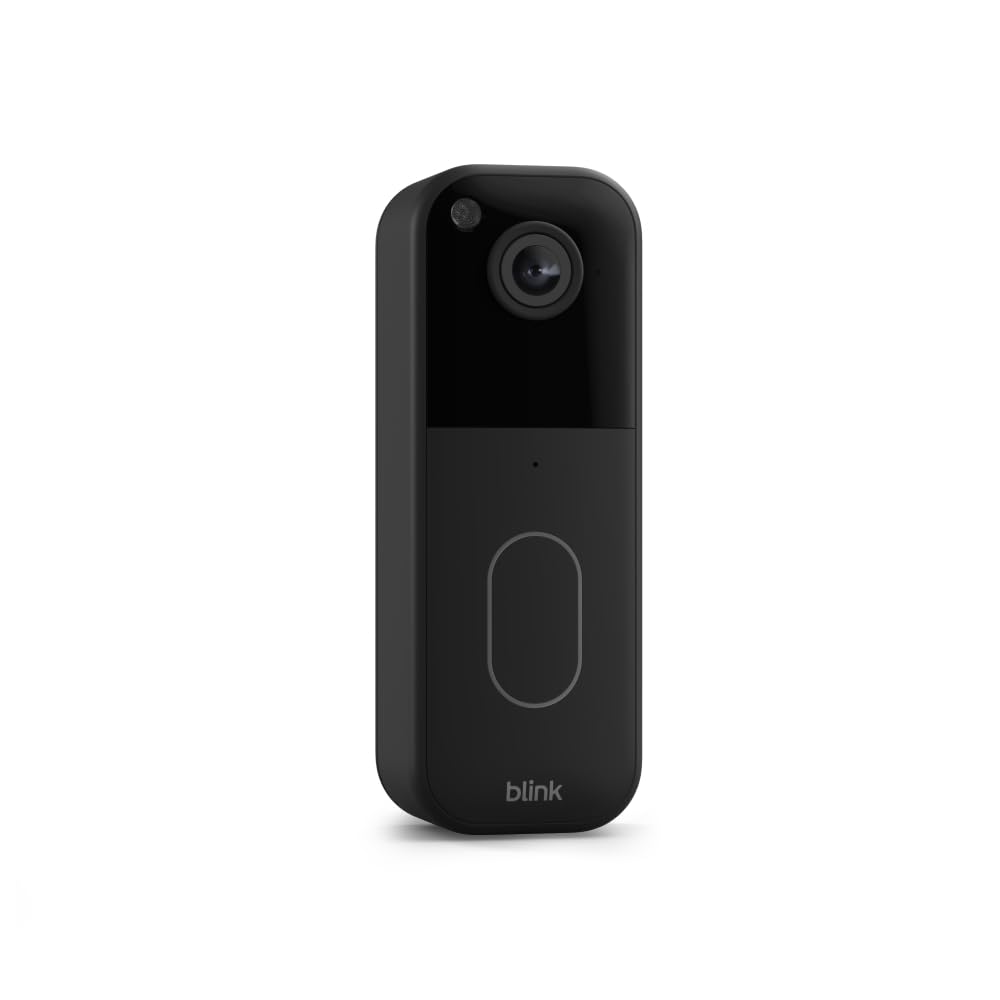
Image 2.1: Front view of the Blink Video Doorbell.
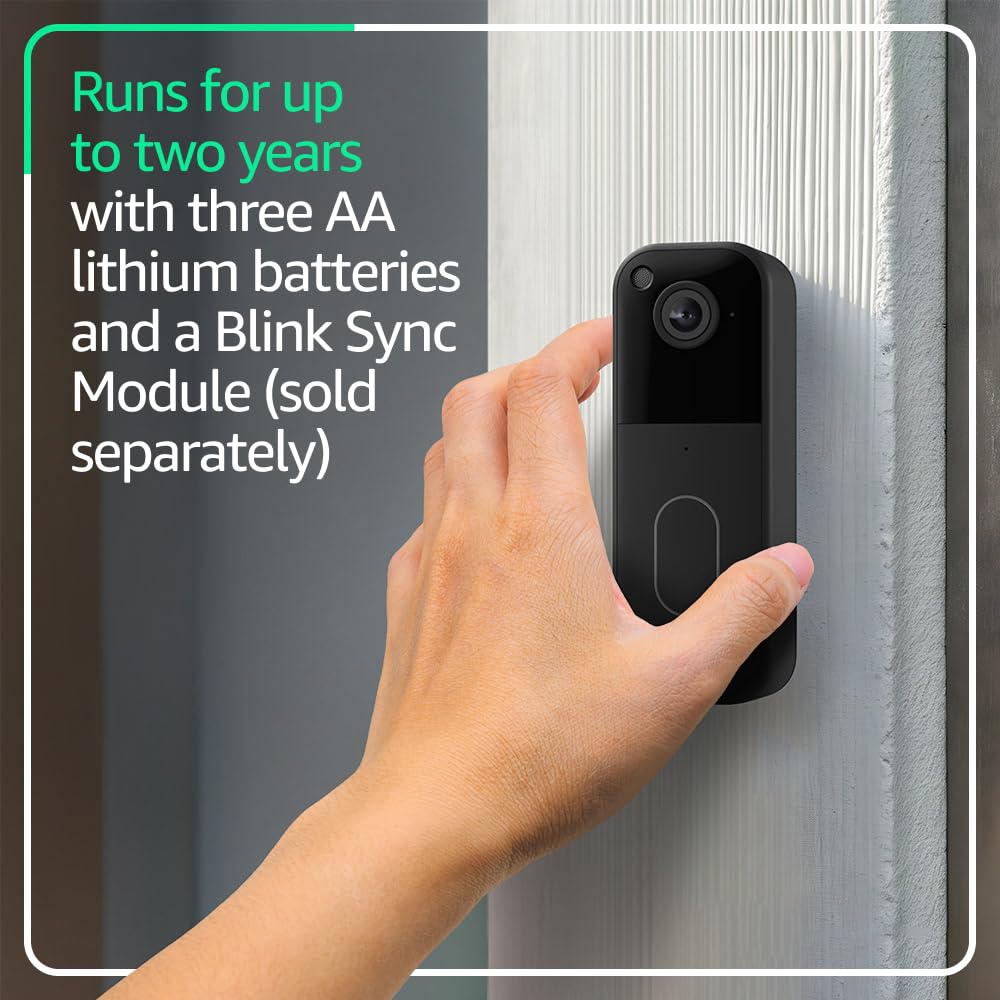
Image 2.2: Demonstrating the physical handling of the Blink Video Doorbell during installation.
3. Operating Your Blink Video Doorbell
Once installed, the Blink Video Doorbell provides various functionalities to enhance your home security.
3.1 Live View and Two-Way Talk
Access a live video feed from your doorbell camera through the Blink app. Use the two-way talk feature to speak with visitors at your door, even when you're away from home.

Image 3.1: Head-to-toe HD view from the Blink Video Doorbell displayed on a smartphone.
3.2 Motion Detection and Notifications
The doorbell detects motion and sends alerts to your Blink app. With a Blink Subscription Plan (sold separately), you can enable person detection for more specific alerts and access features like Blink Moments, which stitches clips into a single video.

Image 3.2: Example of a smart notification from the Blink app.
3.3 Cloud Storage and Sharing
Securely store and share your video clips with a free 30-day trial of a Blink Subscription Plan. After the trial, a subscription is required for cloud storage.
3.4 Alexa Integration
Connect your Blink Video Doorbell to an Alexa-enabled device to answer the front door, arm/disarm your system, and more using voice commands.

Image 3.3: Viewing the doorbell feed on an Alexa-compatible device.
4. Maintenance
4.1 Battery Replacement
The Blink Video Doorbell is powered by three AA 1.5V lithium metal (non-rechargeable) batteries. When the battery level is low, you will receive a notification in the Blink app. To replace the batteries, use the provided doorbell removal tool to detach the doorbell from its mounting plate, replace the batteries, and reattach the doorbell.
4.2 Cleaning
To clean your Blink Video Doorbell, gently wipe the exterior with a soft, dry cloth. Avoid using abrasive cleaners or solvents that could damage the device.
5. Troubleshooting
If you encounter issues with your Blink Video Doorbell, consider the following common solutions:
- No Video/Offline: Ensure your Wi-Fi network is active and the doorbell is within range. Check the Sync Module's status in the Blink app.
- Poor Video Quality: Verify your internet connection speed. Ensure the camera lens is clean and free from obstructions.
- No Notifications: Check app notification settings on your smartphone and within the Blink app. Ensure motion detection is enabled.
- Battery Life Issues: Ensure you are using new, non-rechargeable AA 1.5V lithium batteries. High activity or extreme temperatures can affect battery life.
- Doorbell Not Ringing Chime (Wired): Verify correct wiring and ensure your existing chime is compatible (8-24 VAC).
For more detailed troubleshooting steps or persistent issues, please refer to the official Blink support page or contact customer service.
6. Specifications
| Feature | Specification |
|---|---|
| Field of view | 150°HV |
| Video resolution | 1440 x 1440p |
| Aspect Ratio | 1:1 |
| Camera frame rate | 30 FPS |
| Size (Doorbell dimensions) | 1.85 in x 5.12 in x 1.44 in (47mm x 130mm x 36.6mm) |
| Weight (Blink Video Doorbell) | 4oz (113 g) |
| Power | 3 AA 1.5V lithium metal (non-rechargeable) batteries. Existing chime wiring: 8-24 VAC |
| Requirements | Always-on high-speed internet connection (broadband, fiber, or DSL). Wifi network: 2.4 GHz 802.11b/g/n. |
| Connection | Battery |
| Available colors | Black, White |
| Minimum smartphone requirements | iOS, Android, or Fire OS |
| Blink app | Blink Home Monitor |
| Audio | Speaker output and two-way audio recording |
| LEDs | Recording indicator, Button LED |
| Generation | 2nd Generation |
| Operating temperature | -5°F to 113°F (-20° to 45°C) |
| Software Security Updates | Guaranteed until at least four years after last available for purchase as a new unit. |
7. Warranty and Support
7.1 Warranty
The Blink Video Doorbell comes with a one-year limited warranty and service. Use of Blink devices is subject to the terms found on the official Blink website.
7.2 Support
For additional information, setup guides, and troubleshooting assistance, please visit the official Blink support page.
Documents and downloads
Ask a question about this manual
Ask about setup, troubleshooting, compatibility, parts, safety, or missing instructions. Manuals+ will review the question and use this page’s manual context to help answer it.