
1. Safety Information
Read all safety warnings and instructions carefully before installing, operating, or performing maintenance on this appliance. Keep this manual for future reference.
- Installation must be performed by qualified personnel in accordance with national wiring regulations.
- Do not operate the air conditioner with wet hands.
- Ensure the power supply is disconnected before cleaning or servicing.
- Do not block the air inlet or outlet of the indoor or outdoor unit.
- This appliance is not intended for use by persons (including children) with reduced physical, sensory or mental capabilities, or lack of experience and knowledge, unless they have been given supervision or instruction concerning use of the appliance by a person responsible for their safety.
2. Product Overview
The TCL BreezeIN P5 is a 9000 BTU Inverter Split System Air Conditioner designed for efficient cooling and heating. It features integrated Wi-Fi for smart control and uses R-32 refrigerant.
2.1 Components
- Indoor Unit (SN09P5S0)
- Outdoor Unit (ST09P0)
- Remote Control
- User Manual
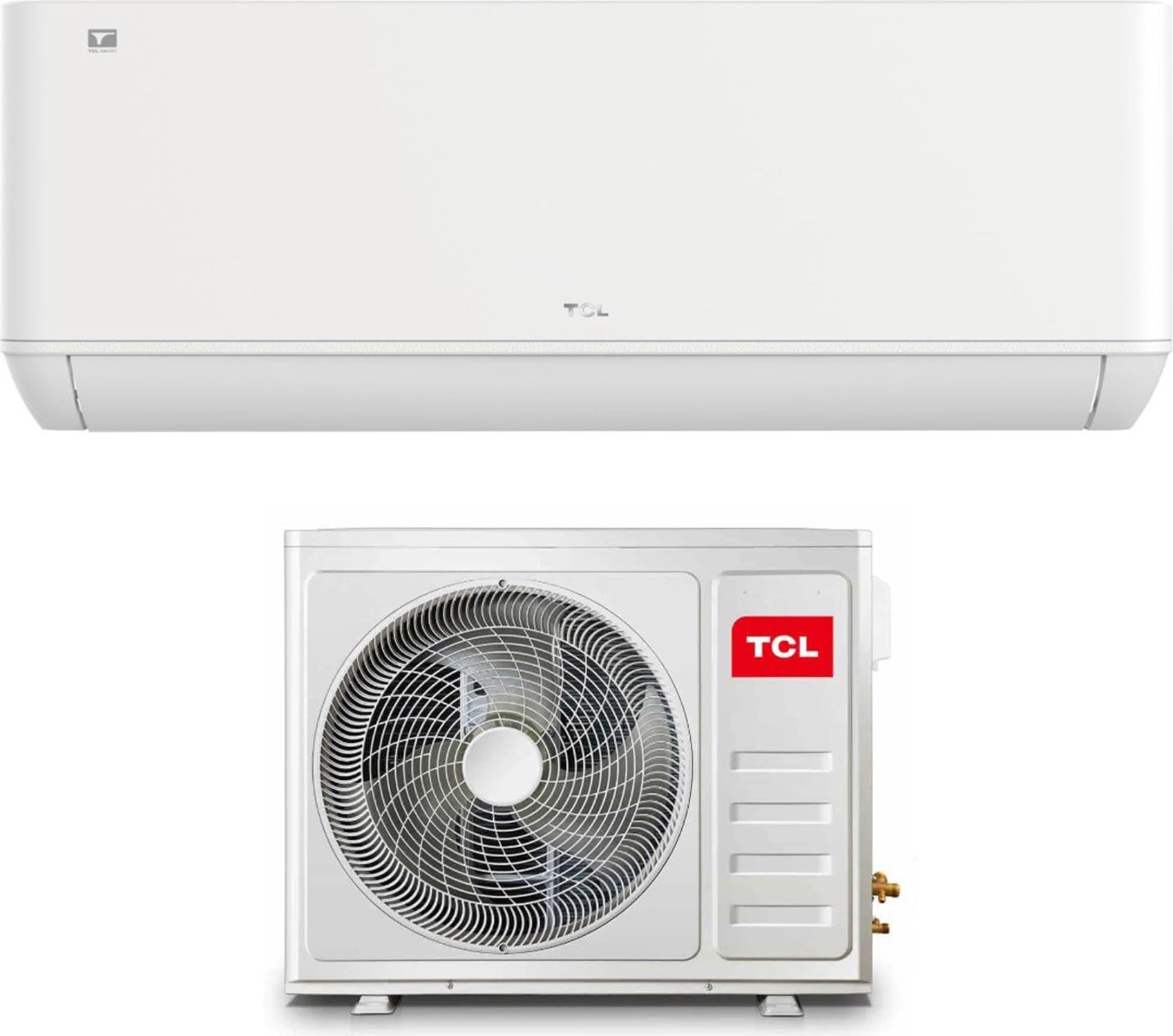
2.2 Key Features
- Cooling Capacity: 2.60 kW (9000 BTU)
- Heating Capacity: 2.63 kW
- Energy Efficiency Class: A++ (Cooling), A+ (Heating)
- Refrigerant: R-32
- Integrated Wi-Fi: For smart control via app.
- Low Noise Operation: As low as 22 dB(A) for the indoor unit.
3. Setup and Installation
Important: Installation of this split system air conditioner requires specialized knowledge and tools. It must be performed by a certified and qualified HVAC technician to ensure proper operation, safety, and warranty validity.
3.1 Unpacking
Carefully unpack the indoor and outdoor units. Verify that all components listed in the "What's in the Box" section are present and undamaged.
What's in the Box:
- Indoor Unit
- Outdoor Unit
3.2 Installation Overview (For Qualified Technicians Only)
The installation process involves:
- Selecting appropriate indoor and outdoor unit locations.
- Mounting the indoor unit and mounting plate.
- Drilling a wall hole for piping.
- Installing the outdoor unit on a stable base.
- Connecting refrigerant piping (Liquid line: 6.35 mm (1/4"), Gas line: 9.52 mm (3/8")).
- Electrical wiring connections (Power supply: 220~240V/50Hz/1 Phase).
- Vacuuming the refrigerant lines.
- Checking for leaks.
- Test run.
Refer to the detailed installation manual provided to the technician for specific instructions and diagrams.
4. Operating Instructions
This section covers basic operation using the remote control and smart app.
4.1 Remote Control Operation
Point the remote control directly at the indoor unit's receiver. Ensure there are no obstructions.
- Power Button: Turns the unit ON/OFF.
- Mode Button: Cycles through operating modes: Auto, Cool, Dry, Fan, Heat.
- Temperature Buttons (▲/▼): Adjusts the desired temperature.
- Fan Speed Button: Selects fan speed (Auto, Low, Medium, High).
- Swing Button: Controls the louver movement for air direction.
- Timer Button: Sets ON/OFF timers.
4.2 Wi-Fi and App Control
The integrated Wi-Fi allows control via a smartphone app. Download the official TCL Home app from your device's app store.
- Ensure your air conditioner is powered on.
- Open the TCL Home app and follow the on-screen instructions to add your device.
- Connect the air conditioner to your home Wi-Fi network.
- Once connected, you can control all functions of the air conditioner remotely.
5. Maintenance
Regular maintenance ensures optimal performance and extends the lifespan of your air conditioner. Always disconnect power before performing any maintenance.
5.1 Air Filter Cleaning (Every 2 Weeks)
- Open the front panel of the indoor unit.
- Remove the air filters.
- Clean the filters with a vacuum cleaner or wash them with lukewarm water (below 40°C).
- Allow filters to dry completely in a shaded area before reinstalling.
- Close the front panel.
5.2 Outdoor Unit Cleaning (Annually)
Periodically clean the outdoor unit's coil and fan blades to remove dust, leaves, and debris. This should ideally be done by a professional technician.
5.3 General Cleaning
Wipe the indoor and outdoor unit surfaces with a soft, dry cloth. For stubborn dirt, use a damp cloth with a mild detergent, then wipe dry. Do not use harsh chemicals or abrasive cleaners.
6. Troubleshooting
Before contacting service, check the following common issues:
| Problem | Possible Cause | Solution |
|---|---|---|
| Unit does not start | No power; Remote control batteries low; Timer set. | Check power supply; Replace batteries; Cancel timer. |
| Insufficient cooling/heating | Dirty air filter; Temperature setting incorrect; Doors/windows open; Obstruction to airflow. | Clean air filter; Adjust temperature; Close doors/windows; Remove obstructions. |
| Water leakage from indoor unit | Drain hose blocked or kinked; Improper installation. | Check and clear drain hose; Contact a qualified technician for inspection. |
| Unusual noise | Loose parts; Foreign objects in fan; Refrigerant flow noise (normal). | If persistent or loud, contact service. Minor gurgling is normal. |
| Wi-Fi connection issues | Router issues; Incorrect Wi-Fi password; Unit too far from router. | Restart router; Re-enter password in app; Move unit closer or use Wi-Fi extender. |
If the problem persists after attempting these solutions, contact TCL customer support or a certified service technician.
7. Specifications
| Feature | Value |
|---|---|
| Model Number | SN09P5S0 / ST09P0 |
| Cooling Capacity | 2.60 kW (9000 BTU) |
| Heating Capacity | 2.63 kW |
| SEER (Seasonal Energy Efficiency Ratio) | 6.3 |
| SCOP (Seasonal Coefficient of Performance) | 4.0 |
| Energy Class (Cooling/Heating) | A++/A+ |
| Refrigerant | R-32 |
| Power Supply | 220~240V / 50Hz / 1 Phase |
| Indoor Unit Noise Level (S-H-M-L-Mute) | 41-37-33-25-22 dB(A) |
| Outdoor Unit Noise Level (Nominal) | 50 dB(A) |
| Liquid Line Diameter | 6.35 mm (1/4") |
| Gas Line Diameter | 9.52 mm (3/8") |
| Indoor Unit Dimensions (LxAxP) | 790 x 275 x 192 mm |
| Indoor Unit Weight | 8.0 Kg |
| Outdoor Unit Dimensions (LxAxP) | 777 x 498 x 290 mm |
| Outdoor Unit Weight | 22.5 Kg |
| Control Method | Remote Control, App (Wi-Fi) |
8. Warranty and Support
8.1 Limited Warranty
This TCL air conditioner comes with a limited warranty. Please refer to the warranty card included with your product or visit the official TCL website for detailed terms and conditions. Keep your purchase receipt as proof of purchase for warranty claims.
8.2 Customer Support
For technical assistance, troubleshooting beyond this manual, or warranty service, please contact TCL customer support. You can find contact information on the official TCL website or in your product documentation.
TCL Official Website: www.tcl.com


