
1. Introduction
This manual provides instructions for the Effireli Replacement Remote Control, model YK-HHKK, designed for use with various Harman Kardon AV receivers. This remote is pre-programmed and requires no additional setup. Simply insert batteries and begin operation.
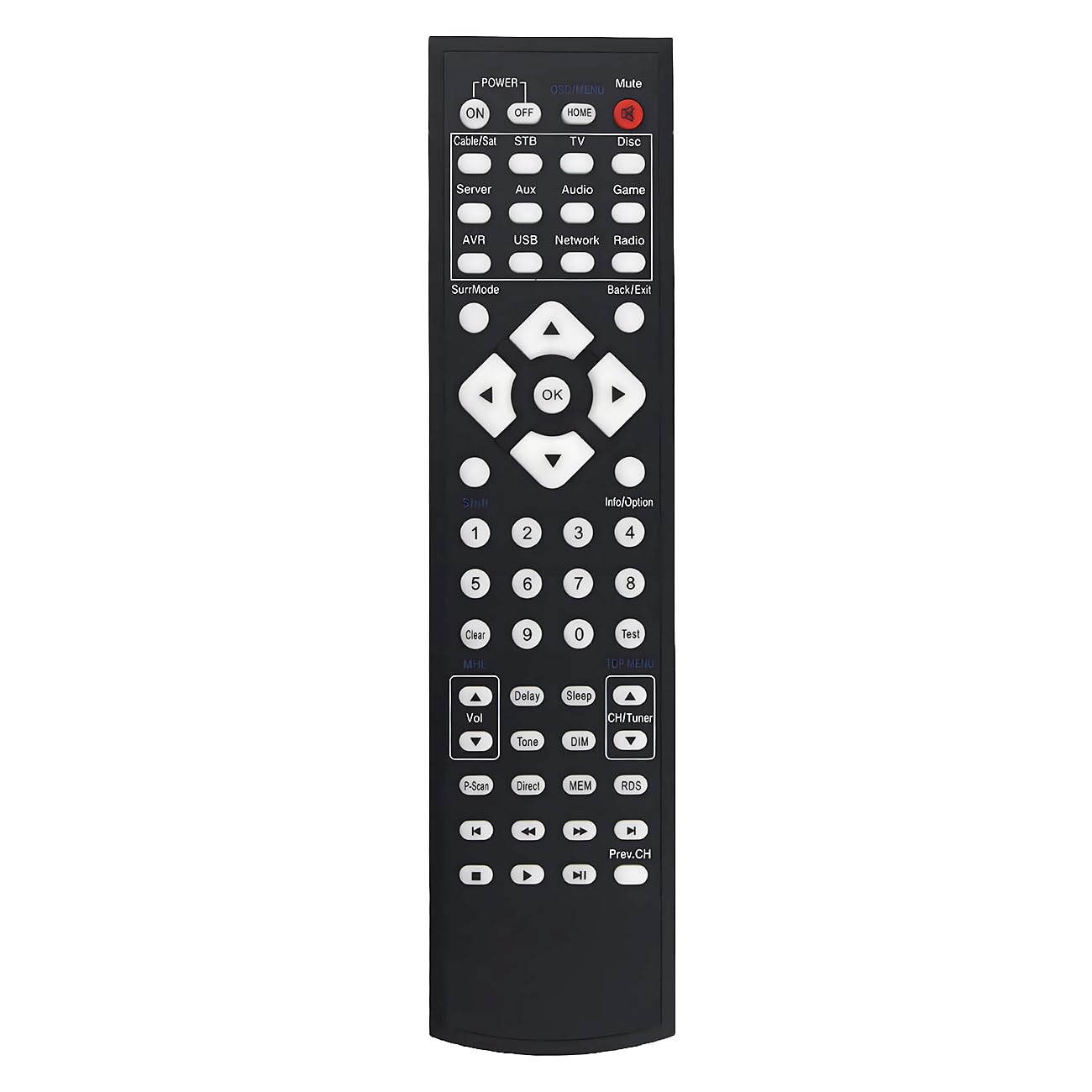
Image 1.1: The Effireli Replacement Remote Control. This image displays the front view of the remote control, highlighting its button layout and design.
2. Setup
2.1 Battery Installation
- Locate the battery compartment on the back of the remote control.
- Slide the battery compartment cover downwards or outwards to open it.
- Insert two AAA batteries (not included), ensuring the positive (+) and negative (-) terminals align correctly with the markings inside the compartment.
- Replace the battery compartment cover by sliding it back into position until it clicks securely.
The remote control is now ready for use.
3. Operating Instructions
This replacement remote control functions identically to your original Harman Kardon AV receiver remote. No programming or pairing is required.
3.1 Basic Operation
- Power Button: Press to turn your AV receiver on or off.
- Volume Up/Down: Use the volume buttons to adjust the audio level.
- Input Selection: Press the input buttons (e.g., CD, DVD, TV, AUX) to switch between different audio/video sources connected to your receiver.
- Mute Button: Press to temporarily silence the audio output. Press again to restore sound.
- Navigation Buttons: Use the arrow keys and OK/Enter button for menu navigation on your receiver's display.
3.2 Compatible Models
This remote control is compatible with the following Harman Kardon AV receiver models:
- AVR1710, AVR1710S
- AVR151, AVR161, AVR151S, AVR161S, AVR171S
- AVR1510, AVR1510S, AVR1610S
- AVR 161S/230C, AVR 171/230C, AVR 171S/230C
Note: If your specific model number is not listed or your original remote appears significantly different, please contact customer support to confirm compatibility before use.
4. Maintenance
4.1 Cleaning
To clean the remote control, gently wipe its surface with a soft, dry cloth. For stubborn dirt, slightly dampen the cloth with water. Avoid using harsh chemicals, abrasive cleaners, or excessive moisture, as these can damage the remote.
4.2 Battery Replacement
Replace batteries when the remote's response becomes sluggish or stops functioning. Always replace both batteries at the same time with new ones of the same type (AAA). Do not mix old and new batteries or different battery types.
5. Troubleshooting
- Remote not responding:
- Check if the batteries are inserted correctly with the correct polarity.
- Replace old batteries with new ones.
- Ensure there are no obstructions between the remote and the AV receiver's infrared sensor.
- Point the remote directly at the AV receiver.
- Some buttons not working:
- This remote is designed to replicate the original functionality. If a specific button does not work, ensure your AV receiver model supports that function with its original remote.
- Clean the remote's surface, especially around the non-working button, to remove any debris.
6. Specifications
| Feature | Detail |
|---|---|
| Model Number | YK-HHKK |
| Brand | Effireli |
| Product Dimensions | 7.87 x 1.97 x 0.79 inches |
| Item Weight | 2.82 ounces |
| Power Source | 2 x AAA Batteries (not included) |
| Special Feature | No Programming Required |
| Compatible Devices | Harman Kardon AV Receivers |
7. Warranty and Support
7.1 Warranty Information
This Effireli Replacement Remote Control comes with a 30-day money-back guarantee from the date of purchase. Additionally, it includes a 12-month warranty covering manufacturing defects. Returns and exchanges are accepted within the warranty period for eligible issues.
7.2 Customer Support
For any questions regarding compatibility, troubleshooting, or warranty claims, please contact our customer support. If your model number is not explicitly listed in this manual or if you have concerns about your original remote's appearance differing, direct contact is recommended to confirm suitability.
Please refer to your purchase documentation for specific contact details.