1. Introduction
Thank you for choosing the HATHASPACE HSE200 Smart True HEPA Air Purifier. This manual provides important information regarding the setup, operation, maintenance, and troubleshooting of your new air purifier. Please read this manual thoroughly before using the product to ensure safe and efficient operation. This device is designed to improve indoor air quality by filtering common airborne pollutants.

Image: Front view of the HATHASPACE HSE200 Smart True HEPA Air Purifier, showcasing its sleek black design and control panel.
2. Safety Information
To reduce the risk of fire, electric shock, or injury, please observe the following safety precautions:
- Always unplug the air purifier before moving it, cleaning it, or performing any maintenance.
- Do not operate the unit with a damaged cord or plug. If the cord or plug is damaged, contact customer support.
- Keep the power cord away from heated surfaces.
- Do not use the air purifier in wet or damp environments, such as bathrooms or laundries.
- Do not insert fingers or foreign objects into any openings of the air purifier.
- Ensure the air inlet and outlet are not blocked during operation.
- This appliance is not intended for use by persons (including children) with reduced physical, sensory, or mental capabilities, or lack of experience and knowledge, unless they have been given supervision or instruction concerning use of the appliance by a person responsible for their safety.
3. Product Overview
Key Features:
- 3-in-1 Filtration System: Includes a Polypropylene Pre-Filter, Activated Carbon Filter, and H13 True HEPA Filter.
- Effective Purification: Captures 99.9% of particles down to 0.3 microns, including pollen, dust, pet dander, smoke, odors, and VOCs.
- Quiet Operation: Designed for exceptionally silent use, ideal for bedrooms and living rooms.
- Coverage: Suitable for spaces up to 200 sq. ft., replacing 100% of the air every hour.
- User-Friendly Controls: Features 3-speed adjustable settings, an auto mode, and comes with a remote control.

Image: Diagram highlighting key features such as low noise, 3-level fan speed, True H13 grade HEPA filter, coverage up to 200 sq. ft., lightweight and compact design, 3 stages of purification, and suitability for bedrooms.
Components and Controls:
- Control Panel: Located on the top of the unit, with indicators for fan speed (1, 2, 3) and power button.
- Air Inlet: Located around the lower circumference of the unit for 360° air intake.
- Air Outlet: Located on the top of the unit.
- Filter Compartment: Accessible from the bottom of the unit.
- Power Cord: For connecting to an electrical outlet.
- Remote Control: For convenient operation from a distance.

Image: An exploded view illustrating the 3-stage filtration system (Polypropylene Pre-Filter, Activated Carbon Filter, High-Efficiency H13 True HEPA Filter) and a diagram showing how to set up the unit by twisting open the base, removing the power adapter, and taking off plastic packaging from the filter.
4. Setup
Follow these steps for initial setup:
- Unpack the Unit: Carefully remove the air purifier and all packaging materials from the box.
- Remove Filter Packaging: The filter inside the unit is typically wrapped in plastic for protection during shipping.
- Turn the unit upside down.
- Twist the base counter-clockwise to unlock and remove it.
- Carefully pull out the filter.
- Remove all plastic packaging from the filter.
- Place the filter back into the unit.
- Replace the base and twist clockwise to lock it securely.
- Position the Air Purifier: Place the air purifier on a firm, level surface. Ensure there is at least 6 inches (15 cm) of clear space around all sides for optimal airflow.
- Connect Power: Plug the power adapter into the air purifier, then plug the power cord into a standard electrical outlet.
5. Operating Instructions
Control Panel and Remote:

Image: Close-up of the air purifier's control panel, showing the fan speed indicators (1, 2, 3) and the power button.
- Power Button: Press to turn the unit ON or OFF.
- Fan Speed Button: Press to cycle through fan speeds: 1 (Low), 2 (Medium), 3 (High).
- Auto Mode: The air purifier can automatically adjust fan speed based on detected air quality. Refer to your remote control for specific auto mode activation.
- Light Control: The remote control allows you to turn the indicator lights on or off.
Air Purification Process:
The HSE200 utilizes a 3-stage filtration system to purify the air:
- Pre-Filter: Captures large particles such as dust, lint, and pet hair.
- Activated Carbon Filter: Absorbs odors, smoke, and volatile organic compounds (VOCs).
- H13 True HEPA Filter: Traps 99.9% of airborne particles as small as 0.3 microns, including allergens, pollen, dust mites, and certain bacteria and viruses.

Image: Illustrates the air purifier's true 360-degree intake system, showing how it effectively eliminates fine dust & pollen, smoke & VOCs, pet dander & odors, and harmful gases.
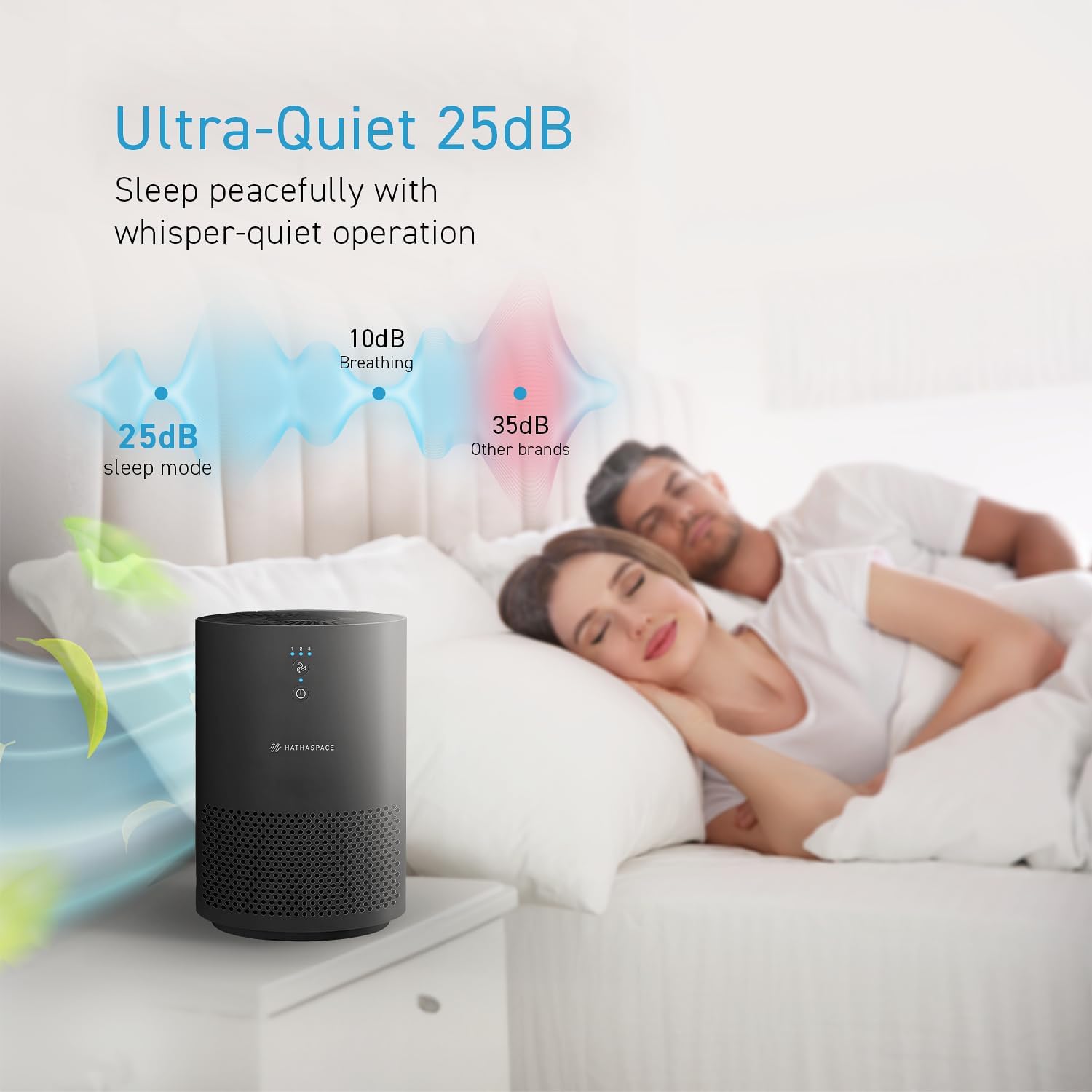
Image: Depicts the ultra-quiet operation of the air purifier at 25dB in sleep mode, comparing it to the sound of breathing (10dB) and other brands (35dB), emphasizing its suitability for peaceful sleep environments.
6. Maintenance
Regular maintenance ensures optimal performance and extends the life of your air purifier.
Cleaning the Exterior:
- Always unplug the unit before cleaning.
- Wipe the exterior surface with a soft, dry cloth.
- Do not use abrasive cleaners, waxes, or solvents.
Filter Replacement:
The 3-in-1 composite filter should be replaced every 3-4 months, or approximately every 2,000 hours of use, depending on air quality and usage frequency. Timely replacement is crucial for maintaining purification efficiency.
- Unplug the air purifier from the power outlet.
- Turn the unit upside down and twist the base counter-clockwise to remove it.
- Remove the old filter from the unit.
- Insert the new HATHASPACE HSE200 replacement filter, ensuring it is seated correctly.
- Replace the base and twist clockwise to lock it securely.
- Plug the unit back in.
Replacement filters are available for purchase from HATHASPACE or authorized retailers.
7. Troubleshooting
If you encounter issues with your air purifier, please refer to the following common problems and solutions:
| Problem | Possible Cause | Solution |
|---|---|---|
| Unit does not turn on | Not plugged in; Power outlet malfunction; Filter not installed correctly or plastic removed. | Ensure power cord is securely plugged into a working outlet. Check if the filter's plastic packaging has been removed and the filter is correctly seated and base locked. |
| Weak airflow | Filter is dirty or clogged; Air inlets/outlets are blocked. | Replace the filter. Ensure nothing is obstructing the air inlets or outlets. |
| Unusual noise | Unit not on a flat surface; Foreign object inside; Filter not installed correctly. | Place the unit on a flat, stable surface. Unplug and check for any foreign objects. Reinstall the filter to ensure it is seated properly. |
| Odor persists | Filter needs replacement; New filter odor. | Replace the activated carbon filter. A new filter may have a slight odor initially, which should dissipate within a few hours of operation. |
If the problem persists after trying these solutions, please contact HATHASPACE customer support.
8. Specifications
| Attribute | Detail |
|---|---|
| Model Number | HSE200 |
| Product Dimensions | 6.3"D x 6.3"W x 9.25"H (16 x 16 x 23.5 cm) |
| Item Weight | 1.98 Pounds (0.9 kg) |
| Coverage Area | Up to 200 Square Feet |
| Filtration Type | 3-in-1 Composite Filter (Pre-Filter, Activated Carbon, H13 True HEPA) |
| Color | Black |
| Certifications | CARB Certified, ETL Certified |
9. Warranty and Support
Warranty Information:
HATHASPACE products come with a standard manufacturer's warranty. Please refer to the warranty card included with your purchase or visit the official HATHASPACE website for detailed warranty terms and conditions. Keep your proof of purchase for warranty claims.
Customer Support:
For any questions, technical assistance, or warranty claims, please contact HATHASPACE customer support:
- Website: Visit the official HATHASPACE website for FAQs and support resources.
- Email: Refer to your product packaging or website for support email address.
- Phone: Refer to your product packaging or website for support phone number.
When contacting support, please have your product model number (HSE200) and purchase date ready.


