1. Important Safety Instructions
Before operating the LOTTO Vivo Foldable Electric Treadmill, please read and understand all safety instructions. Keep this manual for future reference.
General Safety Warnings
- Always place the treadmill on a flat, stable surface.
- Ensure adequate clear space around the treadmill (at least 2 meters behind and 0.6 meters on each side).
- Keep children and pets away from the treadmill at all times, especially during operation.
- Do not operate the treadmill if it has a damaged cord or plug, or if it is not working properly.
- Wear appropriate athletic footwear and clothing.
- Use the safety key at all times. Attach the clip to your clothing before starting your workout.
- Do not step on or off the treadmill while the belt is moving.
- Consult a physician before starting any exercise program.

Image: A warning sign indicating to keep young children away from the machine at all times and to be aware that contact with the moving surface may result in severe friction burns.
Electrical Safety
- Plug the treadmill into a properly grounded outlet.
- Do not use extension cords or adapters.
- Unplug the treadmill from the power outlet before cleaning, maintenance, or moving.
2. Setup and Assembly
The LOTTO Vivo treadmill comes 95% pre-assembled. Follow these steps for final setup.
Unfolding the Treadmill
- Carefully remove the treadmill from its packaging.
- Place the treadmill on a flat, stable surface.
- Lift the running deck until it locks into the upright position.
- Lower the console and handlebars into their operating position, securing any locking pins or knobs.
Connecting Wires
Ensure all internal wires are properly connected before fully assembling. Avoid pinching wires when folding or unfolding.

Image: A caution sign illustrating the importance of ensuring the wire is well-connected before assembly and to avoid applying pressure to the wire while folding the treadmill.
Initial Inspection
- Check all bolts and nuts are tightened.
- Ensure the running belt is centered and tensioned correctly.
- Plug the power cord into a grounded electrical outlet.
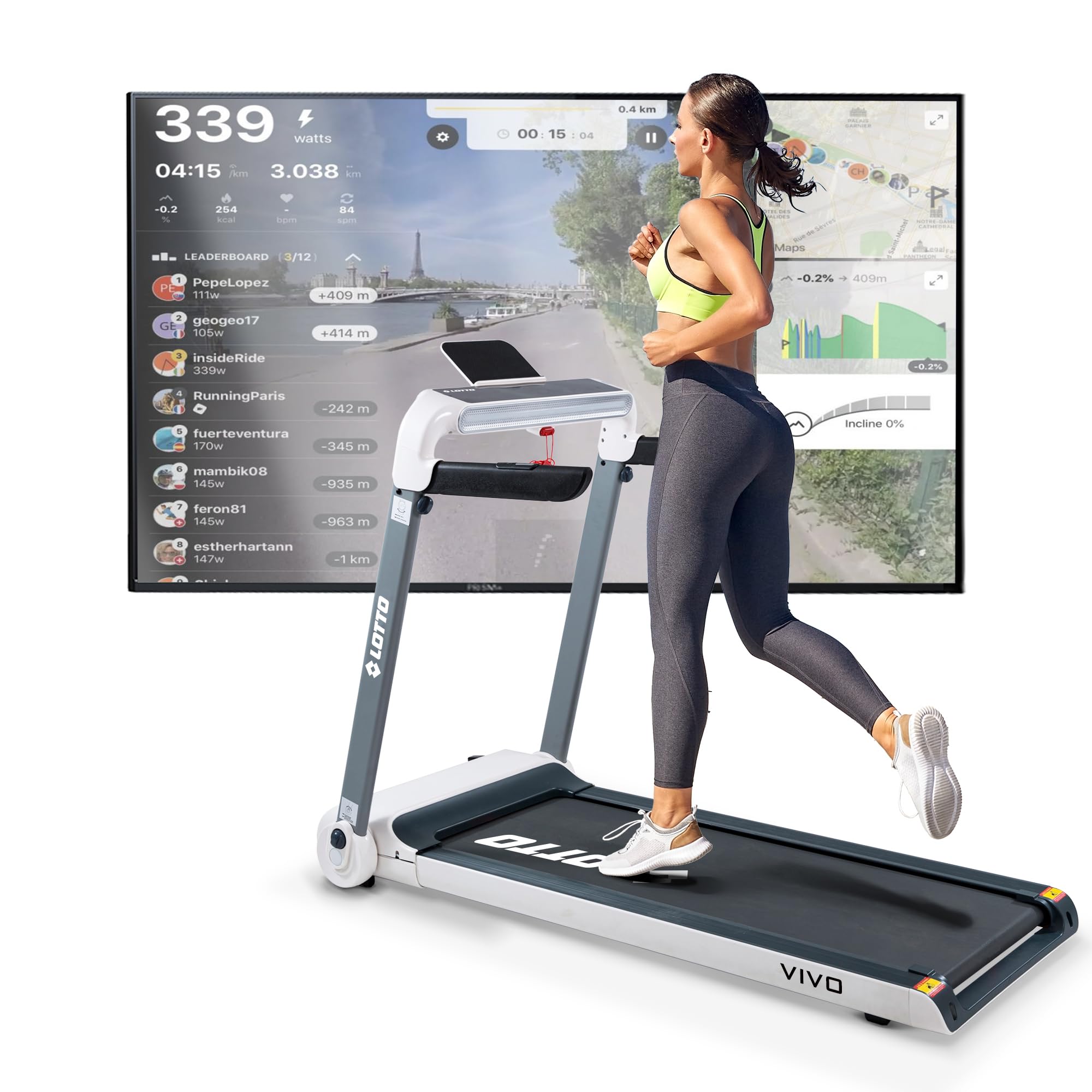
Image: Front view of the LOTTO Vivo Foldable Electric Treadmill, showcasing its design and console.
3. Operating Instructions
Familiarize yourself with the treadmill's controls and features for an effective workout.
Console Overview
The LED display provides essential workout data:
- Speed: Current belt speed (1-15 km/h).
- Time: Duration of your workout.
- Distance: Total distance covered.
- Calories: Estimated calories burned.
- Pulse: Heart rate reading from handlebar sensors.
- Incline: Current incline level (1-15 levels).

Image: A close-up view of the treadmill's LED control panel, showing the display and various control buttons.
Starting a Workout
- Attach the safety key clip to your clothing and insert the safety key into the console slot.
- Press the 'START' button. The belt will begin moving at a low speed.
- Adjust the speed using the '+' and '-' buttons on the console or handlebars.
- Adjust the incline using the 'INCLINE +' and 'INCLINE -' buttons on the console or handlebars.

Image: A detailed view of the handlebar controls, showing buttons for adjusting speed and incline during a workout.
Predefined Programs
The treadmill offers 24 predefined workout programs. Select a program from the console to automatically adjust speed and incline according to the program's profile.
Bluetooth Connectivity and Apps
Connect your smartphone or tablet via Bluetooth to enhance your workout experience with compatible applications.
- Spax: For tracking and managing workouts.
- Kinomap: Experience interactive video workouts with real-world routes.
- Zwift: Train in a virtual world with other users.
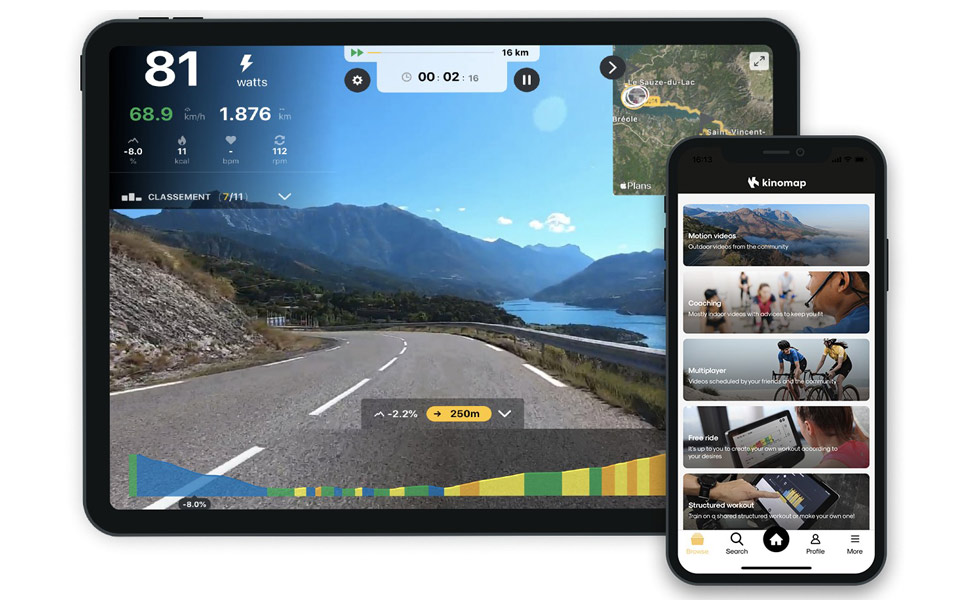
Image: A screenshot displaying the Kinomap application interface, showing a virtual running route and workout data.
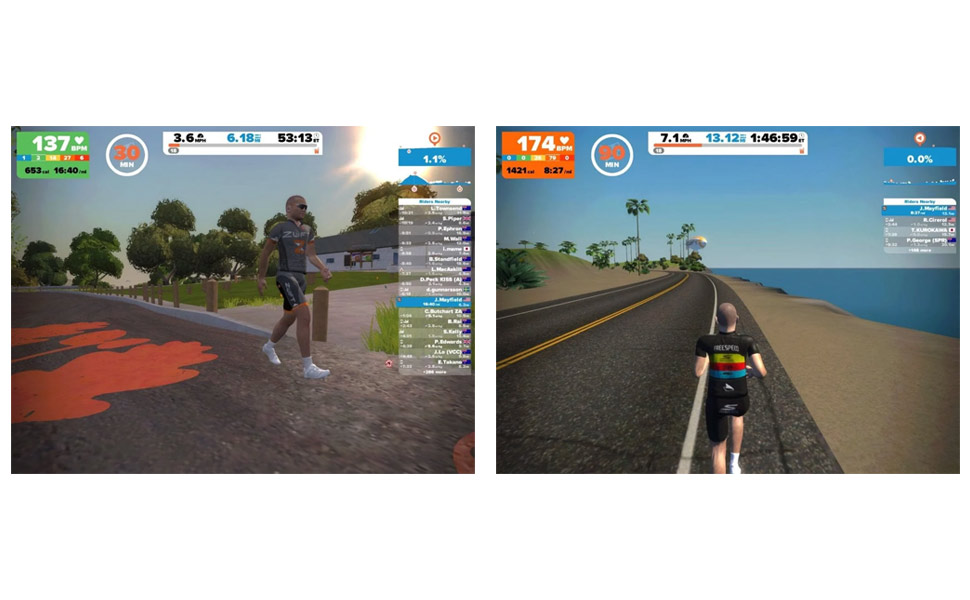
Image: A screenshot displaying the Zwift application interface, showing avatars running in a virtual environment.
Stopping a Workout
Press the 'STOP' button or pull the safety key to immediately stop the treadmill.
4. Maintenance
Regular maintenance ensures the longevity and optimal performance of your treadmill.
Lubrication
The running belt requires lubrication every 600 hours of use (approximately 20ml of lubricant).
- Lift one side of the running belt.
- Apply the lubricant oil in the middle of the running board.
- Start the treadmill at the lowest speed (1 km/h) for a few minutes to spread the lubrication oil evenly over the running board.

Image: A diagram showing how to apply lubricant to the treadmill belt, along with warnings against eating the oil and to store it in a shaded place.
Cleaning
- Wipe down the treadmill after each use with a damp cloth to remove sweat and dust.
- Do not use abrasive cleaners or solvents.
- Regularly vacuum under the treadmill to prevent dust buildup in the motor area.
Storage
The LOTTO Vivo treadmill is foldable for compact storage.
- Ensure the treadmill is turned off and unplugged.
- Lift the running deck until it locks into the vertical folded position.
- Use the integrated transport wheels to move the treadmill to your desired storage location.

Image: The LOTTO Vivo treadmill shown in its compact, folded position, highlighting its space-saving design.
5. Troubleshooting
This section provides solutions to common issues you might encounter.
Common Issues and Solutions
- Treadmill does not start:
- Ensure the power cord is securely plugged into a grounded outlet.
- Check that the safety key is correctly inserted into the console.
- Verify the circuit breaker has not tripped.
- Running belt slips or hesitates:
- The running belt may need lubrication (refer to Maintenance section).
- The belt tension may need adjustment. Consult a qualified technician if unsure.
- Unusual noises:
- Check for loose parts or foreign objects under the belt.
- If the noise persists, discontinue use and contact customer support.
- Bluetooth connection issues:
- Ensure Bluetooth is enabled on your device and the treadmill.
- Try restarting both the treadmill and your device.
- Ensure no other devices are connected to the treadmill via Bluetooth.
If you encounter an issue not listed here or if the problem persists, please contact customer support.
6. Specifications
| Brand | Lotto |
| Model | Vivo |
| Motor Horsepower (Continuous) | 2.5 HP |
| Maximum Power | 4 HP |
| Speed Range | 1 - 15 km/h |
| Incline Levels | 15 (Motorized) |
| Running Surface | 121 x 46 cm |
| Maximum User Weight | 120 kg |
| Display Type | LED |
| Display Metrics | Calories burned, Distance, Heart rate, Time, Speed |
| Number of Programs | 24 |
| Connectivity | Bluetooth (Spax, Kinomap, Zwift compatible) |
| Special Features | Shock absorber, Compact design, Automatic incline, Bluetooth speakers, Tablet/smartphone holder |
| Assembled Dimensions (L x W x H) | 156.7 x 77 x 119.5 cm |
| Folded Dimensions (L x W x H) | 156.7 x 77 x 33.5 cm |
| Net Weight | 50 kg |
| Gross Weight | 60 kg |
| Material | Metal |
| Color | White |
| Included Components | Safety key, Power cord, User manual |
7. Warranty and Support
Specific warranty information for the LOTTO Vivo Foldable Electric Treadmill is typically provided with your purchase documentation. Please refer to the warranty card or contact your retailer for details regarding coverage and duration.
Customer Support
For technical assistance, parts, or service inquiries, please contact the retailer or manufacturer directly. Have your product model (Vivo) and ASIN (B0DGQB77HT) ready when contacting support.


