
1. Introduction
This manual provides instructions for the installation, operation, and maintenance of your keepLiNK 16 Port 2.5G Network Ethernet Switch. This unmanaged switch is designed to provide high-speed network connectivity for various applications, including home offices, small businesses, and gaming environments. It features 16x 2.5Gb RJ45 ports and 4x 10G SFP+ slots for flexible and powerful network expansion.
2. Package Contents
Verify that all items are present in the package. If any item is missing or damaged, please contact your vendor.
- 1x keepLiNK 16 Ports 2.5G Switch
- 1x Power Cable
- 1x User’s Manual
- 2x Rack Mount Brackets (for rack installation)
3. Product Overview
The keepLiNK 16 Port 2.5G Network Ethernet Switch is housed in a durable metal case, designed for efficient heat dissipation and stable operation.
3.1 Front Panel Layout
The front panel features all network ports and LED indicators for easy monitoring.

Image: Front and rear view of the keepLiNK 16 Port 2.5G Network Ethernet Switch, highlighting 16x 2.5G RJ45 ports and 4x 10G SFP slots on the front, and power input on the rear.
- Ports 1-16: 100/1000/2500Mbps adaptive RJ45 ports. These ports support IEEE802.3bz (2.5G) standard and Auto MDI/MDIX.
- Ports 17-20: 10G SFP+ Slots. These slots are compatible with 1G/2.5G/10G SFP modules (modules not included).
- LED Indicators:
- SYS PWR: System Power indicator. Green indicates power is on.
- 1-16 Left (Link/Act): Indicates link status and activity for RJ45 ports.
- 1-16 Right (Speed): Indicates connection speed for RJ45 ports (e.g., Orange for 2.5G, Green for 1G, Yellow for 100M).
- 17-20 Left (Link/Act): Indicates link status and activity for SFP+ ports.
- 17-20 Right (Speed): Indicates connection speed for SFP+ ports (e.g., Red for 10G, Orange for 2.5G, Green for 1G).
3.2 Rear Panel Layout
The rear panel includes the power input and cooling features.
Image: Rear view of the keepLiNK 16 Port 2.5G Network Ethernet Switch, showing the AC100-240V 50/60Hz power input, power switch, and ventilation grilles with internal components visible.
- AC Power Input: Connect the provided power cable here (AC100-240V 50/60Hz).
- Power Switch: Toggles the device power on/off.
- Cooling Fans: Built-in fans and ventilation holes ensure efficient heat dissipation.
4. Setup
The keepLiNK 16 Port 2.5G Network Ethernet Switch is designed for plug-and-play operation, requiring no complex configuration.
4.1 Desktop Placement
For desktop use, place the switch on a stable, flat surface with adequate ventilation around the device.

Image: The keepLiNK 16 Port 2.5G Network Ethernet Switch shown in both desktop placement and installed in a server rack using the included rack mount kit.
4.2 Rack Mount Installation
The switch can be installed in a standard 19-inch server rack using the provided rack mount brackets.
- Attach the two rack mount brackets to the sides of the switch using the screws provided.
- Secure the switch into the server rack using appropriate rack screws (not included).
4.3 Power Connection
- Connect the provided power cable to the AC power input on the rear panel of the switch.
- Plug the other end of the power cable into a standard AC power outlet.
- Flip the power switch to the 'ON' position. The SYS PWR LED on the front panel should illuminate green.
4.4 Network Connections
Connect your network devices (e.g., computers, NAS, WiFi 6 APs, servers) to the RJ45 ports using Ethernet cables (Cat5e, Cat6, or Cat6a recommended for optimal performance). For SFP+ ports, insert compatible SFP/SFP+ modules and connect fiber optic cables.
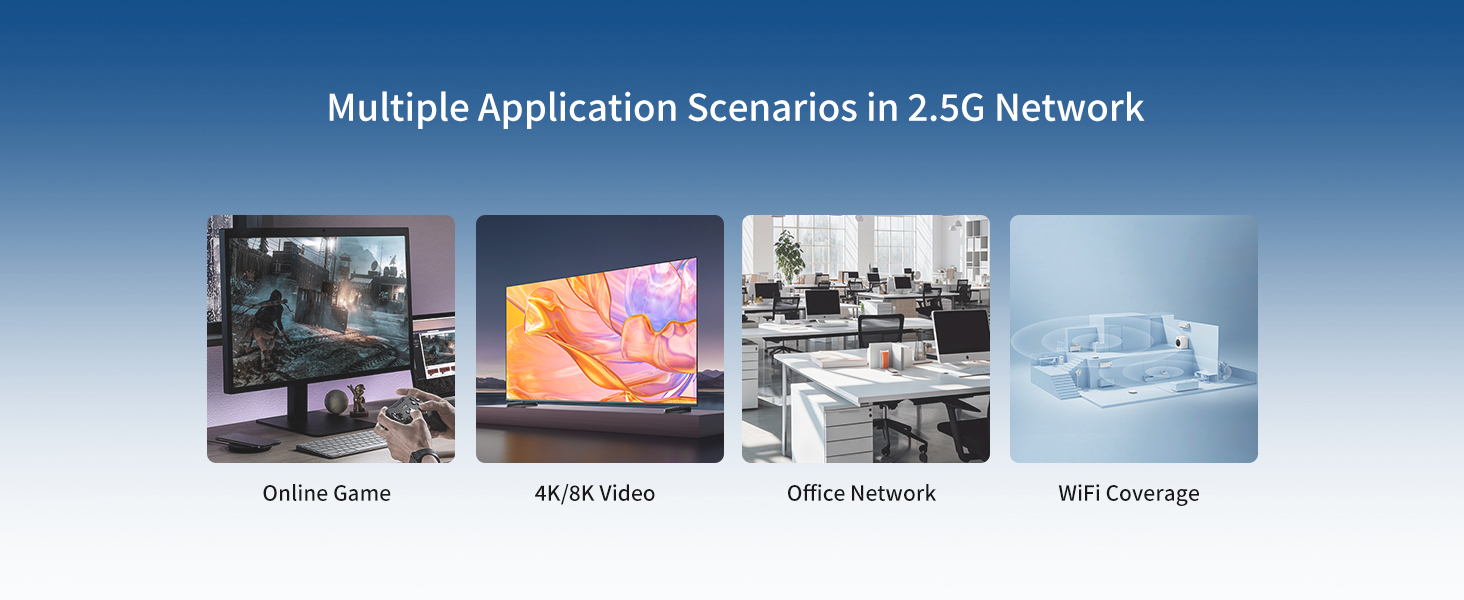
Image: A laptop and a router connected to the keepLiNK 16 Port 2.5G Network Ethernet Switch via Ethernet cables, demonstrating the plug-and-play setup.
5. Operating Instructions
As an unmanaged switch, the keepLiNK 16 Port 2.5G Network Ethernet Switch operates automatically once connected. No software configuration is required.
5.1 LED Indicators
Monitor the LED indicators on the front panel to verify network status:
- SYS PWR (Green): Solid green indicates the switch is powered on.
- Link/Act (Left LED per port): Solid light indicates a stable network link. Blinking light indicates data activity.
- Speed (Right LED per port): The color indicates the connection speed:
- RJ45 Ports (1-16): Orange for 2.5G, Green for 1G, Yellow for 100M.
- SFP+ Ports (17-20): Red for 10G, Orange for 2.5G, Green for 1G.
6. Features
The keepLiNK 16 Port 2.5G Network Ethernet Switch offers a range of features for enhanced network performance and reliability:
- 20 Port High-Speed Connectivity: Includes 16x 100/1000/2500Mbps adaptive RJ45 ports and 4x 10G SFP+ Slots (compatible with 1G/2.5G/10G modules).
- Ultra-fast Performance: Delivers 2.5x faster network performance than standard Gigabit switches, with a 240Gbps switching capacity for smooth data transfer.
- Plug and Play: Unmanaged design requires no configuration, simplifying installation and use.
- Robust Heat Dissipation: Features a durable metal case, dual-side cooling holes, and built-in cooling fans to maintain stable operation under high loads.
- Flexible Installation: Supports both desktop placement and rack mount options to suit various environments.
- 4kV Lightning Protection: Integrated protection against electrical surges.
- Wide Temperature Range: Operates reliably in temperatures from -10°C to +50°C.

Image: Visual representation of key features including 4kV Lightning Protection, Plug and Play functionality, Fan Cooling, and a Wide Temperature Range (-10°C to +50°C).
6.1 Applications
This switch is suitable for a wide range of applications requiring high-speed and reliable network connections:
- Office networks
- Online gaming
- 4K/8K video streaming
- WiFi coverage expansion
- Data centers and server rooms

Image: Illustrates various application scenarios for the switch, including office environments, online gaming setups, shopping malls, and general WiFi coverage.
7. Specifications
| Specification | Value |
|---|---|
| Model Number | 16 Port 2.5G |
| Number of Ports | 20 (16x 2.5G RJ45, 4x 10G SFP+) |
| Data Transfer Rate | 2.5 Gigabits Per Second (RJ45), 10 Gigabits Per Second (SFP+) |
| Switching Capacity | 240Gbps |
| Interface Type | RJ45, SFP |
| Case Material | Metal |
| Cooling | Fan Cooling |
| Voltage | 100-240 Volts (AC) |
| Product Dimensions | 17.32 x 9.65 x 1.73 inches |
| Item Weight | 6.6 pounds (approx. 3 Kilograms) |
| Operating Temperature | -10°C to +50°C |
| Included Components | Switch, Power Cable, User’s manual |
8. Maintenance
To ensure optimal performance and longevity of your keepLiNK switch, follow these maintenance guidelines:
- Ventilation: Ensure the switch is placed in a well-ventilated area. Do not block the cooling vents.
- Cleaning: Regularly clean the exterior of the switch with a soft, dry cloth. Do not use liquid or aerosol cleaners.
- Power: Use only the provided power adapter. Disconnect power during electrical storms or when unused for long periods.
- Environment: Avoid exposing the switch to extreme temperatures, humidity, or direct sunlight.
Note: Due to the built-in fan cooling, some noise may be generated during operation. This is normal and indicates proper cooling function.
9. Troubleshooting
If you encounter issues with your switch, refer to the following common troubleshooting steps:
- No Power:
- Check if the power cable is securely connected to both the switch and the power outlet.
- Ensure the power switch on the rear panel is in the 'ON' position.
- Verify the power outlet is functional by plugging in another device.
- No Link/Activity on Port:
- Ensure the Ethernet or fiber cable is securely connected to both the switch port and the connected device.
- Check the cable for damage. Try a different cable.
- Verify the connected device is powered on and functioning correctly.
- For SFP+ ports, ensure the SFP/SFP+ module is correctly inserted and compatible.
- Slow Network Speed:
- Check the Speed LED indicator for the port. Ensure it shows the expected speed (e.g., Orange for 2.5G).
- Ensure your connected devices and network adapters support 2.5G or 10G speeds.
- Use high-quality Ethernet cables (Cat5e, Cat6, or Cat6a) for 2.5G connections and appropriate fiber cables for SFP+ ports.
- Reduce network congestion by limiting bandwidth-intensive activities if multiple devices are heavily utilizing the network.
10. Product Video
Watch this video for an overview of the keepLiNK 16 Port 2.5G Ethernet Switch and its features.
Video: An unboxing and feature overview of the keepLiNK 16 Port 2.5G Ethernet Switch, demonstrating its physical appearance, ports, and installation options.
11. Warranty and Support
For warranty information and technical support, please refer to the documentation included with your purchase or visit the official keepLiNK website. Keep your purchase receipt for warranty claims.

