
1. Introduction
This manual provides detailed instructions for the safe and effective operation of your LaluceNatz 240W Stage Wash Light Bar. Please read this manual thoroughly before use and retain it for future reference.

Image 1.1: The LaluceNatz 240W Stage Wash Light Bar providing dynamic lighting for an event.
2. Safety Information
Always observe the following safety precautions to prevent electric shock, fire, or injury:
- Ensure the power supply voltage matches the product's requirements.
- Do not expose the unit to rain or moisture.
- Disconnect power before cleaning or servicing.
- Do not open the housing; there are no user-serviceable parts inside.
- Maintain adequate ventilation around the unit to prevent overheating.
- Avoid direct eye exposure to the light source.
3. Package Contents
Verify that all items are present upon unpacking:
- 1 x LaluceNatz 240W Stage Wash Light Bar
- 1 x Power Cable
- 1 x User Manual (this document)
4. Product Features
The LaluceNatz 240W Stage Wash Light Bar offers advanced lighting capabilities:
- Dual Effect Lighting: Features 112 cool white and 112 amber LEDs centrally, complemented by 224 RGB LEDs on each side for versatile lighting effects including white strobe, colored washes, and dynamic patterns.
- Independent Zone Control: Allows for independent control of 16 white & amber zones and 32 RGB zones, enabling complex strobe chases and unique visual sequences.
- Convex Lens Design: Equipped with rounded convex lenses to produce concentrated, brighter beams for enhanced focused stage illumination.
- Wide Beam Angle: Provides a 65-degree beam angle, suitable for covering large areas with vibrant light.
- Flexible DMX Modes: Supports 5 DMX modes (7, 13, 82, 130, and 135 channels) for comprehensive control.
- Built-In Programs: Includes pre-programmed macros for quick setup and diverse lighting effects.
- Durable and Lightweight: Constructed from aluminum, weighing 5.8 lbs (2.7 kg) and measuring 1m (39.4 inches) for ease of handling and transport.

Image 4.1: Pixel strobe chase effects with 224 RGB, 112 Amber, and 112 White LEDs.
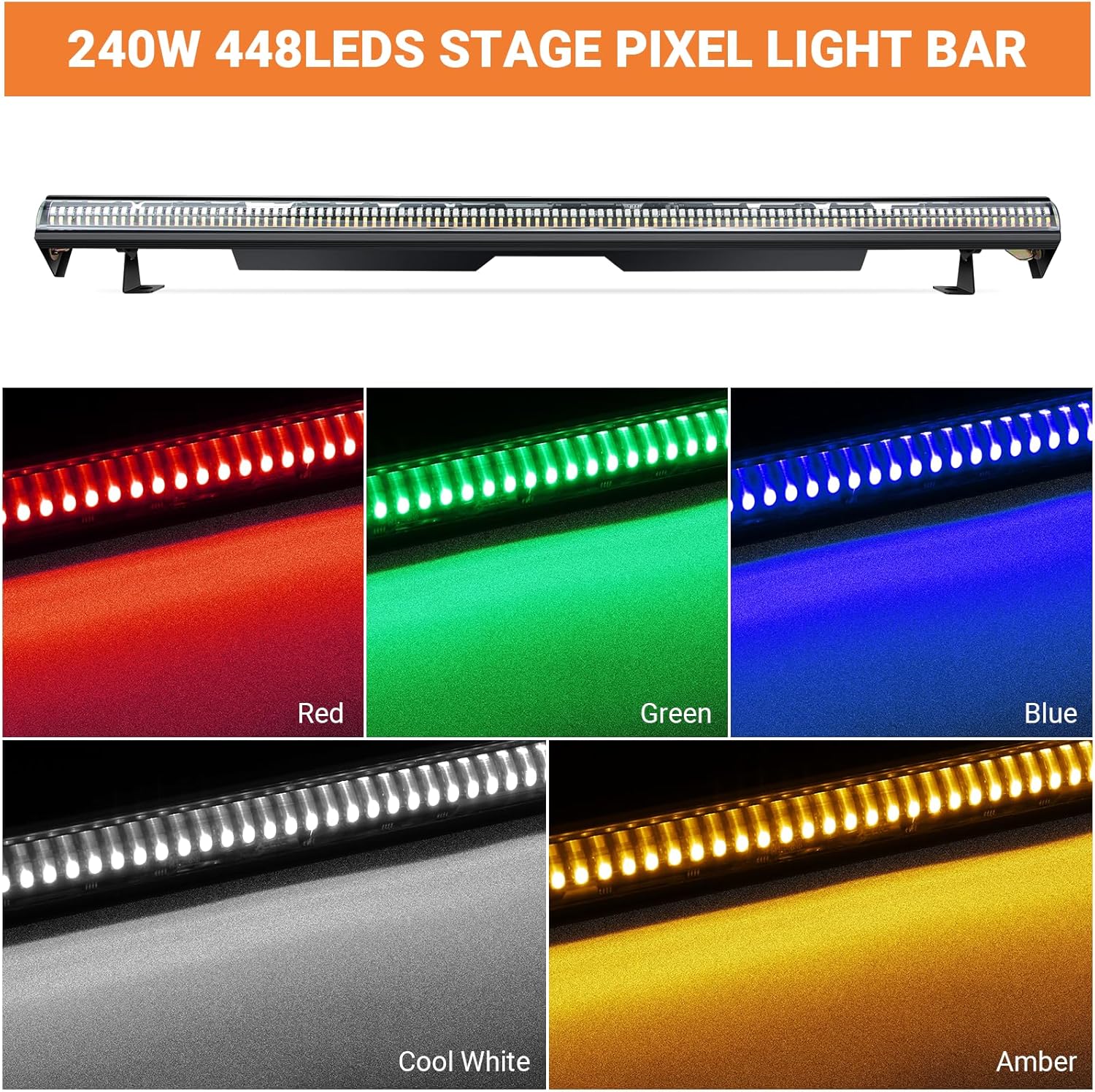
Image 4.2: Individual color output (Red, Green, Blue, Cool White, Amber) of the light bar.
5. Product Specifications
| Specification | Detail |
|---|---|
| Model Number | LA-097-448RGBWA |
| Light Source Type | Light Emitting Diode (LED) |
| LED Configuration | 224 RGB, 112 White, 112 Amber LEDs (Total 448 LEDs) |
| Power Source | Corded Electric |
| Voltage | 110 Volts |
| Wattage | 240 Watts |
| Beam Angle | 65 Degrees |
| DMX Control Channels | 7, 13, 82, 130, 135 channels |
| Control Zones | 32 RGB, 16 White & Amber |
| Material | Metal (Aluminum) |
| Dimensions (L x W x H) | 41"L x 2.9"W x 6.29"H (104.5cm x 7.4cm x 16cm) |
| Weight | 5.8 lbs (2.7 kg) |
| Mounting Type | Wall Mount (with adjustable brackets) |

Image 5.1: Key components and dimensions of the light bar.
6. Setup
6.1 Mounting
The light bar includes adjustable brackets for flexible mounting options, such as wall mounting or truss attachment. Ensure the mounting surface or structure can support the weight of the fixture and any additional equipment.
6.2 Power Connection
Connect the provided power cable to the 'Locking Power' input on the light bar and then to a standard 110V AC power outlet. The unit features a daisy-chain power output for connecting multiple units (Max Power Linking: 6 units).

Image 6.1: Daisy-chain power connection for linking multiple light bars.
7. Operating Instructions
The light bar can be operated via its onboard LED display and buttons, or through DMX/RDM control.
7.1 Onboard Control Panel
The LED display and buttons (MENU, UP, DOWN, ENTER) allow for direct selection of operating modes and settings:
- MENU: Cycles through main menu options (e.g., DMX address, operating modes).
- UP/DOWN: Navigates through options or adjusts parameter values.
- ENTER: Confirms selection or saves changes.
7.2 Operating Modes
The light bar supports several operating modes:
- Auto Mode: Cycles through built-in programs automatically.
- Sound-Activated Mode: Responds to ambient sound with dynamic light patterns.
- Static Color Mode: Displays a single, continuous color.
- Strobe Mode: Produces flashing light effects with adjustable speed.
- Master-Slave Mode: Links multiple units where one acts as master, controlling the others.
- DMX512 Mode: Allows external control via a DMX controller.

Image 7.1: Overview of versatile operating modes.
8. DMX Control
For advanced lighting control, connect the light bar to a DMX controller. The unit supports multiple DMX channel modes, allowing for precise manipulation of colors, effects, and individual zones.
8.1 DMX Channel Modes
Select the desired DMX channel mode (7, 13, 82, 130, or 135 channels) via the onboard menu. Refer to the DMX chart (typically found in a separate DMX protocol document or detailed manual) for specific channel functions.
8.2 Independent Zone Control
In higher DMX channel modes, you can independently control the 32 RGB zones and 16 white & amber zones, enabling intricate pixel mapping and chase effects.
8.3 RDM Control
The light bar also supports RDM (Remote Device Management), allowing for remote addressing and configuration of DMX devices from a compatible DMX controller.
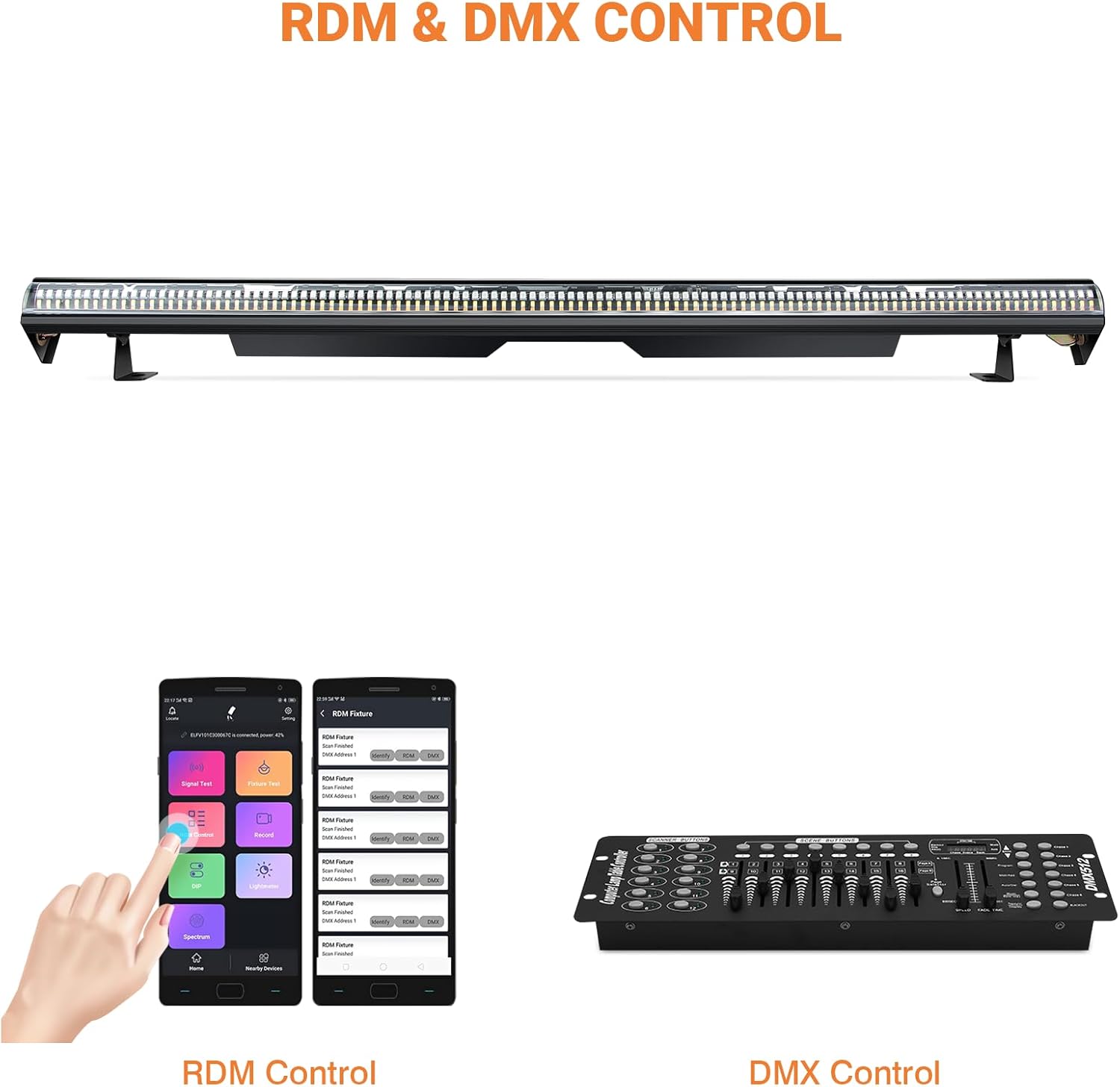
Image 8.1: RDM and DMX control options.
Video 8.1: Demonstration of DMX control capabilities and various features of the light bar.
9. Maintenance
Regular maintenance ensures optimal performance and longevity of your light bar:
- Cleaning: Periodically clean the exterior and lenses with a soft, lint-free cloth. Do not use abrasive cleaners or solvents.
- Inspection: Regularly check power cables and DMX connections for any signs of damage.
- Storage: When not in use, store the unit in a dry, dust-free environment.
10. Troubleshooting
If you encounter issues, refer to the following common problems and solutions:
| Problem | Possible Cause | Solution |
|---|---|---|
| Light bar does not power on. | No power, faulty cable, or unit malfunction. | Check power connection, try a different outlet, inspect power cable. If issue persists, contact support. |
| No DMX control. | Incorrect DMX address, faulty DMX cable, or incorrect DMX mode. | Verify DMX address matches controller, check DMX cable connections, ensure DMX mode is selected on the unit. |
| Lights are flickering or inconsistent. | Loose connection, power fluctuations, or DMX signal interference. | Check all power and DMX connections. Ensure stable power supply. Use a DMX terminator if necessary. |
11. Warranty and Support
This LaluceNatz product comes with a 1-year warranty from the date of purchase. For warranty claims or technical support, please contact LaluceNatz customer service. Keep your proof of purchase for warranty validation.