
1. Introduction
Thank you for choosing the Hulaed Invisible Sleep Headphones Q26. These earbuds are designed for comfort and discretion, ideal for sleeping, driving, cycling, and other activities where a low-profile audio solution is desired. Featuring Bluetooth 5.3 connectivity and IPX6 waterproofing, they offer a stable connection and durability. This manual provides instructions for setup, operation, maintenance, and troubleshooting to ensure optimal performance.
2. Package Contents
Please check the package for the following items:
- Hulaed Invisible Sleep Headphones (Left and Right Earbuds)
- Charging Case
- USB Charging Cable
- User Manual
3. Product Overview
The Hulaed Q26 earbuds are designed to be compact and sit discreetly in your ears. Each earbud features a touch-sensitive surface for control.
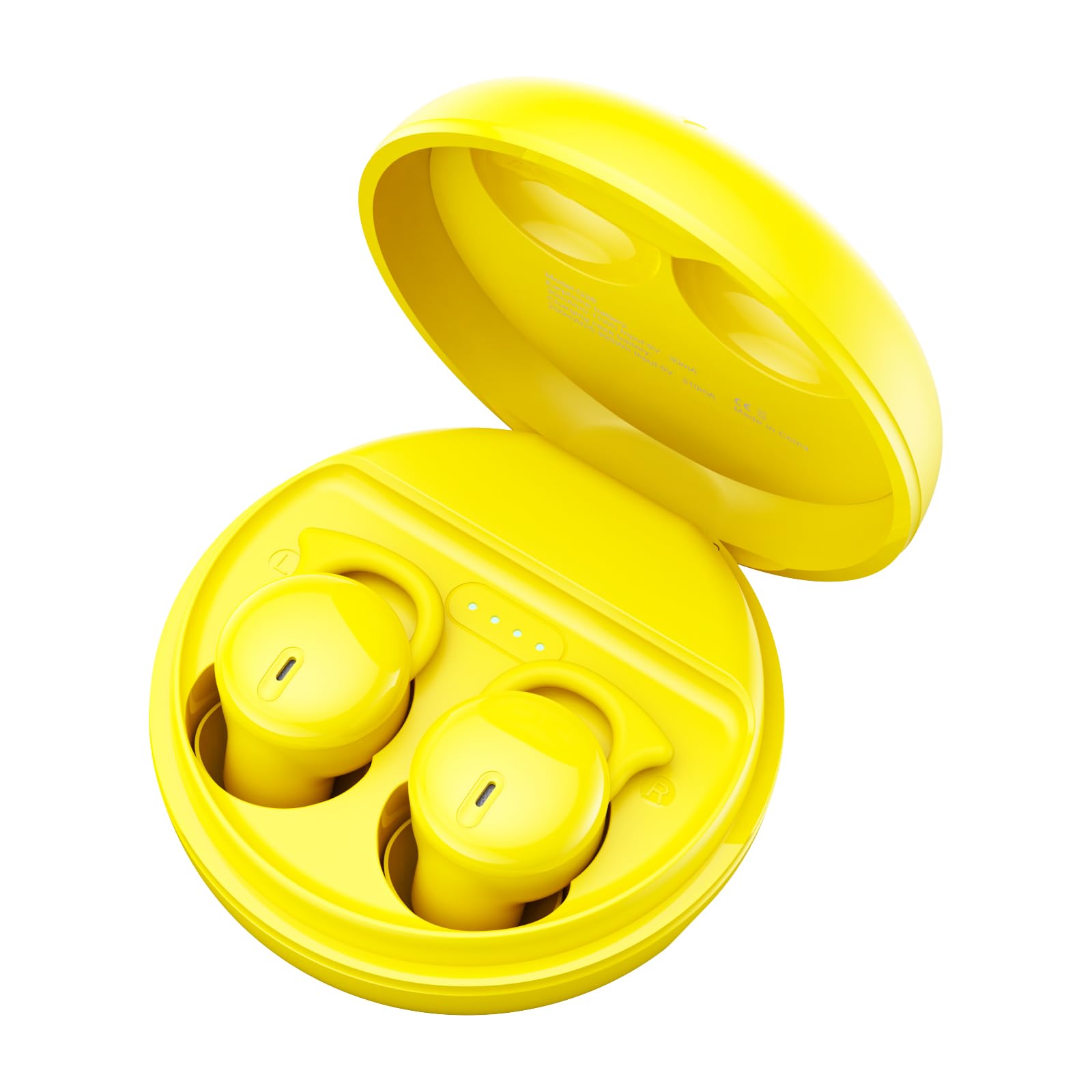
Image: Hulaed Invisible Sleep Headphones Q26, showing the compact design of the earbuds and their charging case.
Earbud Components:
- Touch Control Area: For managing playback, calls, and sleep mode.
- Charging Contacts: Located on the bottom of each earbud.
- Microphone: For calls.
- LED Indicator: Shows status (pairing, charging, sleep mode).
4. Setup
4.1 Charging the Earbuds and Case
- Place the earbuds into the charging case. Ensure the charging contacts align.
- Connect the USB charging cable to the charging port on the case and to a power source (e.g., computer USB port, wall adapter).
- The LED indicator on the case will show charging status. A full charge typically takes approximately 1-2 hours.
- Once fully charged, disconnect the charging cable.
Note: For first-time use, fully charge the earbuds and charging case.
4.2 Bluetooth Pairing
- Ensure the earbuds are charged.
- Open the charging case. The earbuds will automatically power on and enter pairing mode. The LED indicator on one earbud will flash, indicating it's ready to pair.
- On your device (smartphone, tablet, laptop), enable Bluetooth.
- Search for "Q26" in the list of available Bluetooth devices.
- Select "Q26" to connect. Once connected, the LED indicator will stop flashing, and you will hear a confirmation tone.
- The earbuds will automatically reconnect to the last paired device when taken out of the case, if Bluetooth is enabled on the device.
Note: If pairing fails, turn off Bluetooth on your device, place earbuds back in the case, close and reopen, then repeat the pairing steps.
5. Operating Instructions
5.1 Power On/Off
- Power On: Open the charging case, or long-press the touch control area on both earbuds for 3 seconds.
- Power Off: Place the earbuds back into the charging case and close the lid, or long-press the touch control area on both earbuds for 5 seconds.
5.2 Music Playback
- Play/Pause: Single tap on either earbud.
- Next Track: Double tap on the right earbud.
- Previous Track: Double tap on the left earbud.
- Volume Up: Triple tap on the right earbud.
- Volume Down: Triple tap on the left earbud.
5.3 Call Management
- Answer/End Call: Single tap on either earbud.
- Reject Call: Long-press on either earbud for 2 seconds.
5.4 Sleep Mode
The Q26 features a dedicated Sleep Mode to prevent accidental touches and disable the indicator light, ensuring an undisturbed experience, especially for side sleepers.
- Activate Sleep Mode: Four quick taps on the right earbud. You will hear a confirmation tone. In this mode, accidental touches are disabled, and the LED indicator light will stop flashing.
- Deactivate Sleep Mode: Four quick taps on the right earbud again.
5.5 IPX6 Waterproofing
The earbuds are IPX6 waterproof, meaning they are resistant to high-pressure water jets from any direction. This makes them suitable for use during sports, travel, and even activities like swimming or snorkeling. However, they are not designed for prolonged submersion or diving. Ensure earbuds are dry before placing them back in the charging case to prevent damage.
6. Maintenance
- Cleaning: Use a soft, dry, lint-free cloth to clean the earbuds and charging case. Do not use harsh chemicals or abrasive materials.
- Charging Contacts: Periodically clean the charging contacts on both the earbuds and the case with a dry cotton swab to ensure proper charging.
- Storage: When not in use, store the earbuds in their charging case to protect them and keep them charged. Avoid extreme temperatures.
- Water Exposure: After exposure to water, ensure the earbuds are completely dry before charging or placing them in the case.
7. Troubleshooting
| Problem | Solution |
|---|---|
| Earbuds do not power on. | Ensure the earbuds and charging case are fully charged. Place earbuds in the case and close the lid, then reopen. |
| Earbuds do not pair with device. |
|
| No sound or low volume. |
|
| Touch controls are unresponsive. |
|
8. Specifications
| Feature | Detail |
|---|---|
| Model Name | Q26 |
| Brand | Hulaed |
| Connectivity Technology | Wireless (Bluetooth 5.3) |
| Bluetooth Version | 5.3 |
| Water Resistance Level | IPX6 (Waterproof) |
| Battery Life | Up to 8 Hours (earbuds) |
| Earpiece Shape | In-ear |
| Noise Control Features | Sound Isolation, Noise Cancellation (Built-in microphone) |
| Compatible Devices | Cellphones, Laptops, Music Production Equipment, Tablets |
| Item Weight | 1.6 ounces |
| Product Dimensions | 3 x 2 x 1 inches |
| Material | Plastic |
| Battery Type | Lithium Polymer (included) |
9. Warranty and Support
Hulaed products are manufactured to the highest quality standards. For warranty information, technical support, or customer service inquiries, please refer to the contact information provided with your purchase or visit the official Hulaed website. Please retain your proof of purchase for warranty claims.
For further assistance, please contact our customer support team.