
Introduction
This manual provides detailed instructions for the installation, operation, and maintenance of your Loocam 2MP 1080p HD 4-in-1 Bullet Wired Security Camera. This versatile camera is designed for both indoor and outdoor surveillance, featuring 80ft IR night vision and IP66 weatherproof construction. It is compatible with various DVR systems including TVI, AHD, CVI, and CVBS formats.
Package Contents
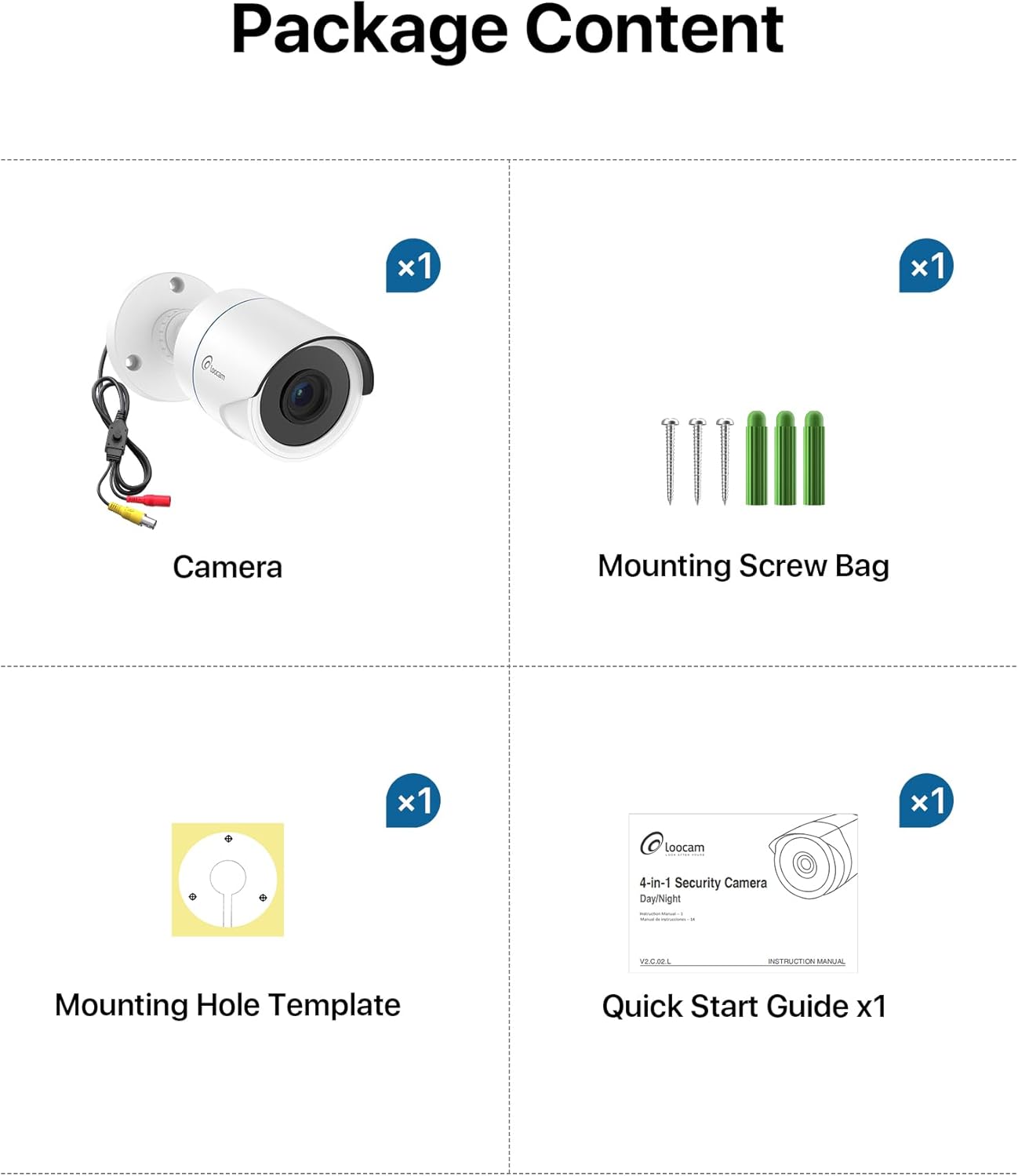
Please verify that all items listed below are included in your package:
- 1x Loocam 1080p Camera
- 1x Mounting Screw Bag
- 1x Mounting Hole Template
- 1x Quick Start Guide
Specifications
| Feature | Detail |
|---|---|
| Brand | Loocam |
| Model Name | L1C-124C4-WNS |
| Recommended Uses | Indoor Security, Outdoor Security |
| Connectivity Technology | Wired |
| Special Features | HD Resolution, Night Vision, Weather Proof |
| Indoor/Outdoor Usage | Indoor, Outdoor |
| Compatible Devices | Digital Video Recorder |
| Mount Type | Ceiling Mount |
| Color | White |
| Shape | Bullet |
| Waterproof Rating | IP66 |
| Power Source | Corded Electric |
| Video Capture Resolution | 1080p |
| Night Vision Range | 80 Feet |
| Number of IR LEDs | 24 |
| Viewing Angle | 90 Degrees |
| Item Dimensions | 5.78 x 2.74 x 2.5 inches |
Setup
Follow these steps to set up your Loocam security camera.
Camera Output Mode Conversion
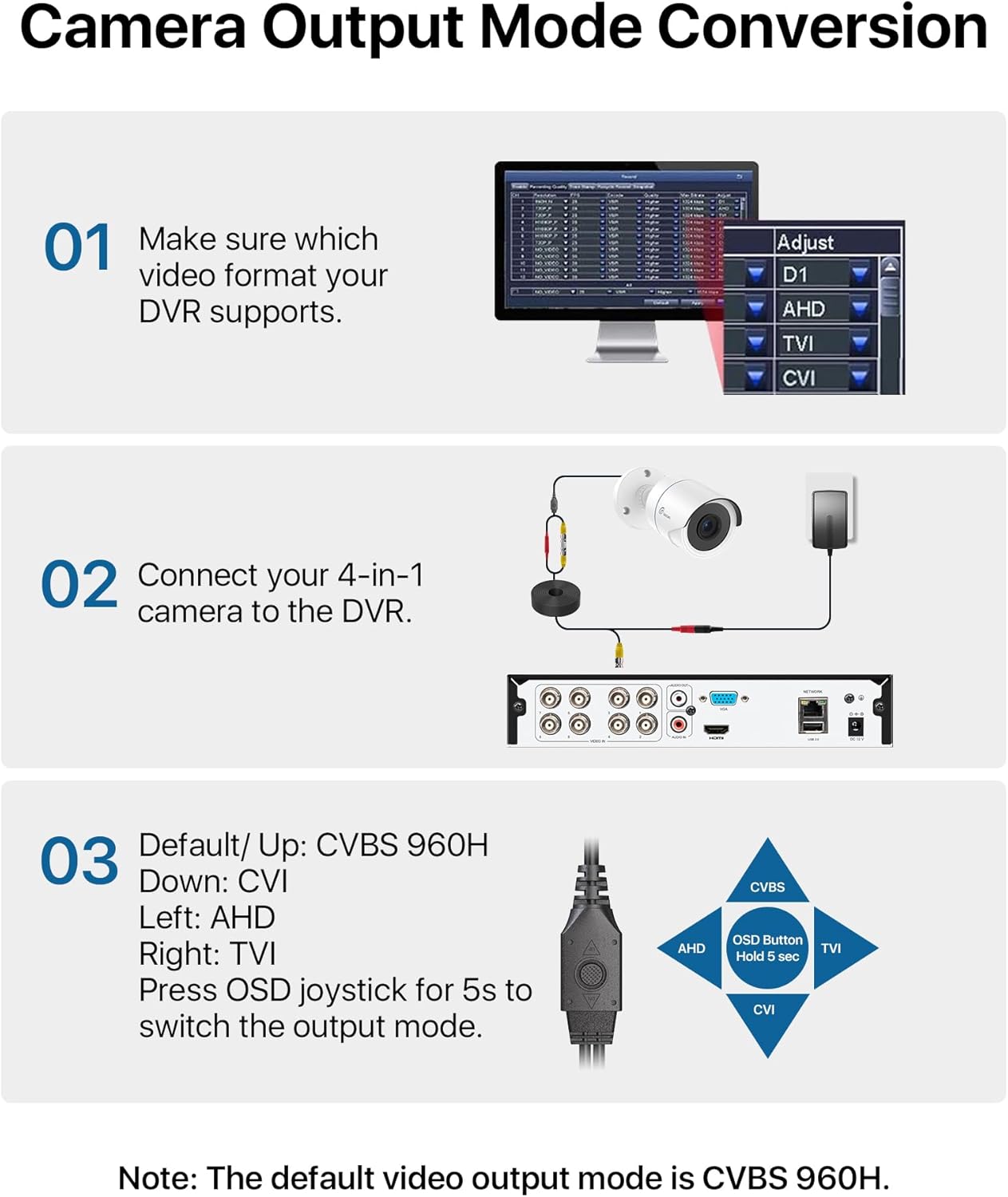
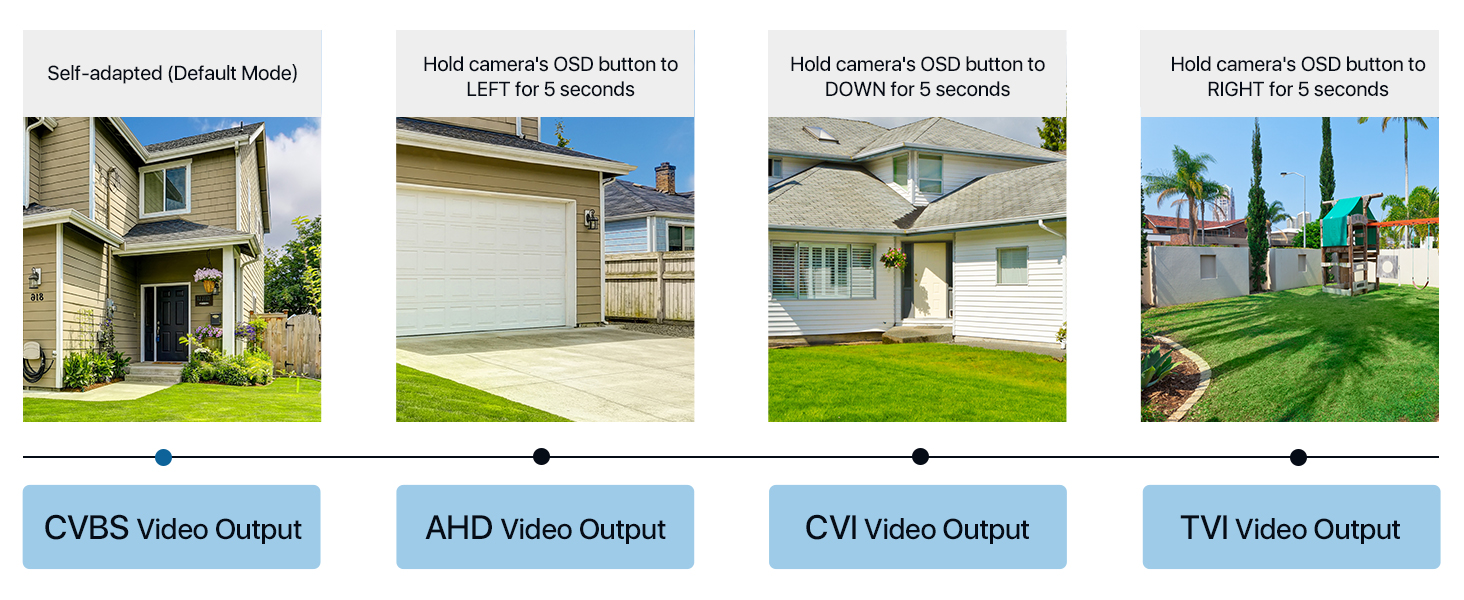
Your Loocam 4-in-1 camera supports TVI, AHD, CVI, and CVBS video output modes. The default mode is CVBS 960H. It is crucial to match the camera's output mode to your DVR's supported mode for proper functionality. Use the OSD joystick on the camera's connection cable to switch modes.


Video Tutorial: Connecting to DVR
Video: This tutorial demonstrates how to connect your Loocam 1080p 4-in-1 camera to a DVR system and switch between video modes using the OSD button.
Video Tutorial: Installation Guide
Video: This video provides a comprehensive guide on how to connect and install your Loocam 1080p 4-in-1 camera, including physical mounting and cable connections.
Connecting to the DVR
Connect the camera's video output to the DVR's video input using a BNC cable. Ensure the power supply is connected to the camera. If using multiple cameras, a 1-to-4 power splitter may be required (not included).

Physical Installation
The camera features an adjustable 3-axis bracket for flexible positioning. Use the provided mounting hole template and screws to securely fix the camera to your desired indoor or outdoor location. The IP66 weatherproof rating ensures durability in various environmental conditions.

Operating the Camera
HD Resolution and Night Vision
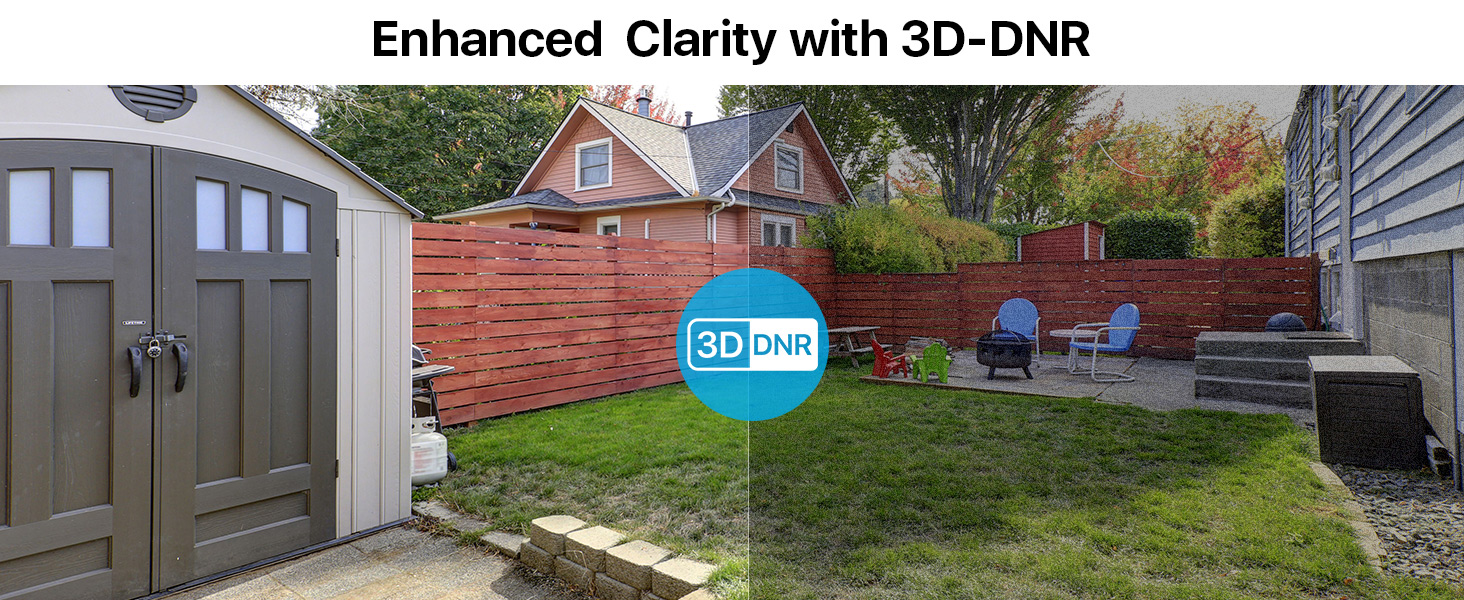
The Loocam camera delivers 1080p HD video with a 2.0MP sensor, capturing clear and detailed images. Equipped with 24 built-in IR LEDs, it provides up to 80 feet of night vision, ensuring continuous surveillance in low-light conditions.


Maintenance
To ensure optimal performance and longevity of your Loocam security camera, follow these maintenance guidelines:
- Cleaning: Regularly wipe the camera lens and housing with a soft, damp cloth to remove dust and dirt. Avoid using harsh chemicals or abrasive materials that could damage the finish or lens.
- Weather Protection: The camera has an IP66 weatherproof rating, making it resistant to dust and water jets. However, for extreme weather conditions, consider additional protective measures to extend its lifespan.
- Cable Inspection: Periodically check all cables and connections for any signs of wear, damage, or loose connections. Secure any loose cables to prevent accidental disconnections or damage.
- Firmware Updates: Check the Loocam official website or your DVR manufacturer's website for any available firmware updates for your camera or DVR system. Keeping software updated can improve performance and security.
Troubleshooting
If you encounter issues with your Loocam security camera, refer to the following common troubleshooting tips:
- No Image on DVR:
- Ensure the camera's output mode (TVI, AHD, CVI, CVBS) matches your DVR's input mode. Use the OSD joystick on the camera cable to switch modes (refer to the "Camera Output Mode Conversion" section).
- Verify all cable connections (video and power) are secure and properly seated.
- Check if the power adapter is functioning correctly and providing power to the camera.
- Test the camera with a different DVR input port or a known working camera to isolate the issue.
- Poor Image Quality:
- Clean the camera lens to remove any smudges, dust, or debris.
- Ensure the camera is focused correctly (if adjustable).
- Check for obstructions in the camera's field of view.
- Verify that the camera's output resolution is supported by your DVR and display.
- Night Vision Issues:
- Ensure there are no strong light sources directly pointing at the camera, which can interfere with IR illumination.
- Check if the IR LEDs are visibly glowing red in the dark (they should).
- Verify that the IR-Cut filter is switching correctly between day and night modes.
Warranty and Support
Loocam is committed to providing high-quality products and excellent customer service. Your Loocam 2MP 1080p HD 4-in-1 Bullet Wired Security Camera comes with the following:
- 30-Day Money Back Guarantee and Free Return: If you are not satisfied with your purchase, you may return it within 30 days for a full refund.
- 2-Year Limited Warranty: This product is covered by a 2-year limited warranty against manufacturing defects.
- Lifetime Technical Support: Loocam offers lifetime technical support to assist you with any questions or issues you may encounter.
- Prompt Online Assistance: Access prompt online assistance for quick resolutions to your queries.
For further assistance, please visit the Loocam Store on Amazon or contact our customer support team.