
SainSmart Space PI Filament Dryer Plus
SainSmart Creality Space PI Filament Dryer Plus & Carbon Fiber PETG Filament User Manual
Introduction
This manual provides essential instructions for the setup, operation, and maintenance of your SainSmart Creality Space PI Filament Dryer Plus and SainSmart Carbon Fiber PETG Filament. Please read this guide thoroughly before use to ensure optimal performance and longevity of your products.
Product Overview
Creality Space PI Filament Dryer Plus
The Creality Space PI Filament Dryer Plus is designed to maintain optimal filament conditions for 3D printing. It features:
- Two Roll Capacity: Capable of storing and drying two 1KG spools of filament simultaneously. It includes two filament holes and PTFE pipes to support operation with two printers concurrently.
- Smart Time Control: Offers a customizable drying duration with a 48-hour timer function. The power-off memory function retains previous settings for efficient drying after power interruptions.
- Double PTC 360° Hot-air Heating: Utilizes a built-in fan to circulate hot air 360 degrees for uniform heating, effectively removing moisture from filaments and enhancing print quality.

Image: SainSmart Creality Space PI Filament Dryer Plus and SainSmart Carbon Fiber PETG Filament bundle.

Image: Overview of Creality Space Pi Filament Dryer Plus features.
SainSmart Carbon Fiber PETG Filament
The SainSmart Carbon Fiber PETG Filament is engineered for enhanced performance in 3D printing:
- Incredible Strength and Durability: This super-strong filament is ideal for printing items requiring high structural integrity. Its carbon fiber infusion provides increased rigidity and strength, along with toughness, wear resistance, and tear resistance.
- Wide Industrial Applications: Suitable for various industrial uses, including aerospace, engineering, and motorsports, due to its robust properties.
- 10% Carbon Fiber Infused: Optimized for a balance of strength and printability.

Image: SainSmart Carbon Fiber PETG Filament spool with detailed specifications.

Image: Carbon Fiber PETG Filament and printed parts, illustrating 10% carbon fiber infusion.
Setup
Loading Filament Spools
- Open the lid of the Creality Space PI Filament Dryer Plus.
- Place up to two 1KG filament spools inside the dryer. The dryer is compatible with various spool types, including cardboard spools.
- Close the lid securely.

Image: Two-roll capacity design of the filament dryer.
Connecting to a 3D Printer (Drying While Printing)
The filament dryer is designed to allow continuous drying while printing. Utilize the feeding ports located on the top and sides of the dryer to run PTFE tubing directly from the dryer to your 3D printer. This ensures your filament remains dry throughout the printing process.
Operating Instructions
Monitoring Temperature and Humidity
The Creality Space PI Filament Dryer Plus features a display screen that provides real-time monitoring of both the internal temperature and humidity levels.
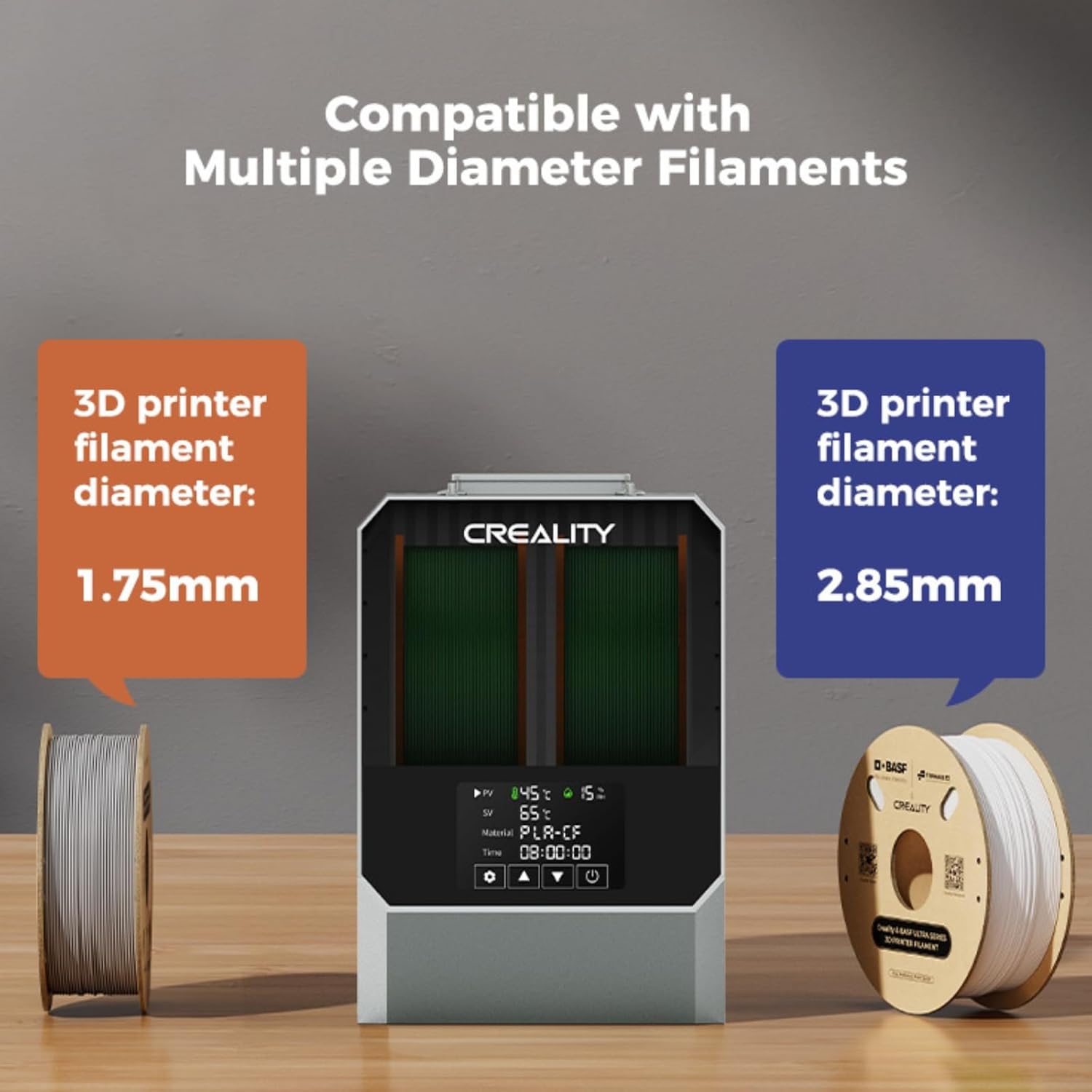
Image: Filament dryer display showing real-time temperature and humidity.
Setting Drying Time and Temperature
The dryer offers preset temperature settings for 12 different types of consumables. You can also manually adjust the temperature between 45°C and 70°C, and the drying time from 0 to 48 hours.

Image: One-key set for filaments with recommended drying temperatures.
Recommended Drying Temperatures and Times:
| Material | Temperature | Time |
|---|---|---|
| PLA | 50°C | 4-8h |
| TPU | 55°C | 4-8h |
| PP | 55°C | 4-8h |
| ABS | 65°C | 8-12h |
| ASA | 65°C | 8-12h |
| PETG | 60°C | 4-8h |
| PC | 65°C | 8-12h |
| PA | 65°C | >12h |
| PET | 60°C | 4-8h |
| PLA-CF | 50°C | 4-8h |
| PETG-CF | 60°C | 4-8h |
| PA-CF | 65°C | >12h |

Image: Parameter Power-off feature, showing retained settings after a power outage.
Maintenance
To ensure the optimal performance and longevity of your filament dryer, regular maintenance is recommended:
- Cleaning: Periodically wipe down the exterior and interior of the dryer with a dry, soft cloth. Ensure no dust or filament debris accumulates, especially around the heating elements and fan vents.
- Storage: When not in use, store the dryer in a cool, dry place. If storing filament for extended periods, consider using vacuum-sealed bags with desiccant packs in addition to the dryer.
Troubleshooting
Common 3D printing issues related to wet filament and how the dryer helps:
- Stringing and Oozing: Wet filament can lead to excessive stringing and oozing during printing. Drying the filament reduces moisture content, improving print cleanliness.
- Clogging: Moisture in filament can cause steam bubbles during extrusion, leading to nozzle clogs. Drying helps prevent this issue.
- Poor Adhesion and Layer Shifting: Prints with wet filament may suffer from poor bed adhesion and weak layer bonding, resulting in failed prints or delamination. Properly dried filament enhances print adhesion and structural integrity.
- Brittle Filament: Filament that has absorbed moisture can become brittle and break easily, especially flexible filaments like TPU. Drying restores flexibility and reduces breakage.

Image: Visual comparison of a 3D print before and after filament drying, demonstrating improved quality.
Specifications
- ASIN: B0DGQ1N16B
- Date First Available: September 11, 2024
- Filament Dryer Capacity: Two 1KG spools
- Filament Dryer Temperature Range: 45°C - 70°C
- Filament Dryer Timer: 0 - 48 hours
- Filament Diameter Compatibility: 1.75mm, 2.85mm
- SainSmart Carbon Fiber PETG Filament Diameter: 1.75mm (±0.04mm)
- SainSmart Carbon Fiber PETG Filament Net Weight: 1KG (2.2lb)
- SainSmart Carbon Fiber PETG Filament Print Temperature: 220-260°C
- SainSmart Carbon Fiber PETG Filament Bed Temperature: 70-100°C
Official Product Videos
Official Creality Hyper PLA Filament Overview
Video: An official overview of Creality Hyper PLA Filament, demonstrating its printing capabilities and speed. While this video features PLA, it provides insight into Creality's filament quality and performance, relevant to the included PETG filament.
Ask a question about this manual
Ask about setup, troubleshooting, compatibility, parts, safety, or missing instructions. Manuals+ will review the question and use this page’s manual context to help answer it.