
1. Setup
What's in the Box
The VDIAGTOOL VD70S package includes the following items:
- 1 x VD70S Scanner
- 1 x VCI WiFi Box
- 1 x US/UK/EU Plug Adapter
- 1 x Type C to Type-C Charge Cable
- 1 x Quick Start Guide
- 1 x Carry Case

Image: Contents of the VDIAGTOOL VD70S package, including the scanner, VCI box, adapters, cables, guide, and carry case.
Initial Setup and Activation
Before first use, ensure the VD70S scanner is fully charged using the provided Type-C cable and adapter. Connect the VCI WiFi Box to your vehicle's OBD2 port. The device requires registration and activation via Wi-Fi to access updates and full functionality. Follow the on-screen prompts to complete the setup process.
Video: An unboxing and initial setup guide for the VDIAGTOOL VD70S, demonstrating how to register and activate the device for updates.
2. Operating the VD70S Diagnostic Tool
Wireless Connection and Interface
The VD70S offers 33-66ft wireless freedom, allowing you to perform diagnostics without being tethered by cables. The intuitive Android-based interface provides quick access to all functions. The VCI box connects wirelessly to the tablet, indicated by a green light when connected.
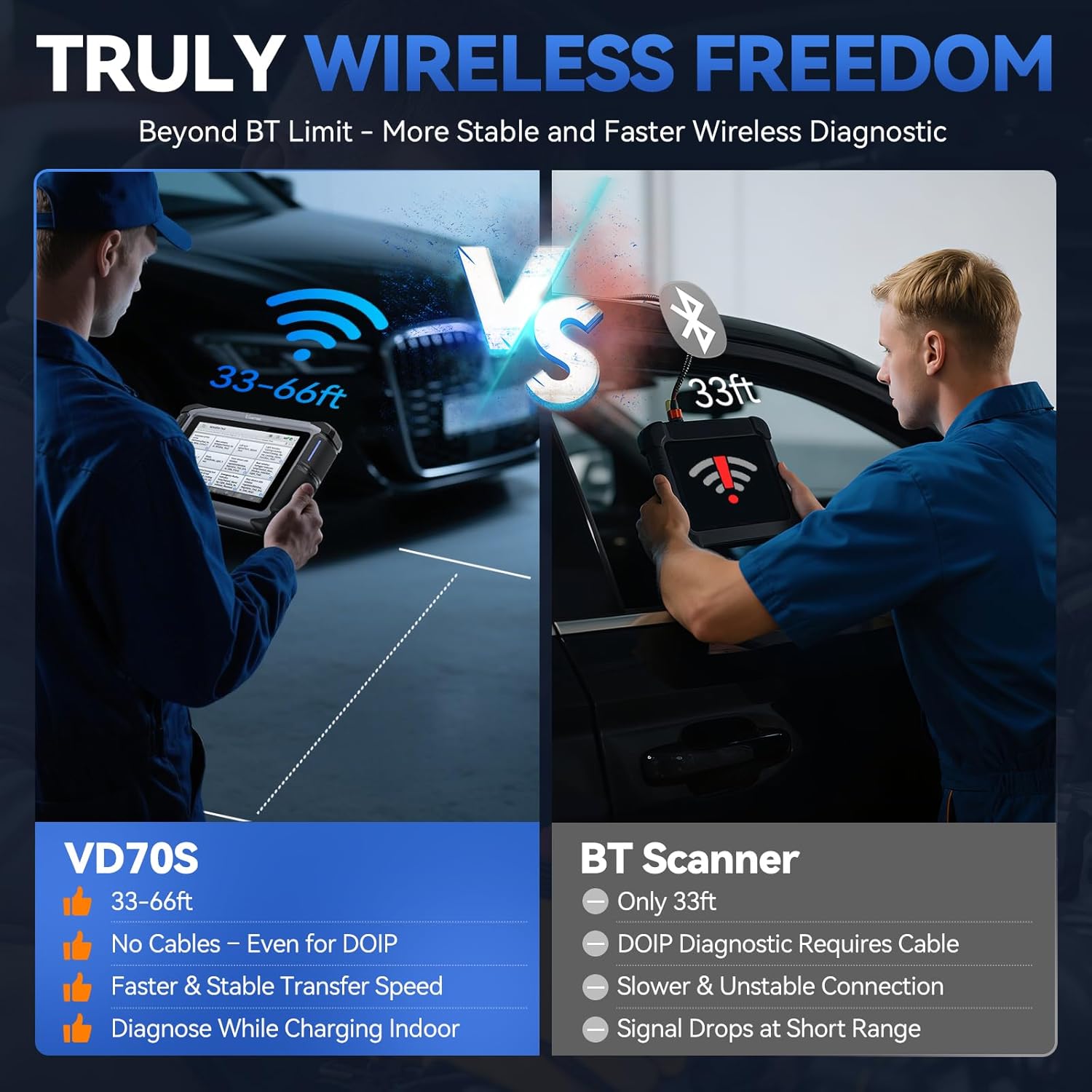
Image: Comparison illustrating the VD70S's 33-66ft wireless range versus a standard Bluetooth scanner's 33ft range, highlighting cable-free operation.
Video: Demonstration of the VD70S's wireless diagnostic capabilities, showing the user operating the tool from a distance.
Automatic Scan
For a quick and comprehensive overview, select 'Auto Scan'. The tool will automatically detect the vehicle's VIN and scan all accessible systems for fault codes. This process is significantly faster due to support for modern protocols like CAN FD and DoIP.

Image: The VD70S performing an all-system diagnostic scan, showing various vehicle modules being checked.
Manual Diagnosis and Vehicle Coverage
If automatic detection is not preferred or supported, you can manually select your vehicle's make, model, and year. The VD70S supports over 150 car brands and 10,000+ global vehicles, covering 99% of US, European, and Asian models.

Image: A display of various car brands and compatible protocols supported by the VD70S, highlighting its extensive vehicle coverage.
Live Data and Actuation Tests
The tool allows you to view live data streams from various sensors and modules, crucial for real-time monitoring and diagnosing intermittent issues. Actuation tests enable you to actively control vehicle components (e.g., fuel pump, windows, lights) to verify functionality and pinpoint faults. This bidirectional control is a professional-grade feature.

Image: Illustration of the bi-directional control feature, showing the scanner sending commands to vehicle components like ABS motors and fuel injectors.
Video: A detailed overview of the VD70S's all-in-one wireless bi-directional scan capabilities, demonstrating various tests and functions.
3. Maintenance Functions
The VD70S provides over 36 hot services and 100+ advanced vehicle-specific functions to assist with routine maintenance and complex repairs. These include:
- Oil Reset
- EPB (Electronic Parking Brake) Reset
- TPMS (Tire Pressure Monitoring System) Reset
- Throttle Adaptation
- Injector Coding
- ABS Bleeding
- Crank Sensor Relearn
- PMI (Programmable Module Installation) for Ford/Mazda/Lincoln
- ECU Coding for VW/Audi/Skoda/Mitsubishi/Benz/BMW
- V.A.G Guided Function for step-by-step diagnostics

Image: A visual representation of the 36+ hot services and 100+ vehicle-specific functions available on the VD70S.
4. Troubleshooting
Fault Code Guide and DTC Clearing
The VD70S provides a detailed fault code guide, offering explanations for retrieved Diagnostic Trouble Codes (DTCs). After diagnosing and resolving an issue, you can clear all DTCs from the vehicle's systems. The tool will then re-scan to confirm that the fault has been resolved and no new codes have appeared.

Image: A sample professional diagnostic report generated by the VD70S, detailing fault codes and system scan results.
5. Specifications
| Feature | Detail |
|---|---|
| Brand | VDIAGTOOL |
| Model | VD70S |
| Operating System | Android 10.0 |
| Display Resolution | 1024x600 |
| Item Weight | 4.77 pounds |
| Package Dimensions | 12.56 x 10.75 x 4.06 inches |
| Batteries | 1 Lithium Ion batteries required |
| Automotive Fit Type | Universal Fit |
| Country of Origin | China |
| Date First Available | September 11, 2024 |
6. Warranty and Support
The VDIAGTOOL VD70S comes with 3 years of free software updates to ensure compatibility with the latest vehicle models and protocols. It also includes a 2-year warranty and a 30-day free return policy. For any inquiries or assistance, 24/7 customer service is available.

Image: Overview of VDIAGTOOL's global support, including multi-language support, updates, warranty, and customer service.