1. Introduction
This manual provides comprehensive instructions for the proper use and maintenance of your SainSmart Creality Space PI Filament Dryer Plus and SainSmart GT-3 High Speed Matte PLA filament. The filament dryer is designed to remove moisture from 3D printing filaments, which is crucial for achieving high-quality prints. The SainSmart GT-3 High Speed Matte PLA filament is engineered for rapid printing while maintaining excellent print quality.

Image 1.1: SainSmart Creality Space PI Filament Dryer Plus and SainSmart GT-3 High Speed Matte PLA filament.
2. Setup
2.1 Unpacking
- Carefully remove all components from the packaging.
- Verify that all items are present: Creality Space PI Filament Dryer Plus unit, power adapter, and SainSmart GT-3 High Speed Matte PLA filament spool.
- Inspect for any visible damage. If damage is found, contact customer support.
2.2 Dryer Placement
Place the filament dryer on a stable, level surface away from direct sunlight, heat sources, and excessive humidity. Ensure adequate ventilation around the unit.
2.3 Power Connection
- Connect the power adapter to the dryer's power input port.
- Plug the power adapter into a suitable electrical outlet.
2.4 Loading Filament
- Open the lid of the filament dryer.
- Place one or two 1KG filament spools onto the internal rollers. The dryer supports two spools simultaneously.
- Thread the filament through the designated filament holes and PTFE pipes if connecting directly to a 3D printer. The dryer is equipped with two filament holes and PTFE pipes to support two printers.
- Close the lid securely.

Image 2.1: The filament dryer supports two 1KG filament spools and can feed two 3D printers simultaneously.
3. Operating Instructions
3.1 Powering On and Initial Settings
- Press the power button on the control panel to turn on the dryer.
- The display will show current temperature (PV), set temperature (SV), material type, and drying time.
- The dryer features a parameter power-off memory function, which means it will remember your previous material and temperature settings after a power outage, eliminating the need for manual reset.

Image 3.1: The dryer's display showing stored history settings (Power OFF) and tracked settings (Power ON).
3.2 Setting Drying Parameters
The dryer offers preset temperature settings for 12 different filament types. You can also manually adjust the temperature and drying time.
- Temperature Adjustment: The temperature can be adjusted between 45°C and 70°C.
- Drying Time Adjustment: The drying time can be set from 0 to 48 hours.
- One-Key Set: Use the control panel to select from preset settings for common filaments.

Image 3.2: Recommended drying temperatures and times for various filament types.
The dryer is compatible with multiple filament diameters: 1.75mm, 2.85mm, and 3mm.
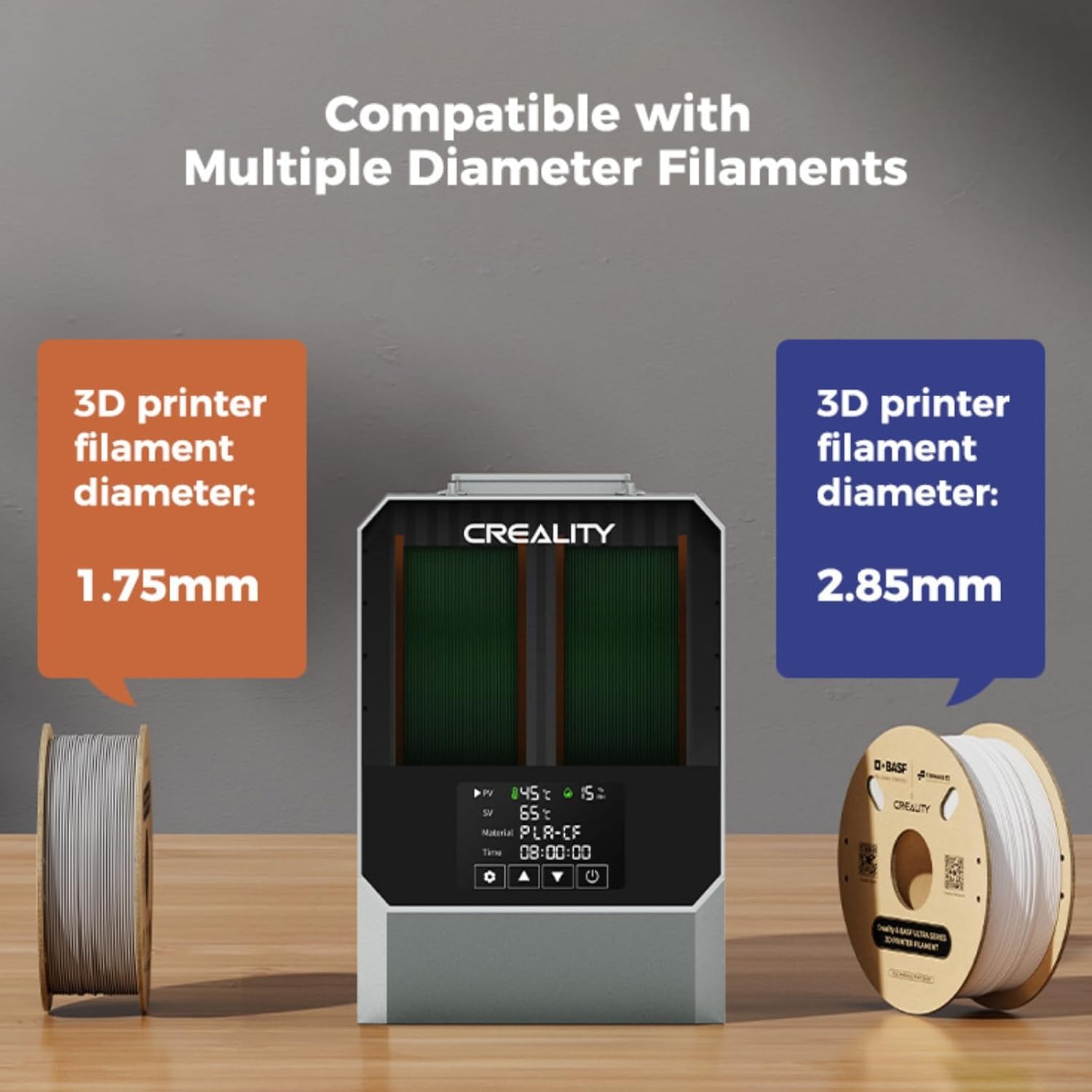
Image 3.3: The dryer supports multiple filament diameters.
3.3 PTC 360° Hot-air Heating System
The integrated PTC 360° hot-air heating system ensures uniform and efficient drying. A built-in fan circulates hot air throughout the chamber, effectively removing moisture from the filament for improved printing results.

Image 3.4: Illustration of the PTC 360° hot-air heating system.
3.4 Using SainSmart GT-3 High Speed Matte PLA Filament
The SainSmart GT-3 PLA filament is designed for high-speed 3D printing, balancing speed with print quality. For optimal results, a printing speed of approximately 300 mm/s is recommended, though it supports speeds up to 500 mm/s.
- Recommended Nozzle Temperature: 180-220°C
- Recommended Bed Temperature: 40-60°C
- Features: Excellent fluidity, reduced stringing and sagging, fast cooling, rapid melting, and clog-free performance.
- Surface Finish: Produces an elegant matte surface with visually invisible layer lines.
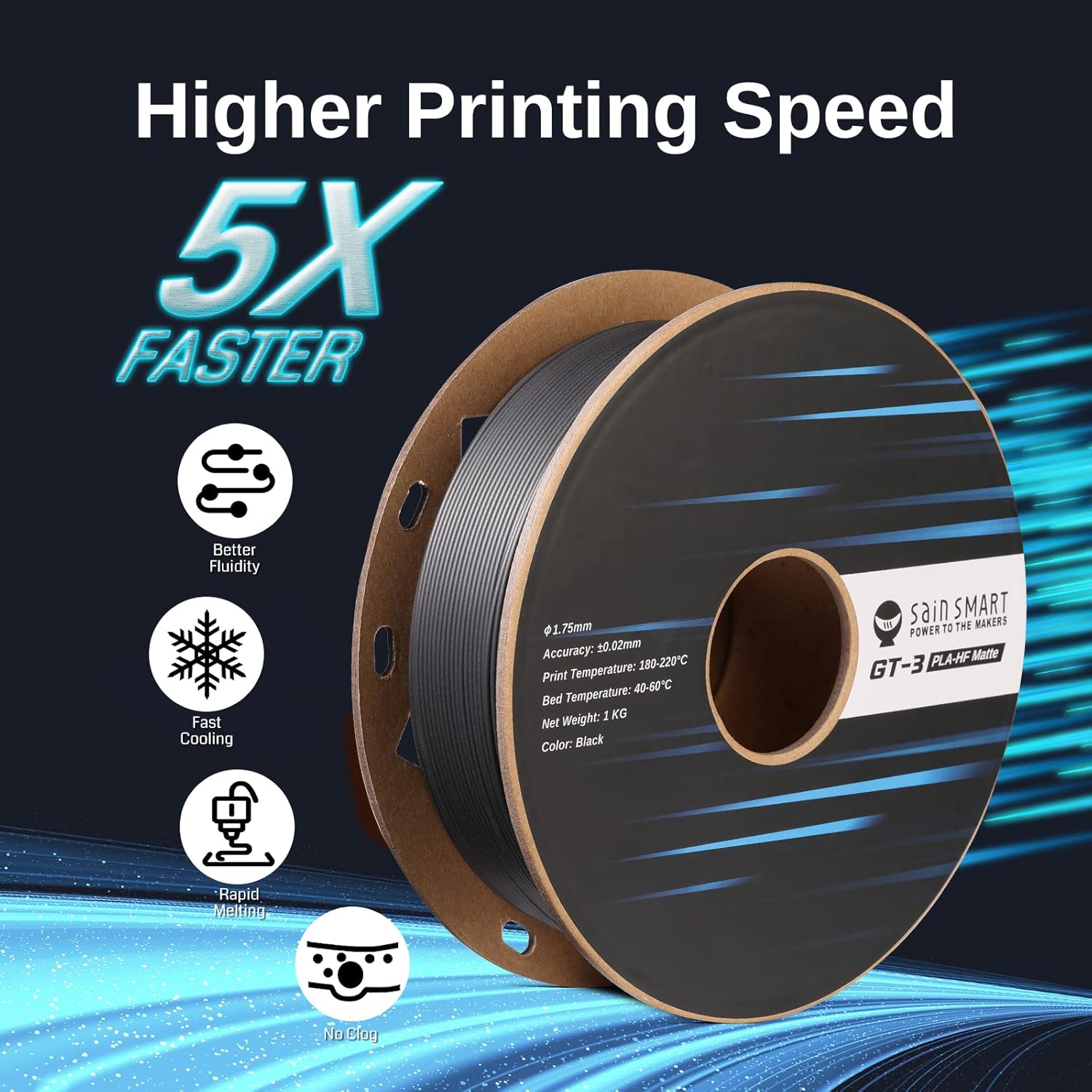
Image 3.5: SainSmart GT-3 High Speed Matte PLA filament features for faster printing.

Image 3.6: Example of an elegant matte surface with visually invisible layer lines achieved with GT-3 PLA.
4. Maintenance
4.1 Cleaning the Dryer
- Ensure the dryer is powered off and unplugged before cleaning.
- Wipe the exterior surfaces with a soft, dry cloth.
- Do not use abrasive cleaners or solvents, as these can damage the unit.
- Periodically check the filament path for any debris or dust and clean as necessary.
4.2 Filament Storage
After drying, store filament in a dry, sealed environment to prevent re-absorption of moisture. The SainSmart GT-3 PLA comes in eco-friendly packaging, which should be properly disposed of or recycled.

Image 4.1: SainSmart filament features eco-friendly packaging.
5. Troubleshooting
Many common 3D printing issues are related to moisture in the filament. The Creality Space PI Filament Dryer Plus is designed to mitigate these problems.
| Problem | Possible Cause | Solution |
|---|---|---|
| Stringing or Oozing | Wet filament, incorrect retraction settings. | Dry filament using the Space PI Filament Dryer Plus. Adjust retraction settings in your slicer. |
| Clogging or Jamming | Wet filament, dust/debris in nozzle, incorrect temperature. | Dry filament. Clean nozzle. Verify printing temperature for the specific filament type. |
| Poor Adhesion / Warping | Wet filament, unlevel bed, incorrect bed temperature. | Dry filament. Level print bed. Adjust bed temperature. |
| Layer Shifting / Weak Layers | Wet filament, mechanical issues with printer, incorrect print speed. | Dry filament. Check printer belts and pulleys. Optimize print speed. |
| Dryer Not Heating | Power connection issue, unit malfunction. | Ensure power adapter is securely connected and outlet is functional. Contact customer support if issue persists. |

Image 5.1: Visual comparison demonstrating improved print quality after drying filament.
6. Specifications
6.1 Creality Space PI Filament Dryer Plus
- Capacity: 2 x 1KG filament spools
- Heating System: PTC 360° Hot-air Heating
- Temperature Range: 45°C - 70°C (adjustable)
- Drying Time Range: 0 - 48 hours (adjustable)
- Filament Compatibility: PLA, TPU, PP, ABS, ASA, PETG, PC, PA, PET, PLA-CF, PETG-CF, PA-CF (12 types with preset settings)
- Filament Diameter Compatibility: 1.75mm, 2.85mm, 3mm
- Features: Parameter power-off memory, two filament holes with PTFE pipes for dual printer support.
6.2 SainSmart GT-3 High Speed Matte PLA Filament
- Material: PLA (Polylactic Acid)
- Color: Black (as per product bundle)
- Diameter: 1.75mm (±0.02mm)
- Net Weight: 1 KG
- Recommended Printing Speed: Up to 500mm/s (Optimal around 300mm/s)
- Recommended Nozzle Temperature: 180-220°C
- Recommended Bed Temperature: 40-60°C
- Features: High fluidity, fast cooling, rapid melting, clog-free, matte surface finish, visually invisible layer lines.
7. Warranty and Support
For warranty information and technical support, please refer to the official SainSmart website or contact SainSmart customer service directly. Details regarding specific warranty periods and support procedures are typically provided with your product documentation or on the manufacturer's website.