1. Introduction
This manual provides detailed instructions for the LOVENSE Solace Pro Automatic Male Masturbator and the LOVENSE Nora Rabbit Vibrator. This bundle offers an enhanced experience with advanced features and app control for both devices. Please read these instructions carefully before use to ensure proper operation and maintenance.

Image 1: LOVENSE Solace Pro and Nora Vibrator Bundle
2. What's in the Box
Your LOVENSE Solace Pro and Nora bundle includes the following components:
- LOVENSE Solace Pro Automatic Male Masturbator (Main Unit)
- LOVENSE Solace Pro Inner Sleeve and Sleeve Holder
- LOVENSE Solace Pro Desk Mount (with screws)
- LOVENSE Nora Rabbit Vibrator
- LOVENSE Nora Suction Base
- USB Charging Cables (for both devices)
- User Manuals
3. Setup Instructions
3.1. LOVENSE Solace Pro Setup
The Solace Pro can be used handheld or mounted to a desk for hands-free operation. The inner sleeve is removable for cleaning and can also be used manually.
Attaching the Desk Mount
- Assemble the desk mount components as shown in the video.
- Attach the desk mount to the main body of the Solace Pro by turning the screws clockwise until secure.
- Mount the main body to a desk or table by turning the screw on the clamp. Ensure the table thickness is suitable (maximum 5.5 cm).
- Adjust the angle of the device by loosening or tightening the screw on the mount.
Video 1: LOVENSE Solace Pro Desk Mount and Cleaning Instructions. This video demonstrates how to assemble and attach the desk mount, as well as how to remove and clean the inner sleeve.
3.2. LOVENSE Nora Vibrator Setup
The Nora vibrator can be used handheld or attached to its suction base for hands-free use.
Attaching the Suction Base
- Screw the Nora vibrator onto the suction base until it is securely attached.
- Press the suction base firmly onto a clean, smooth, flat surface (e.g., shower wall, floor) to create a vacuum seal.
Video 2: LOVENSE Mission 2 Operation Video. This video demonstrates how to attach the suction base and operate the device, which is applicable to the Nora vibrator's functionality.
4. Operating Instructions
4.1. Power On/Off
- LOVENSE Solace Pro: Long press the power button (usually the central button) for 3 seconds to turn the device On or Off. The sleeve will move to the outer position upon powering on.
- LOVENSE Nora: Long press the main power button for 3 seconds to turn the device On or Off.
4.2. App Control (LOVENSE Remote App)
Both Solace Pro and Nora are designed for use with the LOVENSE Remote App, available for download on your smartphone. The app unlocks advanced features and allows for both close-range and long-distance control.
Connecting to the App
- Ensure your device is powered on and Bluetooth is enabled on your smartphone.
- Open the LOVENSE Remote App and follow the on-screen instructions to pair your Solace Pro or Nora.
Features via App Control
- Customizable Patterns: Create and save your own vibration patterns.
- Music Sync: Sync vibrations to your favorite music.
- Long-Distance Control: Connect with a partner remotely to control each other's devices.
- Toy Sync: Sync the Solace Pro and Nora together for a coordinated experience.
Video 3: Lovense Solace Highlight. This video showcases the automatic thrusting, adjustable depth and speed, and app control features of the Solace Pro, including long-distance sync with other devices like Nora.
4.3. LOVENSE Solace Pro Specific Controls
- Thrust Depth: The device offers adjustable thrust depth up to 70mm. Use the app or physical buttons to control this setting.
- Stroke Speed: Adjust the stroke speed up to 280 strokes per minute for varied intensity.
- Manual Use: The inner sleeve cups are individually detachable for manual use, offering flexible usage options.

Image 2: LOVENSE Solace Pro showing adjustable speed and depth controls.

Image 3: LOVENSE Solace Pro demonstrating automatic and manual use options.
4.4. LOVENSE Nora Specific Controls
- Vibration Patterns: The Nora vibrator features multiple built-in vibration patterns. These can be cycled through using the physical buttons or customized extensively via the LOVENSE Remote App.
- Touch Sense Mode: The app allows for touch-sensitive control, adjusting vibrations based on your touch input.

Image 4: LOVENSE Nora demonstrating app control for various vibration settings.

Image 5: LOVENSE Nora showing physical buttons for power and pattern selection.
5. Maintenance and Cleaning
Proper cleaning and maintenance ensure the longevity and hygiene of your devices.
5.1. LOVENSE Solace Pro Cleaning
- Turn off the Solace Pro.
- Gently press the top and bottom of the inner sleeve holder to completely remove the inner sleeve and its holder from the main unit.
- Only the inner sleeve and the sleeve holder can be washed with water. Rinse them thoroughly with warm water and a mild, toy-safe soap.
- Thoroughly dry all components before reassembly.
- Place the inner sleeve back into the sleeve holder, ensuring the plastic ring sits correctly in the groove.
- Reinsert the assembled sleeve and holder into the main unit.
Important: Do not immerse the main unit of the Solace Pro in water. Only the inner sleeve and holder are washable.
5.2. LOVENSE Nora Cleaning
The LOVENSE Nora is waterproof, allowing for easy cleaning.
- Rinse the Nora vibrator with warm water and a mild, toy-safe soap after each use.
- Thoroughly dry the device with a lint-free cloth.
Recommendation: LOVENSE water-based lubricant is recommended for use with both devices.
6. Charging
Both devices feature convenient charging methods.
6.1. LOVENSE Solace Pro Charging
- Connect the USB-C charging cable to the charging port on the Solace Pro.
- A full charge takes less than 2 hours.
- Enjoy up to 14 hours of playtime on a single charge.
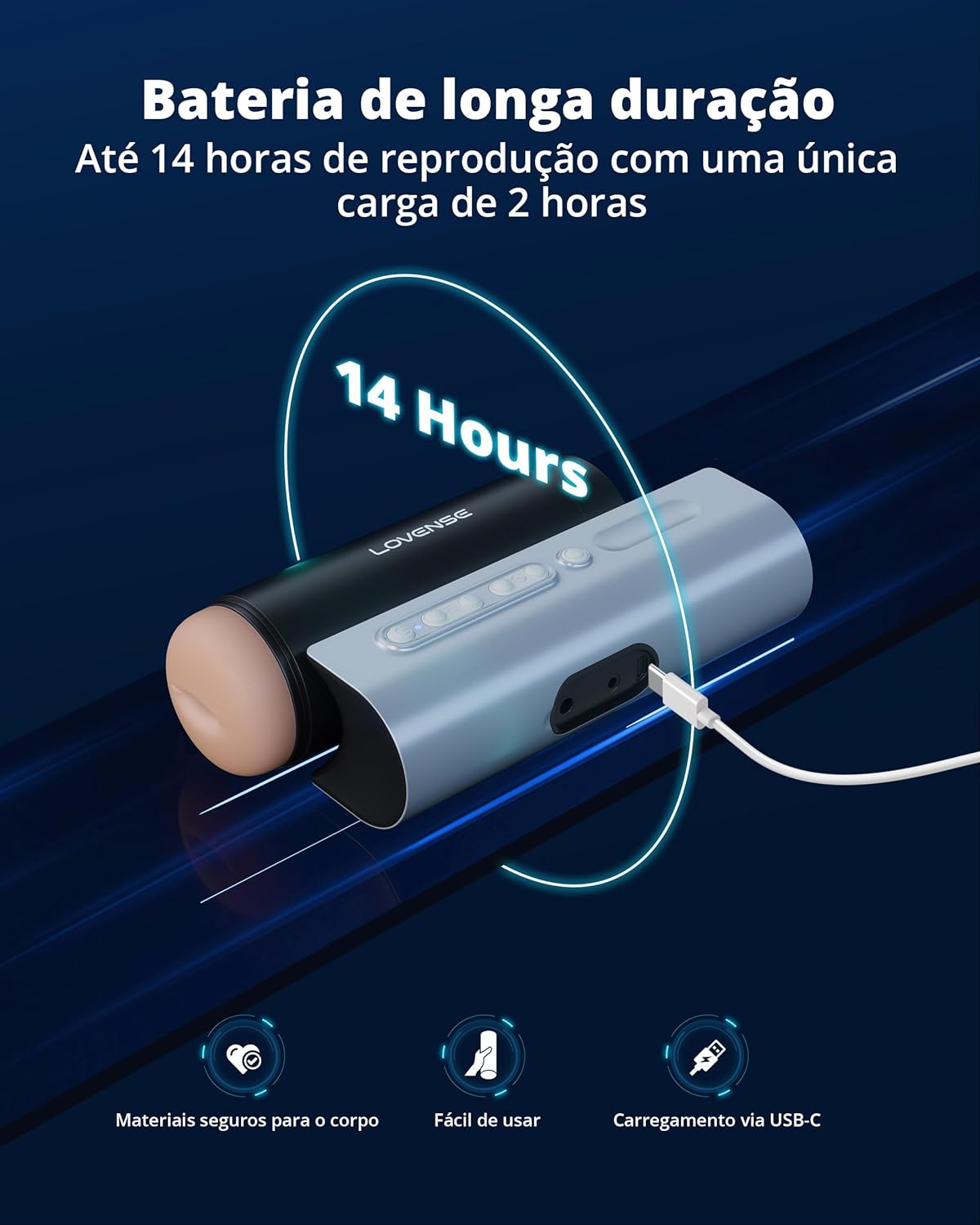
Image 6: LOVENSE Solace Pro showing USB-C charging port and battery life.
6.2. LOVENSE Nora Charging
- The Nora uses a magnetic charging cable. Attach the magnetic end to the charging points on the device.
- Ensure the charging cable is connected to a USB power source.
7. Specifications
- Brand: LOVENSE
- Models: Solace Pro, Nora
- Materials: Body-safe silicone (Nora), other body-safe materials (Solace Pro sleeve).
- Connectivity: Bluetooth (LOVENSE Remote App)
- Waterproof: Nora is waterproof. Solace Pro inner sleeve and holder are washable.
- Solace Pro Thrust Depth: Up to 70mm
- Solace Pro Stroke Speed: Up to 280 strokes per minute
- Solace Pro Battery Life: Up to 14 hours playtime, less than 2 hours charge time.
- Nora Features: Wave-shaped shaft, rotating head, flexible vibrating arm, multiple patterns, touch-sensitive control.
8. Troubleshooting
- Device not turning on: Ensure the device is fully charged. Connect to the charger and wait a few minutes before attempting to power on again.
- App connectivity issues: Make sure Bluetooth is enabled on your phone and the device is powered on. Try restarting both the device and the app. Ensure the app is updated to the latest version.
- Weak vibrations/thrusting: Check battery level. If using the Solace Pro desk mount facing upwards, you may need to increase the stroke speed for optimal performance.
- Sleeve not moving smoothly (Solace Pro): Ensure the inner sleeve is correctly inserted and lubricated.
9. Safety Information
- Use only water-based lubricants with these devices. Oil-based lubricants can damage silicone.
- Clean devices thoroughly before and after each use.
- Store devices in a clean, dry place away from direct sunlight and extreme temperatures.
- Keep out of reach of children.
- If you experience any discomfort or irritation, discontinue use immediately.
10. Warranty and Support
For warranty information, product support, or any inquiries, please refer to the official LOVENSE website or contact LOVENSE customer service directly. Keep your proof of purchase for warranty claims.


