
1. Introduction
This manual provides essential information for the ZWYING HL-1011 Mini Laptop. Designed for portability and performance, this device features a 7-inch HD touchscreen, an Intel Alder Lake N95 CPU, 16GB of RAM, and a 512GB SSD, running on Windows 11 Pro. Its compact, all-metal design makes it suitable for various mobile computing needs.

Figure 1.1: ZWYING HL-1011 Mini Laptop overview, showcasing its compact size and key specifications.
2. Initial Setup
2.1 Unboxing and First Use
Carefully remove the laptop and its accessories from the packaging. Ensure all components are present, including the laptop and power adapter. Before first use, it is recommended to fully charge the device.
2.2 Powering On and Windows Setup
- Press and hold the power button (refer to Figure 3.1 for location) until the screen illuminates.
- Follow the on-screen instructions to complete the Windows 11 Pro setup process. This includes selecting your region, language, and setting up a user account.
- The laptop comes with MS Office 2019 and other essential software pre-installed. No additional software purchases are required to begin using the device for productivity tasks.
3. Operating Instructions
3.1 Device Layout and Controls
Familiarize yourself with the physical layout of your ZWYING HL-1011 Mini Laptop.

Figure 3.1: Key components and controls of the ZWYING HL-1011 Mini Laptop.
- Power Button: Located on the top right of the keyboard area. Press to turn on/off or put to sleep.
- Keyboard: A compact QWERTY layout.
- Trackpoint ('Little Red Riding Hood Mouse'): A red pointing stick in the center of the keyboard for cursor control.
- Left/Right Click Buttons: Located below the spacebar, corresponding to mouse clicks.
- Webcam: Integrated above the screen for video conferencing.
3.2 Touchscreen Operation
The 7-inch HD IPS touchscreen supports direct touch input, offering intuitive navigation and interaction with the operating system and applications.

Figure 3.2: The 7-inch HD IPS touchscreen provides a clear and responsive interface.
- Tap: Equivalent to a left-click.
- Tap and Hold: Equivalent to a right-click.
- Swipe: Navigate through menus or scroll content.
- Pinch-to-Zoom: Adjust zoom levels in supported applications.
3.3 Connectivity
The laptop offers a range of ports and wireless options for versatile connectivity.

Figure 3.3: Connectivity ports on the ZWYING HL-1011 Mini Laptop.
- Wi-Fi: Connect to wireless networks using 802.11bgn standards.
- Bluetooth: Pair with Bluetooth-enabled devices such as headphones or mice.
- USB 3.0 Ports (x2): For high-speed data transfer with external devices.
- Mini HDMI Port: Connect to external displays or projectors.
- Headphone Jack: For audio output to headphones or external speakers.
- SD Card Slot: Expand storage or transfer files from memory cards.
3.4 Performance and Storage
The ZWYING HL-1011 is equipped to handle daily computing tasks efficiently.

Figure 3.4: The laptop's memory and storage capabilities support efficient multitasking.
- Processor: The Intel Alder Lake N95 CPU provides reliable performance for multitasking and various applications.
- RAM: 16GB DDR4 RAM ensures smooth operation when running multiple programs simultaneously.
- Storage: The 512GB SSD offers fast boot times and quick access to files. Storage can be expanded using a TF (Micro SD) card.
4. Maintenance
4.1 Cleaning Your Device
- Screen: Use a soft, lint-free cloth slightly dampened with water or a screen cleaner. Avoid harsh chemicals.
- Body: Wipe the metal casing with a soft, dry cloth. For stubborn marks, a slightly damp cloth can be used, ensuring no moisture enters ports.
- Keyboard: Use compressed air to remove dust and debris from between keys.
4.2 Cooling System
The laptop features a dual strong cooling system with copper and air cooling to maintain optimal operating temperatures. Ensure the ventilation grilles are not obstructed during use to prevent overheating.
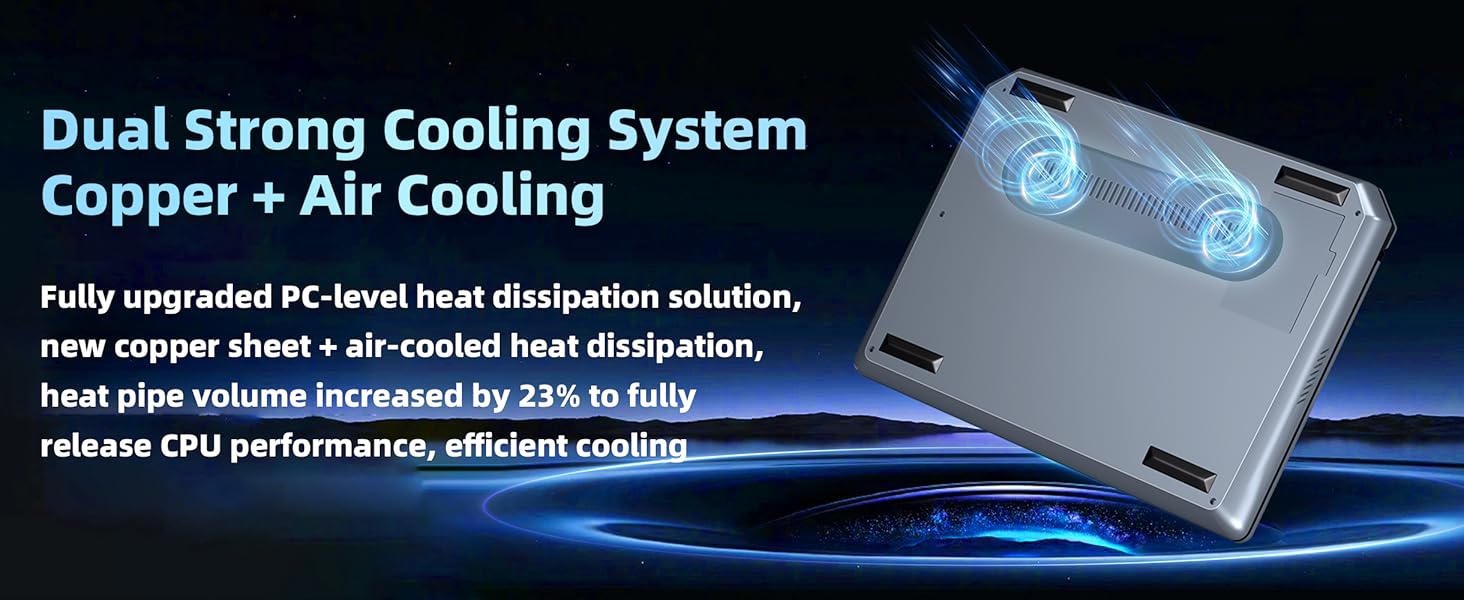
Figure 4.1: The laptop's efficient dual cooling system.
4.3 Battery Care
- Avoid exposing the laptop to extreme temperatures.
- For optimal battery longevity, avoid frequently discharging the battery completely.
- Use only the provided power adapter for charging.
5. Troubleshooting
If you encounter issues with your ZWYING HL-1011 Mini Laptop, refer to the following common solutions. For persistent problems, please contact customer support.
| Problem | Possible Solution |
|---|---|
| Device does not power on | Ensure the battery is charged. Connect the power adapter and try again. |
| Screen is blank or unresponsive | Restart the device. If using an external monitor, ensure the Mini HDMI cable is securely connected. |
| Wi-Fi or Bluetooth not connecting | Check if Wi-Fi/Bluetooth is enabled in Windows settings. Restart the device and your router/Bluetooth device. |
| Slow performance | Close unnecessary applications. Check for Windows updates. Ensure adequate ventilation. |
| Overheating | Ensure ventilation grilles are clear. Use the laptop on a hard, flat surface. Reduce heavy workload if possible. |
6. Specifications
| Feature | Detail |
|---|---|
| Model Name | HL-1011 |
| Screen Size | 7 Inches |
| Max Screen Resolution | 1280x800 Pixels |
| Display Type | HD IPS Touchscreen |
| Processor | Intel Alder Lake N95 CPU (up to 3.4 GHz, 4 Cores, 4 Threads) |
| RAM | 16GB DDR4 |
| Storage | 512GB SSD (TF Card expandable) |
| Operating System | Windows 11 Pro |
| Graphics | Integrated Intel Graphics |
| Wireless Connectivity | 802.11bgn Wi-Fi, Bluetooth |
| Ports | 2x USB 3.0, Mini HDMI, Headphone Jack, SD Card Slot, DC Power Port |
| Camera | Built-in 2 Million HD Camera |
| Dimensions (LxWxH) | 7.2 x 5.5 x 0.58 inches |
| Item Weight | 1.37 pounds (approx. 0.65 kg) |
| Power Source | Battery Powered (1 Lithium Ion battery included) |
| Material | All Metal (6000 Series Aluminum Alloy) |
7. Warranty & Support
7.1 Product Warranty
The ZWYING HL-1011 Mini Laptop comes with a one-year quality guarantee. This warranty covers manufacturing defects and issues arising from normal use. Please retain your proof of purchase for warranty claims.
7.2 Customer Support
For technical assistance, troubleshooting, or warranty services, please contact our customer support team. We are committed to providing prompt support and repair services for any issues covered under warranty.
- Email: firstdream163@163.com
- Online: Refer to the seller's contact information on your purchase platform.

Figure 7.1: Our customer support team is ready to assist you.