Introduction
This manual provides detailed instructions for the proper use and maintenance of your SKYCOMET HS011 Wireless Headset. Please read this manual thoroughly before using the product to ensure optimal performance and longevity. Keep this manual for future reference.
Package Contents
- Wireless Headset
- Wireless Charging Case
- USB Dongle (typically stored in the charging case or headset)
- USB-C Charging Cable (not explicitly listed but implied for charging)
Product Overview
Familiarize yourself with the components of your SKYCOMET HS011 Wireless Headset.

Figure 1: The SKYCOMET HS011 Wireless Headset shown with its dedicated charging base and a USB dongle, highlighting its primary components.

Figure 2: Key features of the headset including the adjustable headband for a personalized fit, a 270° rotatable microphone for flexible positioning, comfortable earmuffs, and convenient storage for the USB dongle within the charging base.
Setup
1. Charging the Headset
Before first use, fully charge the headset. The headset offers up to 65 hours of battery life on a full charge.
- Using the Charging Base: Place the headset onto the charging base. Ensure the charging contacts align. The indicator light on the base will show charging status.
- Direct USB-C Charging: Connect a USB-C cable to the headset's charging port and to a power source.
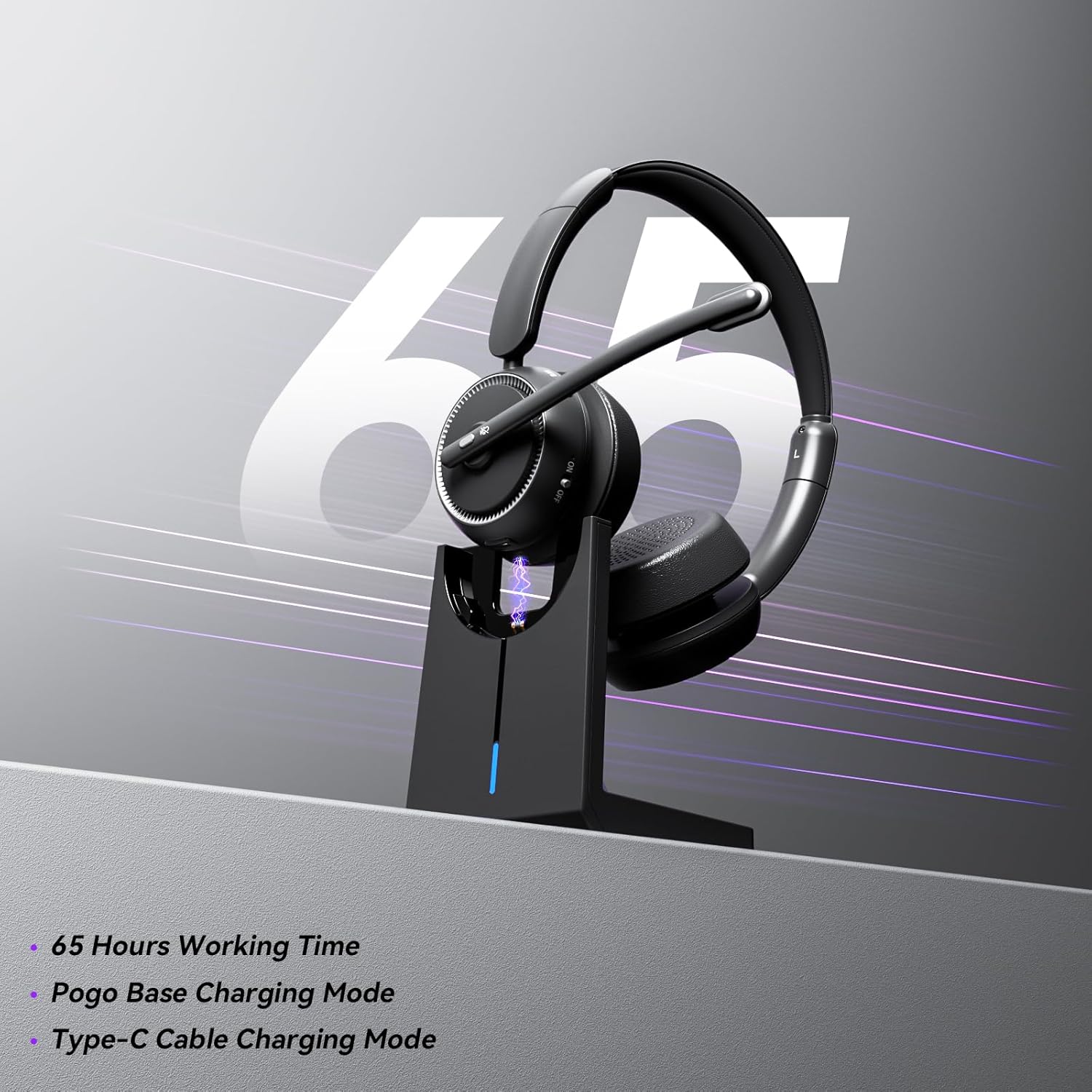
Figure 3: The headset charging on its base, illustrating the extended battery life and convenient charging method.
2. Connection Methods
The SKYCOMET HS011 headset supports two connection methods: Bluetooth and USB Dongle.

Figure 4: The headset connected to both a laptop via USB dongle and a smartphone via Bluetooth, demonstrating its dual connectivity options.
3. Bluetooth Pairing
- Ensure the headset is charged and powered off.
- Press and hold the Multi-Function Button (MFB) on the headset until the LED indicator flashes blue and red, indicating pairing mode.
- On your device (smartphone, tablet, computer), enable Bluetooth and search for new devices.
- Select "HS011" from the list of available devices.
- Once connected, the LED indicator on the headset will flash blue periodically.
4. USB Dongle Connection
- Plug the USB dongle into an available USB port on your computer (PC or Mac).
- Power on the headset. It will automatically attempt to connect to the USB dongle.
- The LED indicator on the dongle and headset will show a solid blue light when connected.
- Ensure the HS011 is selected as the audio input and output device in your computer's sound settings.
Operating Instructions
Basic Controls
- Multi-Function Button (MFB):
- Press once to Play/Pause music.
- Press once to Answer/End a call.
- Press and hold for 2 seconds to Reject a call.
- Press and hold for 3 seconds to activate voice assistant.
- Volume Up/Down Buttons: Press to adjust volume.
- Mute Button: Press to mute or unmute the microphone during a call. The microphone features Environmental Noise Cancellation (ENC) technology for clear communication.

Figure 5: The headset's design emphasizes its noise cancellation capabilities, ensuring clear audio in various environments.
Compatibility
The SKYCOMET HS011 headset is designed for seamless compatibility with popular conferencing platforms and operating systems, including Zoom, Microsoft Teams, WebEx, Skype, and more.

Figure 6: The headset is versatile for various applications, including professional calls in a call center or home office, gaming, and enjoying music.
Maintenance
- Cleaning: Use a soft, dry cloth to clean the headset and charging base. Do not use harsh chemicals or abrasive materials.
- Storage: When not in use, store the headset in its charging base or a protective case to prevent damage. Avoid extreme temperatures and humidity.
- Battery Care: To preserve battery life, avoid fully discharging the headset frequently. Charge it regularly, even if not in constant use.
Troubleshooting
| Issue | Possible Solution |
|---|---|
| Headset does not power on | Ensure the headset is fully charged. Connect it to the charging base or a USB-C cable. |
| Cannot connect via Bluetooth | Ensure the headset is in pairing mode (flashing blue/red). Check your device's Bluetooth settings and try re-pairing. Make sure no other devices are connected. |
| USB dongle not connecting | Ensure the dongle is fully inserted into a working USB port. Check your computer's sound settings to confirm HS011 is selected as the audio device. Try a different USB port. |
| No audio or poor audio quality | Check volume levels on both the headset and your connected device. Ensure the headset is properly connected. For computer use, verify sound settings. |
| Microphone not working | Ensure the microphone is not muted. Check privacy settings on your computer or application to allow microphone access. Verify HS011 is selected as the input device. |
Specifications
| Feature | Detail |
|---|---|
| Model Name | HS011 V2 |
| Connectivity Technology | Wireless (Bluetooth 5.3, RF via USB Dongle) |
| Included Components | Wireless Headset, Wireless Charging Case |
| Material | Fabric and Memory Foam |
| Specific Uses | Business, Call Center, Home Office, PC/Computer, Zoom, Teams |
| Compatible Devices | Desktops, Laptops, PCs |
| Control Type | Media Control |
| Battery Life | Up to 65 Hours |
| Audio Driver Type | Dynamic Driver |
| Earpiece Shape | Circle (On-Ear) |
| Special Feature | Adjustable Headband, 270° Rotatable Microphone |
| Noise Control | Environmental Noise Cancellation (ENC) |
| Product Dimensions | 2.36 x 5.91 x 5.91 inches |
| Item Weight | 1.12 pounds |
Warranty and Support
SKYCOMET products are designed and manufactured to the highest quality standards. For information regarding warranty coverage, technical support, or service inquiries, please refer to the warranty card included with your product or visit the official SKYCOMET website. Please retain your proof of purchase for warranty claims.