1. Introduction
This manual provides essential information for the safe and effective use of your TODO T3840-NEW Foldable Treadmill. Please read it thoroughly before assembly, operation, or maintenance. Keep this manual for future reference.
The TODO T3840-NEW is a versatile 2-in-1 foldable treadmill designed for home use, offering speeds from 1 to 12 km/h. It features an adjustable incline, an LCD screen, and supports control via remote or a dedicated fitness application.
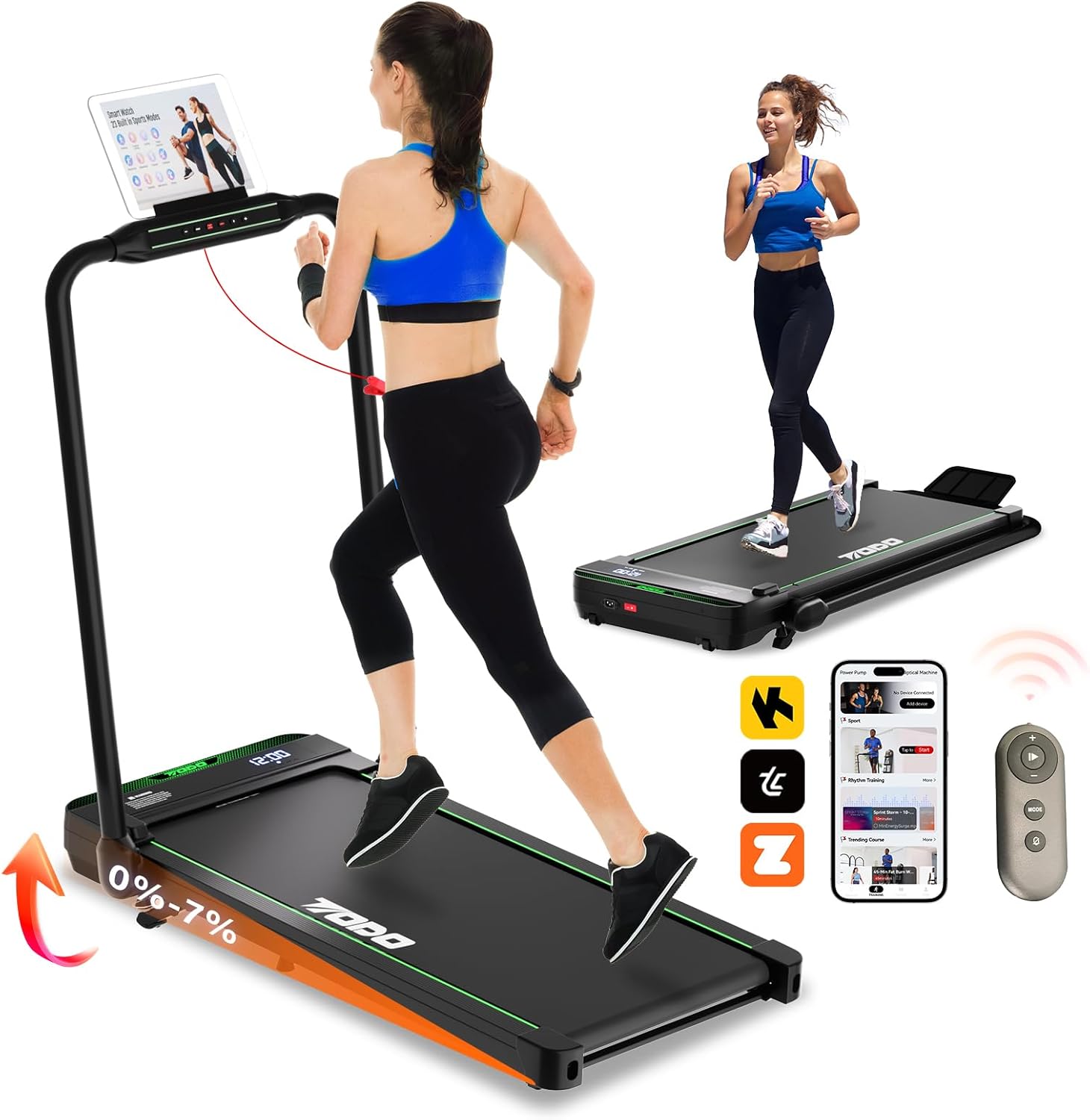
Image 1.1: The TODO T3840-NEW Foldable Treadmill in both upright running mode and folded walking pad mode. It highlights the 0-7% incline capability, app support, and remote control.
2. Safety Information
WARNING: To reduce the risk of serious injury, read all important precautions and instructions in this manual before using the treadmill.
- Consult a physician before beginning any exercise program.
- Keep children and pets away from the treadmill during operation.
- Place the treadmill on a level surface with at least 2 meters (6.5 feet) of clear space behind it and 0.6 meters (2 feet) on each side.
- Ensure the safety key is properly attached before starting the treadmill.
- Wear appropriate exercise clothing and athletic shoes.
- Do not operate the treadmill if it is damaged or malfunctioning.
- Unplug the treadmill from the power outlet when not in use or before cleaning/maintenance.
3. Product Overview
Key Features:
- Adjustable Incline: Features a 7% adjustable incline to enhance calorie burning and workout intensity.
- 2-in-1 Design: Functions as a walking pad (1-6 km/h) and a running treadmill (6-12 km/h).
- Quiet and Powerful Motor: Equipped with a 2.5 HP motor, operating at approximately 45 dB, supporting users up to 120 kg.
- Compact and Foldable: No assembly required, easily foldable for storage under furniture. Transport wheels for mobility.
- App Connectivity: Supports popular fitness apps like Zwift, Kinomap, and the proprietary TOUSAINS app for real-time data tracking and control.
- Knee Strain Reduction: Features a 5-layer running belt and 6 anti-slip pads for improved cushioning.
Components:
The package includes the TODO T3840-NEW Treadmill and a remote control. Other accessories may vary.
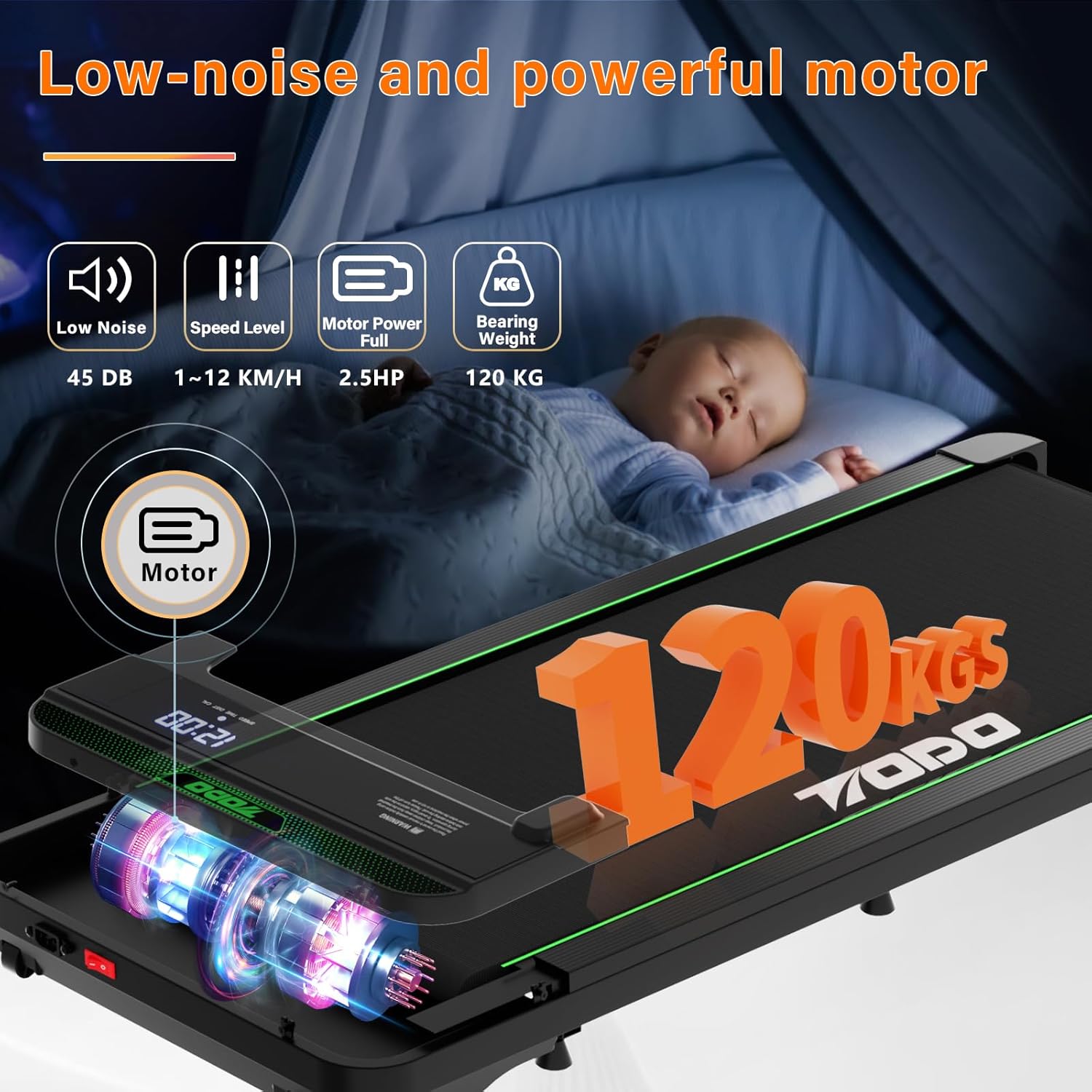
Image 3.1: Illustration of the treadmill's low-noise 2.5 HP motor and its 120 kg weight capacity.
4. Setup
Unpacking and Placement:
- Remove the treadmill from its packaging. No assembly is required.
- Place the treadmill on a firm, level surface. Ensure adequate clearance around the unit as described in the safety section.
- Connect the power cord to a grounded electrical outlet.
Unfolding the Handrail (for Running Mode):
To transition from walking pad mode to running mode, raise the handrail. The handrail is designed for easy and stable deployment.
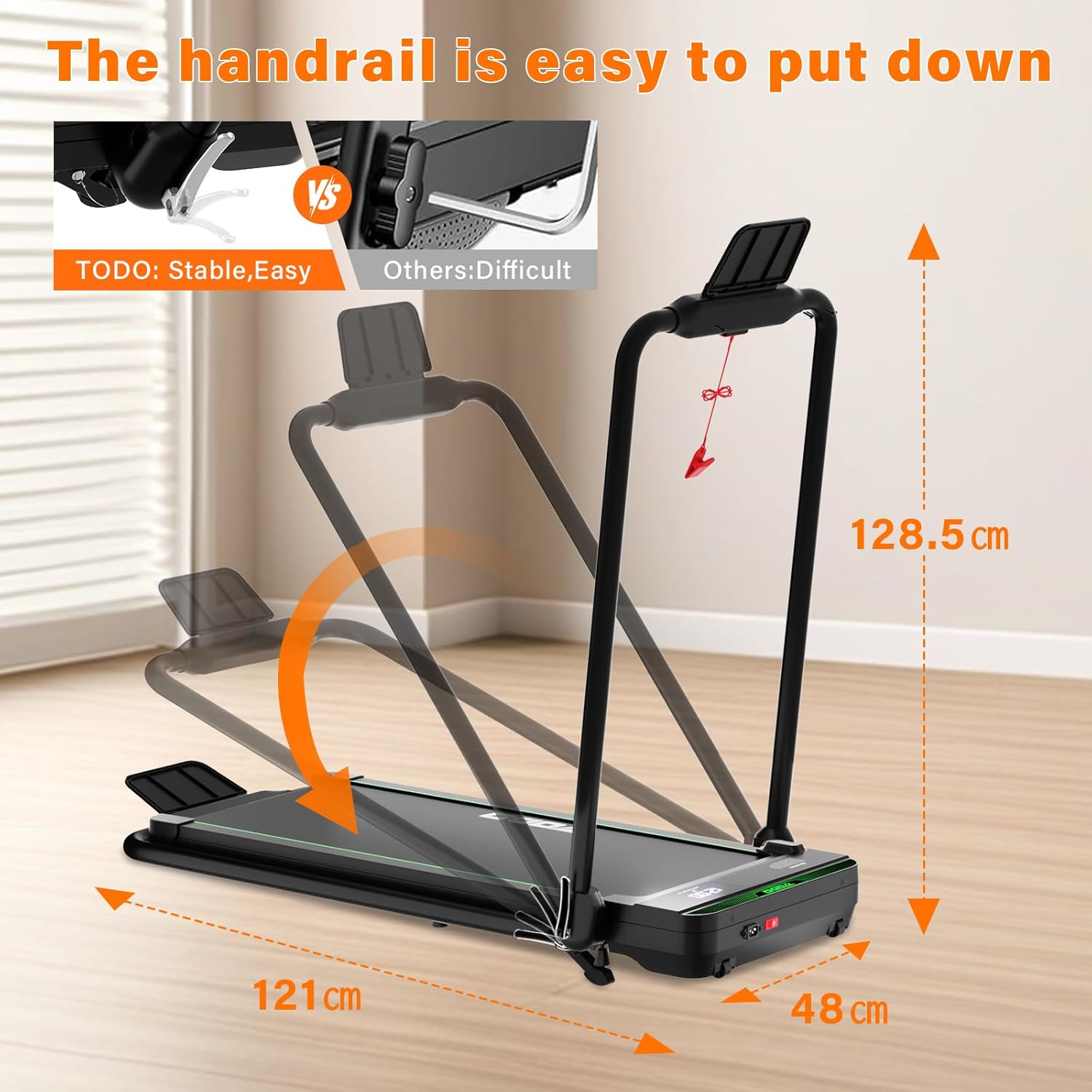
Image 4.1: The handrail can be easily raised for running mode or lowered for walking pad mode and compact storage.
5. Operating Instructions
Control Methods:
The treadmill can be controlled via the console, remote control, or a compatible fitness application.

Image 5.1: The treadmill offers multiple control options: console buttons, remote control, and smartphone/tablet app.
Modes of Operation:
- Walking Mode: 1-6 km/h. Ideal for light exercise or walking while working.
- Running Mode: 6-12 km/h. Suitable for jogging and running workouts.
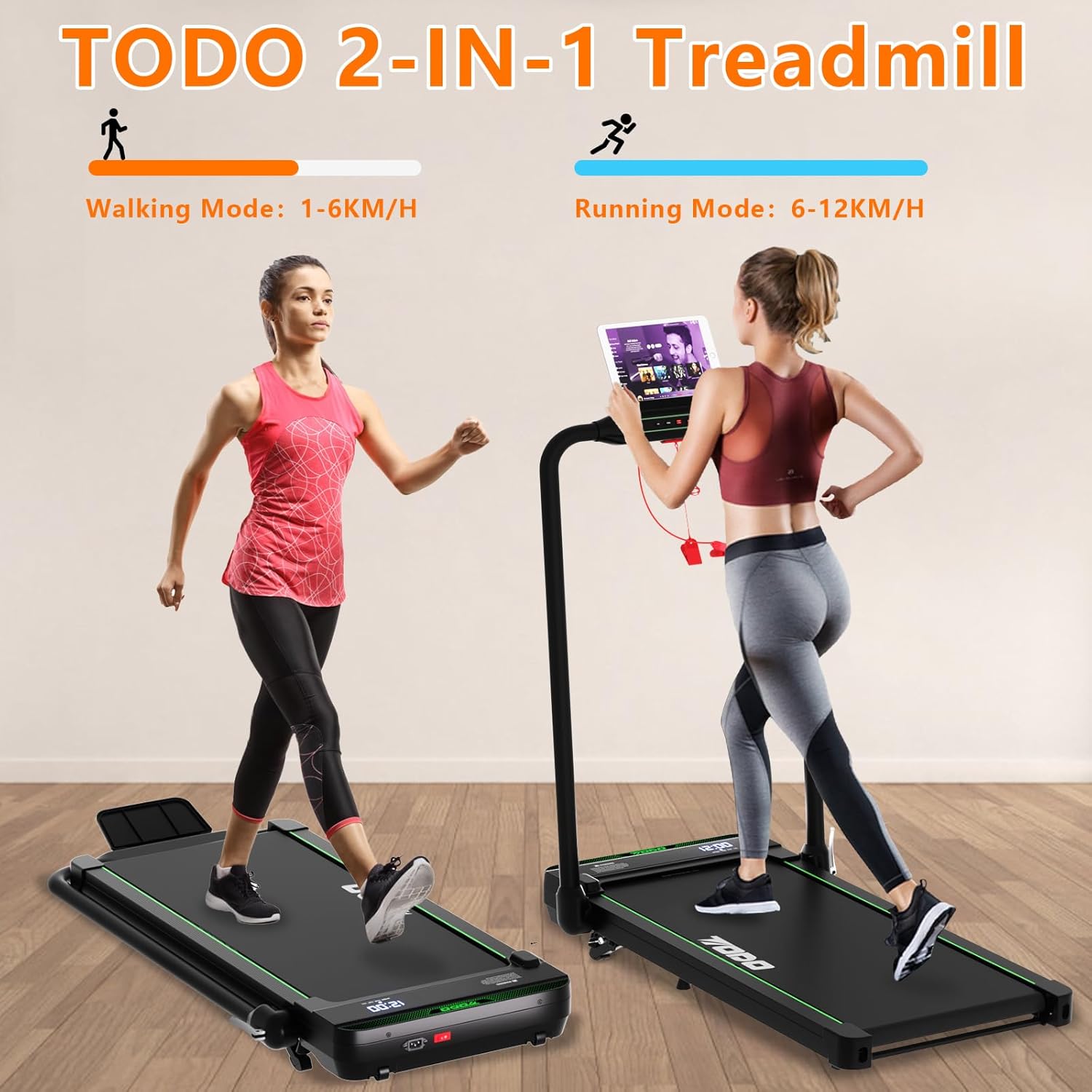
Image 5.2: The treadmill supports both walking (1-6 km/h) and running (6-12 km/h) modes.
Adjusting Incline:
The treadmill features a 7% adjustable incline. Adjusting the incline increases the intensity of your workout, leading to higher calorie expenditure.

Image 5.3: The incline can be adjusted up to 7% to vary workout intensity.
Using Fitness Applications:
The treadmill is compatible with various fitness applications, including Zwift, Kinomap, and the TOUSAINS app. These apps allow you to view real-time training data, control the treadmill, and access a variety of workout courses.
- Download the desired app from your device's app store (e.g., App Store, Google Play).
- Follow the app's instructions to connect it to your treadmill via Bluetooth.
- Utilize the app for enhanced workout tracking and control.

Image 5.4: The treadmill supports various fitness applications for interactive workouts and data tracking.

Image 5.5: The TOUSAINS app provides diverse exercise courses and detailed data recording.
Data Recording:
The treadmill accurately records workout data. If you temporarily step off the treadmill without stopping it, data recording will pause and resume from the original base when you return, ensuring data accuracy.
6. Maintenance
General Cleaning:
- Always unplug the treadmill before cleaning.
- Wipe down the console and exterior surfaces with a damp cloth. Avoid abrasive cleaners.
- Regularly vacuum underneath the treadmill to prevent dust buildup.
Running Belt Maintenance:
The treadmill features a 5-layer running belt and 6 anti-slip pads designed to reduce strain on your knees. Regular inspection of the belt is recommended.

Image 6.1: The 5-layer running belt and 6 anti-slip pads provide cushioning and reduce impact on joints.

Image 6.2: Detailed view of the treadmill's multi-layer running belt.
- Lubrication: Refer to the separate lubrication instructions (if provided with the product) for proper running belt lubrication frequency and method.
- Belt Alignment: If the running belt shifts to one side, adjust it according to the instructions in the troubleshooting section or a separate guide.
7. Troubleshooting
| Problem | Possible Cause | Solution |
|---|---|---|
| Treadmill does not start. | Power cord not connected; safety key not in place; power switch off. | Ensure power cord is securely plugged in. Insert the safety key. Turn on the power switch. |
| Running belt slips or stops. | Belt too loose; belt requires lubrication. | Adjust belt tension (refer to specific instructions). Lubricate the running belt. |
| Loud rattling or grinding noise. | Loose components; belt misalignment; motor issue. | Check for loose screws. Adjust belt alignment. If noise persists, contact customer support. |
| Display not working. | Loose cable connection; power issue. | Check all cable connections. Ensure power supply is stable. |
8. Specifications
| Feature | Detail |
|---|---|
| Model Number | T3840-NEW |
| Brand | TODO |
| Motor Power | 2.5 HP |
| Speed Range | 1 - 12 km/h |
| Incline | Up to 7% |
| Max User Weight | 120 kg |
| Noise Level | Approximately 45 dB |
| Unfolded Dimensions (L x W x H) | 133 x 50 x 94 cm |
| Folded Dimensions (L x W x H) | 66.5 x 51 x 94 cm |
| Product Weight | 24 Kilograms |
| Display Type | LCD |
| Main Material | Metal |
| Special Features | Foldable, App Support |
9. Warranty and Support
For warranty information and customer support, please refer to the documentation included with your product or contact the manufacturer directly. The manufacturer is ZHE JIANG TODO HARDWARE MANUFACTURE CO.,LTD.
For further assistance, you may also visit the official TODO website or contact their customer service department.


