
1. Product Overview
This PKPOWER Power Cord Cable is designed to provide reliable power connectivity for compatible Vizio Smart TV models. It serves as a direct replacement or spare power cord, ensuring your television receives the necessary electrical current for operation. The cable features a standard 2-prong NEMA 1-15P plug for wall outlets and a C7 connector for the device input.

Image 1.1: The PKPOWER Power Cord Cable, illustrating its overall design and the two distinct connector ends.
2. Setup and Installation
Follow these steps to properly connect your PKPOWER Power Cord Cable to your Vizio Smart TV.
- Ensure Power is Off: Before connecting the power cord, ensure your Vizio Smart TV and the power outlet are turned off or disconnected from power to prevent electrical hazards.
- Identify Connectors:
- The C7 connector (figure-8 shape) is for the TV's power input.
- The NEMA 1-15P plug (two flat prongs) is for the wall outlet.
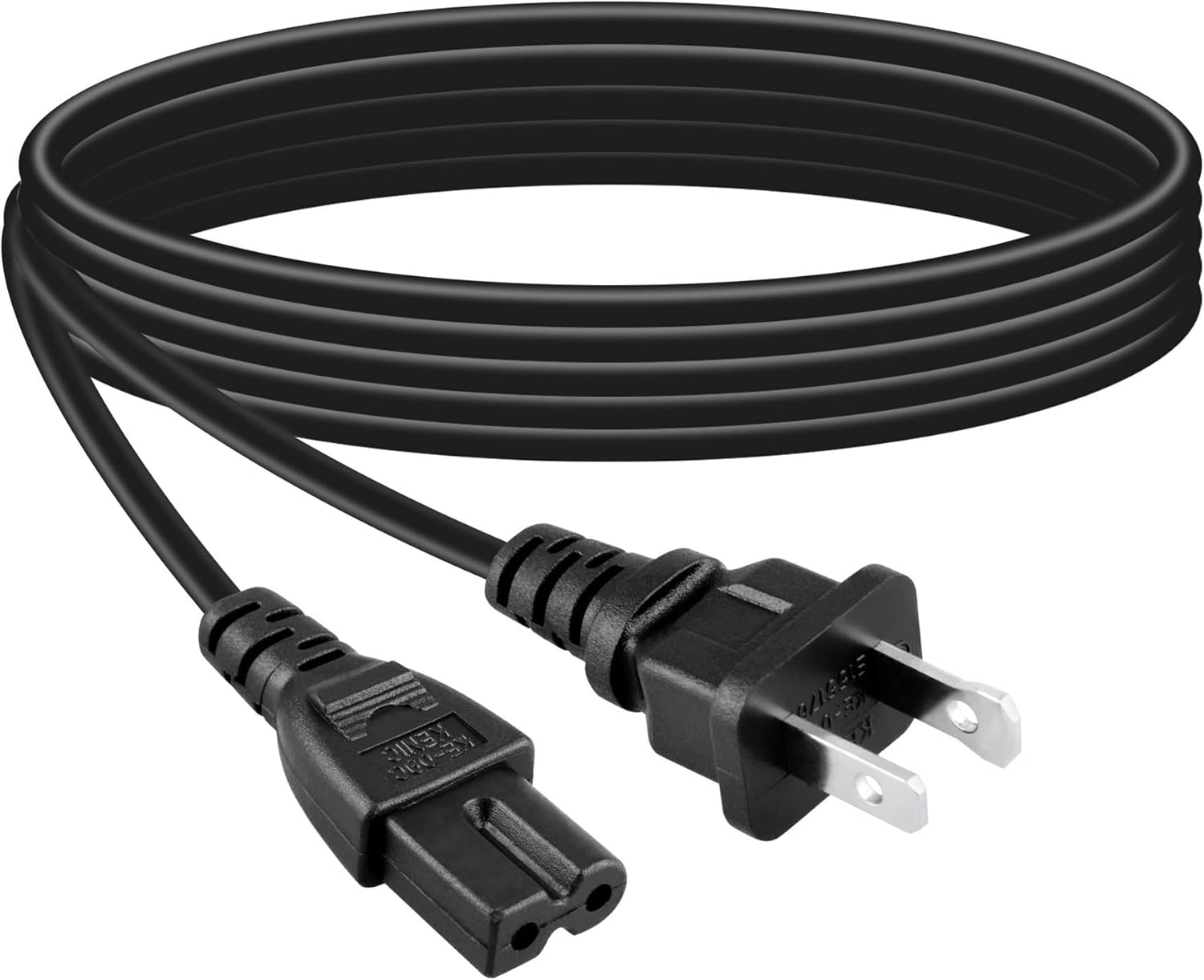
Image 2.1: Detailed view of the power cord's connectors, showing the C7 end and the standard 2-prong wall plug.
- Connect to TV: Carefully insert the C7 connector into the power input port on the back of your Vizio Smart TV. Ensure it is fully seated.
- Connect to Power Outlet: Plug the NEMA 1-15P end of the power cord into a standard 100-240V AC wall outlet.
- Verify Connection: Once both ends are securely connected, you may power on your Vizio Smart TV.
3. Operating Instructions
This power cord functions as a direct power supply for your compatible Vizio Smart TV. No specific operational steps are required for the cord itself beyond proper connection.
- Once connected, the power cord facilitates the flow of electricity from the wall outlet to your television.
- Operate your Vizio Smart TV as usual, using its remote control or on-device buttons.
4. Maintenance and Care
To ensure the longevity and safe operation of your PKPOWER Power Cord Cable, follow these maintenance guidelines:
- Regular Inspection: Periodically inspect the entire length of the cable, including the connectors, for any signs of damage such as cuts, fraying, bends, or discoloration.
- Proper Handling: Avoid bending, twisting, or crimping the cable excessively. Do not place heavy objects on the cable.
- Cleaning: If necessary, gently wipe the cable with a dry, soft cloth. Do not use liquid cleaners or immerse the cable in water. Ensure the cable is unplugged from all power sources before cleaning.
- Storage: When not in use, store the cable in a cool, dry place, loosely coiled. Avoid tight coiling or knotting.
- Replacement: If any damage is observed, discontinue use immediately and replace the cable with a new, compatible one.

Image 4.1: The power cord neatly coiled, demonstrating a recommended method for storage to prevent damage.
5. Troubleshooting
If you encounter issues with your Vizio Smart TV's power after connecting this cable, consider the following troubleshooting steps:
- No Power to TV:
- Ensure both ends of the power cord are securely plugged into the TV and the wall outlet.
- Test the wall outlet with another device to confirm it is receiving power.
- Check if the TV's power indicator light is on.
- Try a different power outlet.
- Intermittent Power:
- Inspect the power cord for any visible damage (fraying, cuts, loose connections). If damaged, replace the cord.
- Ensure the TV's power input port is clean and free of debris.
- TV Not Turning On:
- This issue may not be related to the power cord. Refer to your Vizio Smart TV's user manual for specific troubleshooting steps related to the TV itself.
- If possible, test the TV with its original power cord or another known working, compatible power cord to isolate the issue.
If problems persist after following these steps, contact PKPOWER customer support or a qualified technician.
6. Specifications
| Feature | Detail |
|---|---|
| Brand | PKPOWER |
| Product Type | AC Power Cord Cable |
| Compatible Vizio TV Models | V655-G9, V655-H19, V655-H4, V655-H9, V655-J04 |
| Cable Length | 6 feet (72 inches) |
| Input Voltage | 100-240V AC |
| Connector Type (Wall) | NEMA 1-15P (2-prong) |
| Connector Type (Device) | C7 (Figure-8) |
| Color | Black |
| Item Weight | 2 ounces |
| Safety Certifications | FCC certified |
7. Warranty and Support
PKPOWER stands behind the quality of its products. For specific warranty information, product support, or to report any issues, please refer to the contact information provided with your purchase or visit the official PKPOWER website.
For general inquiries or assistance, you may also contact the seller directly through the platform where the product was purchased.