
1. Introduction
Thank you for choosing the Tribesigns 70.8-inch Conference Table. This manual provides essential information for the assembly, operation, maintenance, and troubleshooting of your new conference table. Please read this manual thoroughly before assembly and use to ensure proper setup and longevity of the product.

Figure 1.1: Tribesigns 70.8-inch Conference Table in a professional conference room environment.
Key Features:
- Ample Work Space: Measuring 70.86"W x 30.7"D x 29"H, this conference room table comfortably accommodates a team (6-8 person), with plenty of space for laptops, documents, and personal items, ensuring productive group meetings or collaborative work sessions.
- Robust and Stable Design: The table's solid structure features a striking dark wood finish base, providing both aesthetic appeal and stability, while the lighter wood tabletop gives the piece a contemporary, high-end look that impresses clients and enhances the professional ambiance.
- Comfortable Seating Arrangement: Designed with ample legroom, this table promotes comfort during lengthy discussions, allowing attendees to focus on the matters at hand without the distraction of discomfort.
- Durable Work Surface: Constructed of thickened manufactured wood, the smooth tabletop is not only stylish but also resistant to daily wear and tear, making it an ideal long-term investment for busy conference rooms.
- Versatile Functionality: Beyond serving as a meeting point, the table's spacious design is suitable for various other uses, such as training sessions, office executive table, or as a temporary workspace for project teams, making it a multipurpose furnishing essential for modern offices.
2. Setup and Assembly
This section provides step-by-step instructions for assembling your Tribesigns Conference Table. It is recommended to have at least two people for assembly due to the size and weight of the components. Ensure all parts are present before beginning.
Important Safety Information:
- Always follow the assembly instructions provided in the included Assembly Guide.
- Do not place heavy objects on the table that exceed the maximum weight recommendation of 200 kilograms (440 pounds) to ensure stability and prevent accidents.
- Keep small parts away from children during assembly.
- Assemble on a soft, clean surface to prevent scratching the table components.
Assembly Steps:
- Unpack Components: Carefully unbox all parts and lay them out on a clean, flat, and soft surface (e.g., a carpet or blanket) to prevent damage. Verify all components listed in the Assembly Guide are present.
- Attach Table Legs/Bases: Follow the specific instructions in your Assembly Guide to securely attach the table bases to the tabletop. Ensure all screws and fasteners are tightened firmly but do not overtighten.
- Connect Table Sections (if applicable): If your model consists of multiple tabletop sections, align them carefully and use the provided connectors to join them.
- Position the Table: With assistance, carefully lift and move the assembled table to its desired location. Avoid dragging the table, as this can damage the legs or flooring.
- Final Check: Ensure the table is stable and level. Adjust any leveling feet if necessary.

Figure 2.1: Product dimensions for assembly planning.
3. Operating and Usage
The Tribesigns Conference Table is designed for versatile use in various office and professional settings. Its robust construction ensures durability for daily use.
Recommended Usage:
- Conference Meetings: Ideal for formal and informal meetings, accommodating 6-8 people comfortably.
- Collaborative Work: Provides ample space for team projects, brainstorming sessions, and group work.
- Executive Desk: Can be utilized as a large executive desk for individual work requiring extensive surface area.
- Training Sessions: Suitable for educational or training environments, offering a stable surface for laptops and materials.

Figure 3.1: Table configured for a conference meeting.
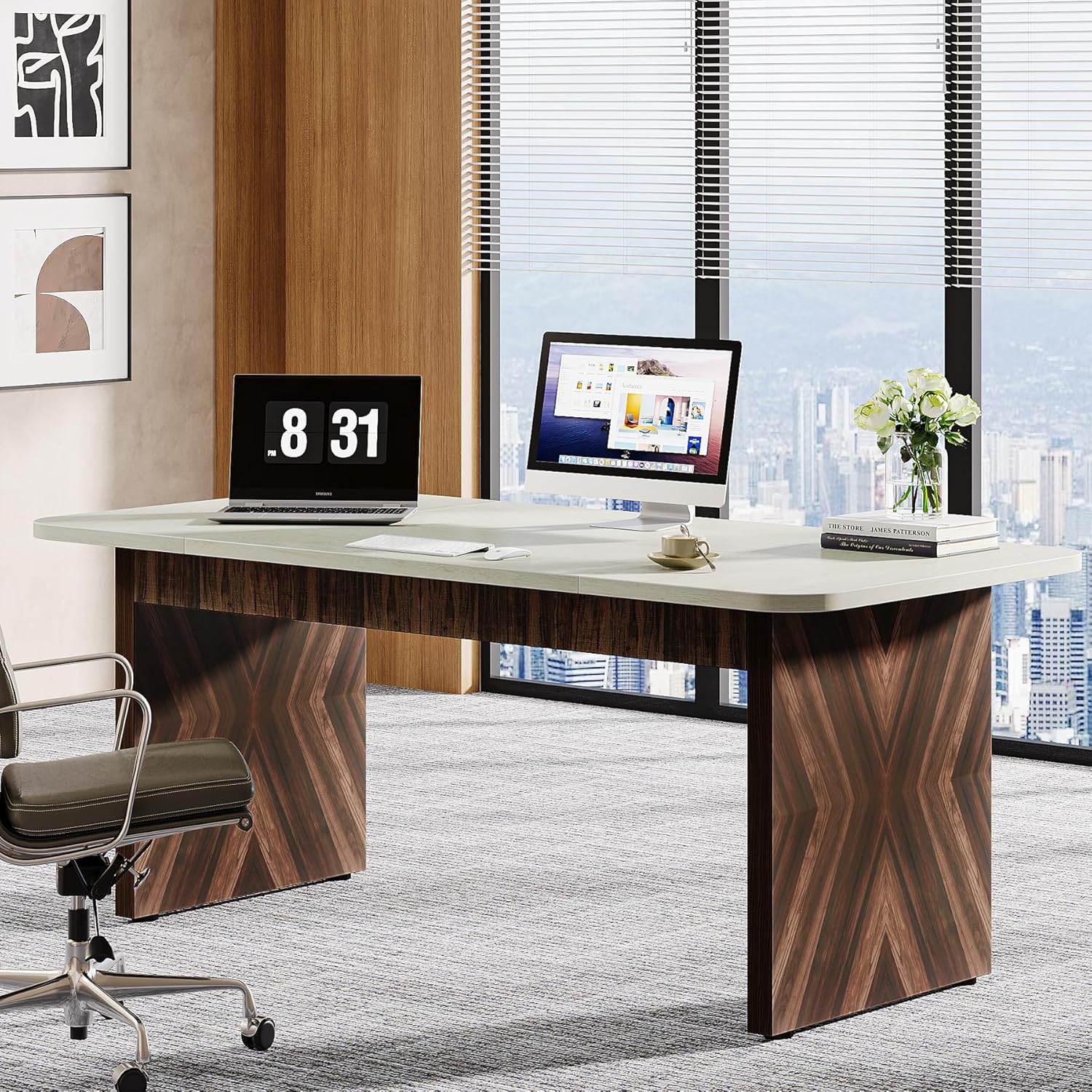
Figure 3.2: Table demonstrating versatility as an executive desk.
4. Care and Maintenance
Proper care and maintenance will ensure the longevity and appearance of your Tribesigns Conference Table.
- Cleaning: Wipe the tabletop and base with a soft, damp cloth. For stubborn marks, use a mild, non-abrasive cleaner specifically designed for wood or laminate surfaces. Dry immediately with a clean cloth.
- Avoid Harsh Chemicals: Do not use abrasive cleaners, strong solvents, or polishes containing silicone, as these can damage the finish.
- Spills: Clean up spills immediately to prevent staining or damage to the wood finish.
- Heat and Moisture: Avoid placing hot items directly on the surface. Use coasters for drinks and placemats for hot dishes. Protect the table from excessive moisture and humidity.
- Sunlight Exposure: Prolonged exposure to direct sunlight can cause fading or discoloration. Position the table away from direct, intense sunlight if possible.
- Regular Checks: Periodically check all screws and fasteners to ensure they remain tight. Retighten if necessary.
5. Troubleshooting
This section addresses common issues you might encounter with your conference table. If you experience problems not listed here, please contact customer support.
| Problem | Possible Cause | Solution |
|---|---|---|
| Table is wobbly or unstable. | Loose fasteners; uneven floor. | Check and tighten all assembly screws. Use leveling feet (if present) or shims under the legs to stabilize on uneven surfaces. |
| Scratches or marks on the surface. | Sharp objects; abrasive cleaning. | Use placemats or desk pads to protect the surface. Avoid dragging objects across the table. For minor scratches, consult a professional furniture repair guide or product. |
| Difficulty assembling. | Missing parts; incorrect steps. | Refer to the included Assembly Guide carefully. Ensure all parts are identified correctly. Contact customer support if parts are missing or damaged. |
6. Product Specifications
Detailed specifications for the Tribesigns 70.8-inch Conference Table (Model F2049).
| Specification | Detail |
|---|---|
| Brand | Tribesigns |
| Model Name | conference room table |
| Model Number | F2049 |
| Product Dimensions (D x W x H) | 30.9"D x 70.8"W x 30"H |
| Item Weight | 88 Pounds |
| Maximum Weight Recommendation | 200 Kilograms |
| Color | Grey (Top Color: Light Wood) |
| Table Design | Conference Table |
| Shape | Rectangular |
| Style Name | Modern |
| Furniture Finish | Natural Wood |
| Material Type | Engineered Wood |
| Seating Capacity | 12 (Unextended: 8) |
| Base Type | Pedestal |
| Included Components | Assembly Guide |
| Indoor Outdoor Usage | Indoor |
| Is Stain Resistant | No |
| Is the item resizable? | No |
7. Warranty and Customer Support
For any questions, concerns, or assistance with your Tribesigns Conference Table, please contact our customer support team.
While specific warranty details are not provided in this manual, Tribesigns is committed to customer satisfaction. Please refer to your purchase documentation or the official Tribesigns website for warranty information.
Customer Support:
- For direct assistance, please visit the Tribesigns Store on Amazon or refer to the contact information provided with your purchase.
- When contacting support, please have your model number (F2049) and purchase details ready.