
MAILANGSHI G108
MAILANGSHI G108 Wireless Microphone User Manual
Model: G108
1. Introduction
Thank you for choosing the MAILANGSHI G108 Wireless Microphone System. This manual provides detailed instructions for setting up, operating, and maintaining your new wireless microphone. Please read this manual carefully before use to ensure optimal performance and longevity of your device.
2. Product Overview
2.1 Package Contents
The MAILANGSHI G108 Wireless Microphone System typically includes the following components:
- Wireless Microphone (Handheld)
- Receiver Unit
- USB Charging Cable
- 3.5mm Jack Adapter
- 6.35mm Jack Adapter
- 2 Lithium-polymer Batteries (pre-installed or included)

Image: The MAILANGSHI G108 Wireless Microphone and its receiver unit, showcasing the main components.
2.2 Key Features
- Ultra-Stable Transmission: Enjoy a stable connection with a range of up to 60 meters (200 feet).
- One-to-One Connection Technology: Advanced technology ensures less latency and better transmission quality.
- Studio-Quality Sound: Features DSP noise reduction and anti-static noise technology for clear audio.
- Long Battery Life: Up to 40 hours of operation on a single charge (actual usage may vary).
- Fast Charging: Equipped with a Type-C charging port for convenient and quick recharging.
- Universal Compatibility: Connects to various devices using 3.5mm or 6.35mm jack adapters.
- Battery Indicator: Convenient display to monitor battery status.
- Lightweight and Portable: Designed for ease of use and transport.

Image: Illustration of the wireless microphone's stable transmission over a distance of 200 feet (approximately 60 meters).

Image: A close-up of a circuit board, representing the upgraded one-on-one connection technology for reduced latency and improved transmission.

Image: A woman holding the microphone, with icons highlighting its studio sound quality features: cardioid pickup pattern, DSP noise reduction, anti-static noise, and lightweight design.
3. Setup Guide
Follow these simple steps to set up your MAILANGSHI G108 Wireless Microphone System:
- Charge the Devices: Ensure both the microphone and the receiver are fully charged using the provided USB Type-C cable. The battery indicator on the microphone will show charging status.
- Connect the Receiver: Plug the receiver unit into your audio device (e.g., amplifier, speaker, sound card) using the appropriate 3.5mm or 6.35mm jack adapter.
- Power On: Turn on the receiver unit. Then, press and hold the power button on the microphone until its display illuminates. The microphone and receiver should automatically pair.
- Test Connection: Speak into the microphone to test the audio output from your connected device. Adjust volume as needed.

Image: Visual guide showing the two main setup steps: plugging the receiver into an audio device and turning on the microphone.
4. Operating Instructions
4.1 Power On/Off
- To turn on: Press and hold the power button on the microphone until the screen lights up.
- To turn off: Press and hold the power button again until the screen turns off.
4.2 Volume Control
Adjust the volume directly on your connected audio device (amplifier, speaker, etc.). The microphone itself does not have a volume control.
4.3 Battery Status
The microphone features a battery indicator on its display. Monitor this indicator to know when recharging is necessary. A full charge provides approximately 40 hours of usage.
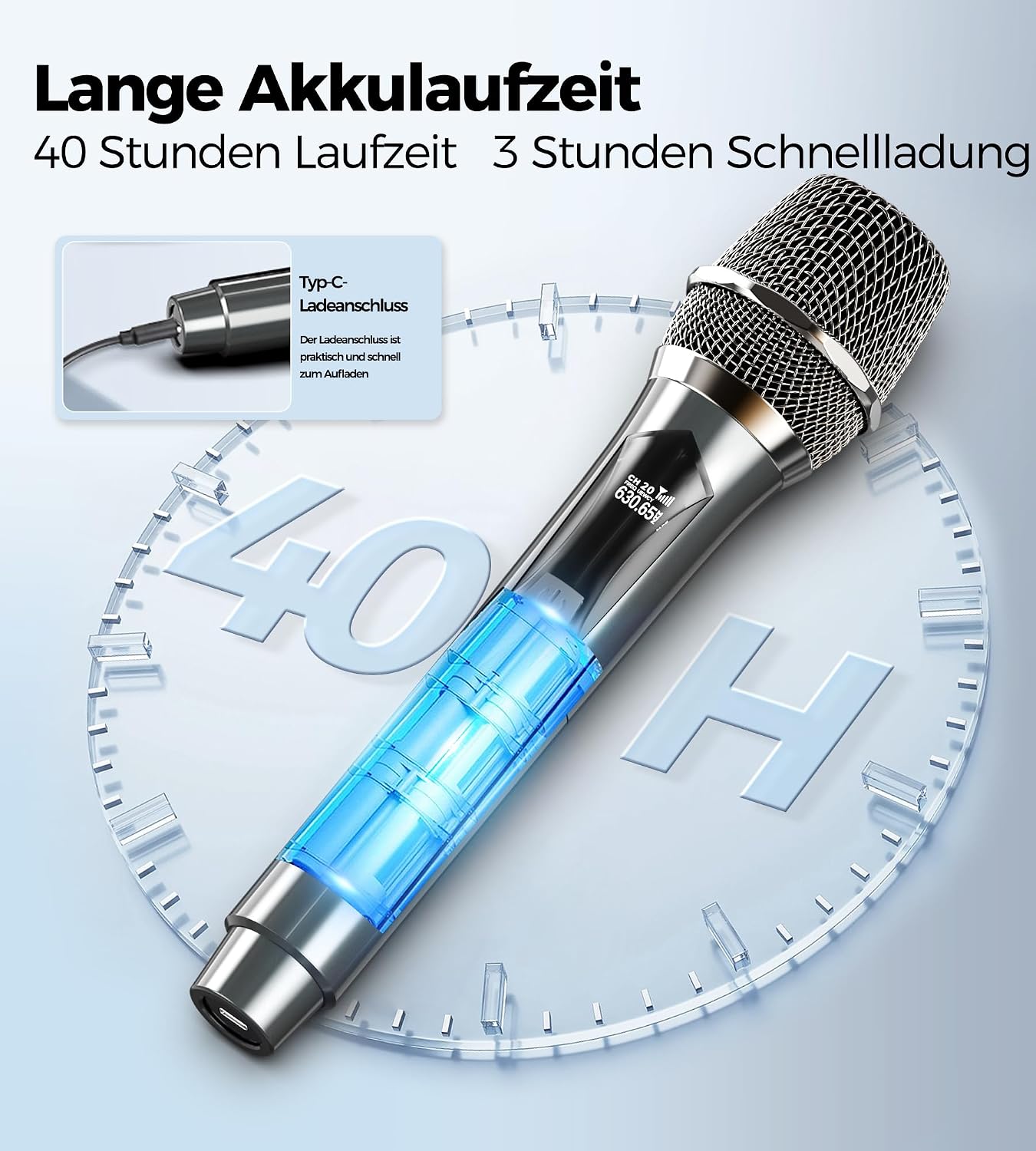
Image: The microphone displaying its battery life, indicating up to 40 hours of use, and highlighting the Type-C charging port.
4.4 Compatibility
The system is designed for broad compatibility with various audio equipment. It can be connected to:
- Amplifiers
- Trolley Speakers
- Live Sound Cards
- Echo-Wall Systems
- Home Audio Systems
- Bluetooth Audio Devices (via appropriate input)

Image: A visual representation of the microphone's universal compatibility with different audio devices, including speakers, sound cards, amplifiers, and home audio systems.
5. Maintenance
5.1 Cleaning
Wipe the microphone and receiver with a soft, dry cloth. Do not use liquid cleaners or abrasive materials, as they may damage the device.
5.2 Battery Care
- Avoid fully discharging the batteries frequently.
- Charge the device regularly, even if not in use, to maintain battery health.
- Store the device in a cool, dry place away from direct sunlight and extreme temperatures.
5.3 Storage
When not in use for extended periods, store the microphone and receiver in their original packaging or a protective case to prevent damage.
6. Troubleshooting
| Problem | Possible Cause | Solution |
|---|---|---|
| No sound from microphone |
|
|
| Interference or poor sound quality |
|
|
| Microphone not pairing |
|
|
7. Specifications
| Brand | MAILANGSHI |
| Model Number | G108 |
| Microphone Form Factor | Handheld |
| Connectivity Type | Wireless |
| Connector Type | 3.5mm Jack, 6.35mm Jack |
| Power Source | Battery Powered |
| Battery Type | 2 Lithium-polymer (included) |
| Estimated Battery Life | Up to 40 hours (usage dependent) |
| Signal-to-Noise Ratio | 60 dB |
| Number of Channels | 2 |
| Dimensions (L x W x H) | 50 x 270 x 50 mm |
| Compatible Devices | Amplifier, Trolley Speaker, Live Sound Card, Echo-Wall System, Home Audio, Bluetooth Audio |
| Special Features | Battery Indicator, DSP Noise Reduction, Anti-static Noise |
8. Warranty and Support
Specific warranty information for the MAILANGSHI G108 Wireless Microphone is not provided in this manual. Please refer to the product packaging or the retailer's website for details regarding warranty coverage and terms.
For technical support or further inquiries, please contact MAILANGSHI customer service through their official website or the platform where the product was purchased.
Ask a question about this manual
Ask about setup, troubleshooting, compatibility, parts, safety, or missing instructions. Manuals+ will review the question and use this page’s manual context to help answer it.