
ASHATA ASHATAgzxvniumgr
ASHATA D7 4K Digital Camera User Manual
Model: ASHATAgzxvniumgr
Introduction
This manual provides comprehensive instructions for the ASHATA D7 4K Digital Camera. Please read this manual carefully before using the camera to ensure proper operation and to maximize its features. Keep this manual for future reference.

Figure 1: ASHATA D7 4K Digital Camera Overview
Setup
1. Charging the Battery
The camera is equipped with a built-in 3600mAh lithium battery. Before first use, fully charge the battery using the provided charging data cable. Connect the cable to the camera's charging port and a compatible USB power source.

Figure 2: Camera with Battery Information
2. Inserting a Memory Card
The camera supports small memory cards from 8GB to 128GB (not included). Locate the memory card slot, typically on the side or bottom of the camera. Insert the memory card with the correct orientation until it clicks into place.
3. Attaching the Hand Strap
Attach the included hand strap to the designated loop on the camera for secure handling and to prevent accidental drops.

Figure 3: Camera and Included Accessories
Operating Instructions
1. Powering On/Off
Press and hold the power button (usually located on the top or side) to turn the camera on or off.
2. Basic Photography and Video Recording
The D7 camera captures stunning 4K HD videos and 64MP images. Use the mode dial or on-screen menu to switch between photo and video modes.
To take a photo, press the shutter button. To start/stop video recording, press the dedicated video record button.

Figure 4: 4K HD Video Recording Capability
3. Zoom Function
The camera features 28x digital zoom. Use the zoom lever/buttons to adjust the magnification. Digital zoom allows you to bring distant subjects closer.
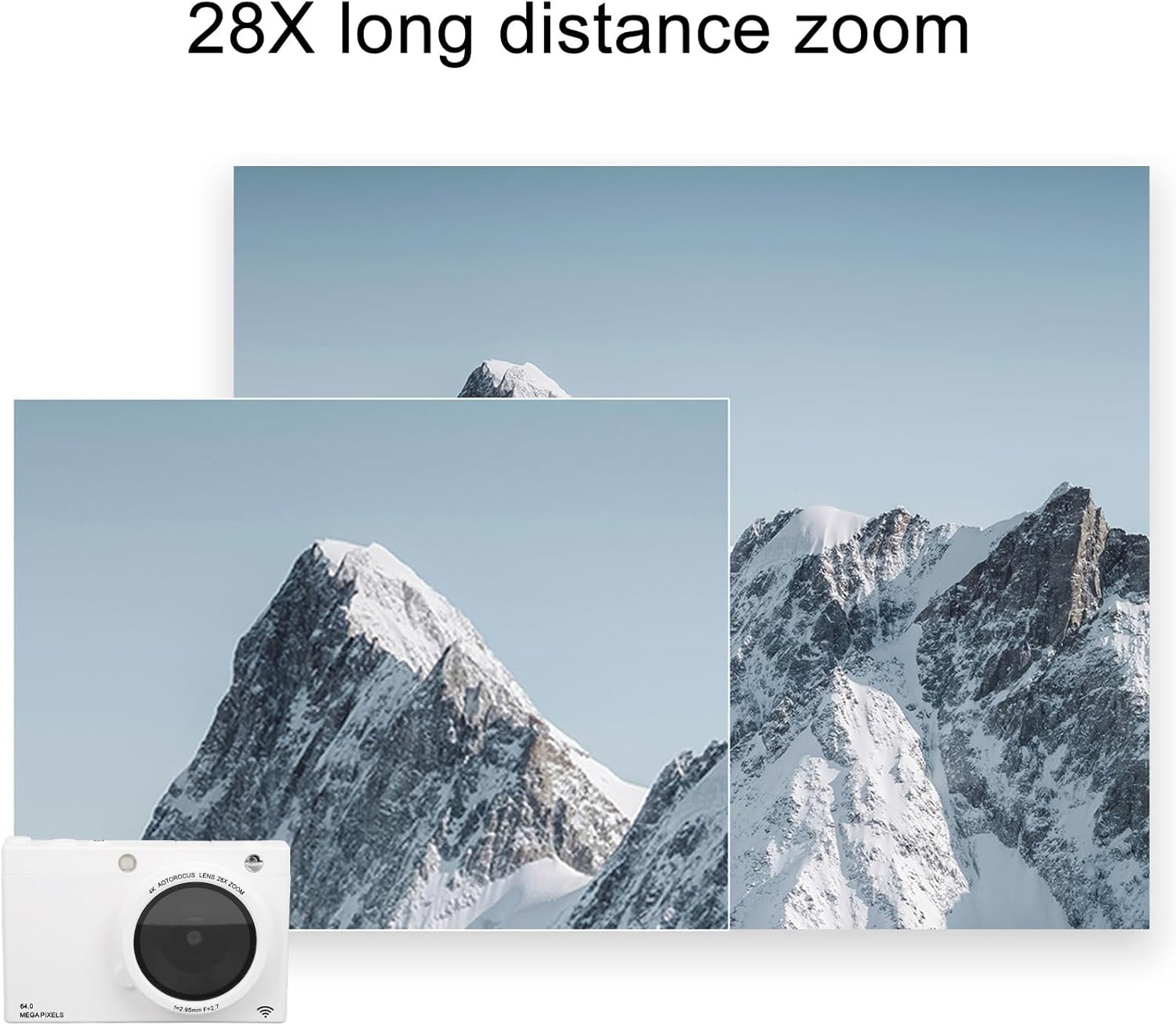
Figure 5: Demonstrating 28X Digital Zoom
4. Focus Modes (Auto/Manual)
The camera supports both automatic and manual focus. Auto-focus (AF) is suitable for most situations, while manual focus (MF) provides precise control, especially for achieving blurred background effects.

Figure 6: Auto/Manual Focus Capabilities
5. Using the Flash
The built-in high brightness flash helps restore true colors in low-light conditions. The camera automatically adjusts screen color temperature based on ambient light.

Figure 7: High Brightness Flash in Use
6. Connectivity with Mobile Phones
Transfer photos to your smartphone via the camera's built-in Wi-Fi hotspot. This allows for previewing, shooting, downloading, and sharing images directly from your phone. You can also add weather, date, and watermarks to photos.

Figure 8: Mobile Phone Connectivity
7. Vintage Retro Filters and Beauty Function
Customize your photos with up to 80 filter effects, simulating vintage film looks. The camera also includes a beauty function that enhances skin tones.
8. External Accessories
The camera features a 1/4 inch universal threaded interface for tripods or selfie sticks, and a hot shoe interface for external accessories like LED lights and microphones.

Figure 9: External Accessory Interfaces
Maintenance
To ensure the longevity and optimal performance of your ASHATA D7 camera, follow these maintenance guidelines:
- Keep the camera clean: Use a soft, lint-free cloth to wipe the camera body. For the lens, use a specialized lens cleaning cloth and solution. Avoid abrasive materials.
- Protect from elements: Avoid exposing the camera to extreme temperatures, humidity, dust, or direct sunlight for prolonged periods.
- Store properly: When not in use, store the camera in a dry, cool place, preferably in a camera bag to protect it from impacts.
- Battery care: Fully charge the battery before long periods of storage and recharge it every few months to maintain battery health.
Troubleshooting
| Problem | Possible Cause | Solution |
|---|---|---|
| Camera does not power on | Low battery; Battery not inserted correctly; Power button not pressed long enough. | Charge the battery; Reinsert battery; Press and hold power button for a few seconds. |
| Photos are blurry | Incorrect focus; Camera shake; Dirty lens. | Ensure proper focus mode (Auto/Manual); Use anti-shake feature or tripod; Clean the lens. |
| Cannot transfer photos to phone | Wi-Fi hotspot not enabled; Incorrect connection steps; App issues. | Enable Wi-Fi on camera; Follow mobile connectivity instructions carefully; Restart camera and phone. |
| Memory card error | Incompatible card; Card full; Card corrupted. | Use supported memory card (8G-128G); Delete files or use new card; Format card (will erase data). |
Specifications
| Feature | Detail |
|---|---|
| Lens | F/2.95 F=2.7 |
| Maximum Image Resolution | 64M |
| Maximum Video Resolution | 4K |
| Screen Size | 2.83 inch |
| Storage | Supports small memory card 8G to 128G (not included) |
| MP3 Function | Supports |
| Fidelity Distance (Wi-Fi) | Supports 10m |
| Zoom | 28x digital zoom |
| Battery | Lithium 3600mAh (built-in) |
| Item Weight | 7.2 ounces |
| Package Dimensions | 5.51 x 4.33 x 2.36 inches |
| Model Number | ASHATAgzxvniumgr |
Warranty and Support
For warranty information and technical support, please refer to the manufacturer's official website or contact their customer service. Keep your purchase receipt as proof of purchase.
Manufacturer: ASHATA
For further assistance, visit the ASHATA Store on Amazon: ASHATA Store
Ask a question about this manual
Ask about setup, troubleshooting, compatibility, parts, safety, or missing instructions. Manuals+ will review the question and use this page’s manual context to help answer it.